


Firefox Browser Testing on Real Browsers
Your app passes every check in Chrome, then a Firefox user hits a broken layout. How many of those bugs are slipping past your test runs? Try Firefox browser testing online with TestGrid and catch them before your users do.

Firefox Website Testing That Shows You What Users See
Your page can look and respond differently in Firefox, because it uses Gecko rather than the Blink engine used by Chromium-based browsers. With Firefox website testing on TestGrid, you can open your app in a real Firefox browser and explore it hands-on.
Request Free TrialCheck the journeys that matter most
Walk through your forms, sign-in flows, navigation, and JavaScript-driven interactions in Firefox, and confirm every business-critical path works the way you expect.
Get every layout right with TestGrid
Look at your CSS, fonts, components, and responsive breakpoints so you can spot the spacing, alignment, and rendering quirks that only show up in Firefox.
Track down version-specific bugs
Put your app through Firefox browser compatibility testing across the supported Firefox versions and OS combinations available in TestGrid, and pinpoint where a bug first appeared.
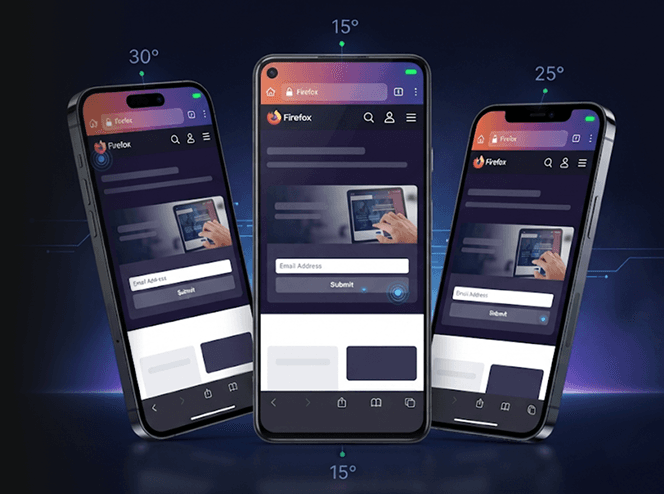
Cover the Phones Your Users Carry
With Firefox mobile testing on TestGrid, you can open your website in Firefox on real devices and check CSS, JavaScript, forms, navigation, redirects, storage, and touch interactions across available browser-OS combinations.
Reuse the Automation Your Team Trusts
Perform Firefox automated testing on TestGrid with the Selenium, Playwright, and Cypress suites as written, with no conversion into a proprietary format. Trigger them from Jenkins, GitHub Actions, GitLab, or Azure DevOps, and execute them in parallel to shorten your regression cycles.
Request Free Trial
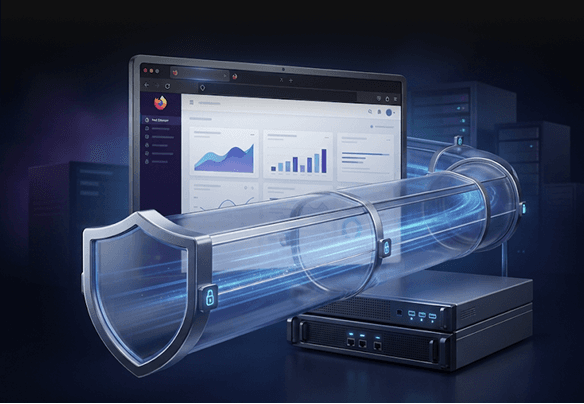
Firefox Browser Testing for Pre-Release Builds
Reach your localhost builds, staging systems, VPN-protected apps, and internal environments through secure tunneling on the TestGrid platform. You can begin Firefox browser testing well before production, and your unreleased systems never touch the public internet.

Get to the Root of Every Failure
When a Firefox test fails, TestGrid gives you access to the session video, screenshots, logs, and network traffic captured during that run. You can leverage browser developer tools to trace the problem and tell whether it came from your app, your test script, or the environment.
Request Free TrialScale Firefox Cross Browser Testing on Your Terms
Use the testing lab you have today and extend it with TestGrid-hosted capacity for the browser and OS combinations your current setup does not cover, all managed from one platform. When you need more control, choose TestGrid’s private dedicated cloud, on-premises, hybrid, or air-gapped deployment options.

Frequently Asked Questions (FAQs)
How can I test my website on Firefox online with TestGrid?

With Firefox browser testing online on TestGrid, you can select a supported Firefox version and OS, then open your website or web application for hands-on testing. You can check functionality and rendering manually or execute supported automation against the Firefox environments your coverage requires.
How can I test my website on Firefox online with TestGrid?
With Firefox browser testing online on TestGrid, you can select a supported Firefox version and OS, then open your website or web application for hands-on testing. You can check functionality and rendering manually or execute supported automation against the Firefox environments your coverage requires.
Why can’t I use headless Chromium to test Firefox compatibility?
Headless Chromium still uses Chromium’s Blink rendering engine and V8 JavaScript engine, so it can’t reproduce Firefox-specific behavior from Gecko and SpiderMonkey. Differences can appear in CSS rendering, JavaScript execution, browser APIs, form controls, security policies, and other browser behavior.
Does Firefox behave differently on Windows, macOS, and Linux?
Yes. Firefox uses the same Gecko browser engine across Windows, macOS, and Linux, but it still relies on the underlying operating system for parts of the user experience. Each OS handles things such as font rendering, native controls, graphics, media, file dialogs, permissions, and keyboard input differently. As a result, the same page can look or behave differently in Firefox depending on the operating system it is running on.
What’s the difference between a Firefox emulator or simulator and testing on Firefox?
A Firefox emulator or Firefox simulator reproduces parts of a browser environment rather than executing your website in the actual browser. Testing on Firefox itself lets you validate rendering, interactions, JavaScript behavior, browser APIs, and compatibility against Firefox’s real browser engine, giving you a stronger basis for Firefox website testing before release.
Which Firefox versions should I test?
Start with the current Firefox version, then add the versions that appear in your product analytics or enterprise support matrix. If your organization supports older releases, include those in your regression coverage as well. The goal of Firefox browser testing is to cover the versions your users actually depend on rather than treating every available version as equally important.
Can I use TestGrid for Firefox testing in a private or on-premises environment?
Yes. You can choose private dedicated cloud, on-premises, or hybrid deployment, and you can go air-gapped when your requirements call for it. Pick the model that matches your organization's security, network access, and data-control policies.