


Test Your Website on Different Browsers With TestGrid
Get access to thousands of different combinations of real browsers across Windows, Linux, macOS, Android, and iOS – no emulators or simulators. Test local and staging builds under production-like conditions, and fix issues before they affect live user sessions.


Automated Browser Testing on Real Environments at Scale
Keep your browser behavior predictable with changing frontend frameworks, rendering engines, and device ecosystems without slowing down release speed.
Request Free TrialExceptional Experiences on Every Browser
Test your website on different browsers, including Chrome, Safari, Firefox, Edge, and Opera, and ensure it looks polished, functions reliably, and performs smoothly for every visitor, no matter which browser, device, or platform they use.
Debug Issues Faster with DevTools
Investigate failures with the help of DevTools support, including DOM inspection, JavaScript execution analysis, API request tracing, and performance diagnostics. Fix rendering inconsistencies, frontend execution issues, and environment failures without switching tools.
Gain AI-driven Insights with Centralized Reporting
Automatically consolidate your test results, execution history, and failure patterns into a unified reporting dashboard. Get AI-powered insights like anomaly detection and trend analysis to identify and analyze regressions, detect compatibility issues.
Parallel Test Execution
Execute website tests simultaneously on every browser and device configuration you need. Run large regression suites in parallel, accelerate validation cycles, and improve testing efficiency while maintaining maximum coverage.


Automated Browser Testing Framework Support
Run your existing Selenium, Cypress, and Appium test suites across many browser environments without rebuilding your automation workflows from scratch. Integrate directly into your testing pipeline, reuse scripts, and execute tests at scale with minimal setup.
Request Free TrialResponsive Website Validation
Test your website on different browsers and check how it adapts to multiple operating systems, screen sizes, resolutions, and orientations to ensure flawless user journeys everywhere. You can examine responsive layouts, navigation flows, and mobile browser behavior from a single testing workflow.

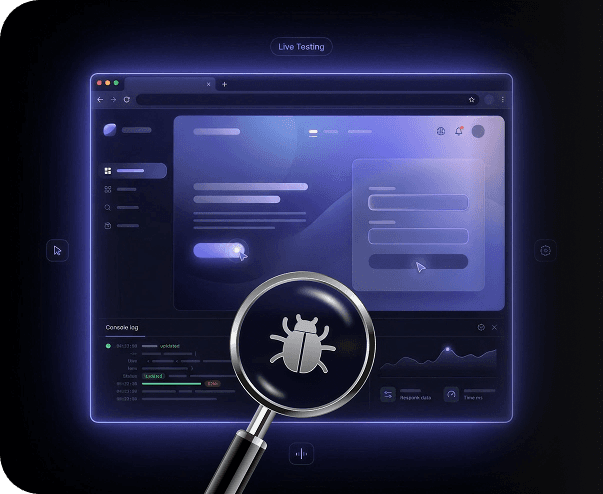
Live Interactive Browser Testing
Interact with your website manually in real time and assess user flows, reproduce issues, and inspect UI behavior instantly. The best thing is that you can monitor console activity, analyze network requests, and troubleshoot browser-specific issues seamlessly during the live testing sessions.
Request Free TrialLeverage the Complete Cross-Browser Testing Ecosystem
Replicate real-world usage scenarios and see how your websites respond to changing browser states, network fluctuations, and UI updates.
Visual regression detection
Compare visual baselines, identify layout shifts, evaluate styling consistency, and catch regressions caused by browser updates or responsive design modifications. Easily pinpoint unintended UI regressions before they affect production performance.
Geolocation and network simulation
Throttle 2G, 3G, 4G, 5G, or WiFi speeds to check the real-world load behavior of your website. Test region-specific content delivery, verify localized experiences, and spot performance drops that may impact users based in different geographic locations.
Continuous quality checks within CI/CD
Connect seamlessly with the CI/CD tools you already use, including Jenkins, GitHub Actions, and Azure DevOps, and test after every code commit or pull request to identify functional failures before changes move further down your release pipeline.
Frequently Asked Questions (FAQs)
How can I test my website on different browsers?

You can test your website on different browsers and devices by running it across browser environments like Chrome, Firefox, Safari, Edge, and Opera using real devices hosted in the cloud or on-premise. If you want to thoroughly verify layouts, functionality, responsiveness, usability, and accessibility, combine manual with automated testing.
How can I test my website on different browsers?
You can test your website on different browsers and devices by running it across browser environments like Chrome, Firefox, Safari, Edge, and Opera using real devices hosted in the cloud or on-premise. If you want to thoroughly verify layouts, functionality, responsiveness, usability, and accessibility, combine manual with automated testing.
Why should developers and QA teams test websites on different browsers and devices?
When you check your website on different browsers and device configurations, you can assess rendering engines, JavaScript execution, screen resolutions, and browser capabilities that vary across environments. This allows you to catch compatibility issues, inconsistent layouts, and unstable functionality that can impact your users.
Why should developers and QA teams test websites on different browsers and devices?
When you check your website on different browsers and device configurations, you can assess rendering engines, JavaScript execution, screen resolutions, and browser capabilities that vary across environments. This allows you to catch compatibility issues, inconsistent layouts, and unstable functionality that can impact your users.
Do I need to install browsers or set up virtual machines?
Not really. Modern cloud testing platforms give you instant access to view your website in different browsers, devices, and OS combinations, and test them without requiring local browser installations, device labs, or virtual machine setup.
Do I need to install browsers or set up virtual machines?
Not really. Modern cloud testing platforms give you instant access to view your website in different browsers, devices, and OS combinations, and test them without requiring local browser installations, device labs, or virtual machine setup.
Can I test websites hosted on local or staging environments?
Yes, you can securely test your website in different browsers hosted on localhost, private servers, or staging environments before you deploy it to production. Many testing platforms offer you safe tunneling or local testing connections which you can use to test your websites on browsers without exposing internal builds to public networks.
Can I test websites hosted on local or staging environments?
Yes, you can securely test your website in different browsers hosted on localhost, private servers, or staging environments before you deploy it to production. Many testing platforms offer you safe tunneling or local testing connections which you can use to test your websites on browsers without exposing internal builds to public networks.
How many browsers and devices can I test on?
It depends on the testing platform you're using. Generally, most platforms offer you hundreds or even thousands of environment combinations and allow you to test a website on different browsers, device models, and operating systems.
How many browsers and devices can I test on?
It depends on the testing platform you're using. Generally, most platforms offer you hundreds or even thousands of environment combinations and allow you to test a website on different browsers, device models, and operating systems.
Is it necessary to test on real devices instead of emulators?
Yes, it's important to test on real devices because it gives you more accurate insights into browser rendering, device performance, touch interactions, hardware behavior, and network conditions, which emulators may not be able to fully replicate.
Is it necessary to test on real devices instead of emulators?
Yes, it's important to test on real devices because it gives you more accurate insights into browser rendering, device performance, touch interactions, hardware behavior, and network conditions, which emulators may not be able to fully replicate.
Can I test my website on both desktop and mobile browsers?
Yes, you can definitely test your website on desktop operating systems like macOS, Windows, and Linux as well as browsers such as Chrome, Safari, Firefox, Edge, and Opera. Make sure you check if the testing platform supports these configurations.
Can I test my website on both desktop and mobile browsers?
Yes, you can definitely test your website on desktop operating systems like macOS, Windows, and Linux as well as browsers such as Chrome, Safari, Firefox, Edge, and Opera. Make sure you check if the testing platform supports these configurations.
Why choose TestGrid for cross-browser testing?
TestGrid helps you test your website on different browsers free from a single workspace. The platform covers both modern and legacy versions, lets you run parallel tests, integrates with automated frameworks like Selenium and Appium, auto-heals locators to prevent execution failures, and lets you test in the cloud to minimize the overhead of maintaining heavy infrastructure.
Why choose TestGrid for cross-browser testing?
TestGrid helps you test your website on different browsers free from a single workspace. The platform covers both modern and legacy versions, lets you run parallel tests, integrates with automated frameworks like Selenium and Appium, auto-heals locators to prevent execution failures, and lets you test in the cloud to minimize the overhead of maintaining heavy infrastructure.