CoTester 2.0 is LIVE! Your Always-Available AI Teammate for Testing.
- Browserling Alternatives Overview
- What Is Browserling?
- Why Teams Look for Browserling Alternatives
- How We Evaluated the Alternatives to Browserling
- Browserling Alternatives Comparison
- Top 10 Browserling Alternatives in 2026
- What Should You Look for in a Browserling Alternative?
- Frequently Asked Questions (FAQs)
- Which Browserling alternative supports real mobile devices?
- Which browser testing tool supports Selenium or Playwright?
- Which Browserling competitor is best for enterprise teams?
- What are the best Browserling alternatives with AI capabilities for cross-browser testing?
- Can Browserling alternatives test websites hosted on localhost?
Assessing the behavior of your apps and websites on browsers is critical because differences in browser engines, operating systems, and viewport environments can change how your users experience the same functionality.
Browserling is a popular cloud-based option for interactive cross-browser testing. However, testing needs like browser coverage, automation, debugging, and integration, may vary across teams.
That’s why in this blog, we’ll look at the reasons that may prompt users to look for other options, and the top 10 Browserling alternatives available in the market.
Optimize cross-browser test automation with TestGrid. Request a free trial.

Browserling Alternatives Overview
TL;DR
- TestGrid: Unified AI-native software testing platform for validating web apps across browsers, operating systems, and real-world environments
- Browsershots: Screenshot service for checking how websites render across different browsers and devices
- BitBar: Cloud-based browser testing for assessing web apps on browser, device, OS, and screen-resolution combinations
- Sauce Labs: Cloud testing for checking web apps across desktop and mobile browser environments throughout the development lifecycle
- Ghost Inspector: Automated website testing and monitoring solution which recreates user interactions in a browser to verify web app workflows
- Virtuoso QA: AI-native web testing designed to let QA and business teams create and maintain automated browser tests using natural language
- TestCafe: Free, open-source framework for automating tests of web apps across supported browsers
- Browser.lol: Remote browser testing platform for reproducing browser-specific rendering issues
- TestingBot: Cloud browser testing platform for running manual, automated, visual, and AI-assisted tests
- Blisk: Developer-focused browser for examining behavior of web apps across multiple device layouts
What Is Browserling?
Browserling is an online browser testing tool that allows you to interact with browsers live as if they were installed on your computer. You can run real desktop browsers on their servers in virtual machines, not fake browsers or emulators. The platform supports browsers like Chrome, Opera, Firefox, Safari, Edge, and IE.
Some of Browserling’s best features include:
- Capture, save, and share screenshots of your web pages in all browsers
- Change screen resolution and resize browsers for responsive testing
- Conduct manual cross-browser testing for your websites with one click
- Embed browsers in your own application on demand and automate them via a neat API
- Bookmark your favorite browsers and start testing in them
Why Teams Look for Browserling Alternatives
There’s no doubt that Browserling offers several useful features for efficient browser testing. However, the tool may not be the best fit for every team because different teams have different testing needs, technical requirements, and scaling goals.
Plus, there are some limitations that lead users to look for alternatives.
- Some users mention that lagging is a significant problem that hampers their test workflows
- One user stated that UI tests running through Browserling might result in frequent timeouts
- The platform may not have all the updated browser versions available
- The initial setup and configuration may take some time and effort
How We Evaluated the Alternatives to Browserling
For our evaluation, we considered the factors that are most important for browser testing and the areas where Browserling is lacking.
Our assessment involved looking at features like live interactive testing, responsive testing, screenshot testing, and visual regression testing so you can test every corner of your websites and web apps.
Then one of the most critical aspects was the browser and device coverage the Browserling alternatives offered. We picked the browser compatibility testing tools that supported testing on major browsers like Chrome, Firefox, Safari, and Edge, operating systems like Windows, macOS, and Linux, and Android and iOS devices.
Next, we searched for real browser testing tools with capabilities such as network condition and geolocation testing, and failure diagnosis features, including debugging logs, screenshots, and video recordings.
Framework support was another important area; therefore, we only listed the tools which allows testers to create tests in automation frameworks like Selenium, Playwright, and Cypress.
And lastly, we focused on test analytics, reporting, and security features such as isolated browser sandboxes for safe testing.
Browserling Alternatives Comparison
The table below shows how the different Browserling alternatives differ in their features, use cases, integration support, and pricing. You can refer to it to quickly identify the tools that align with your requirements.
| Tool Name | Key Features | Integrations | Pricing |
|---|---|---|---|
| TestGrid | Real-browser testing, parallel execution, self-healing, codeless testing | Selenium, Appium, CircleCI, TravisCI, GitLab, Jira, Slack, Teams | Starts at $199 per seat/month; free tier available |
| Browsershots | Chromium-based browser rendering, full-page screenshots | JavaScript, REST API | Starts at $4.99 per month |
| BitBar | Live testing, parallel automated execution | Selenium, Appium, Jenkins, Flutter, Java, Slack | Starts at $47 per license |
| Sauce Labs | Visual regression testing, AI-powered test insights | GitLab, GitHub Actions, Azure DevOps, Jenkins, CircleCI, Codefresh, Travis CI, Bitbucket, TeamCity | Starts at $49 per month |
| Ghost Inspector | No-code browser test recording, visual testing | GitHub, GitHub Actions, Jenkins, Jira Cloud, BlazeMeter | Starts at $109 per month |
| Virtuoso QA | Natural-language test creation, responsive testing | GitHub, Slack, Microsoft Azure, Jenkins, CircleCI, XRay, TestRail, Jira | Custom |
| TestCafe | JavaScript/TypeScript test authoring, concurrent browser execution | Azure DevOps, Bitbucket Pipelines, CircleCI, GitHub Actions, GitLab, Jenkins | Free |
| Browser.lol | Disposable browser workspaces, API and MCP-based browser automation | MCP, Claude Code, REST APIs | Starts at $9 per month |
| Testingbot | Live browser debugging, geolocation simulation | Selenium, Appium, Cypress, Bitbucket, GitLab, Travis CI, GitHub Actions | Starts at $22 per month |
| Blisk | Network-speed simulation, built-in error monitoring | Command Prompt/Terminal integration | Custom |
Top 10 Browserling Alternatives in 2026
1. TestGrid
Best for: Scalable, AI-assisted cross-browser testing across real browsers and devices

TestGrid is an AI-native end-to-end software testing platform that enables you to perform cross-browser testing across Chrome, Safari, Firefox, Edge, and mobile browsers. The platform allows you to add multiple environments to your testing suite and run parallel testing to save time and effort.
You can connect with major CI/CD tools like Jenkins, CircleCI, GitHub Actions, and Azure DevOps to facilitate automated testing. Also, TestGrid gives you a ready Selenium Grid where your automation runs consistently, without the operational complexity of managing grid environments.
Moreover, after every execution, you can review results with logs, screenshots, videos, and performance insights. And your security stays intact through the testing process. TestGrid protects your site against vulnerabilities like cross-site scripting (XSS) and insecure cookies.
Features
- Write your test cases in plain English or BDD (Behavior-Driven Development)
- Verify every feature of online forms, buttons, navigation, and beyond, and make sure they work across all browsers
- Evaluate your website’s speed, responsiveness, and stability across browsers under real user conditions
- Access real browsers online to test your websites hosted on staging or local environments seamlessly
- Validate compatibility from different regions by simulating IP locations and using GPS
- Detect and adapt tests automatically to browser-specific updates
Limitations
- The initial setup and advanced AI features may require some time to learn; however, detailed guides and documentation are available on the website
Pricing
- CoTester Starter Package: Starts at $199 per seat/month (minimum 4 seats; includes 4 devices/browsers and 5,000 tokens)
- CoTester Growth Package: Custom pricing (includes all Starter features + marketplace integrations)
- Enterprise Test Infra (On-Prem / Hosted): Custom pricing (dedicated test lab for segregated enterprise teams)
2. Browsershots
Best for: Developers and designers who need quick screenshot-based checks of website rendering
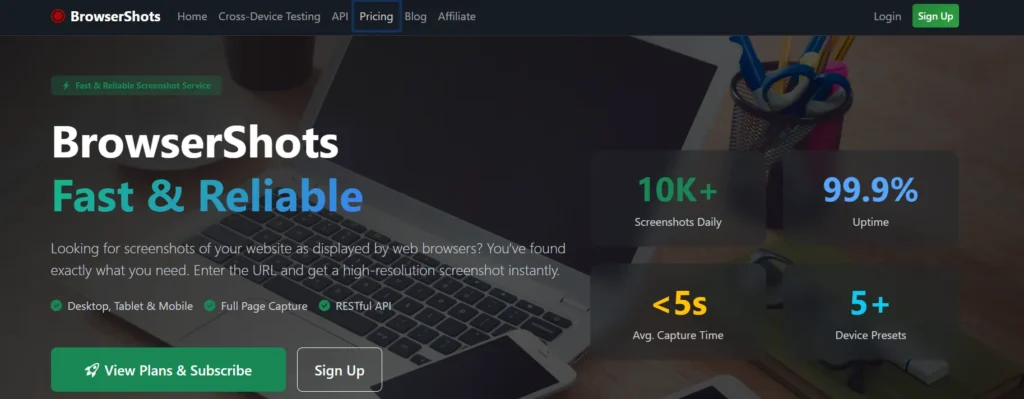
Browsershots helps you assess cross-browser compatibility by allowing you to capture and compare screenshots of your websites as displayed by different browsers. You just have to enter the URL and you get high-resolution screenshots immediately. Other than this, it supports visual bug detection, browser rendering, and realistic viewport simulation for cross-device testing, which makes it one of the best web application testing tools.
Features
- Capture professional images of your website and see how they look across browsers
- Download your screenshots in high resolution without any intrusive watermarks
- Uncover HTML and CSS issues in a testing environment and identify visual faults precisely
- Get an accurate render of your website as displayed in modern Chromium-based browsers
Limitations
- Complex pages with images may take longer time to render
- The standard pricing tier currently allows only 250 screenshots per day, which can be restrictive for teams with large-scale testing needs
Pricing
- Standard: $4.99 per month
- Super User: $49.99 per month
3. BitBar (SmartBear)
Best for: QA teams who want live and automated cross-browser testing on real desktop and mobile browsers
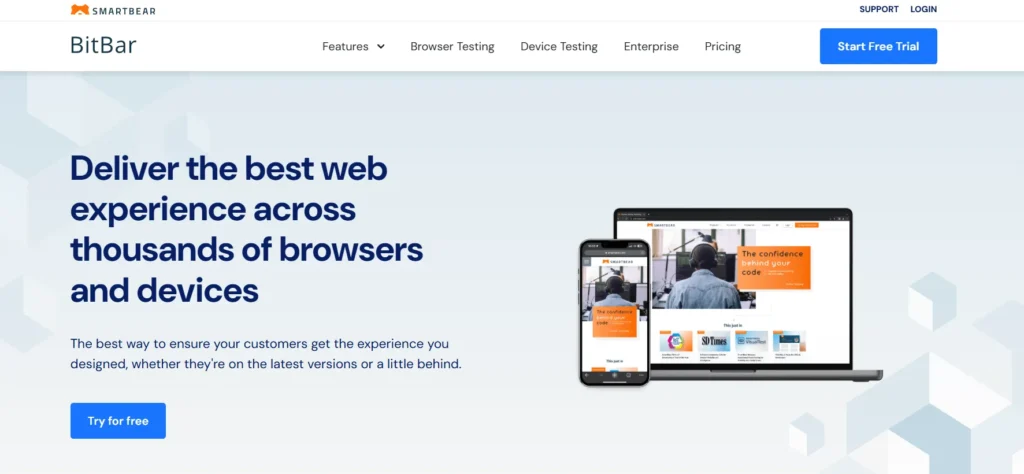
BitBar is one of the best cross-browser testing tools which enables you to deliver exceptional user experiences by allowing testing across thousands of browsers. You can assess your mobile and desktop apps simultaneously, reduce overall testing time, and leverage native integrations, Open API, and customizable plans that match your needs.
Features
- Run manual and exploratory tests across a range of real browsers like Chrome, Firefox, Safari, Edge, and IE
- Execute hundreds of tests at once in the scalable, parallel testing grid with headless browser options
- Deploy in public cloud, dedicated devices, private cloud, and test through a SecureTunnel
- Test efficiently locally or behind firewalls for end-to-end security
Limitations
- A user mentions that sometimes web apps don’t launch on Internet Explorer
- The UI and the features may involve a learning curve
Pricing
- Live Testing: Starting at $47 per license
- BitBat Unlimited: Starting at $209 per license
- Enterprise: Custom
4. Sauce Labs
Best for: Teams needing comprehensive cross-browser testing across desktop browsers and real or virtual mobile devices
Sauce Labs is an AI-native enterprise test automation platform that offers you robust features for effective browser testing. You get AI-driven insights for your tests so you can easily detect issues, accelerate delivery, and elevate quality. Plus, this is one of the top cloud-based browser testing tools, which helps you minimize maintenance.
Features
- Run multiple test suites in parallel across every browser you need
- Assess functionality and user experience in real time with live testing
- Test your apps on browsers your users use as Sauce Labs keeps you up-to-date with the latest browser versions
- Diagnose and debug quicker with Chrome DevTools and Safari Web Inspector
Limitations
- Sauce Labs can be expensive for smaller organizations
- The initial setup can take some time, particularly when integrating with an existing automation framework
Pricing
- Live Testing: $49 month-to-month
- Virtual Device Cloud: $199 month-to-month
- Real Device Cloud: $249 month-to-month
- Enterprise: Custom
5. Ghost Inspector
Best for: Users who want no-code automated browser and responsive testing
Ghost Inspector is a no-code automated browser testing platform which lets you test your websites and web apps in parallel by default across browsers like Chrome, Microsoft Edge, Safari, and Firefox. You can install the Ghost Inspector extension for your browser, hit record, and click through your app. The platform automatically captures every action and turns it into a reusable automated test.
Features
- Capture clicks, form fills, and navigation steps automatically
- Add steps, reorder actions, adjust selectors, all without touching code with the help of a drag-and-drop editor
- Schedule tests to run every minute, hour, or day and get instant alerts with screenshots if anything breaks
- Reduce test failures with self-healing selectors
Limitations
- Lack of ability to automate native mobile apps
- You may need to maintain different test versions for different feature sets, which can be unmanageable
Pricing
- Starter: $109 per month
- Growth: $225 per month
- Large Scale: $449 per month
- Enterprise: Custom
6. Virtuoso QA
Best for: Enterprise QA teams looking for scalable, self-healing browser testing
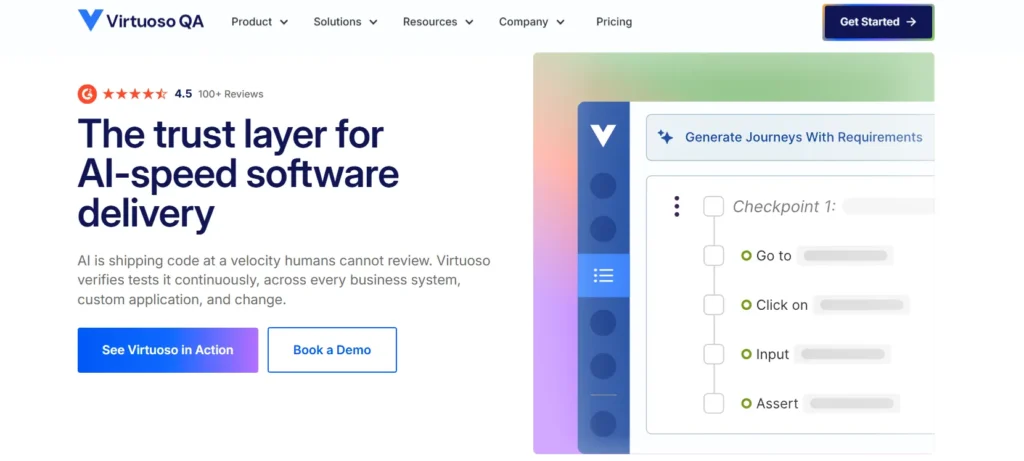
Virtuoso QA is an AI test automation platform with which you can run your browser tests across 2000+ browser and operating system combinations in parallel at scale. You can verify if responsive layouts adapt correctly, touch interactions work across devices, mobile-specific features function properly, and performance matches user expectations. The platform supports integrations with Jenkins. Azure DevOps. GitHub Actions. GitLab. CircleCI. Bamboo for efficient automated testing.
Features
- Execute your tests across browser versions like Chrome 120, Firefox 118, Safari 17, Edge 119, mobile Safari, and mobile Chrome
- Leverage real browser behavior on actual device configurations
- Trigger cross-browser test runs on every commit and catch browser-specific bugs before production
- Test bleeding-edge browsers, legacy versions, and mobile web without the overhead of maintaining infrastructure
Limitations
- Some users report occasional lack of flexibility in handling highly dynamic web elements
- Navigation can seem a bit complex if you want to run multiple tasks at a time
Pricing
- Get custom pricing on request
7. TestCafe
Best for: Developers searching for a free, open-source framework to automate E2E web tests across browsers
TestCafe is a free Browserling alternative. It’s an end-to-end testing solution with offers you an intuitive syntax to build complex tests. You can create easy-to-read JavaScript and TypeScript tests, run your tests concurrently to speed up the process, integrate with popular CI/CD tools for automated testing, and use the built-in Debug Mode to pinpoint the source of errors.
Features
- Run your tests in any modern browser, including Chrome, Safari, Edge, Firefox, and Opera, locally or remotely
- Simulate complex page interactions and multi-window scenarios.
- Run your tests in multiple browsers at once and save time and resources
- Code your tests by hand or record in your browser and store test reports in many convenient formats
Limitations
- Users say that debugging can be complicated
- Currently, TestCafe only supports JavaScript and TypeScript
Pricing
- Free, as it’s an open-source tool
8. Browser.lol
Best for: Teams that want quick, disposable browser environments to reproduce browser-specific rendering issues manually
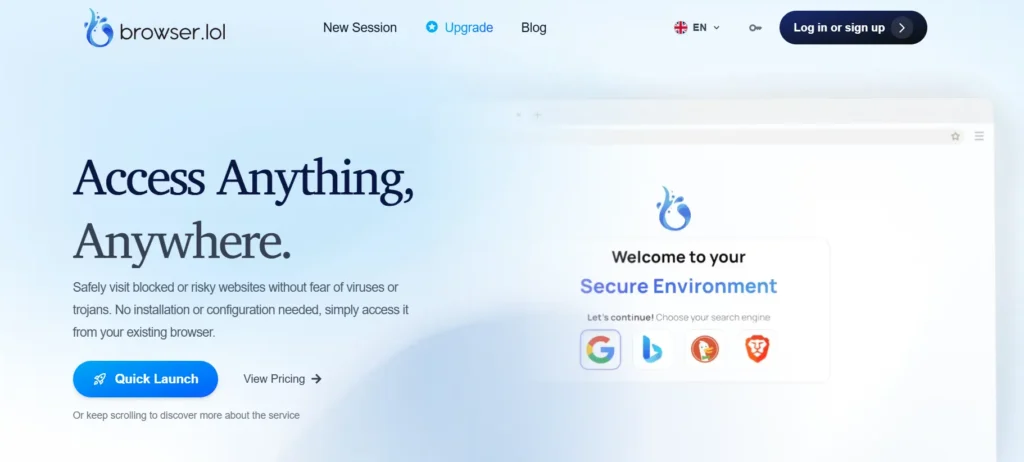
Browser.lol is a browser-testing platform with security as the main focus. You can start testing right away in a secure browser with just a click. No complicated setups or installations needed. This platform works in your existing browser, which makes safe browsing effortless. And it has a clean and simple interface that’s easy even for non-technical users.
Features
- Instantly launch secure, isolated browser sessions to safely assess any website or online content
- Create and delete secure browser sessions in seconds
- Launch a private, isolated browser with a single click for secure testing
- Keep your device and personal data safe from malware and trackers
Limitations
- It doesn’t support native Safari emulation currently
- Free sessions end shortly after the tab is closed
Pricing
- Plus: $9 per month
- Premium: $19 per month
9. Testingbot
Best for: Testers who are looking for live and automated browser testing on real browsers
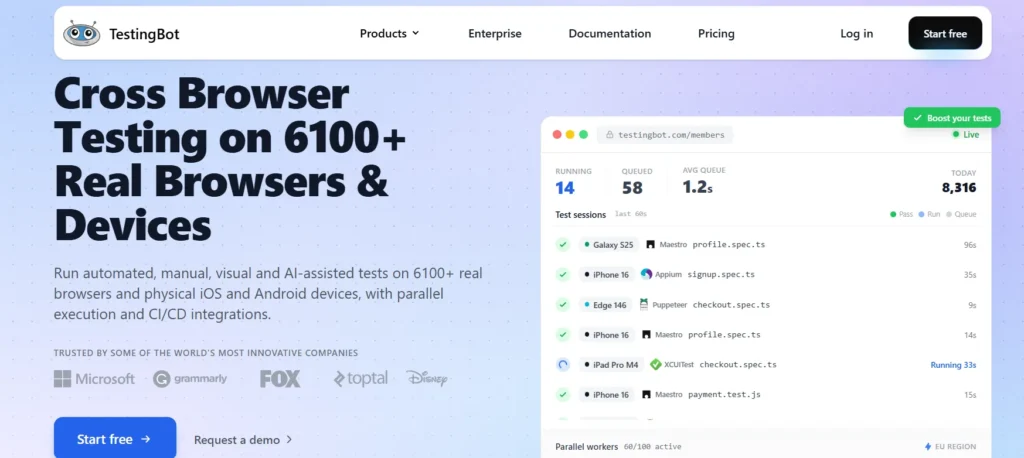
Testingbot is a Browserling alternative for cross-browser testing tool where you can run automated, manual, visual, and AI-assisted tests on 6100+ real browsers. It supports live interactive browser testing, visual testing, and automated testing through frameworks like Selenium, Playwright, Cypress, and Puppeteer. The best part is you can create and run tests without writing code. You just have to describe what you want to test in plain language.
Features
- Get one-click access to real browsers running on macOS, Windows, and Linux platforms
- Switch platforms, locations, and screen resolutions instantly during executions
- Examine your websites and web apps across all versions of Internet Explorer (IE8 to IE11), Edge, Chrome, Safari, Firefox, and Opera
- Run tests in parallel on multiple browsers and ship faster with confidence
Limitations
- Scheduling tests for specific real devices can be tricky
- Some users say that the UI can be slow and unintuitive at times
Pricing
- Live: $22 per month billed annually
- Automated: $57 per month billed annually
- Automate Pro: $103 per month billed annually
- Enterprise: Custom
10. BLISK
Best for: Web developers wanting to test responsive layouts across desktop and mobile device viewports
Blisk is a developer-focused browser for web development and cross-device testing. You can execute tests on mobiles, tablets, laptops, and desktops simultaneously. The platform allows you to place devices next to each other so you can compare the UI on mobile and desktop side by side. And its built-in error monitor helps you immediately detect issues.
Features
- Develop and test for mobile and desktop simultaneously
- Simulate real-life conditions like medium or slow Internet connections for testing
- Take control over rendering different versions for native browsers of each device
- Debug and measure performance with DevTools on each device independently
Limitations
- Loading speed may need to be improved, especially when using multiple devices at once
- Can be expensive compared to other Browserling competitors
Pricing
- Custom licensing based on usage
Also Read: Top 15 Cross-Browser Testing Tools for QA Teams
What Should You Look for in a Browserling Alternative?
All ten Browserling alternatives we discussed have both strengths and limitations. So, how do you decide which one to choose? Well, you first need to thoroughly assess what your testing goals are, your existing workflows, and your team’s skills.
If you already have an automated testing pipeline built, you need to look for Browserling alternatives that support integrations with CI/CD tools like Jenkins, GitHub Actions, GitLab CI/CD, issue management systems like Jira, code management platforms such as Bitbucket, and collaboration tools like Slack and Teams.
Then check which platform is easy to use, allows both code-based and codeless testing, and uses real browser environments because these will help enhance your testing.
If you’re still uncertain, then the best way to know if a tool meets your requirements is by opting for the free trial. Use each tool hands-on and then make your decision.
TestGrid brings automated testing on real browsers and devices, scalable parallel execution, faster debugging, and rich reporting into a single workflow. Request a free trial to explore.
Frequently Asked Questions (FAQs)
Which Browserling alternative supports real mobile devices?
Browserling alternatives that support real device testing are TestGrid, Sauce Labs, BitBar, and TestingBot. These cross-platform testing tools give you access to physical iOS and Android devices, rather than relying on emulators or simulators, so you can validate your website and apps under realistic conditions.
Which browser testing tool supports Selenium or Playwright?
Tools like TestGrid, Ghost Inspector, BitBar, and Sauce Labs allow you to do Selenium and Playwright-based browser testing. These automated cross-browser testing tools let you reuse automation scripts to test web apps across multiple browser environments.
Which Browserling competitor is best for enterprise teams?
Although there are many Browserling alternatives suited for enterprise teams, if you’re looking for an enterprise testing platform with real browsers and devices, flexible on-premises, private, or hybrid deployments, CI/CD integration, and support for automation frameworks, then TestGrid can be your ideal pick.
What are the best Browserling alternatives with AI capabilities for cross-browser testing?
TestGrid, Sauce Labs, Virtuoso QA, TestingBot, and Bitbar are some of the Browserling alternatives with AI capabilities. They offer AI assistance for tasks like test creation, self-healing, test execution, insights, and browser interaction.
Can Browserling alternatives test websites hosted on localhost?
Yes. Several Browserling alternatives can help you test websites hosted on localhost by establishing a secure tunnel between your local or internal environment and cloud-based browsers. TestGrid is one such platform that allows you to connect local and internal environments through a secure tunnel.