CoTester 2.0 is LIVE! Your Always-Available AI Teammate for Testing.

- What are ERP Testing Tools?
- 10 ERP Testing Tools for Enterprise QA
- How to Choose the Right ERP Testing Tool for Enterprise Systems
- Enterprise ERP Testing Automation Tools: Features, Pricing & ERP Coverage
- Wrapping Up
- Frequently Asked Questions (FAQs)
- Why is ERP testing critical?
- Can traditional test automation handle ERP systems?
- What is the role of AI in ERP software testing tools?
- Which are the best ERP testing tools that support both modern and legacy ERP systems?
- Which ERP testing automation tools are suitable for non-technical users?
- What are some of the top SaaS ERP testing tools?
The global ERP software market size is projected to increase from $71 billion in 2025 to approximately $123 billion by 2030. And around 96.6% of the organizations report achieving operational efficiency by using ERP solutions.
Those numbers clearly show how important ERP systems are for modern businesses. But as these ERP systems become more interconnected, the risk of things going wrong also increases.
A small change or failed integration can affect not just one function, but all connected modules, users, and external services. This is why testing ERP systems is critical. Because without proper testing, you risk downtime, data inconsistencies, and compliance issues.
In this blog, we will cover the top ERP testing tools you can use for your business, along with the parameters you should consider while evaluating these tools.
Validate end-to-end business processes across ERP modules with CoTester by requesting a free trial.

Top ERP Testing Automation Tools
TL;DR
- CoTester: AI-powered enterprise-grade testing agent for test creation and execution covering Salesforce, SAP, Workday, Oracle, and MS Dynamics, intelligent self-healing
- Worksoft Certify: Codeless business-process driven test automation, scenario-based testing, AI-based insights, and reporting
- TestComplete: Scripted and keyword-driven functional test automation for desktop, web, and mobile apps with strong data-driven testing support
- UiPath: Enterprise-grade test automation solution offering low-code authoring, agentic AI capabilities, and deep integration with complex business apps
- Leapwork: No-code test automation platform for ERP apps, visual modeling for test generation
- ACCELQ: AI-driven test automation platform built around business process modeling, supporting web, mobile, and API testing with integrated test management
- Tricentis Tosca: Model-based, codeless testing platform designed for enterprise environments with end-to-end, risk-based testing
- Opentext: Enterprise-grade functional testing solution, AI-powered test automation across web, desktop, mobile, API, and packaged systems
- Ranorex Studio: Low-code testing for web, mobile, and desktop SaaS apps with detailed reporting, CI/CD integration, and reusable test modules
- TestArchitect: Action-based, codeless test automation platform with an intelligent IDE, business-readable test design
What are ERP Testing Tools?
ERP testing tools are solutions specially designed to test enterprise processes such as record-to-report, order-to-cash, or time-to-payroll across tightly interconnected ERP modules. These tools help you ensure data flows correctly from one function to another.
You can also assess customizations, configurations, and integrations with external systems like CRM, payroll, BI platforms, and third-party services. Plus, ERP testing automation tools can be extremely helpful for large-scale regression testing, which is essential during upgrades and patches.
10 ERP Testing Tools for Enterprise QA
1. CoTester – Enterprise ERP Testing Tool
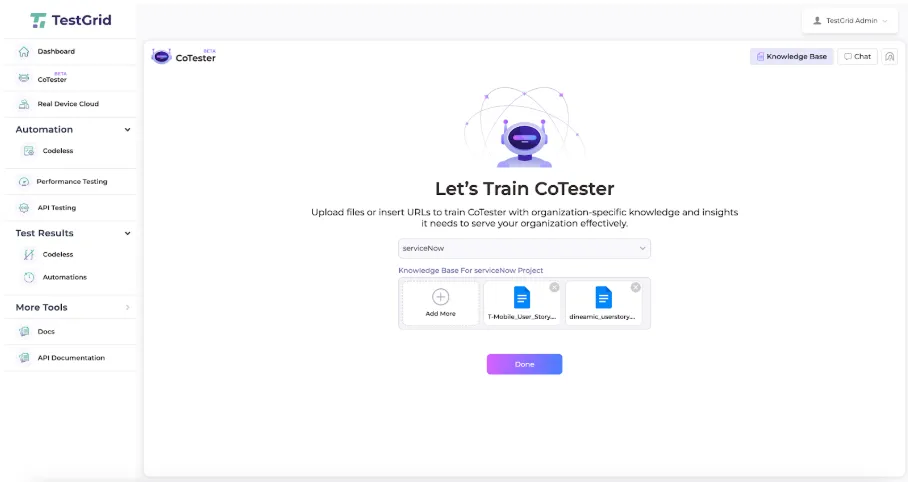
Cotester AI testing agent is an enterprise-grade solution built specifically for software testing. It integrates seamlessly into your development workflows, enabling you to generate, execute, and maintain automated tests while reducing test flakiness and improving test reliability over time.
With CoTester, you can validate complex business processes spanning ERP apps, including Salesforce, ServiceNow, Workday, SAP, NetSuite, Dynamics 365, and Zoho. Whether you prefer no-code, low-code, or full-code scripting, CoTester offers you the flexibility of creating tests without restricting you to a single approach.
Best features
- Link or upload your user stories and automatically convert your specs into full test logic in minutes
- Detect UI changes, locator updates, or full redesigns, and update your tests dynamically with the auto-heal engine AgentRx
- Execute tests for your ERP apps across real devices and browsers, and get live feedback
- Edit your test steps easily using the chat interface or editor
- Switch between scriptless, record and play, or code mode for nuanced test case generation
- Get detailed logs, screenshots, and step-by-step results after every test execution
Supported ERP Platforms with CoTester
ERP Testing for ServiceNow
Auto-generate test cases for your ServiceNow workflows, run regression tests every time you upgrade, test role-based access and cross-module dependencies at scale, and get smart insights about risks, gaps, and test priorities. With ServiceNow testing, you can cover complex multistep workflows across ITSM, HRSD, CSM, and custom apps.
ERP Testing for Salesforce
Salesforce testing with CoTester helps you capture real app flows directly from live browsers, including login through custom domains, form submissions, button clicks, and page navigation as they happen in your environment. You can connect CoTester to GitHub Actions, Jenkins, or Azure DevOps to execute Salesforce test flows automatically as part of your deployment process.
ERP Testing for Workday
Create nuanced tests for Workday processes like hire, onboarding, payroll, and time tracking via codeless or pro-code interfaces. Workday testing with CoTester allows you to test a range of Workday modules and workflows, such as HCM, Workforce Planning, Talent Management, and Financial Management.
ERP Testing for Microsoft Dynamics 365
CoTester helps you streamline Dynamics 365 testing by automatically testing complex user scenarios in real environments with clear approvals and stable automation that stays aligned with production behavior. You can test and maintain consistency across different Dynamics CRM and ERP apps, including sales, customer insights, finance, commerce, and supply chain management.
ERP Testing for SAP
With CoTester’s SAP testing capabilities, you can convert your SAP user stories, functional specs, change requests, and requirements that cover custom modules and cross-application processes into structured tests. You can even easily edit test steps, update field inputs, and reorder actions exactly the way your SAP processes run in production.
ERP Testing for Zoho
Handle structured actions like record updates, approvals, and data checks across CRM, Books, Desk, and People through Zoho testing with CoTester. It understands unique functions like role-based logins, form validations, and approval hierarchies, and automatically converts them into tests that resemble how your team uses Zoho apps.
ERP Testing for NetSuite
CoTester simplifies NetSuite testing by allowing you to upload NetSuite user stories or Jira change tickets and convert functional intent to structured tests that follow approved business flows across roles, forms, and field dependencies. You can even review expected outcomes, adjust inputs, and approve checkpoints before tests run.
Pricing
- CoTester Starter Package: Starts at $199 per seat/month (minimum 4 seats; includes 4 devices/browsers and 5,000 tokens)
- CoTester Growth Package: Custom pricing (includes all Starter features + marketplace integrations)
Enterprise Use Cases
- Best for testing enterprise-scale SaaS apps
- Ideal if you need a flexible testing infrastructure (cloud and on-premise)
- Advanced self-healing capabilities make CoTester the best fit for teams managing frequent ERP UI and configuration changes
Limitations
- Teams new to using AI agents for software testing might require some training effort; however, documentation and support are always available
2. Worksoft Certify
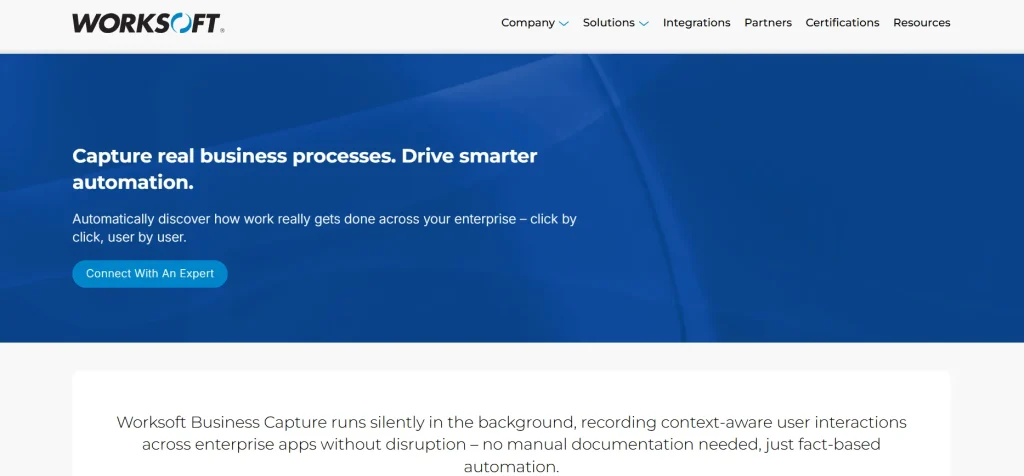
Worksoft Certify is an automated ERP software testing solution that helps business users, analysts, and developers automate complex scenarios with no coding experience required.
You can map real-world processes with precision, capture user actions, automate data provisioning and testing, and use AI-driven insights to predict issues and recommend optimizations. With Worksoft Certify, you can test some of the major ERP apps, including MS Dynamics, Oracle, and SAP.
Best features
- Automate business processes end-to-end without scripting with codeless test automation
- Reduce your test fragility with an intelligent automation that adapts to changes
- Perform continuous tests across different enterprise apps, including SAP, Oracle, web, mainframe, and custom apps
- Provide accurate test data for real-world, scenario-based testing
Pricing
- Custom pricing available on request
Use cases
- Ideal for teams looking for testing that covers multi-step user scenarios
- Suitable for business analysts and product managers who want to capture user flows without code
Limitations
- Some users state facing challenges with object identification and automation stability
- Integration capabilities with other test management tools may be limited
3. SmartBear TestComplete
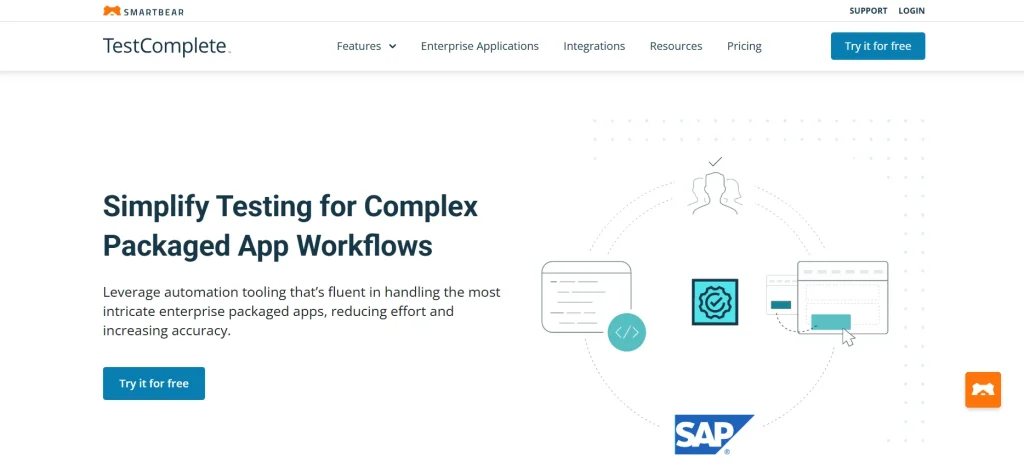
TestComplete is an AI-powered enterprise testing tool that helps you test ERP apps such as SAP, Oracle, Salesforce, Workday, and Microsoft Dynamics.
You can instantly create realistic, reusable test data tailored to your use cases and execute data-driven tests faster. With the Optical Character Recognition (OCR), you can easily validate content like PDFs and scanned documents with accuracy.
Best features
- Automate packaged on-premise apps in a codeless/low-code interface or via scripting in languages like JavaScript or Python
- Identify every element on your app’s UI, including buttons, combo boxes, input fields, tabs, grids, lists, and check boxes, with object recognition
- Find text-based objects on screens that are traditionally hard to capture using property-based methods with an AI-powered OCR
- Define modules based on functionality, categories, or business workflows, and then reuse those tests across different modules
Pricing
- TestComplete Base: $4318 (fixed)
- TestComplete Pro: $7799 (fixed)
- TestComplete Advanced: Custom pricing
Use cases
- Useful if you want to automate UI tests for desktop and mobile enterprise apps
- Keyword-driven testing is suitable if you have a team of both technical and non-technical members
Limitations
- Licensing plans can be complex and pricey compared to other ERP testing tools
- A few users report facing errors, crashes, and occasional reliability issues
4. UiPath Test Suite
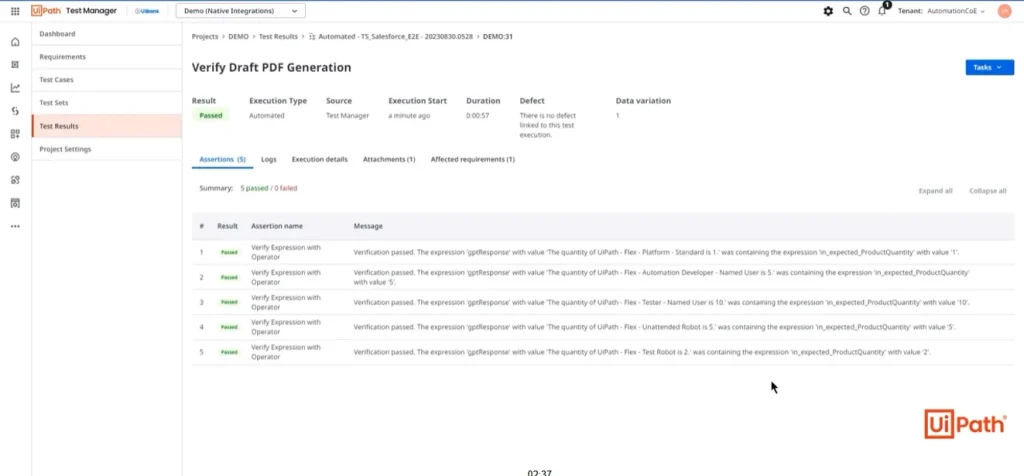
UiPath is one of the best agentic automated testing tools for ERP, which allows you to integrate UiPath agents, UI automations, API workflows, and third-party agents to automate business processes end-to-end.
You can test any API or UI for your ERP apps, including SAP, Oracle, Salesforce, Workday, and ServiceNow. The platform also offers CI/CD integrations, version control, ALM integrations, and webhooks so you can ensure your testing meets the highest standards of security and governance.
Best features
- Insert automation into onboarding, offboarding, and employee assessments in enterprise apps like Workday
- Build tests for complex user scenarios with 80+ templates, low-code interface, or pro code for deep customization
- Orchestrate agents, robots, and workflows at scale to deliver consistent, reliable outcomes
- Gain real-time insights through dynamic dashboards and leverage AI agents to plan, create, execute, and analyze performance tests
Pricing
- Basic: Starting at $25 per month
- Standard: Custom
- Enterprise: Custom
Use cases
- Best for QA teams that want both low-code and pro-code test authoring
- Useful if you also want a comprehensive test management suite
Limitations
- The App projects in Studio Web don’t support page export or import
- Non-English inputs may lower the quality and reliability of the agent runtime
5. Leapwork
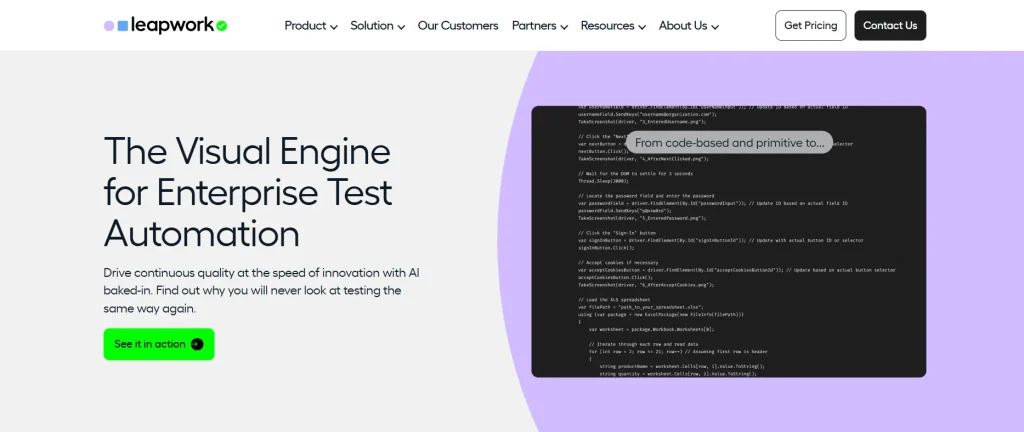
Leapwork is a codeless enterprise test automation platform that covers Oracle, Salesforce, SAP, and Dynamics 365 applications. It helps you efficiently build complex test flows visually without code, run multiple test cases simultaneously across different devices and environments, and pinpoint the root cause of issues through video recordings, activity logs, and data-level insights.
Best features
- Build robust tests that can easily work with dynamic UIs, a heavy DOM, and complex HTML
- Turn common test steps into reusable sub-flows to reduce your maintenance overhead
- Loop through rows, call APIs, write to databases, and validate data across your IT systems
- Spin up your tests on the Cloud provider you use, via local machines or remote computers
Pricing
- Request a quote to get tailored pricing
Use cases
- Helpful when you want to test user journeys across CRMs, ERPs, and web apps
- Visual no-code flow builders suitable for teams that want to design tests without heavy scripting
Limitations
- It may be difficult to test native mobile apps, and you may need third-party integrations
- Advanced reporting and dashboard features are limited
6. ACCELQ

ACCELQ offers you business process-focused automation for enterprise apps, including Workday, Oracle, and MS Dynamics. Its codeless testing capabilities help you examine complex real-world scenarios intuitively at scale.
The platform supports integrations with tools like Jenkins, TFS, Jira, and Bamboo, and its embedded frameworks bring modularity so you can develop faster with lower maintenance.
Best features
- Automate all aspects of the quality lifecycle, covering test design, planning, and execution
- Enable in-sprint automation with an industry-first virtualized abstraction for functional testing
- Build automated tests with AI-powered natural language programming coupled with next-gen recorder
- Capture the structure of test data based on business semantics through automated test generation
Pricing
- Automate Web
- Automate Mobile
- Automate API
- Automate Manual
Custom pricing is available for all the plans.
Use cases
- Best for QA teams that want automated business process assurance for cloud and packaged apps
- Ideal for DevOps teams needing in-sprint automation, traceability, and CI/CD integrations
Limitations
- ACCELQ’s advanced features may involve a steep learning curve
- Developers report occasional performance lags when working with large datasets
7. Tricentis Tosca

Tricentis Tosca is a test automation platform with agentic AI capabilities that allows you to create, adapt, and analyze tests without the need for scripting or heavy setup.
With Tosca, you can cover every type of testing, including accessibility, functional, regression, UI, and API testing. Tosca Copilot is a GenAI-powered automation assistant that uses a chat interface to help you find, study, and optimize test assets.
Best features
- Optimize your test suite by identifying unused test cases, unlinked assets, and duplicates using Tosca Query Language
- Prioritize testing for business-critical functionality and make smarter go/no go release decisions with risk-based test optimization
- Create and provision on-demand (synthetic, masked, or imported) stateful data for complex scenarios
- Get actionable execution insights so you can quickly interpret test results and enable faster troubleshooting
Pricing
- Customized pricing available on request
Use cases
- Best for teams who are aiming to reduce maintenance and increase change resilience with model-based test artifacts
- Suitable if you want a unified platform for integrated test management, risk-based testing, and scalable execution
Limitations
- Few users find the browser compatibility challenging; this can complicate cross-browser testing
- Some advanced features may need specialized training
8. Opentext
Opentext is an AI-powered ERP software testing platform that helps you keep up with modern app development and delivery. Its no-code design lets you create true, codeless test automation scripts that test the quality, intent, and integrity of apps.
You can use the AI object detection to create resilient testing scripts that don’t break when icons, text, and other elements are moved on the user interface.
Best features
- See and learn app objects the same way humans do, using AI object detection
- Run multiple web, mobile, API, and Java tests simultaneously
- Provision and test large datasets intelligently for GUI tests with automated test data generation
- Test RESTful and SOAP APIs, including functional, performance, and security testing
Pricing
- Flexible pricing based on your requirements
Use cases
- Apt for advanced AI-powered functional testing across web, desktop, mobile, mainframe, and packaged apps
- Effective automation and reuse of test cases help in drastically reducing regression times
Limitations
- The licensing cost can be expensive, which can make it less accessible to smaller teams
- Opentext is large and resource-intensive; it may need significant memory and CPU
9. Ranorex Studio
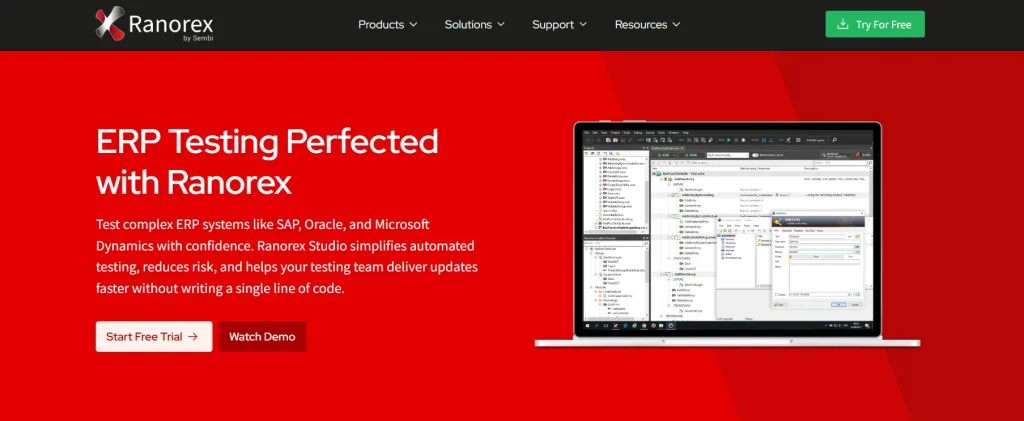
Ranorex Studio supports functional GUI automation for your web, mobile, and desktop apps. It’s one of the top SAP, Microsoft Dynamics, and Oracle ERP testing tools that has an intuitive interface with drag-and-drop functionality and a keyword-driven approach. This allows you to create and maintain tests even without programming skills.
Best features
- Test your app on multiple browsers, including Chrome, Internet Explorer, Edge, and Firefox
- Get detailed reports and logs of test executions, including screenshots and video recordings
- Reduce manual maintenance by building reusable test modules and sharing across different test cases
- Test your ERP apps across multiple browsers, like Chrome, Edge, Internet Explorer, and Firefox
Pricing
- Ranorex offers all-inclusive licenses; contact sales for custom quotations
Use cases
- Suitable for teams who want to scale GUI testing
- Best choice for projects that need stable element identification and real device testing
Limitations
- Comparatively smaller community of users, which might make it harder to find support and resources
- It’s not compatible for testing on macOS devices
10. TestArchitect
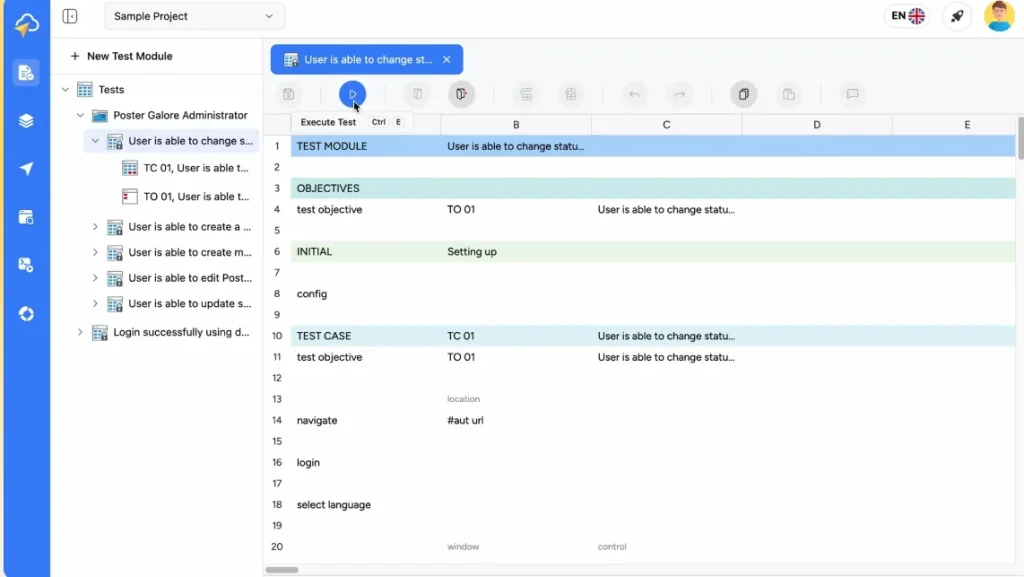
TestArchitect is a unified, no-code test automation platform where you can easily automate testing for web, web services, desktop, mobile, API, and databases.
Its codeless interface helps your non-technical business users and test engineers automate with ease. It integrates seamlessly with CI/CD platforms like Azure DevOps and Jenkins, and supports automation for browsers such as Chrome, Safari, Firefox, and Edge.
Best features
- Build business-writable and business-readable automated test cases through codeless test automation with an intelligent IDE
- Test your apps across web, desktop, mobile, as well as different OS versions, device types, or localized environments
- Accurately identify dynamic UI elements using predefined properties or by detecting them at runtime
- Write test procedures once and execute them multiple times using different input datasets from sources such as Excel files, CSVs, and databases
Pricing
- TestArchitect App: Custom
- TestArchitect Cloud: Custom
Use cases
- Apt for modern QA teams that are looking to adopt action-based testing
- Large-scale automation is beneficial for cross-platform coverage across web, mobile, desktop, and databases
Limitations
- While the platform is codeless, automating highly complex scenarios may still require technical expertise
- Any minor disruption in internet connectivity can impact test execution and reporting
How to Choose the Right ERP Testing Tool for Enterprise Systems
1. ERP systems and technologies supported
The first thing you must look for is the ERP systems and underlying technologies the platform supports. Some ERP testing tools are mainly optimized for specific ecosystems such as SAP-heavy environments. So, go for a platform that covers the ERP apps you use. Also, check if it allows you to test across web UI, desktop, APIs, mobiles, and legacy systems.
2. Support for end-to-end business process testing
ERP automation testing tools must be able to test complete business processes across modules like accounting, payroll, hiring, and CRM. So select a tool that offers cross-module and app testing, and follows a process-centric approach so you can create tests that reflect real business workflows.
3. Test data management
ERP systems usually handle sensitive business and customer data, which is why it’s critical to select ERP testing tools that have robust test data management, including built-in masking or secure data handling. Plus, choose a platform that allows you to reuse and refresh data, helping you maintain consistency across test cycles and reduce setup effort.
4. Supports scalability and performance testing needs
Most ERP applications serve large user bases and complex business transactions. So your ERP testing tools should be able to scale accordingly. And to ensure this, you need to assess if the tool can simulate load patterns such as peak year-end or month-end transactional volumes, concurrent background jobs, and batch processes.
5. Maintenance effort and adaptability to ERP changes
Regular updates, patches, and configuration changes are common in ERP systems. This can break your tests if your automation isn’t resilient to changes. Therefore, choose ERP testing tools that come with capabilities like self-healing and change-impact analysis, which will help you adjust tests automatically to UI changes, and identify the user flows affected by ERP updates.
Enterprise ERP Testing Automation Tools: Features, Pricing & ERP Coverage
The table compares the top ERP testing tools across core capabilities, integrations, platform support, and pricing. Check it out and identify the platform that aligns the best with your testing needs.
| Tool name | Key features | Supported tech | Integrations | Pricing |
|---|---|---|---|---|
| CoTester | Autonomous test generation, self-healing automation, vision language intelligence, automated bug logging | Web, mobile (in development) | Appium, Selenium, Cypress, CircleCI, TravisCI, GitLab, Jira | Custom |
| Worksoft Certify | Built-in test data management, codeless testing, and enterprise-scale orchestration for long business processes | Web, desktop, mainframe | Jira, TFS, Applitools, Zephyr | Custom |
| TestComplete | AI-powered object recognition, keyword-based scripting | web, mobile, desktop | Jira, Jenkins, Azure DevOps, GitLab, TeamCity | Starting at $4318 |
| UiPath | Enterprise agentic testing, low code and full code test creation, parallel execution | Web, desktop, mobile | Azure DevOps, Jenkins, GitHub Actions, Jira, Snowflake | Starting at $25 per month |
| Leapwork | Fully visual, no code test authoring, native CI/CD integrations, hyper-visual debugging | Web, desktop, mobile, mainframe | Jenkins, Azure DevOps, Bamboo, TeamCity, Jira | Custom |
| ACCELQ | AI-powered codeless test automation, business process-focused test design | Web, mobile, desktop, API | Jenkins, TeamCity, Bamboo, GitHub Actions, CircleCI, Jira, Slack | Custom |
| Tricentis Tosca | Model-based test automation, codeless test creation, offers cloud, hybrid, and on-prem deployment | Web, desktop, mobile, API | Selenium, Cucumber, Jenkins, Jira, VersionOne | Custom |
| Opentext | AI-powered functional testing with model-based and modular test design, reusability, and smart maintenance | Web, mobile | Jenkins, Azure DevOps, GitHub Actions, CircleCI | Custom |
| Ranorex Studio | Drag-and-drop test design with detailed logs and CI/CD integration | web, mobile, desktop | Azure DevOps, Bamboo, Jenkins, Git, Jira | Custom |
| TestArchitect | Codeless test automation, pre-built Action Libraries in Plain English, UI recognition, and mapping | Web, desktop, mobile, API | Jenkins, Azure DevOps | Custom |
Wrapping Up
With so many tools claiming enterprise readiness, selecting the right one can be tricky. While this blog extensively covers the features, pricing, limitations, and integrations of all the top ERP testing tools, there are a few points you must consider before you make the final decision.
See how easy the tool is for your team to adopt and check if it matches their skillset. Also, evaluate the licensing and subscription cost beforehand and assess if it fits your long-term plans.
Another equally important aspect is evaluating the reporting features of every tool. Meaningful reports that clearly highlight execution results, coverage, and failure patterns help stakeholders understand risk and track progress.
Finally, check documentation, tutorials, community forums, and vendor support so your team can resolve issues faster and move forward confidently.
Streamline complex ERP processes and scale your testing with CoTester. Request a free trial today.
Frequently Asked Questions (FAQs)
Why is ERP testing critical?
ERP systems support core, cross-functional processes that handle sensitive data, and even small defects can affect operations, impact multiple teams, and cause compliance or financial risks. This is why thorough ERP testing is essential to ensure data integrity and system stability.
Can traditional test automation handle ERP systems?
Since traditional automation scripts are rigid and fragile, regular updates and changes in ERP applications can cause failures. This is why testing tools with intelligent self-healing mechanisms are better equipped to handle frequent changes and keep tests stable.
What is the role of AI in ERP software testing tools?
AI can help in automating test creation and execution, adapting tests to UI and configuration changes, identifying high-risk areas with predictive insights, enabling efficient test data management, and speeding up release cycles.
Which are the best ERP testing tools that support both modern and legacy ERP systems?
Tools like CoTester, Tricentis Tosca, Worksoft Certify, Opentext, and TestComplete allow testing both modern and legacy ERP systems.
Which ERP testing automation tools are suitable for non-technical users?
CoTester, Leapwork, TestArchitect, Tricentis Tosca, and ACCELQ offer codeless, low-code, and drag-and-drop features that help non-tech users, including product managers and business analysts, actively participate in testing processes.
What are some of the top SaaS ERP testing tools?
If you are looking for tools that help you scale testing for SaaS apps in flexible cloud-based environments, then CoTester, Leapwork, Tosca, and ACCELQ stand out as some of the top choices.