CoTester 2.0 is LIVE! Your Always-Available AI Teammate for Testing.
- Top Testim Alternatives
- What is Testim?
- Testim Features
- Testim Limitations
- Testim Pricing
- How We Evaluated These Testim Alternatives
- Testim Alternatives Comparison
- Top 10 Testim Alternatives in 2026
- 1. TestGrid.io
- 2. Mabl
- 3. Virtuoso QA
- 4. Ranorex Studio
- 5. TestComplete
- 6. Functionize
- 7. AccelQ
- 8. Leapwork
- 9. Keysight Eggplant
- 10. Perfecto
- Key Features to Look For in a Testim Alternative
- The Bottom Line
- Frequently Asked Questions (FAQs)
- Which Testim alternative is best for codeless automation?
- Do Testim alternatives support API testing?
- Are there alternatives to Testim that support both UI and API testing on the same platform?
- Which Testim alternative integrates best with CI/CD pipelines like Jenkins, GitHub Actions, and GitLab CI?
- Can you migrate existing Testim tests to another platform?
- Which Testim alternatives offer AI-driven test creation?
- Which Testim alternatives are the most affordable for teams of all sizes?
As more apps are becoming multi-layered, more organizations are investing in test automation to cover complex user journeys and accelerate test cycles. In fact, the global automation testing market size is projected to grow from $36.9 billion in 2025 to $140.4 billion by 2035.
And when we talk about test automation, Tricentis Testim naturally comes up as one of the leading solutions. But like any other tool, it also has certain limitations.
This is why you need to consider its alternatives for better coverage, flexibility, and features that match your team’s needs. In this blog, we will talk in detail about the top 10 Testim alternatives, their features, how to use them, pricing, and integrations.
For comprehensive end-to-end test automation, sign up for a free trial with TestGrid.

Top Testim Alternatives
TL;DR
- TestGrid: AI-powered end-to-end software testing platform that supports no‑code, low‑code, and full‑code automation on real devices with self‑healing execution.
- Mabl: Cloud-based, lets you write tests with natural language, uses computer vision to keep UI/API tests stable.
- Virtuoso QA: AI-native, you describe tests in plain English, and it self-heals when apps change.
- Ranorex Studio: Focused on GUIs, combines record-and-playback with .NET scripting for flexibility.
- TestComplete: Windows tool, supports keyword-driven or scripted automation across desktop, web, and mobile.
- Functionize: Built on GenAI, machine learning, and vision — handles complex tests and keeps them self-healing.
- AccelQ: Codeless automation that unifies web, mobile, API, and backend testing in one place.
- Leapwork: No-code, uses a visual flowchart builder, great for reusable and data-driven tests.
- Keysight Eggplant: AI-driven, model-based, tests apps visually without needing source code.
- Perfecto: Enterprise-grade, GenAI-powered functional, visual, and performance testing for web and mobile.
What is Testim?
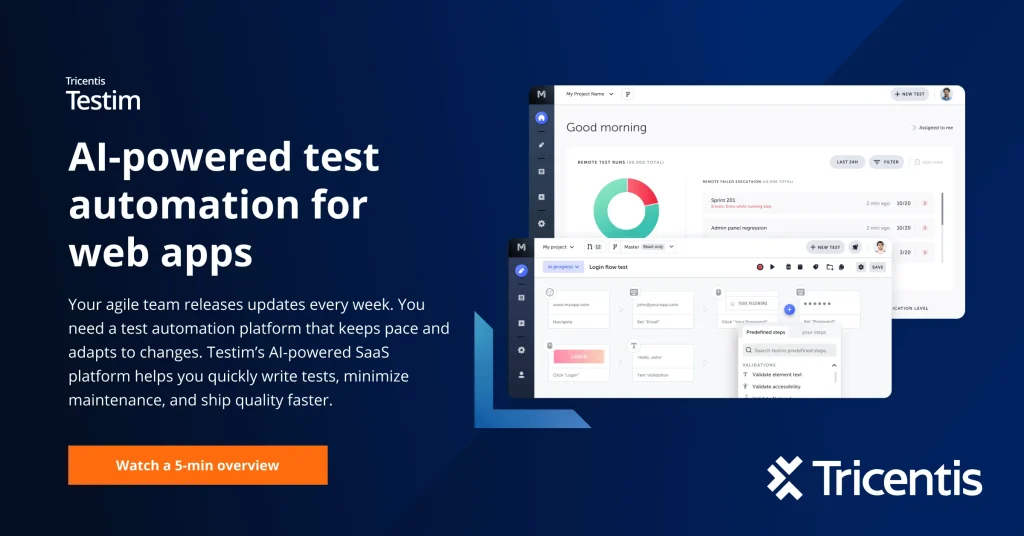
Tricentis Testim is an AI-powered testing tool for web, mobile, and Salesforce apps. It helps you create tests autonomously using low-code NLP-based test authoring. It also offers AI-based recordings to author your tests and capture even the most complex actions.
You can test your app on iOS and Android devices in real usage situations with Tricentis Device Cloud. The tool’s custom AI/ML locators understand your app, identify elements, and automatically self-heal to keep tests relevant.
Testim helps you expedite root cause analysis with error aggregation, suggestions, log analysis, and comparison screenshots. And it supports integrations with Jenkins, CircleCI, GitHub, Jira, and TravisCI.
Testim Features
- Fast Authoring: Testim’s fast authoring lets you create and modify automated tests without writing code. You can record your actions directly on the application under test and use the visual editor to refine each step. Testim also supports Agentic Test Automation, where you describe what you need tested in plain language, and Testim’s AI builds the complete test automatically, reducing the effort and expertise required.
- AI-Powered Smart Locators: Testim analyzes thousands of parameters for each UI element and ranks them by reliability. Its custom AI/ML locators combine artificial intelligence, machine learning, and metadata to keep tests stable even when your app changes — minimizing maintenance and reducing flaky test failures across web, mobile, and Salesforce apps.
- Test Stability: Flaky tests can slow down your entire release cycle. Testim uses machine learning to automatically identify and repair tests that produce inconsistent results due to UI changes or network issues, keeping your test suite reliable and accurate without manual intervention.
- Root Cause Analysis: When a test fails, Testim speeds up diagnosis with aggregated error types, highlighted before-and-after screenshots, console logs, and network logs. Failed runs are tagged with reason codes, so your team can identify failure patterns quickly instead of spending hours debugging.
- Cross-Browser and Cross-Platform Testing: Run parallel tests across multiple browsers and OS combinations on Testim’s own grid or on any third-party Selenium-compatible grid. You can customize runs by OS, browser, starting URL, and data sets to ensure your app works consistently across all environments.
- TestOps: As your test suite and team grow, TestOps helps you stay in control. It lets you manage test changes, organize teams, prioritize activities, and get real-time insights into team productivity, recurring failures, and release trends — all from a single interface.
Testim Limitations
Although Testim’s advanced features make it a strong tool for comprehensive test automation, here are some of the reasons why you should consider looking into Testim alternatives:
- Testim has a heavy reliance on JavaScript for flexibility, which may not suit teams that prefer codeless testing
- You may experience performance lags when executing large volumes of tests
- If smart locators are deactivated, tests might break from even minor UI changes
- Advanced visual validation may need paid add-ons
- Testing features for mobile native apps is limited
- The record-and-playback feature mostly supports simple test cases; complex scenarios might require scripting
Testim Pricing
Tricentis Testim currently offers custom pricing based on your team’s size, testing volume, and specific requirements. There is no publicly listed fixed pricing plan; you need to contact Tricentis directly to request a quote.
Previously, Testim offered tiered plans starting from a free Community plan up to Pro at $1,000/month, but these have since been replaced with a quote-based model. Users across review platforms note that pricing can be relatively high, particularly for smaller teams or those with growing test suites.
To get current pricing tailored to your needs, visit the Tricentis Testim pricing page and submit a request.
With Testim’s strengths and limitations in mind, the next step is figuring out how it stacks up against the competition, and that starts with understanding the lens we used to evaluate each alternative.
How We Evaluated These Testim Alternatives
We shortlisted these tools by measuring each one against the same criteria teams actually care about when switching from Testim: how easy the platform is to adopt for both technical and non-technical testers, how well it handles UI, API, and regression testing together, and how smoothly it fits into existing CI/CD pipelines like Jenkins or Azure DevOps. We also considered cross-browser and cross-platform coverage, since real-device and multi-OS testing directly affects release confidence. Finally, we looked at scalability through parallel execution and pricing transparency, so the comparison reflects tools that genuinely reduce maintenance effort rather than simply replicate Testim’s feature list.
With these criteria as our benchmark, here’s a quick side-by-side look at how the top Testim alternatives compare before we break down what each one actually brings to the table
Testim Alternatives Comparison
| Tool | Pros | Key Integrations | Pricing |
|---|---|---|---|
| TestGrid | Real device cloud testing, parallel execution, codeless automation, advanced analytics dashboard | CircleCI, TravisCI, Azure Pipelines, Jira, WebDriverIO, Selenium, Appium, GitLab | Starts at $199 per month; freemium available |
| Mabl | Cloud-based testing, natural language test generation, and computer vision for UI change detection | Jira, Bamboo, Azure Pipelines, Jenkins, Playwright, GitHub, Webhooks | Custom |
| Virtuoso QA | Low-code test creation, intelligent maintenance, GenAI integration | GitHub, Microsoft Azure, Jenkins, CircleCI, Jira | Custom |
| Ranorex Studio | GUI testing, full code/ low code automation, advanced object recognition, reusable modules | Selenium Grid, Bamboo, Hudson, Git, Jira, Bugzilla, Jenkins | Custom |
| TestComplete | Functional UI test automation, real and virtual device testing, scriptless testing, parallel execution | Jira, Jenkins, Azure DevOps, LoadNinja, ReadyAPI, Selenium, Appium | Start at $4108 |
| Functionize | GenAI testing capabilities, self-healing automation, and computer vision for visual verification | CircleCI, TravisCI, GitLab, Jira, Bamboo, Slack, Heroku | Custom |
| AccelQ | Natural language test authoring, multi-channel test automation, and visual test modeling | Jenkins, Bamboo, CircleCI, Azure DevOps, ClickUp | Custom |
| Leapwork | No code interface, smart test recorder, cross-platform support, video-based reporting | Jenkins, Bamboo, Azure DevOps, Jira, TeamCity | Custom |
| Keysight Eggplant | Low-code test automation, model-based testing, cloud, and on-prem testing flexibility | Jenkins, Bamboo, GitHub, Azure DevOps | Custom |
| Perfecto | Low-code testing, cross-browser testing, AI-powered diagnostic insights, and visual semantic validation | Cypress, Selenium, Appium, Watir, JUnit, WebdriverIO, TestNG | Starts at $83 per month |
Now that you’ve seen how these platforms measure up at a glance, let’s take a closer look at each one, starting with the tool best suited for teams that want comprehensive, all-in-one coverage.
Top 10 Testim Alternatives in 2026
If Testim no longer fits your automation goals, it’s time to explore tools built for the speed and complexity of modern software delivery. The alternatives below offer greater stability, flexibility, and out-of-the-box execution power, and if you’re looking for a place to start, we recommend TestGrid.
1. TestGrid.io

TestGrid is an AI-powered, all-in-one automation testing platform. You can author test cases with the help of no-code/low-code automation and run them on real Android and iOS devices as well as on different browsers, including Chrome, Safari, Firefox, and Opera.
TestGrid easily integrates with different CI/CD tools such as Jenkins, CircleCI, and TravisCI. It also supports multiple testing frameworks like Selenium, Cypress, JUnit, and languages such as Python, Java, and C#.
In addition, CoTester by TestGrid, an AI testing agent for software testing, further simplifies test creation, execution, and maintenance. The agent learns your product context, intelligently generates and runs test cases with your approval, then adapts them as your app evolves to keep automation stable and resilient.
Features
- Easily switch to scriptless, record and play, or code mode for nuanced test case generation
- Automated mobile app testing that replicates real user interactions to identify areas where navigation or responsiveness might fail.
- Perform visual validation for flawless UI/UX without adding external SDKs to your project or drastically changing your functional test case code
- Automatically repair broken tests by identifying new locators for objects with TestGrid’s AutoHeal technology
- Get detailed logs, screenshots, and step-by-step results with an advanced analytics dashboard that provides real-time insights after every test execution
- Ensure security by protecting your site against vulnerabilities like cross-site scripting (XSS) and insecure cookies
- Manage team access with role-based permissions and maintain compliance with detailed audit logs
How to use
Start your free trial and log in to your account. Now you can create a test case by adding names, descriptions, steps, and preferred device/browser. Hit the Run button to execute the test and view live logs and detailed reports in minutes.
Pricing
- Starts: $199 per month
- Enterprise Test Infra (On-Prem / Hosted): Custom pricing (dedicated test lab for segregated enterprise teams)
Limitations
- If your team is new to AI testing, it might need some effort during onboarding, but support is always readily available
2. Mabl

Mabl is a test automation platform that offers you a unified cloud-based approach to test your app on web browsers and mobile devices.
You can perform API testing with an option to import tests from Postman or create your own low-code tests. The platform also allows you to create UI tests for SVGs, PDFs, and two-factor authentication using JavaScript.
Features
- Use natural language to generate JavaScript snippets to handle complex testing scenarios
- Describe user stories or intent, and Mabl automatically plans and creates test cases
- Identify potential flakiness and request context to improve test stability
- Detect unexpected UI changes with computer vision
How to use
Sign up for the free trial and create your workspace. Define your app and environment, and then launch a Browser Test via Mabl Trainer to record clicks and assertions in your app. Now click Run and execute the test to get instant results.
Pricing
- Request a quote to get customized pricing
Limitations
- Fewer customisation options are available compared to competitors, which can be restricting if you want highly tailored testing environments
- Some advanced features might have a steep learning curve
3. Virtuoso QA

Virtuoso QA is an AI-native test automation platform designed to automate QA processes with natural language. With its self-healing automation, you can reduce maintenance costs by up to 85%.
The platform supports integrations with GitHub, Microsoft Azure, Jenkins, CircleCI, Jira, and more. It helps you ensure security by enforcing role-based access so users and teams only have access to activities and assets they need.
Features
- The author tests in natural language and sees them executed in real time
- Get a unified dashboard to see at a glance how many tests passed and failed, and share it with your team
- Test with reusable data to expand coverage and create positive and negative testing scenarios
- Get detailed insights into network performance, DOM, and page console logs to understand where your tests failed
How to use
Since Virtuoso QA is cloud-based, you don’t need to install it. Just sign in to your account. You can automatically generate test flows using AI and click on Execute to run them across browsers.
Pricing
- Core
- Enterprise
Custom pricing available for both plans.
Limitations
- Small teams may find Virtuoso QA’s pricing expensive compared to other tools
- Mobile testing features may be less advanced and comprehensive
4. Ranorex Studio

Ranorex Studio is a test automation platform specially designed for GUI testing. It allows you to automate tests for legacy systems, custom user interfaces, and intricate app workflows.
With Ranorex’s accurate element identification, you can ensure reliable test execution across dynamic interfaces. The platform supports both full code and low code approaches to test desktop, web, and mobile apps on a single platform.
Features
- Create and maintain UI tests using an intuitive recorder with object recognition and drag-and-drop test logic
- Design custom test flows using standard .NET languages and full Visual Studio integration
- Build your tests once and run them on Windows, iOS, Android, and browsers
- Capture dynamic elements with RanoreXPath and create stable object repositories that scale
How to use
Install Ranorex by starting a free trial and launching the Ranorex Studio. Create a new test solution using the built-in “RocketStart” wizard and record simple UI interactions such as navigating between pages and clicking buttons. Now run it and get a report to see which tests passed and failed.
Pricing
- Custom pricing available on request
Limitations
- Currently, the platform supports only two scripting languages: C# and VB.NET
- It has a smaller community of users, which can make it hard to find resources and support
5. TestComplete
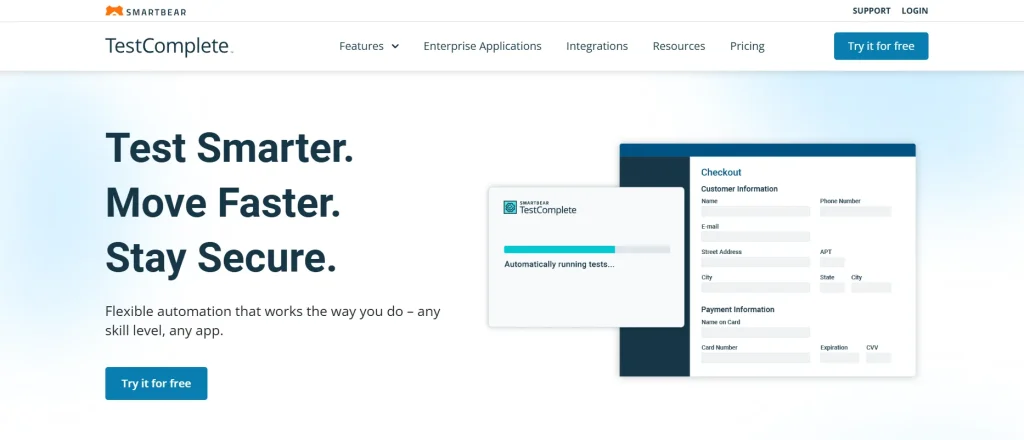
TestComplete is a desktop, web, and mobile test automation platform that makes it easy for you to automate functional UI tests for any app.
You can execute tests on real and virtual devices, and across multiple browsers and OS combinations. TestComplete is AI-driven and automatically identifies dynamic UI elements to help you manage objects in a single repository.
Features
- Use simple point-and-click actions to handle complex scenarios such as managing unwanted windows or accessing databases
- Create automated web tests using a range of scripting languages, including Python, JavaScript, and VBScript
- Separate test steps, data, objects, and actions with the built-in keyword-driven testing framework
- Get instant insights into all your test executions in a single interface
How to use
Install and launch TestComplete on your machine. Use the Test Recorder feature to perform actions on your apps, such as clicks or swipes, and TestComplete will automatically generate test steps for execution.
Pricing
- TestComplete Base: $4108 fixed
- TestComplete Pro: $7799 fixed
- TestComplete Advanced: Custom pricing
Limitations
- TestComplete currently supports only Windows; this can be an issue if you’re using Mac or Linux
- Since TestComplete bundles a lot of features into its IDE, it can be quite resource-heavy
6. Functionize

Functionize offers you a collection of GenAI testing tools to help you automate tests for databases, APIs, and even the most complex apps.
The platform comes with an automation cloud to help you eliminate infrastructure overhead. Functionize leverages machine learning-based tests that use big data to understand site updates and self-heal tests as your app changes.
Features
- Create and maintain tests by recording user interactions via the Chrome plugin Architect
- Integrate visual verifications into automated tests for pixel-perfect user experiences with computer vision
- Test third-party app content with an intuitive API explorer
- Automatically apply fixes to workflows based on insights from the Diagnose Agent’s root cause analysis
How to use
To create a new test on Functionize, open your preferred browser and install the Architect plugin. Create your account. Click on Add New Test button, paste your app URL, and click on Start to launch Architect and start recording your first test.
Pricing
- Get customized pricing upon request
Limitations
- Switching tabs when recording a test with Architect can cause screenshot issues
- Tests may consume more time and resources if you’re working with large datasets
7. AccelQ

AccelQ is a codeless test automation tool for testing web and mobile apps. It helps you automate testing for API, microservices, SSH, backend, and ESB.
The platform enables in-sprint automation with virtualized abstraction for functional testing. AccelQ also offers business process-based live packaged assets for comprehensive integrated automation and faster release cycles.
Features
- Automate all aspects of the software lifecycle, from test design all the way to test planning and execution
- Enable multichannel test automation across mobile, web, desktop, and API, all in a single workflow
- Easily integrate with tools you already use, like Jira, Jenkins, Bamboo, and TFS
- Design test scenarios using visual application models
How to use
Sign in to your AccelQ account and select your app for test automation. Create contexts (app states) and build actions for each context. Combine contexts and actions into a scenario. Finally, execute the scenario to validate tests.
Pricing
- Automate Web
- Automate Mobile
- Automate API
- Automate Manual
Custom pricing is available upon request for all plans.
Limitations
- Dashboard load time can be slow when executing very large regression suites
- Customization options in reports and workflows are limited
8. Leapwork
Leapwork is an AI-powered automated testing platform that helps you build, manage, maintain, and analyze tests for any app. You can compose complex data-driven tests through a codeless interface and smart test recorder.
You can also build subflows for common tasks, such as login or navigation, and reuse them to reduce scripting redundancy and debugging. Leapwork supports integrations with Jenkins, Jira, Bamboo, and Azure DevOps.
Features
- Test any app for web, desktop, mobile, or mainframe
- Generate, transform, and extract test data easily with the help of AI automation
- Run regression tests easily at scale with dynamic, instantly applied updates across all subflows containing logic
- Ensure enterprise governance with tamper-proof audit logs, video-based reporting, and secure access control and provisioning
How to use
To create automated tests in Leapwork, install the Leapwork Studio and connect it to your Leapwork Controller. Create an automation flow with visual no-code blocks, set up your test data, and click on Run to execute.
Pricing
- Request a quote for tailored pricing
Limitations
- The platform has fewer advanced customization options and features compared to other test automation platforms
- Testing native mobile apps can be difficult
9. Keysight Eggplant

Keysight Eggplant is an AI-powered tool that helps you automate testing and receive smart, actionable feedback without needing access to your source code. It uses a model-based digital twin testing approach to speed up your test cycles and maximize coverage.
You can execute tests to predict runtime behavior under various conditions and improve your app’s reliability and usability.
Features
- Interact with your app just like a real user with smart computer vision and image recognition
- Convert messy test requirements into domain-aware aware traceable test assets with Keysight Generator’s GenAI engine
- Predict runtime behavior under different conditions with model-based testing
- Set up and maintain tests using a low-code toolkit and a drag-and-drop GUI
How to use
Sign up for Eggplant Test and launch the web interface or the studio. Use the Visual Editor to capture UI elements, drag actions like “click,” and replay the flow to execute tests.
Pricing
- Custom pricing available on request
Limitations
- Because the platform relies on image recognition, it can get affected by changes in UI and lead to test failures
- You may face a learning curve when exploring advanced features and integrations
10. Perfecto

Perfecto is an enterprise test automation platform that offers you comprehensive testing capabilities, including performance, visual, and functional testing.
Its GenAI helps you create and execute tests in plain language, as well as generate and inject images for a smooth testing process. With Perfecto, you can cover even the most complex use cases, including network virtualization, geolocation, and biometrics.
Features
- Run performance tests across web and mobile apps, APIs, and microservices with Apache JMeter and Selenium integration
- Get rich visualizations with heatmaps and analytics that highlight the most critical issues
- Automatically detect test blocking caused by pop-ups to ensure uninterrupted testing
- Minimize escaped defects by integrating Android emulators and iOS simulators into testing strategies
How to use
Opt for the free trial or license to sign in to your account. Select your preferred language, choose the device where you want to run tests, upload an app, finalize a test, execute it, and view results in PerfectoSmart Reporting.
Pricing
- Starter: Free Trial
- Basic: $83 per month
- Pro: $125 per month
- Enterprise: Custom pricing
Limitations
- Advanced features might need costly add-ons and private cloud setups
- The scriptless testing features may have limited flexibility
Key Features to Look For in a Testim Alternative
1. Low-Code or Codeless Authoring
Testim alternatives that have low-code or codeless interfaces lower the barrier for creating automated tests. So even if your team has non-tech users, they can easily create and maintain tests with minimal programming knowledge.
When choosing alternatives to Testim, look for features like drag and drop, and record and playback for test generation.
2. Support for Multiple Testing Types
Assess the features and functions of your app and select a platform that helps you verify frontend, backend, and services through a single platform. Check if the tool lets you run different types of tests, including UI, API, regression, performance, and security tests.
3. Integration Capability with Existing Tools and Systems
When you’re evaluating different alternatives to Testim, make sure you select the one that can fit easily into your existing QA ecosystem.
This means checking for CI/CD integrations with tools like Jenkins, issue trackers like Jira, testing frameworks like JUnit or TestNG, and support for scripting languages your team uses, such as Python or Java.
4. Cross-Browser and Cross-Platform Compatibility
You want your app to perform equally well on any platform it’s used on. This means you must test how apps run on multiple browsers (Safari, Chrome, or Edge) and devices or OS (Windows, macOS, or Android). Go for Testim alternatives that offer both cross-browser and cross-platform compatibility for automated testing.
5. Parallel Execution and Scalability
Check for Testim alternatives that allow you to run multiple automated tests simultaneously on different machines and environments.
This is critical because your test suites will most definitely grow as your app changes and receives more users. Parallel execution helps you reduce runtime and keep up with frequent releases.
The Bottom Line
Now that you have an idea about the features and functionalities of some of the best Testim alternatives in the market, the one you finalize will ultimately depend on how easily your team can adopt it and whether the platform can simplify your QA processes while maintaining security.
Assess your team’s skills, check your organization’s compliance requirements, and choose a platform that aligns with your automation strategy for the long run rather than just your immediate testing needs.
And to see if TestGrid fits your testing stack, start a free trial today.
Frequently Asked Questions (FAQs)
Which Testim alternative is best for codeless automation?
For codeless automation, the best Testim alternatives are TestGrid, which offers record and play test authoring, Leapwork, which uses a visual flowchart engine for scriptless testing, and Mabl, which comes with a visual low-code test designer.
Do Testim alternatives support API testing?
Testim alternatives that support API testing include TestGrid, which offers API automation for SOAP and REST calls; AccelQ offers codeless API automation; Mabl has built-in API test creation, and Functionize supports REST, SOAP, and WebSocket APIs.
Are there alternatives to Testim that support both UI and API testing on the same platform?
Testim alternatives that allow you to perform both UI and API testing are TestGrid, Leapwork, TestComplete, and Perfecto. All these platforms come with a unified interface for seamless UI and API testing.
Which Testim alternative integrates best with CI/CD pipelines like Jenkins, GitHub Actions, and GitLab CI?
Many Testim alternatives support integration with CI/CD pipelines. However, TestGrid, Ranorex, Mabl, Keysight Eggplant, Functionize, and Leapwork integrate with most CI/CD tools like Jenkins, GitHub Actions, CircleCI, and GitLab CI.
Can you migrate existing Testim tests to another platform?
For migrating Testim tests to another platform, you can rewrite tests in a different framework or simply copy and paste the code.
Which Testim alternatives offer AI-driven test creation?
TestGrid’s CoTester, an AI testing agent, automatically generates tests at scale. Functionize uses different AI agents to create and maintain tests in plain language. Virtuoso QA leverages NLP for test creation. Keysight Eggplant leverages AI and a model-based approach to generate tests.
Which Testim alternatives are the most affordable for teams of all sizes?
Although many Testim alternatives offer customized pricing, TestGrid’s pricing starts at $25 per month. The platform even has a free plan, which can be helpful for small and large teams.