


TestGrid Virtual USB Real Devices, Remote Access, Local Host Testing
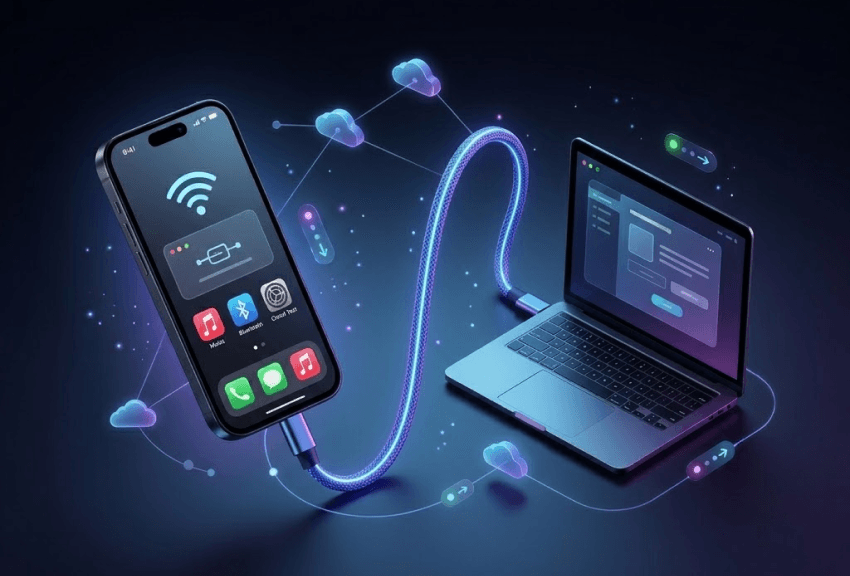
Connect remotely hosted Android and iOS devices directly to your local machine and interact with them as if they were plugged in through USB. Whether your devices are hosted on-premise, in a private cloud, or within TestGrid’s infrastructure, you can build, debug, test, and deploy without depending on physical device access.

Plug Into Your Existing Workflows. No Rebuilding Required.
TestGrid Virtual USB integrates seamlessly into your existing development, testing, and infrastructure workflows without forcing teams to change how they build, test, or manage devices.
Request Free TrialRun existing automation frameworks
Execute Appium, Selenium, and Cypress workflows directly against remotely hosted real devices without rebuilding your automation stack.
Maximize real device utilization
Minimize idle device inventory by making centralized device infrastructure accessible across development, testing, and release teams.
Build and Deploy from Your Existing IDEs
Already using Android Studio or Xcode? TestGrid Virtual USB lets you deploy builds directly from your local development environment to remotely hosted real devices without disrupting existing development workflows. Debug applications in real time, validate UI behavior during development, and test hardware-specific interactions without waiting for devices to become available.


Test How Your App Holds Up on Real-World Networks
Your application might work perfectly on stable Wi-Fi and still fail under real-world network conditions. With TestGrid Virtual USB, you can test how your applications behave across varying bandwidth conditions, latency spikes, packet loss scenarios, and unstable mobile networks directly on real devices.
Request Free TrialAccess Devices Securely Within Enterprise Environments
Working inside regulated or enterprise-controlled environments? TestGrid Virtual USB supports secure device access across VPN-enabled, private cloud, hybrid, and on-premise infrastructures. Your teams can securely access centralized device infrastructure while maintaining compliance requirements, internal security standards, and controlled network access.

Test Hardware-Level Interactions Remotely
Need to validate biometric authentication, QR code scanning, camera workflows, or GPS-based behavior? TestGrid Virtual USB gives your teams access to real hardware interactions on remotely hosted devices without relying on emulators or simplified simulations. Test real-world mobile experiences from anywhere while maintaining complete workflow continuity.
Request Free Trial
Debug Real Devices Without Waiting for Physical Access
Reproducing issues shouldn’t slow down development cycles. With TestGrid Virtual USB, your developers and QA teams can inspect logs, analyze crashes, validate runtime behavior, and troubleshoot applications directly on remotely hosted devices from their local machines.
Request Free Trial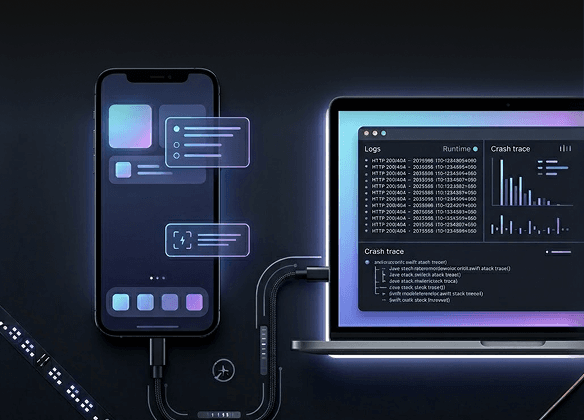
What Makes TestGrid Virtual USB Different
Because the best testing platform is one that adapts to you, not the other way around
Work with the tools you already trust and use
TestGrid works seamlessly with Android Studio, Xcode, Appium, Selenium, Cypress, and existing CI/CD pipelines, helping your teams scale real-device access without disrupting established engineering workflows. No more abandoning your existing toolchain.
One device lab, accessible to every team
TestGrid Virtual USB removes the operational bottlenecks caused by fragmented device labs, hardware shipping, and isolated testing environments by enabling centralized remote access to real devices from anywhere.
Fits your infrastructure – cloud, private, or on-premise
Whether your organization relies on public cloud infrastructure, private device labs, hybrid deployments, or highly regulated enterprise environments, TestGrid allows you to deploy and scale Virtual USB in a way that aligns with your operational and security requirements.
Frequently Asked Questions (FAQs)
How does TestGrid Virtual USB work?

TestGrid Virtual USB creates a secure USB-like connection between your local machine and remotely hosted Android or iOS devices. This allows your teams to build, debug, test, and interact with real devices remotely as if they were physically connected through USB.
How does TestGrid Virtual USB work?
TestGrid Virtual USB creates a secure USB-like connection between your local machine and remotely hosted Android or iOS devices. This allows your teams to build, debug, test, and interact with real devices remotely as if they were physically connected through USB.
Is there noticeable latency while debugging remote devices?
TestGrid Virtual USB is designed for responsive real-time interactions during development and debugging workflows. Your teams can inspect logs, deploy builds, validate UI behavior, and troubleshoot applications remotely without the delays commonly associated with browser-based device streaming.
Is there noticeable latency while debugging remote devices?
TestGrid Virtual USB is designed for responsive real-time interactions during development and debugging workflows. Your teams can inspect logs, deploy builds, validate UI behavior, and troubleshoot applications remotely without the delays commonly associated with browser-based device streaming.
Can I use TestGrid Virtual USB with devices hosted in my own infrastructure?
Yes. TestGrid Virtual USB supports public cloud, private cloud, hybrid, and on-premise deployments. You can securely connect devices hosted within your own infrastructure, private device labs, or enterprise-controlled environments.
Can I use TestGrid Virtual USB with devices hosted in my own infrastructure?
Yes. TestGrid Virtual USB supports public cloud, private cloud, hybrid, and on-premise deployments. You can securely connect devices hosted within your own infrastructure, private device labs, or enterprise-controlled environments.
How difficult is the setup process with TestGrid?
TestGrid Virtual USB is designed to integrate into existing engineering workflows with minimal setup. Your teams can securely connect local environments to remotely hosted devices without restructuring development pipelines or migrating to new toolchains.
How difficult is the setup process with TestGrid?
TestGrid Virtual USB is designed to integrate into existing engineering workflows with minimal setup. Your teams can securely connect local environments to remotely hosted devices without restructuring development pipelines or migrating to new toolchains.
Does TestGrid Virtual USB support secure enterprise environments?
Yes. TestGrid Virtual USB supports VPN-enabled, hybrid, private cloud, and on-premise environments while maintaining controlled network access, compliance requirements, and enterprise security standards.
Does TestGrid Virtual USB support secure enterprise environments?
Yes. TestGrid Virtual USB supports VPN-enabled, hybrid, private cloud, and on-premise environments while maintaining controlled network access, compliance requirements, and enterprise security standards.
What makes TestGrid Virtual USB different from traditional device clouds?
Unlike browser-only device clouds, TestGrid Virtual USB allows remotely hosted devices to behave like locally connected hardware through a genuine USB-like connection. This enables more natural development, debugging, automation, and device interaction workflows.
What makes TestGrid Virtual USB different from traditional device clouds?
Unlike browser-only device clouds, TestGrid Virtual USB allows remotely hosted devices to behave like locally connected hardware through a genuine USB-like connection. This enables more natural development, debugging, automation, and device interaction workflows.