CoTester 2.0 is LIVE! Your Always-Available AI Teammate for Testing.
- accessiBe Alternatives: Quick Overview
- What Is AccessiBe?
- Why Should You Consider AccessiBe Alternatives?
- 10 AccessiBe Alternatives in 2026
- Things You Must Consider Before Selecting AccessiBe Alternatives
- AccessiBe Alternatives: Features Comparison
- Bringing It All Together
- Frequently Asked Questions (FAQs)
We live in a world where websites and apps are a core part of our everyday lives. Because so much happens online, it’s essential to make sure everyone, including people with disabilities, can have smooth digital experiences.
In many regions, accessibility is a regulatory requirement under standards like WCAG and ADA. However, accessibility is more than a regulatory checkbox; it’s a major part of how users experience your digital platforms.
AccessiBe is a well-known accessibility testing tool that helps teams efficiently find and fix accessibility issues in websites and apps.
But depending on your specific testing needs and team dynamics, you might want to consider AccessiBe alternatives and find the one that best suits your QA processes.
In this blog, we are going to discuss the top 10 AccessiBe alternatives, their key features, pros, and cons, so you can make an informed decision.

For comprehensive AI-powered accessibility testing, sign up for a free trial with TestGrid.
accessiBe Alternatives: Quick Overview
TL;DR
- TestGrid: AI-powered, end-to-end test automation with advanced accessibility testing on real devices; supports codeless automation and CI/CD integration
- WAVE: Visual overlay accessibility checker that offers extensions with browsers like Edge, Chrome, and Firefox
- Lighthouse: Open-source automated audit tool that runs on Chrome DevTools and Node.js modules and checks websites for accessibility and performance issues
- Pa11y: Command-line accessibility testing tool that automates WCAG checks and integrates into CI/CD pipelines
- Acquia Web Governance: Web accessibility testing platform with automated audits, CMS integration, and bulk-fix tools
- SortSite: One-click accessibility testing tool that also checks for usability, SEO, broken links, and web standards compliance
- Accessibility Insights: Open-source tool with guided manual accessibility testing across web, Windows, and Android platforms
- Evinced: An AI-driven accessibility testing tool that tests websites and mobile apps, and enables real-time checks during development
- Siteimprove: Enterprise-grade automated accessibility scanning with a unified workflow for content, dev, and marketing teams
- EqualWeb: Comprehensive accessibility monitoring solution that scans websites, generates detailed reports, and suggests AI-assisted fixes
What Is AccessiBe?
AccessiBe is a web accessibility testing solution with AI automation that offers you automated scans as well as manual testing of web pages and key user flows.
It comes with an accessibility widget that scans your website with the help of AI to find accessibility issues. It then automatically remediates these issues and makes your site easy to navigate with a keyboard and screen readers.
AccessiBe helps you make your website compliant with WCAG 2.1 Level AA standards and seamlessly integrates with your CMS. It even offers plugins with WordPress, Wix, and Shopify.
Why Should You Consider AccessiBe Alternatives?
AccessiBe is an efficient tool that helps you with quick, automated accessibility checks. However, it has certain limitations.
- Subscription plans can be pricey, particularly for smaller teams
- There might be inconsistencies in the PDF and video scanning
- Manual tweaks may be required for meeting specific accessibility nuances
- A few advanced features might have limited customization options
- AccessiBe heavily relies on JavaScript, which can be limiting for teams that don’t work with the language
- You may need some time and effort to learn the tool and explore all its features
10 AccessiBe Alternatives in 2026
1. TestGrid
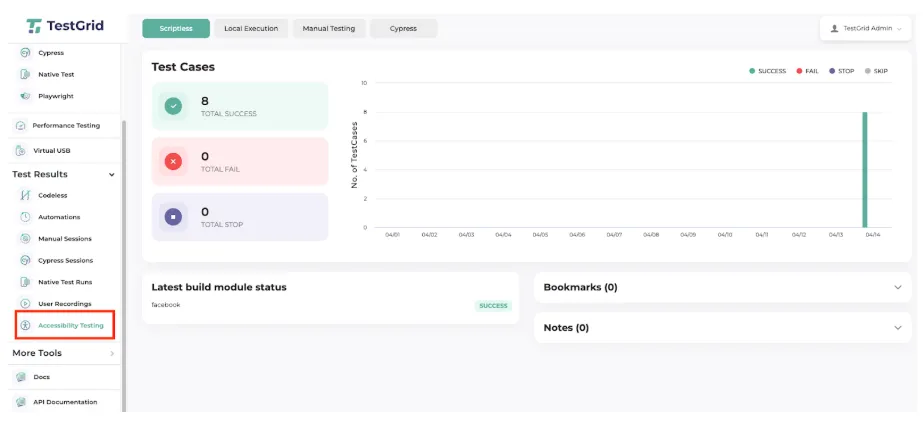
TestGrid is an AI-powered end-to-end test automation platform that comes with a built-in accessibility testing feature. It helps you directly assess your website’s compliance with WCAG standards within TestGrid’s Real Device Cloud.
The platform’s accessibility testing tool is built around WCAG Level A and AA. It allows you to capture metrics for every page you test and maps them to WCAG guidelines to help you identify issues.
When you run accessibility tests in TestGrid, every issue is automatically flagged by severity level (critical, moderate, minor), contextual insights (what the issue affects and where), relevant HTML snippets, and WCAG guideline references.
TestGrid is intuitive, which allows QA engineers, product managers, and non-tech teams to run, review, and act on accessibility tests without writing a single line of code.
Features
- Catch missing alt attributes on icons and images, dynamic elements that lack clear focus indicators, and text with insufficient contrast
- Automatically authenticate ARIA roles and relationships so users who depend on screen readers aren’t left behind when interacting with your web app or website
- Check for tab navigation that doesn’t work properly, random layout changes, and missing labels on form fields or buttons with automated accessibility testing
- See how fast your pages load, transition, and interact with elements like modals or dropdowns under slow connections
- Easily connect TestGrid with apps you use, such as Jira, Bitrise, and Slack, for project management, bug tracking, and CI/CD pipelines
- Sort and filter issues, share the whole session with a link, or raise JIRA tickets directly from within TestGrid
How to use
Sign up for a free trial and log in to your account. Create a test case by adding a name, description, steps, and preferred device/browser. Click the Run button to execute the test and view live logs and detailed reports in minutes.
Pricing
- Starts: $199 per month
- Enterprise Test Infra (On-Prem / Hosted): Custom pricing (dedicated test lab for segregated enterprise teams)
Limitations
- The initial setup and feature exploration may require some effort, but this is easily resolved thanks to the extensive documentation available on the TestGrid website
2. WAVE
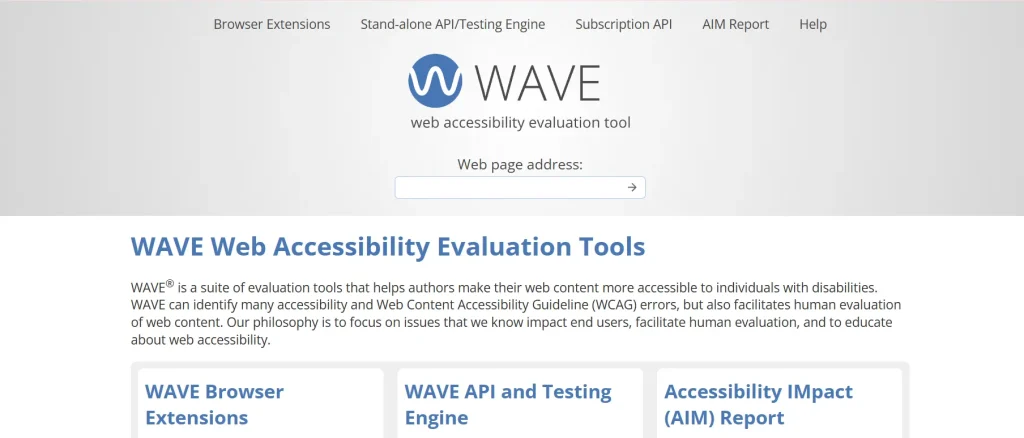
WAVE is a web accessibility testing tool that offers extensive features to help you make your web content more accessible to individuals with disabilities. You can apply Chrome, Edge, and Firefox browser extensions to check dynamic or local web pages. The tool also incorporates functionality for turning off CSS styles and simplifying page presentation.
Features
- Apply scripts to interact with webpage elements, such as triggering form errors, loading dynamic content, or triggering dialogs before analysis
- Check mobile responsiveness breakpoints by defining customized viewport sizes
- Associate specific API errors or items with specific page elements by saving the rendered DOM
- Evaluate intranet, dynamically generated, private, password-protected, or scripted web content
How to use
You can directly use the online WAVE tool by pasting your site’s URL in the field available on the official site. Alternatively, you can download the Chrome, Firefox, or Edge browser extensions and start testing within your web browser.
Pricing
- One-time scan (up to 20000 web pages): $500
- Additional pages (every 20000 pages): +$100
- Large sites (more than 100,000 pages): Custom pricing
Limitations
- Beginners may find the overlay of icons and interface complex and confusing
- The WAVE browser extension is mainly designed to check only one page/one URL at a time
3. Lighthouse by Google
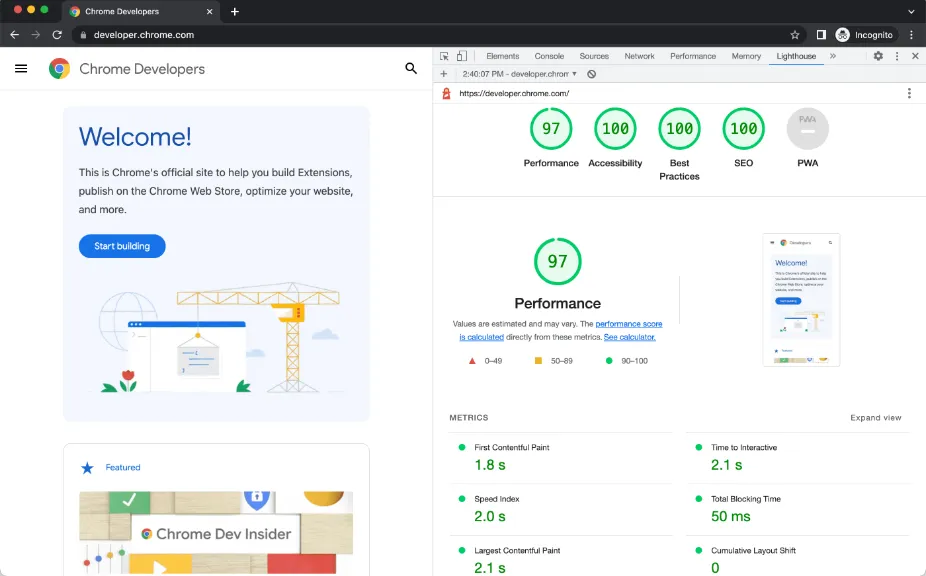
Lighthouse is an automated accessibility testing tool that helps you improve the quality of your website. You can run it in Chrome DevTools, from the command line, or as a Node.js module. All you need to do is give Lighthouse a URL to audit, and it automatically runs a series of audits and generates detailed reports for your analysis.
Features
- Follow the best practices listed on the site to improve the code health of your web page
- Prevent performance regressions using Lighthouse CI in continuous integration workflows
- Audit pages that need authentication and read your reports in a user-friendly format directly from the browser
- Automate your Lighthouse runs with shell scripts from the command line
How to use
Open Chrome and go to the webpage you want to test. Now open DevTools and switch to the “Lighthouse” tab. Select “Accessibility” and click “Analyze page load”. Finally, review the audit report and fix the detected issues.
Pricing
- Free, as it’s an open-source tool
Limitations
- The tool may not be able to comprehensively simulate the complexity of real user experiences
- It doesn’t have a built-in crawler; you can only test individual web pages
4. Pa11y
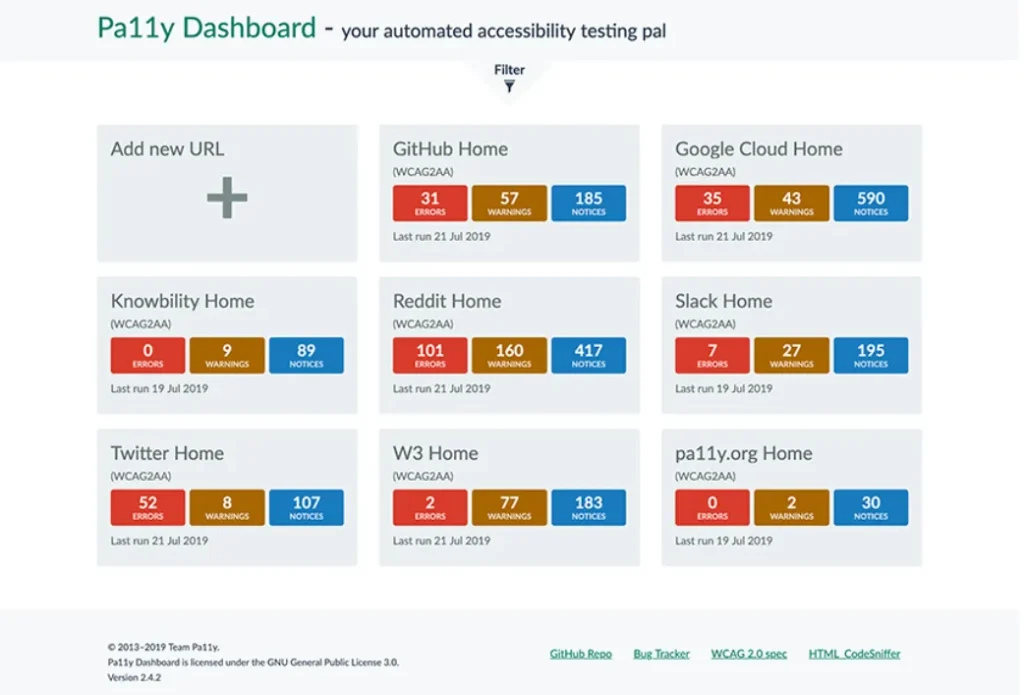
Pa11y is an automated accessibility testing tool that helps you run accessibility tests on your web pages via command line or Node.js. You can test web pages and local HTML files for accessibility compliance with standards like WCAG 2 A, WCAG 2 AA, and WCAG 2 AAA. Pa11y allows you to generate reports in multiple formats, such as CLI, CSV, JSON, or HTML.
Features
- Use the Pa11y Dashboard to track improvements and regressions over time with the help of graphs
- Run a one-off test against a webpage, and Pa11y highlights any accessibility issues
- Control execution timing with options like “–wait”, “–timeout”, and custom HTTP methods or headers
- Run Pa11y programmatically in JavaScript with full async/await support
How to use
First, you need to install Pa11y through Node.js and run it from the command line to scan any webpage you want. The tool automatically generates reports that highlight errors and warnings so you can easily understand what to fix.
Pricing
- It’s free as it’s an open-source tool
Limitations
- Initial setup and configuration can take some time and effort
- It’s a configuration-heavy tool that can become somewhat complicated if you want to create your own audit specifications
5. Acquia Web Governance
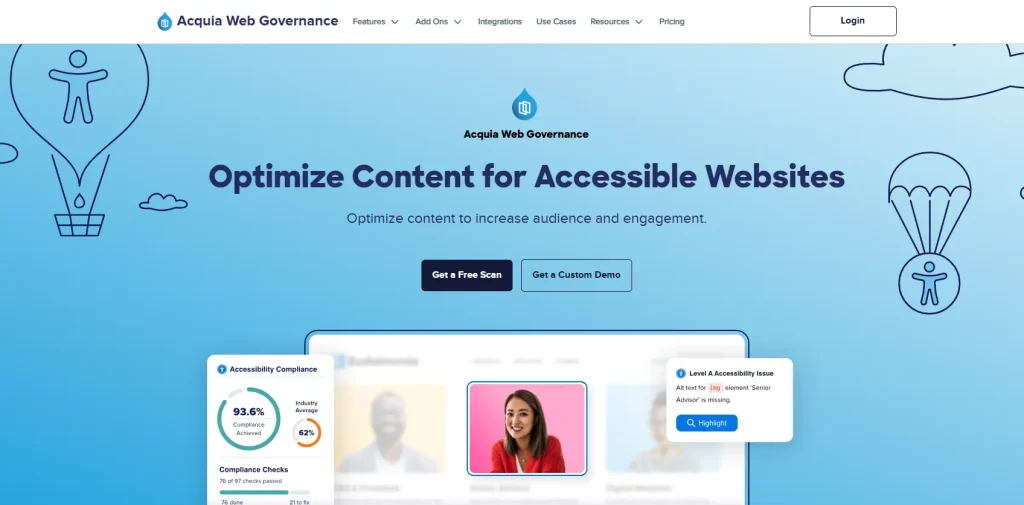
Acquia Web Governance helps you fix your website’s content issues and errors so you can deliver more inclusive and compliant web experiences. The tool scans your web pages based on different legislations and standards, including WCAG 2.2 and ADA. You can also monitor your website’s slow response times, see how visitors interact with web pages, and detect data privacy issues.
Features
- Run automated audits on your site to find potential issues that may hinder accessibility
- Track accessibility progress and a clear documentation of how your compliance has improved in a comprehensive History Center
- Locate elements such as images, links, and text, and resolve accessibility issues in bulk
- Scan PDFs from the Accessibility module to flag inaccessible documents
How to use
Sign in to your account with your credentials and paste your website domain into the dashboard. Then you can install the Web Governance script so the tool can scan your site and detect accessibility issues and highlight them in automated reports.
Pricing
- Standard
- Professional
- Enterprise
Custom pricing is available upon request for all plans.
Limitations
- You might face a steep learning curve and require extra time to explore all features
- Limited advanced reporting and customization options
6. SortSite
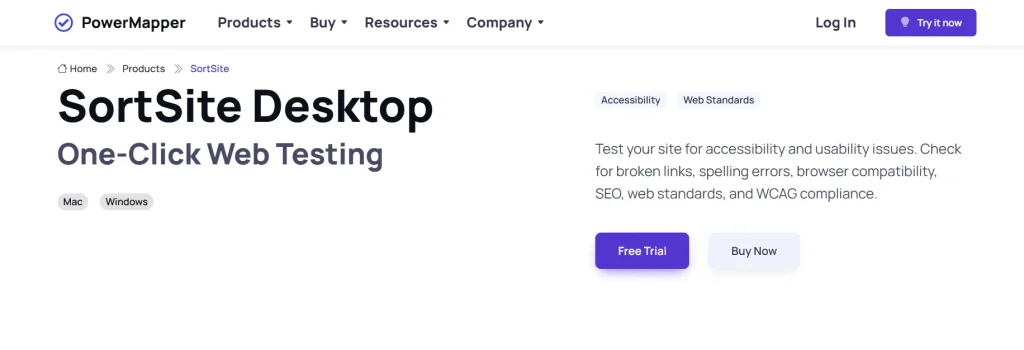
SortSite is a one-click web accessibility testing tool that scans your website for usability and accessibility issues. The file formats you can check for accessibility include HTML, JavaScript, CSS, PDF, GIF, and Word. Plus, SortSite’s dynamic automated testing can help you minimize your workload and let you focus on areas that need human judgment.
Features
- Scan your website for issues against WCAG 2.0, 2.1, or 2.2 and the US Section 508 accessibility standards
- Check for problems like spelling errors, broken links, browser compatibility, and web standards issues
- Test your site for accessibility and usability issues against more than 1300 standards-based checkpoints
- Automatically generate visual and XML search engine sitemaps in a variety of clear and dynamic styles
How to use
You can start using the tool by first downloading the trial version. Then enter your website’s URL and click on Check/Start Scan. The built-in crawler will automatically scan your page and generate reports that cover accessibility and usability issues.
Pricing
- Standard: $149 per user
- Professional: $349 per user
- Developer: $849 per user
Limitations
- UI and reporting interface may have limited features as compared to other accessibility tools
- Pricing can be a bit high for smaller teams
Also Read: Usability Testing: A Comprehensive Guide
7. Accessibility Insights
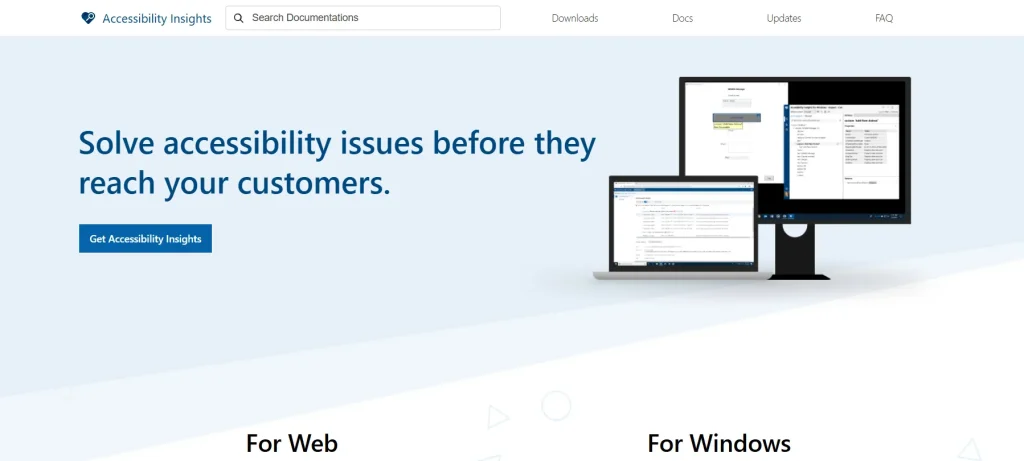
Accessibility Insights offers accessibility testing for both web and Windows. The browser extension for Chrome and the new Microsoft Edge help you test accessibility of web pages and web apps, and the Windows desktop tool is for testing Windows apps. The tool gives you an option to opt into telemetry. When you do, Accessibility Insights collects anonymized data to detect top accessibility issues found by users.
Features
- Quickly spot accessibility issues with Visual Helper and learn how to fix issues with simple guidance
- Run FastPass to catch the most common accessibility issues in less than five minutes
- Investigate your site’s contrast ratios using Color Contrast Analyzer
- Check UI automation properties using Live Inspect
How to use
Install the browser extension for Chrome or Edge. Open it while you’re on the webpage that you want to test. You can run a quick FastPass scan to catch common accessibility issues within minutes. If you want deeper testing, you can use the “Assessment” mode.
Pricing
- It’s free as it’s an open source tool
Limitations
- The tool might need manual intervention to ensure full accessibility compliance
- It may not be able to cover all accessibility scenarios for complex and dynamic apps
8. Evinced
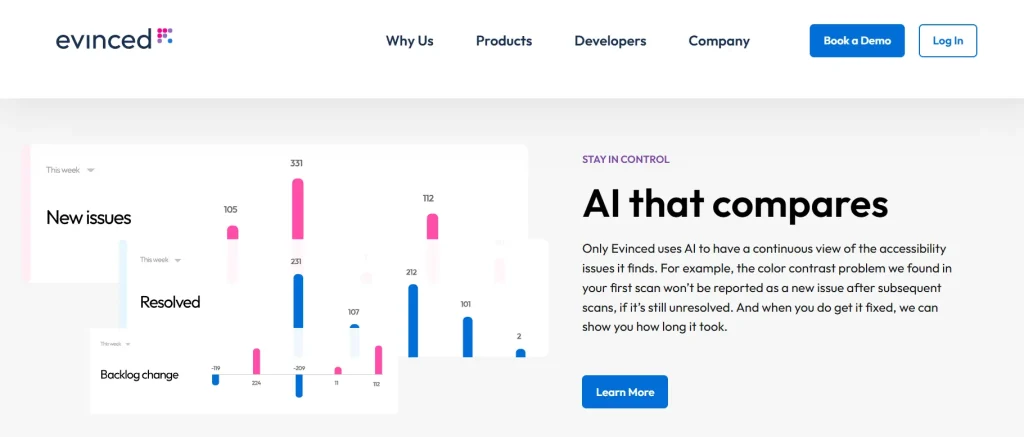
Evinced is an AI-powered accessibility testing tool that helps you automatically find, cluster, track, and prevent accessibility bugs. You can integrate Evinced with your existing automated testing systems and frameworks like Selenium, Cypress, WebdriverIO, Espresso, and Appium. You can also automatically create a new item in Jira, including screenshots and relevant code.
Features
- Easily track critical issues per page and update tallies automatically when the number of pages changes
- Automatically receive data like overall aging, progress against backlog, and time to resolution for any set of issues
- Track trends by severity and type to catch critical bugs easily
- Get actionable reports that include screenshots, priority levels, and specific suggestions for fixing each problem
How to use
Sign up on Evinced’s website and log in to the dashboard. You can add your app or site as a “property” by entering the URL, and the tool will automatically scan pages and flows to check for accessibility issues and produce clear reports.
Pricing
- Custom pricing available on request
Limitations
- Evinced tool is AI-centric; it may not suit teams that prefer manual control and open-source flexibility
- The tool doesn’t list pricing publicly, which can be a barrier if you want to make cost-conscious decisions
9. SiteImprove
Siteimprove is an accessibility testing tool that scans your entire digital presence, including web pages, PDFs, and media, for accessibility issues in line with WCAG, ADA, Section 508, and EAA standards. The tool flags and prioritizes issues and pairs them with clear guidance to help you efficiently resolve them and reduce legal risk before it escalates. Siteimprove also offers mobile testing tools so you can check accessibility and fix issues without a complex setup.
Features
- Ensure accessibility across web, mobile, social, documents, and apps with Siteimprove AI agents
- Use analytics agents to translate traffic, behavior, and page insights into clear next steps
- Display progress with enterprise-level dashboards and tie accessibility improvements to results such as increased engagement, reduced bounce rates, or higher conversion rates
- Quickly sort and prioritize poor accessibility bugs by severity and ease of remediation
How to use
You’ll first need to sign up and add your website or domain to the Siteimprove dashboard. You can either use the free accessibility checker or install the browser extension. Run automated scans, and the tool will point out issues to help you prioritize and fix them.
Pricing
- Get customized pricing on request
Limitations
- Few users find the interface and data interpretation overwhelming
- Integration and data exporting are limited compared to other tools
10. EqualWeb
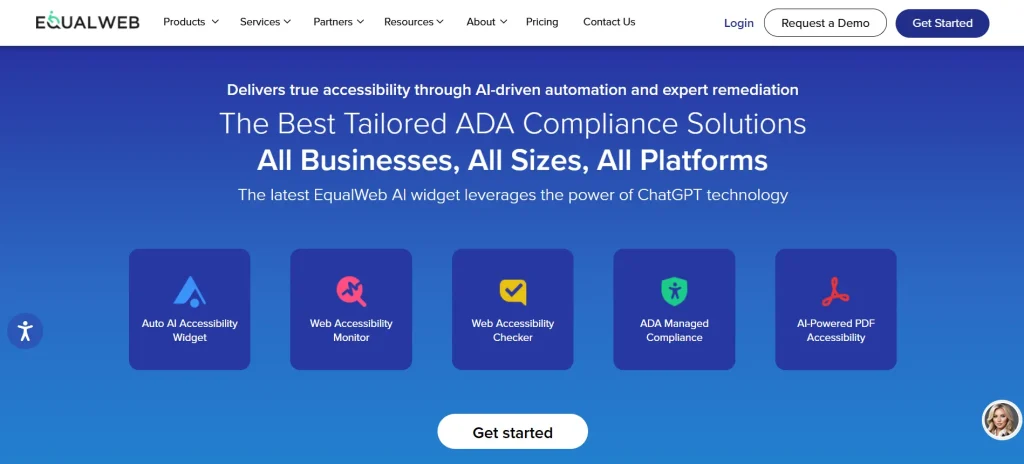
EqualWeb offers you a suite of different accessibility testing products and services. These include the Auto AI accessibility Widget, Accessibility Crawler, Accessibility Monitor, Accessibility Checker, and more. The platform combines AI and human experts to audit your websites and fix issues against WCAG 2.2 guidelines. You can integrate EqualWeb with Azure DevOps, Jira, Zapier, and Google Analytics.
Features
- Audit your site against ADA and WCAG 2.2 Level AA standards to ensure it meets the highest benchmarks for accessibility
- Get a detailed report for in-depth analysis of critical website elements like design structure, content, and functionality
- Use the PDF accessibility tool to improve non accessible PDFs and optimize heading levels, reading order, complex lists, tables, links, and references
- Get an instant visual guide about your site’s accessibility issues, which include contrast errors, aria attributes, and general errors, with the Web Accessibility Checker
How to use
Sign in to EqualWeb’s website and install the accessibility widget. The tool will then scan your site and look for accessibility issues, suggest automated fixes, and deliver a compliance report so you know what issues you need to act on.
Pricing
- Small ( up to 100 pages): $39 per month
- Medium (up to 1000 pages): $49 per month
- Large (up to 10,000 pages): $109 per month
- Huge (up to 100,000 pages): $169 per month
- Managed (fully customizable): Custom pricing
Limitations
- Because the tool has extensive features and products, you may need time to adopt it
- Some features can take up too much space on the screen, which makes it look crowded
Things You Must Consider Before Selecting AccessiBe Alternatives
Now that you have the list of the top 10 AccessiBe alternatives in the market, the next step is to know how to pick the right AccessiBe alternative. These are the critical factors you must look into when making the decision.
1. Security and compliance: Accessibility testing tools typically analyze sensitive user information, live apps, and internal infrastructure. So when you’re selecting alternatives to AccessiBe, make sure the tool complies with relevant data protection standards like SOC2, HIPAA, and GDPR.
Go for tools that are compliant with WCAG, and outline clear data handling policies, encryption standards, and role-based access controls to protect user data.
2. Reliable performance and usability: When evaluating AccessiBe alternatives, consider tools that can scan pages consistently, load without slowing your website down, and deliver accurate results every time. Plus, the tool itself should be easy to use and offer an intuitive interface so you can easily onboard and start testing.
3. Reporting and analytics: If your team faces trouble when navigating dashboards, interpreting results, and setting up scans, it’ll hamper your accessibility testing process. Therefore, select AccessiBe alternatives that help your team produce clear reports, well-explained errors, and actionable recommendations.
4. Internationalization and multilingual support: If your digital product is serving a global audience, you need to ensure accessibility extends beyond just one language. So when you’re assessing AccessiBe alternatives, look for tools that help you test localized content such as right-to-left text, language attribute usage, multilingual pages, non-Latin scripts, and localized alt text or labels.
5. Integration with dev and QA workflows: Finally, no tool is effective if it cannot fit into your existing development and testing workflows. Select a tool that can easily connect with systems and frameworks that your team already uses, such as Jira, GitHub, Azure DevOps, or Slack.
AccessiBe Alternatives: Features Comparison
Short on time? Here’s a quick look at all the AccessiBe competitors and how they compare against each other.
| Tool name | Strengths | Browser & OS support | Pricing |
|---|---|---|---|
| TestGrid | AI-powered, real device testing, codeless automation. Cross-browser testing | Safari, Firefox, Chrome, Opera, Samsung Internet, Android, iOS | Starts from $25 per month; freemium available |
| WAVE | Multiple browser extensions, evaluates local and incognito pages, and assesses dynamically generated content | Chrome, Firefox, Microsoft Edge | Starts from $500 (up to 20000 web pages) |
| Lighthouse | Automated testing, open-source, performance, and SEO audits, exportable JSON/HTML reports | Google Chrome | Free |
| Pa11y | Tests web and local HTML, supports multiple formats to generate reports (CLI, CSV, JSON, HTML) | Windows, macOS, Linux | Free |
| Acquia Web Governance | Supports automated audits and PDF scans, and offers a History Center to track progress | Chrome, Microsoft Edge, Firefox | Custom |
| SortSite | Scans pages using 1300 rules, evidence-based testing, and auto-generates visual sitemaps | Chrome, Safari, Firefox, Edge, Windows, macOS | Starts from $149 per user |
| Accessibility Insights | Offers Chrome and Edge extensions, Visual Helper to fix issues with guidance, and Color Contrast Analyzer | Chrome, Microsoft Edge, Windows | Free |
| Evinced | AI-powered, offers a WenFlow Analyzer, Site Scanner, Mobile Flow Analyzer, and Design Assistant | Chrome, Microsoft Edge, Android, macOS, Windows, iOS | Custom |
| Siteimprove | Agentic intelligence, enterprise-level dashboards, works with Drupal, WordPress, AEM, | Microsoft Edge, Chrome, Safari, Firefox, Android, iOS | Custom |
| EqualWeb | Web Accessibility Monitor, ADA managed compliance, AI-powered PDF accessibility testing | Chrome, Safari, Firefox, Edge | Starts from $39 per month (up to 100 pages) |
Bringing It All Together
As we come to the end of this blog, we hope the AccessiBe alternatives and the selection criteria help you make the right choice for your team. Remember to choose tools only after you have assessed all the features, pros, cons, pricing, and online reviews. Ensuring accessibility is a big part of your website’s user experience, so start testing early and implement continuous monitoring.
Test your site with TestGrid to ensure seamless and inclusive digital experiences for all. Start your free trial today.
Frequently Asked Questions (FAQs)
What is the best AccessiBe alternative?
Some of the best alternatives to AccessiBe include TestGrid, which offers AI-powered real device testing; Lighthouse, which lets you test via a simple Chrome extension; EqualWeb, which comes with a range of accessibility testing tools and scanners; and Pa11y, which is open-source and suitable for small teams.
Which AccessiBe alternatives combine both automated and manual testing?
AccessiBe alternatives that allow you to leverage both automated and manual testing are TestGrid, WAVE, Accessibility Insights, SiteImprove, EqualWeb, and Acquia Web Governance.
Which AccessiBe alternatives are best for small to large teams?
TestGrid’s pricing plans start from just $25 per month, and a free tier is also available, which makes it suitable for small as well as large teams. Other effective choices include Lighthouse, Pa11y, and Accessibility Insights. These are lightweight, free tools.
Can AccessiBe alternatives integrate into CI/CD workflows?
Many AccessiBe alternatives offer integration with CI/CD tools such as TestGrid, Lighthouse, Siteimprove, Evinced, SortSite, EqualWeb, and Pa11y.