CoTester 2.0 is LIVE! Your Always-Available AI Teammate for Testing.

In software development, bugs are inevitable, but letting them pile up untracked is what turns a manageable backlog into a release nightmare. One overlooked defect can snowball into a support ticket avalanche, a delayed release, or worse, a frustrated user who churns.
Bug tracking software is a centralized tool that helps development and QA teams log, prioritize, and resolve defects before they reach your users. Instead of bugs living in scattered emails, spreadsheets, or Slack threads, everything gets a single source of truth: an owner, a status, and a clear path to resolution.
With dozens of options on the market, ranging from free open-source tools to enterprise-grade platforms, choosing the right one for your team’s size, workflow, and budget isn’t always straightforward. A five-person startup and a 200-engineer org don’t need the same tool, and picking the wrong one usually means switching costs down the line.
To help you cut through the noise, we tested and compared the 6 best bug tracking software tools in 2026, evaluating each on features, pricing, ease of use, and ideal use case, so you can find the right fit without the trial-and-error.
What Is Bug Tracking Software?
Bug tracking software is a centralized system used by development, QA, and product teams to log, categorize, prioritize, assign, and track software defects throughout the software development lifecycle (SDLC). These defects, commonly referred to as bugs, may include coding errors, performance bottlenecks, UI/UX issues, security vulnerabilities, or unexpected application behavior.
In short: bug tracking software is a shared workspace where every reported defect has an owner, a status, and a resolution path, replacing scattered emails and spreadsheets with a single source of truth.
Beyond simple issue logging, modern bug tracking tools enable collaboration between testers and developers, support workflow automation, provide status visibility and reporting, and integrate with development tools such as version control systems, CI/CD pipelines, and project management platforms.
This helps teams resolve issues faster, improve software quality, and release more stable products.
Also read: Bug Life Cycle in Software Testing
How We Evaluated the Best Bug Tracking Software
To put this list together, we didn’t rely on spec sheets or vendor pitches. We signed up for each tool, logged real bugs, and moved them through a workflow to see where the process held up and where it broke down.
Setup was the first test. If a team can’t get from signup to a logged bug in minutes, that’s friction they’ll feel daily.
We also checked whether each tool adapts to how teams actually work. Custom statuses, severity levels, and approval steps were tested against workflows that weren’t the default template, since no two dev teams triage bugs the same way.
Integrations mattered just as much. A tracker that can’t connect to version control, CI/CD, or Slack becomes another silo to update manually.
Reporting got the same scrutiny. Mid-sprint, we asked: could we tell at a glance what’s stuck, what’s overdue, and who owns it? Tools that buried this behind extra clicks or paid tiers lost points.
Finally, we checked pricing at realistic team sizes: 5, 10, and 25 users, since add-ons and per-seat minimums often push the real cost higher than advertised.
These six tools are the ones that held up across every stage of that process.
Best Bug Tracking Software Overview
| Tool | Best For | Starting Price |
|---|---|---|
| Jira | Agile software teams needing end-to-end project + bug tracking | Free (up to 10 users); $7.91/user/mo (Standard) |
| BugHerd | Visual website feedback and QA for agencies and clients | $50/mo (5 users); from $42/mo billed annually |
| Redmine | Teams wanting a free, self-hosted open-source solution | Free (self-hosted); managed hosting from $7.50/user/mo |
| Bugzilla | Organizations needing a proven, free open-source bug tracker | Free (open source); infrastructure costs apply |
| Zoho BugTracker | Budget-conscious teams already using Zoho products | Free (3 users, 2 projects); ₹180/user/mo (Standard) |
| BugHost | Windows-centric teams needing secure, cloud-based tracking | From $29/mo (5 users); up to $999/mo (1,000 users) |
Bottom line: For most software teams, Jira offers the best depth of features; BugHerd wins for website-specific feedback; Zoho BugTracker is the top pick for small teams on a tight budget.
Key Features to Look for in a Bug Tracking Tool
1. Easy Bug Reporting: Why a Simple Interface Matters
A bug-tracking tool should be as user-friendly as possible. This is because the person using the tool will most likely find it and report it, so they should understand how it works and what they can do with it easily.
For example, an intuitive interface is helpful for not confusing people or making them think too hard about what to do next.
2. Tool Integrations That Keep Your Dev Workflow Connected
A bug-tracking tool should be able to integrate with the other tools you are using in your project. It’s important to ensure that the bug-tracking software can import and export data as needed and that it is compatible with any other tools or platforms you use.
3. Flexible, Customizable Workflows for Any Team Size
Flexibility is one of the most important features you’ll want to consider when choosing a bug tracking tool. There are many different types of bugs, and it’s important that the software can accommodate each type. You’ll also want to be sure that the software can be customized based on your needs and requirements.
4. Value for Price
Good bug-tracking software should have variable and transparent pricing. In 2026, costs typically range from free (open-source tools like Redmine and Bugzilla) to $15+ per user per month for feature-rich platforms like Jira Premium. Most paid tools average $4–$10 per user per month, with many offering free tiers for small teams of up to 10 users.
Best Bug Tracking Software Compared
Jira
Best For: Agile teams that need bug tracking baked into full-scale project management.

Jira is the market-leading bug tracking software. It’s a decisive tool that can be used for anything from project management to bug tracking. Jira makes it easy to assign tasks, track progress, and automatically generate reports. It also offers free accounts for individuals and small teams looking for a free solution to get started with bug tracking software.
Pros
- Jira, as agile management software, supports teams by dividing complicated tasks into smaller, manageable parts to finish the project in less time.
- Jira’s advanced roadmap feature allows teams and organizations to stay aligned.
Cons
- Messages cannot be sent directly from Jira.
- Users sometimes find it confusing and pricey to assemble a complete system of tools.
Pricing
- Free: up to 10 users
- Standard ~$7.91/user/month
- Premium ~$14.54/user/month
- Per-user cost decreases as the team scales past 100 users
Note: Atlassian Marketplace add-ons (such as time tracking or test management) typically add $3–$10 per user per month for mid-sized teams. Atlassian requires marketplace app licenses to exactly match the total user count of the base Jira instance, even if only a subset of users actually use the add-on.
BugHerd
Best For: Agencies collecting visual, no-login client feedback straight off live websites.
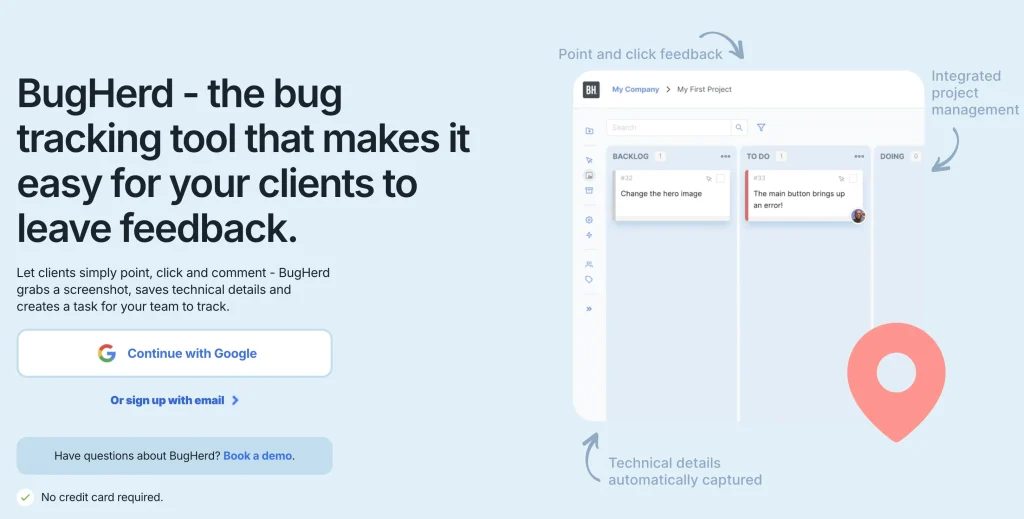
BugHerd is a website feedback and bug-tracking tool that simplifies website QA and makes it easy for clients and team members to leave website feedback and bug reports. They simply point, click, and comment – BugHerd grabs a screenshot, saves technical details, and creates a task for your development team to track, prioritize, and resolve.
No need for accounts or logins – send clients a link and let them comment away. Feedback and bug reports stay pinned to the exact page element, so your team always knows exactly what to change.
Pros
- In-context feedback pins allow for clear, visual bug reporting
- Automatic screenshots and metadata (browser, OS, screen size) are included with each comment
- Tasks are organized on a built-in Kanban board and can also be sent to other tools like Jira, Trello, or Asana, and many others
Cons
- Works best on websites (not ideal for mobile apps or desktop software)
- Limited offline functionality since it’s browser-based
Pricing
- Standard: $50/month ($42/month annually) 5 members
- Studio: $80/month ($66/month annually) 10 members
- Premium: $150/month ($125/month annually) 25 members
- Extra members: $8/user/month
Redmine
Best For: Technical teams wanting a free, self-hosted tracker they fully control.

RedMine is an open-source bug tracking tool that integrates with SCM (Source Code Management System). It is compatible with multiple platforms and databases. Gantt charts and calendars are used for reporting. Redmine, a project management web app, was created using the Ruby on Rails framework.
Pros
- Developers can use the related issues feature to link issues, remove duplicates, and streamline workflows
- A watcher’s list can be created to notify whom to contact in the event of any news.
- Users can create new issues and designate them as bugs, features, or support issues.
Cons
- It requires maintenance and self-installation.
- While this tool is only compatible with some teams and projects, it is worth considering.
Pricing
- Free (open source, self-hosted)
- Managed cloud hosting: $7.50–$27.90/user/month
- Premium plugins from $49 (one-time, per plugin)
Bugzilla
Best For: Engineering teams that need a battle-tested, API-driven open-source tracker.
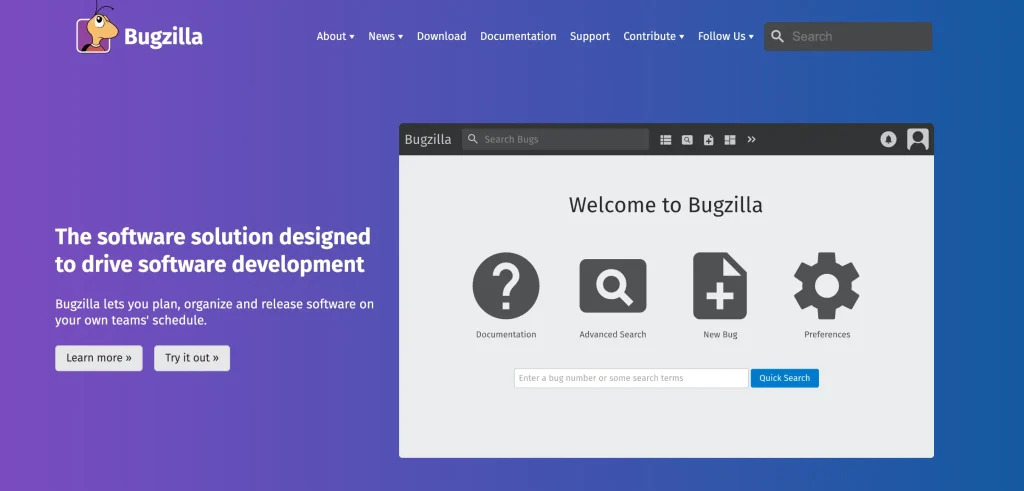
The original software was created initially by Mozilla; Bugzilla is an open-source, web-based bug tracking software that lets you monitor the bugs and problems related to your product.
The time-tracking feature of Bugzilla allows you to identify and track the amount of time needed to fix the issue and establish a resolution deadline. In addition, Bugzilla ensures safety with its integrated authentication, security, and product-based system.
Pros
- Has an API so you can automate the process of submitting bug reports.
- Enhanced performance by optimizing the database structure.
Cons
- There are many customizable options, but it is not easy to customize them.
- Inaccurate bug reporting due to issues with sending large files.
Pricing
- Free (open source, no licensing fees)
- Infrastructure/hosting and IT maintenance costs apply
Zoho Bug Tracker
Best For: Small teams already in the Zoho ecosystem wanting an affordable all-in-one tool.
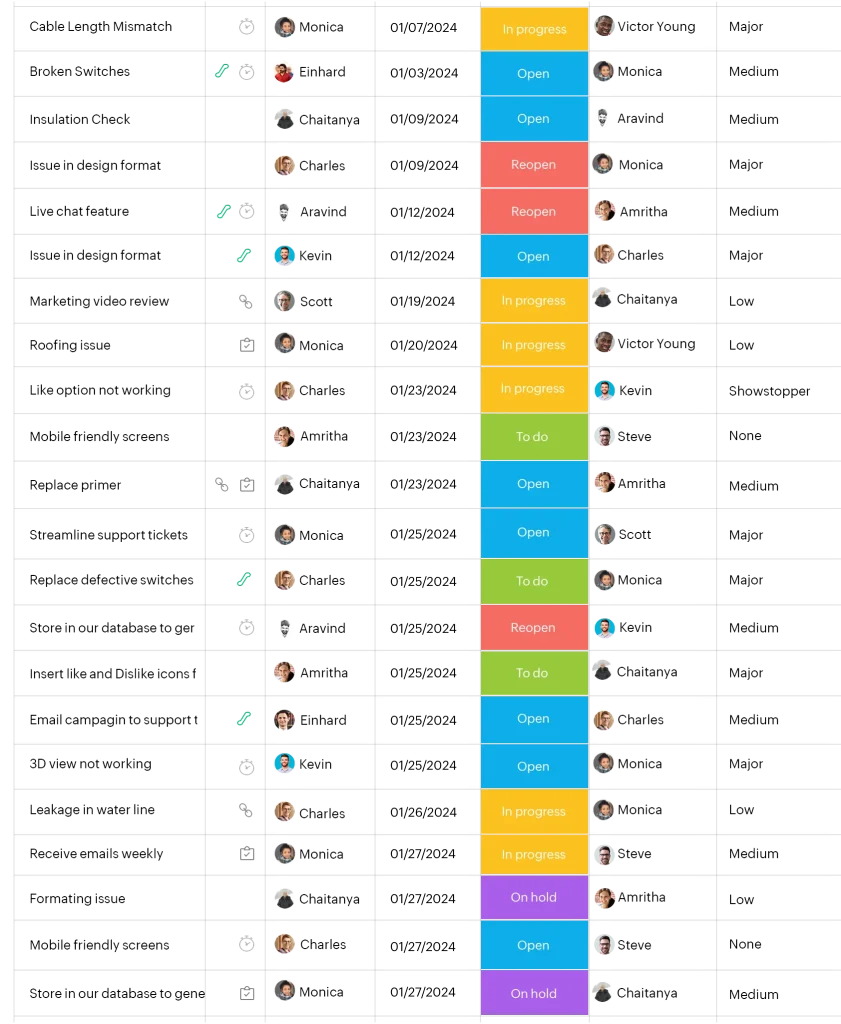
Zoho Bug Tracker includes a customizable interface and various useful tools for time and project management, such as bug logging, time tracking, and milestone monitoring. The reports show logged and resolved bugs, team progress, and milestones.
With the timesheet feature in Zoho, your team can log their hours. Notifications and newsfeeds keep the team informed, and you can automate your SLAs, set rules to trigger updates in other apps when changes are made within Zoho, or send automated emails.
Pros
- Zoho Bug Tracker is a great example of such a service. It provides you with a web form which is connected to the client side, so you can easily and accurately collect bugs and errors.
- User-friendly interface with a simple deployment process and intuitive navigation, complemented by detailed bug documentation capabilities
Cons
- It is possible to miss an issue when tracking bugs using email, which was the original method.
- The configuration is rather limited. One has to be able to add extra functionality for those outside the system.
Pricing
- Free: up to 3 users, 2 projects
- Standard: $3/user/month (billed annually)
- Premium: $7/user/month (billed annually)
BugHost
Best For: Windows-focused teams wanting simple, secure, cloud-based bug tracking.

BugHost is a completely secure bug tracking software that gives you an all-inclusive solution specifically for Windows. It permits you to track any number of errors and categorize, report, and assign them to others.
The software comes with a live dashboard that offers complete information about your previous and ongoing work. WebHost has a feature that allows users to post bugs directly into their projects. It also comes with high-security features that protect access to bugs.
Pros
- Cloud-based applications don’t require installation or deployment
- Promotes team responsibility with built-in features
Cons
- The service is solely cloud-based, so it can’t be accessed without an internet connection
- The interface is dull and uninspired
Pricing
- Startup: $29/month (5 users, 5 projects)
- Team: $59/month (10 users, 10 projects)
- Syndicate: $99/month (15 users, 15 projects)
- Corporate: $159/month (25 users, 25 projects)
- Enterprise: $299–$999/month (50-1,000 users)
Conclusion
A great tip is to remember that some bug/issue trackers might be standalone, while others fall under the broader category of issue trackers or project management platforms.
What you need to know is that great bug tracking software helps you trace defects before they become customer-facing problems, avoiding the frustrating scenario where glitches linger unresolved.
Our list of bug tracking software is intended to help you find the right solution for your company. Before choosing one, consider your team’s size, budget, and specific workflow needs.
Frequently Asked Questions
What are the benefits of using bug tracking software?
Bug tracking software reduces the number of bugs that reach customers by surfacing root causes early, breaks work into manageable tasks with clear owners and deadlines, boosts productivity through better cross-team communication, and gives managers real visibility into how efficiently issues are being resolved.
How do you use a bug tracking tool effectively?
Write clear, step-by-step bug reports that are easy to reproduce, prioritize issues by business impact and user severity, keep developers, testers, and stakeholders in the loop, and update bug status regularly so the whole team has full transparency.
Is bug tracking software the same as project management software?
Not exactly. Bug tracking software is built specifically to log, prioritize, and resolve defects, while project management software manages broader tasks, timelines, and resources. Some tools, like Jira, combine both.
Can small teams use bug tracking software for free?
Yes. Several tools, including Jira, Zoho BugTracker, Redmine, and Bugzilla, offer free tiers or fully free open-source versions suited to small teams and startups with limited budgets.
How is AI changing bug tracking software in 2026?
AI is increasingly used to auto-prioritize bugs by severity, detect duplicate reports, suggest likely root causes, and predict which issues are most likely to affect users, cutting down manual triage time. Tools like Cotester are pushing this further by using AI to auto-generate test cases and catch bugs earlier in the QA cycle, reducing the manual triage load even before an issue reaches the tracker.