CoTester 2.0 is LIVE! Your Always-Available AI Teammate for Testing.
- What Is Automated Functional Testing?
- Automated Functional Testing vs. Manual Functional Testing
- Types of Functional Tests to Automate
- Functional Testing vs Other Testing Types
- How to Plan and Design Automated Functional Tests?
- How Automated Functional Testing Is Done
- The Challenges along with Best Practices to Overcome Them
- Build AI-Powered Functional Test Automation with TestGrid
- Frequently Asked Questions
Functional testing is important because it helps you verify that a software app delivers the functionality users and businesses depend on and catches defects that could disrupt critical operations or customer journeys.
But manual execution can be a challenge when you need to run large volumes of tests repeatedly across releases and environments.
That’s why QA teams are now using automation tools to make this process a lot faster and more consistent. In fact, the global test automation market is expected to grow from $37.5 billion in 2026 to $89.0 billion by 2033.
In this blog, we’ll talk in detail about automated functional testing, why it’s important, what its types are, how to perform it, and what tools to use.
TL;DR
- Automated functional testing verifies app behavior through automation scripts and assertions
- The different types of automated functional testing are integration, UI, E2E, regression, build verification, and sanity testing
- For planning functional automation testing, you need to analyze test requirements, define test scenarios, map out actual vs. expected results, and prepare test data and environment
- To perform the test, first decide what to automate, select the automated functional testing tools, create automation scripts, integrate into CI/CD workflows, execute tests, and analyze results
- High maintenance, flaky tests, dynamic interfaces, and coverage gaps are some of the challenges of automated functional testing
- You can overcome the challenges by using maintainable test design, stable locators, reliable synchronization, and risk-based automation
What Is Automated Functional Testing?
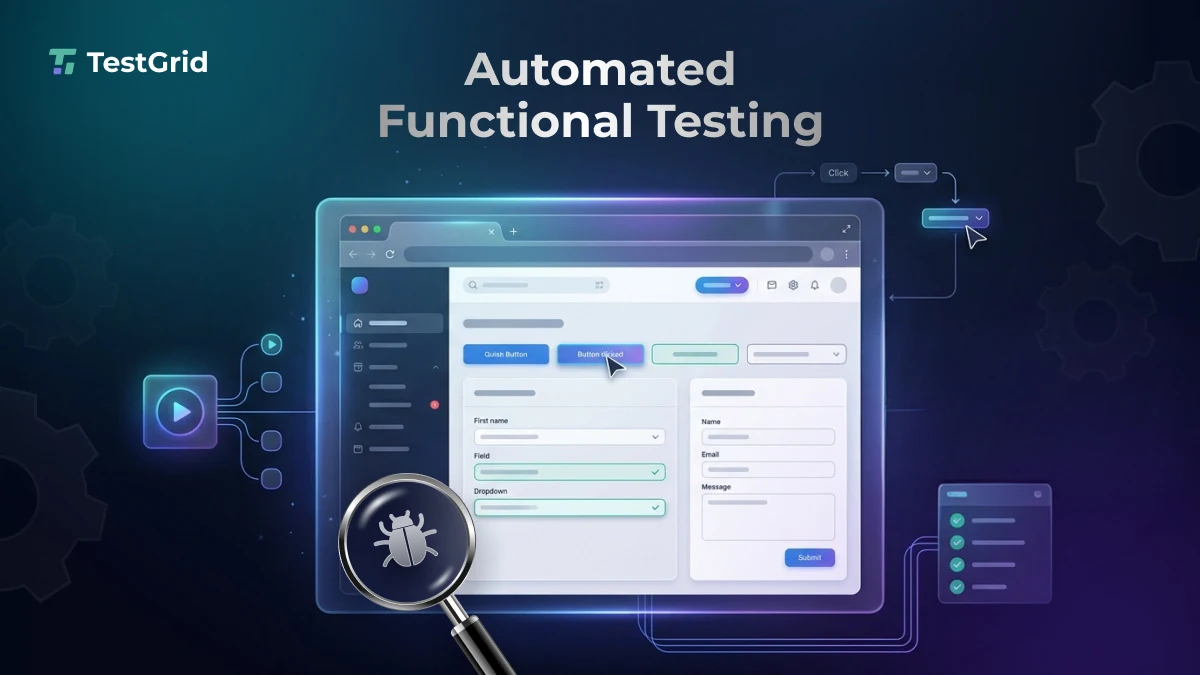
Automated functional testing is the use of predefined, executable tests and automation tools to verify an app’s features and workflows and ensure they behave as specified in the functional requirements.
The tests simulate user interactions, execute the core app functions, and compare actual behavior with expected results. Automation helps you assess UI, APIs, integrations, business rules, or complete workflows with minimal manual effort.
Modern DevOps practices enable automated functional tests to run as part of CI/CD pipelines, so that QA teams can get quick feedback on app or code changes throughout the software delivery lifecycle.
Also read: What is Functional Testing?
Automated Functional Testing vs. Manual Functional Testing
Automated and manual functional testing both help you assess if your app behaves as intended. But they differ in how you create, execute, and evaluate tests.
Manual functional testing can be tough to scale when your test suites grow. You may need to repeatedly execute the same scenarios across releases, browsers, devices, and configurations. Automated functional testing software can make these checks faster and scalable.
| Aspect | Automated functional testing | Manual functional testing |
|---|---|---|
| Execution | Tests are executed by scripts and automation frameworks | A tester executes the test steps manually |
| Execution speed | Fast, particularly for large, repetitive suites | Slower because execution depends on human effort |
| Repeatability | Highly repeatable; you can run the same steps and assertions consistently | Repetition can introduce variation and human error |
| Maintenance | Scripts require maintenance when app behavior or implementation changes | No automation scripts to maintain, but test procedures and documentation may change |
| Scalability | Can scale across test cases, browsers, devices, and environments through parallel testing | Scaling requires additional tester time and resources |
| Best suited for | Repetitive, stable, deterministic scenarios such as regression, smoke, and data-driven tests | Exploratory, usability, ad-hoc, and scenarios which require human observation |
Also Read: Manual Testing vs Automation Testing
Types of Functional Tests to Automate
These test types map onto the classic test pyramid, with unit tests at the base, integration and API tests in the middle, and UI/E2E tests at the top.

1. Integration testing
Integration testing is performed to verify that connected modules, services, APIs, databases, and external dependencies can exchange data and trigger actions correctly. You run tests under valid and invalid conditions and check data transformations, authentication, error handling, timeouts, side effects, and resulting state.
2. UI testing
UI testing helps you assess user interactions like locating elements, entering input, clicking controls, and navigating pages. Here you validate the functional behavior through the presentation layer, generally across browsers, devices, and screen sizes, without examining the underlying code or backend implementation.
3. End-to-end (E2E) testing
Automated E2E testing lets you examine the complete business workflows across your app and its integrated dependencies. Your test may start with a user action, traverse the UI, APIs, services, and database, and verify the final business outcome. This helps you ensure that independently functioning components work together correctly in a production-like environment.
4. Regression testing
Regression testing allows you to detect unintended changes caused by new features, bug fixes, refactoring, or configuration updates. The tests verify whether existing functionalities can still produce expected results after code changes.
5. Build verification testing or smoke testing
Build verification or smoke testing enables you to check whether a new build is stable enough for deeper testing. You inspect the critical paths such as app login, authentication, navigation, and core transactions to detect critical defects, which can break your app’s core functionality.
6. Sanity testing
Sanity testing is a focused set of automated checks that you perform after a minor code change, bug fix, or build update to confirm that the change works as expected. This test focuses on specific changed areas before broader regression testing.
7. Acceptance testing
Acceptance testing validates whether a feature meets business and user requirements before release, often run as the final functional check prior to sign-off
Learn More: 30+ Key Software Testing Types Every QA Needs to Know
Functional Testing vs Other Testing Types
1. Functional vs unit testing
Unit tests isolate individual functions or components. Functional tests validate the app’s core functions and ensure they meet specified business or system requirements. You can automate both of these tests, but they serve different testing purposes.
| Criteria | Functional testing | Unit testing |
|---|---|---|
| Goal | Determines if a feature or workflow produces the correct outcome for given inputs and conditions | Examines individual units or components of an app in isolation to verify expected behavior |
| Scope | Can cover a feature, workflow, module, or complete business process | Generally covers a function, method, class, or similarly isolated unit |
| Dependencies | May interact with other components, services, databases, APIs, or the UI, depending on test level | Dependencies are typically isolated, replaced, or mocked to test the unit independently |
| Who performs it | QA engineers, testers, developers | Primarily developers |
| Best suited for | Testing features, workflows, business rules, integrations, and regression scenarios | Detecting defects in individual units early and providing rapid feedback during development |
2. Functional vs non-functional testing
Non-functional testing mainly evaluates the quality attributes of your app, like security, performance, and usability.
| Criteria | Functional testing | Non-functional testing |
|---|---|---|
| Focus | Features, business rules, workflows, inputs, outputs, and functional behavior | Performance, usability, security, reliability, compatibility, maintainability, and portability |
| Test basis | Functional requirements, user stories, use cases, business rules, and specifications | Non-functional requirements, quality attributes, service-level objectives, and measurable thresholds |
| Common tests | Unit, integration, UI, E2E, regression, smoke, and sanity testing | Performance, load, stress, usability, compatibility, and security testing |
| Typical defects you identify | Incorrect calculations, broken workflows, invalid state transitions, incorrect data processing | Excessive response time, resource exhaustion, poor scalability, security weaknesses, or compatibility problems |
| Example | Verify that a user can complete a payment with valid card details | Verify that the payment service responds within the required time under the expected transaction load |
How to Plan and Design Automated Functional Tests?
1. Analyze test requirements
First, you need to determine what you want your app to do. For that, review functional requirements, user stories, acceptance criteria, business rules, and then identify the testable conditions, expected outcomes, dependencies, constraints, and high-risk functions.
2. Define test scenarios
Translate your requirements into test scenarios that represent important user flows, alternate paths, error conditions, and boundary cases. Here you need to note what each scenario should validate. Prioritize scenarios by business risk, usage, and impact, then map them to requirements for traceability and coverage.
3. Turn scenarios into test cases
Next, you have to convert the scenarios into test cases with a sequence of preconditions, test data, actions, and expected results. Define clear pass or fail criteria and include positive, negative, boundary, and exception cases. Make sure you keep each test case focused on verifiable behavior so that you can isolate and diagnose failures efficiently.
4. Outline actual vs expected results
You must clearly establish the expected outcome for each test step or test case before automation. This should include UI states, returned data, status codes, business rule outcomes, and system messages.
During execution, capture the actual result and then compare it with your expected result using explicit assertions. This comparison will help you decide whether a test passed or failed.
Also Read: Test Case Template: Free Examples and Formats for QA Teams
5. Prepare test data and environment
Create deterministic test datasets representing the positive, negative, boundary, and dependency conditions a practice known as data-driven testing, where the same script runs against multiple input sets. In case you’re using production data, mask or anonymize the sensitive information (names, email addresses, phone numbers, account details, and payment information).
For your test environment, configure the required app build, browsers or devices, services, databases, credentials, network settings, and test accounts.
You should ensure that the environment is isolated and reproducible so you can run tests consistently and distinguish app defects from environment-related issues
How Automated Functional Testing Is Done

1. Select what you want to automate
You have to identify the functional tests that you need to execute frequently or the ones that are time-consuming to perform manually. Ideally, you should aim to automate:
- Regression tests that are repeatedly executed after code changes or bug fixes
- Sanity tests that verify targeted changes or fixes
- Business logic validation for workflows such as login, authentication, checkout, payments, and onboarding
- Complex, repetitive scenarios involving numerous inputs or conditions
- Cross-browser and cross-device scenarios that need continuous execution across configurations
2. Pick the automation tools and frameworks
Functional test automation frameworks and tools can help you create, execute, organize, and maintain automated functional tests. They enable you to interact with app interfaces, validate expected behavior, manage test data, run tests across environments, and integrate testing into CI/CD pipelines.
These are some of the best testing tools and frameworks you can use for automated functional testing.
- Selenium: Selenium is an open-source test automation framework that allows you to write detailed automation scripts for web interactions, including clicking buttons, populating forms, and navigating across different pages. It optimizes functional testing across browsers like Chrome, Firefox, and Safari.
- Cypress: This is an E2E testing framework that’s designed specifically for your modern web apps. You can easily create and use custom commands to encapsulate complex actions or sequences. You can take snapshots of the DOM at any given point during a test and validate functional UI changes.
- Playwright: It’s a web automation framework that helps you run automated functional tests at speed in parallel across all your configured browsers. You can seamlessly record your actions in the browser, and Playwright writes the test code. You get deep insights into test execution with DOM snapshots, network requests, console logs, and screenshots at every step.
- Puppeteer: This is an open-source JavaScript library that enables you to automate functions like form submission, keyboard input, UI testing, and more. You can create an automated testing environment using the latest JavaScript and browser features. This platform helps you generate screenshots and PDFs of pages for test evidence.
- WebdriverIO: It’s a browser and mobile automation test framework. It allows you to test on actual browsers or mobile devices used by your users. it supports cross-browser automation through WebDriver and WebDriver Bidi. The WebdriverIO test runner comes with a CLI to create your test setup in less than a minute.
- NightwatchJS: This is a test automation framework with a powerful set of tools to write, run and debug your tests across web and native mobile apps. You get to test on real browsers which accurately reflect your users’ environment. Moreover, you can test faster with default parallelization across multiple browsers.
- Protractor: Protractor is an end-to-end test framework that uses native events and browser-specific drivers to interact with your application as a user would. You can navigate to an app, locate UI elements, enter input, click controls, retrieve displayed values, verify expected results using assertions, and test multiple scenarios efficiently.
- TestComplete: This is a desktop, web, and mobile test automation platform that creates realistic, reusable test data tailored to your use cases, so you can build and execute data-driven tests faster. It also has an Object Browser to inspect app objects and a Name Mapping feature to create stable, logical references to those objects for automated tests.
- BrowserStack Automate: This provides you with a test automation infrastructure to scale your Selenium, Playwright, Cypress, and other automation tests across real desktop and mobile browser-OS combinations. Smart test reports allow you to automatically identify flaky, always failing tests and new failures instantly.
- TestGrid: TestGrid is an AI-native test automation platform and perform testing on real devices and mobile platforms via a real device cloud, avoiding the accuracy gaps of emulators and simulators.
Also Read: Top 32 Automation Testing Tools
3. Create automated test scripts
Leverage the automation functional testing frameworks to build executable test code based on your preconditions, actions, test data, and expected results.
Try to use stable locators, reusable components or page objects (following the Page Object Model design pattern), explicit assertions, and condition-based synchronization to make your test scripts reliable and maintainable
If you’re using keyword-driven testing an approach where reusable keywords represent actions like entering text, clicking elements, or checking values you can create scripts without writing detailed code for each interaction.
You can then integrate these keyword tests into your CI/CD pipelines and execute them automatically without coding each interaction separately.
4. Add assertions and checkpoints
Next, add explicit assertions or checkpoints to verify that your app behaves as expected. You have to compare the actual results with predefined expected outcomes, like displayed text, UI states, returned data, status codes, or business rule results.
Property checkpoints can help you check specific properties of app objects, such as visibility, value, or enabled state.
5. Integrate tests into CI/CD pipeline
Set up your automated functional test suite to run automatically within the CI/CD workflow at appropriate stages (like after builds, deployments, or pull requests) by connecting the test framework to CI/CD tools such as Jenkins, CircleCI, Travis CI, or Azure DevOps.
For example, you can run smoke tests after a build, targeted functional tests after deployments, and broader regression suites before release.
6. Capture results, log bugs, and assess failures
Execute the automated functional tests and record each test’s outcome, execution details, errors, and supporting evidence in a test log.
Most automated testing tools consolidate results in a test report to help efficiently detect bugs and analyze failures. Investigate failures to distinguish application issues from test, data, or environment problems.
When you have confirmed defects, document the expected and actual results, error details, and relevant evidence in a bug tracking system (Jira, Bugzilla, Redmine) for resolution and retesting
The Challenges along with Best Practices to Overcome Them
1. Maintaining test suites when apps change
Frequent code updates, changed workflows, modified APIs, and evolving business rules can invalidate your automated tests even if the underlying functionality of your app is correct. This, in turn, can create maintenance overhead and can cause your functional automation test suites to become outdated, duplicated, or disconnected from your app’s current behavior.
| Best practice You need to treat your automated tests as maintainable code. Centralize reusable interactions, isolate locators and implementation details, and review tests alongside your product changes. At the same time, refactor, update, or delete tests that no longer provide coverage. |
2. Handling flaky and inconsistent tests
Flaky tests can lead to inconsistent results under the same conditions. This can happen often due to race conditions, asynchronous operations, unstable environments, shared state, or timing-sensitive interactions, and reduce your confidence in test results. You might find it difficult to distinguish genuine app defects from failures caused by test instability.
| Best practice Thoroughly assess execution logs, traces, screenshots, test data, and environment details to determine the root cause of your failed functional tests and to distinguish genuine app defects from automation or infrastructure issues. |
3. Managing dynamic UI elements
Dynamic UI elements can make your automated functional tests brittle when IDs, attributes, DOM structures, or content change between builds or during runtime. Asynchronous rendering can also cause your tests to fail even when the app feature or user workflow is functioning correctly.
| Best practice One way to overcome this is to use resilient locators based on stable attributes, accessible roles, labels, or dedicated test IDs rather than DOM position or generated values. You can combine these with condition-based waits or framework auto-waiting. This will enable your tests to interact only when elements are ready. |
4. Balancing automation and test coverage
Automating more tests doesn’t necessarily give you better coverage. You might prioritize repetitive scenarios but overlook complex, high-risk workflows, edge cases, or less frequently used functions. Moreover, automating low-value tests can increase your maintenance effort.
| Best practice You can automate tests based on business risk, usage frequency, defect history, and regression value. Track coverage across critical features and workflows. And complement functional testing with manual exploratory testing to identify coverage gaps. |
Build AI-Powered Functional Test Automation with TestGrid
Traditional automation can make functional testing fast and consistent, but maintaining scripts as your apps evolve still needs significant effort. AI can assist you with test creation, adaptive execution, and self-healing, and help you keep test coverage aligned with changing code structures and workflows.
TestGrid is an AI-native test automation platform that enables QA teams to automate testing with AI-driven low-code and codeless workflows, check apps across multiple browsers, and perform testing on real devices and mobile platforms.
The platform supports various testing frameworks and languages, including Selenium, Cypress, Appium, JUnit, Python, TestNG, Java, and C#. Its codeless test authoring, automated execution, and self-healing reduce your maintenance burden.
Its AutoHeal technology can detect when UI elements or locators change and identify alternative locators during runtime, and help your existing functional tests continue executing without manually rewriting every affected test.
TestGrid supports integration with CI/CD tools like Jenkins, GitHub Actions, GitLab CI/CD, and Azure DevOps, which allows you to run automated test runs as part of your continuous delivery workflows. You get centralized test reporting and execution insights to review results, identify failures, and track automation outcomes.
Request a free trial of TestGrid for all your end-to-end test automation needs.
Frequently Asked Questions
What types of functional testing can be automated?
The functional tests which you can automate include smoke, sanity, regression, integration, UI, and end-to-end testing. You can also automate unit and acceptance tests if they have to validate functional requirements.
How do you measure the effectiveness of functional software test automation?
You can measure the effectiveness of functional testing automation by evaluating test coverage, defect detection, defect leakage, execution time, flaky test rate, and maintenance effort. You should also assess how consistently the suite catches regressions, reduces manual effort, and provides reliable feedback.
Is automated functional testing black-box or white-box testing?
Automated functional testing can use either approach, but it’s commonly black-box because it checks external observable behavior without inspecting internal code. White-box functional tests use knowledge of source code, control flow, data structures, or implementation details to verify whether functional requirements are correctly implemented.