CoTester 2.0 is LIVE! Your Always-Available AI Teammate for Testing.
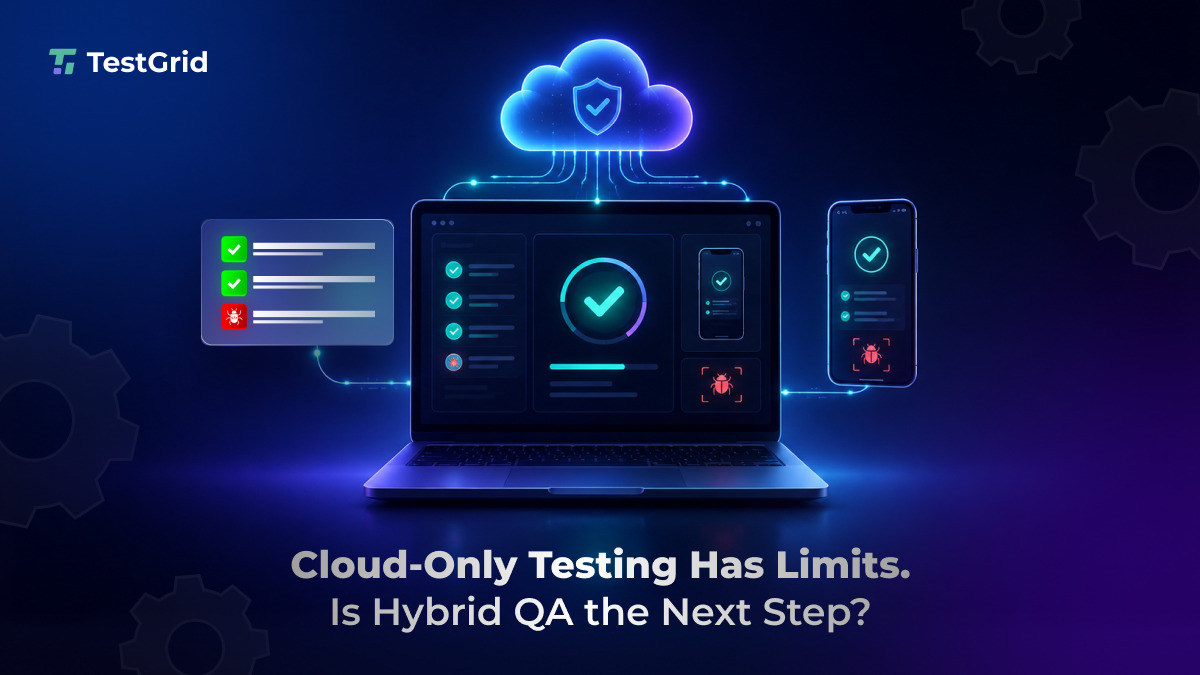
Are your QA teams moving faster because of cloud testing, or are they working around infrastructure they don’t fully control? That’s a million dollar question in this day and age!
There’s no doubt that cloud-based testing gave enterprise teams faster access to devices, browsers, environments, and scale. But as release cycles compress, automation suites grow, and security expectations rise, its limitations are starting to show.
Flexera’s 2026 State of the Cloud Report found that 73% of organizations now operate hybrid cloud estates.
While this is a broader infrastructure trend, it raises two practical questions for QA leaders: which testing workloads benefit from cloud scale, and which need more control over data, devices, environments, and execution costs?
In this article, we explore the answers.
Request a free TestGrid trial to see how hybrid QA can connect your on-premise environment with dedicated hosted devices and browsers.
TL;DR
- Cloud-only testing can create cost, access, and control issues as automation volume grows.
- Hybrid QA keeps sensitive and internally connected workloads within your on-premise environment.
- Dedicated TestGrid-hosted devices and browsers extend coverage, capacity, and remote access.
- Your team can place each workload according to its security, connectivity, and coverage requirements.
- A QA workload audit is the best first step before moving to a hybrid model.
Meet Cloud Testing’s Hidden Multipliers: Coverage, Retries, and Regression Cycles
The visible cost of cloud testing is usually the subscription fee. But the larger cost often appears through usage.
That means, at enterprise scale, your QA teams pay for parallel sessions, storage of test artifacts, video recordings, logs, retries, idle environments, add-ons, integrations, and usage spikes during regression cycles.
A lot of this spending may be justified. The warning sign is the waste: estimated wasted IaaS and PaaS cloud spend has climbed to 29% after five years of decline.
You see, one test case may need to run across multiple browsers, devices, operating systems, regions, and environments. Add nightly regression, CI/CD triggers, and retry logic for flaky failures, and a single test can turn into dozens of executions every week.
That’s exactly where cloud-only testing becomes expensive. One session may look affordable. The challenge appears when enterprise QA multiplies every test across coverage requirements, release frequency, and debugging cycles.
For example, your team may need to validate workflows involving sensitive customer data. They may need access to specific real devices, OS versions, browser combinations, or network conditions. They may need deeper logs to debug failures quickly.
In a cloud-only setup, each of these requirements can create friction.
Cloud testing still has a strong role in enterprise QA. Some test workloads, however, need more predictability, privacy, and environment control than a cloud-only model can provide.
Which QA Workloads Should Stay On-Premise, and Which Need Broader Coverage?
Look, for simple coverage, quick access, and burst capacity, cloud testing still makes sense.
But when it comes to regulated applications, internal enterprise systems, payment flows, healthcare platforms, banking apps, telecom products, and high-volume regression suites? You need more control over where tests run and how test data is handled.
This shift is best understood as workload placement.
Some QA workloads belong in the public cloud. Some need a private cloud. Some should run on-premise or in a dedicated enterprise environment. The right choice depends on sensitivity, frequency, cost profile, data exposure, and environment requirements.

This same nuance is showing up in practitioner discussions too. Infrastructure teams are talking less about cloud versus on-premise as fixed camps, and more about fit: what needs elasticity, what has predictable usage, and what requires tighter governance.
For QA teams, this distinction is practical:
A test involving an internal application, private API, or regulated customer workflow may need to run on-premise. A compatibility test covering multiple browsers, operating systems, and mobile devices may need access to dedicated hosted infrastructure.
Some regression suites may also need both. Sensitive test steps can remain within your environment, while broader device and browser checks run on TestGrid-hosted infrastructure.
The outcome? A more deliberate QA infrastructure strategy where each workload runs in the environment that matches its security, connectivity, and coverage requirements.
And this is where TestGrid fits into the hybrid Test Infrastructure conversation – it connects your on-premise testing environment with dedicated TestGrid-hosted devices and browsers.
You can keep sensitive workflows, private integrations, and controlled device access within your network while extending coverage through hosted Android devices, iOS devices, and browsers.
Your existing Selenium, Appium, and Cypress tests can run across the hybrid environment without requiring every workload to leave your network.
Before You Go Hybrid: Sort Your Test Suites Into Three Groups
Treat this as a workload strategy before treating it as an infrastructure project.
Start by dividing your QA workloads into three groups.
- First, identify tests that must stay on-premise. These may include regulated applications, sensitive customer workflows, internal enterprise systems, unreleased builds, and tests that require access to private APIs, VPNs, firewalls, databases, or controlled device environments.
- Second, identify tests that should run on TestGrid-hosted dedicated infrastructure. These may include browser compatibility checks, real-device testing, parallel regression, additional execution capacity, and workloads that need access across distributed teams.
- Third, identify tests that need cleanup before moving into a hybrid setup. If a suite is flaky, redundant, slow, or rarely catches meaningful defects, changing its execution environment will carry the same problem forward.
| To make the decision practical, evaluate each test suite against six questions: How frequently does this test suite run?Does it involve sensitive data or unreleased features?Does it need access to internal systems, VPNs, firewalls, or private APIs?Is the current cloud execution cost predictable?Are failures easy to debug with the logs and artifacts available today?Does the test environment reflect real user conditions closely enough? This gives QA, DevOps, security, and engineering teams a shared decision framework. |
The decision is clear:
- Keep sensitive, regulated, and internally connected workloads within your on-premise environment.
- Use TestGrid-hosted dedicated devices and browsers when you need broader compatibility coverage, additional capacity, or access for distributed teams.
- Connect both environments through hybrid Test Infrastructure when your test portfolio needs control and broader coverage at the same time.
- Use real devices when hardware behavior, mobile performance, network conditions, or device-specific failures matter.
For example, TestGrid supports real Android and iOS device testing with device reservation, access to device settings, MDM support, VPN-enabled testing, biometric testing, logs, screenshots, video playback, network capture, crash reports, and performance vitals.
Start With an Audit, Not a Device Purchase
Review the last 60 to 90 days of testing activity. Identify your most frequently executed test suites, highest-cost cloud usage patterns, most sensitive workflows, most common environment-related blockers, and hardest-to-debug failures.
That audit will show where cloud testing creates value and where cloud-only testing is quietly costing you control.
Enterprise QA is becoming more selective. The teams that get this right will reduce testing waste, improve feedback cycles, strengthen security, speed up debugging, and release with more confidence.
The question is, can your testing infrastructure keep up with the speed, control, and confidence your business now expects?
The good news is, with TestGrid, you can keep sensitive and internally connected workloads on-premise while using dedicated hosted devices and browsers for broader coverage and additional execution capacity.
Both environments work as part of one hybrid QA strategy. Your team retains control over sensitive systems and test data while gaining access to the device and browser coverage required for enterprise testing.
Request a free TestGrid trial to see how hybrid Test Infrastructure could work for your team.