 CoTester 2.0 is LIVE! Your Always-Available AI Teammate for Testing.
- What is Playwright and How Does It Work?
- Why Consider Alternatives to Playwright?
- Top Playwright Alternatives in 2026
- Playwright Alternatives Comparison
- How to Choose the Right Playwright Alternative
- TestGrid – Best AI-Powered Playwright Alternative for Enterprise Testing
- Summing It Up
- Frequently Asked Questions (FAQs)
- What are the best Playwright alternatives for end-to-end UI testing?
- Is Cypress better than Playwright?
- What is the difference between Playwright and Selenium?
- Does Playwright support mobile testing?
- How do I migrate from Playwright to another testing framework?
- Are programming skills required to use Playwright alternatives?
As web development evolves, apps are getting more complex to build, maintain, and test. The right end-to-end testing tool ensures cross-browser and cross-device compatibility, streamlines web app automation, and catches issues early in CI/CD pipelines, but not every tool fits every team, and that’s exactly where Playwright starts to fall short.
Playwright is a popular choice for comprehensive testing of web apps with dynamic content handling, a built-in test runner, and seamless CI/CD integration. However, it supports only a limited number of programming languages, has a steep learning curve, lacks native real device testing support, and displays inadequate legacy browser support.
To get past these challenges, this guide breaks down the 8 best Playwright alternatives in 2026, covering open-source tools, AI-powered platforms, and enterprise-grade solutions so you can pick the one that fits your team, stack, and testing goals.
TL;DR
- Playwright is a popular end-to-end testing tool, but it may not suit every team or project
- It excels at modern browser automation but has drawbacks: steep learning curve, limited language support (no Ruby/PHP), no real device testing, and high scaling costs
- Key factors when choosing an alternative: ease of use, CI/CD integration, budget, test coverage, and community support
- Playwright Alternatives range from open-source (Selenium, Puppeteer, TestCafe) to AI-powered (Testim, TestGrid) to low-code enterprise platforms (Ranorex)
- Quick-pick guide: Cypress for JS/TS teams needing fast feedback; Selenium for multi-language enterprise scale; Puppeteer for browser automation/scraping; TestGrid for codeless enterprise testing
What is Playwright and How Does It Work?
Playwright is an open-source browser automation framework developed by Microsoft, designed for reliable end-to-end testing of modern web applications. It allows developers to write tests in JavaScript, TypeScript, Python, Java, and .NET, and supports all major browsers, including Chromium, Firefox, and WebKit. Its core strengths lie in auto-waiting, network interception, and parallel test execution, making it one of the most adopted E2E testing frameworks in DevOps workflows today.
Playwright communicates with browsers through the Chrome DevTools Protocol (CDP) for Chromium-based browsers and equivalent protocols for Firefox and WebKit. Unlike older tools such as Selenium WebDriver, Playwright does not rely on browser-specific drivers; it bundles browser binaries directly, which reduces version mismatch issues. Its architecture enables features like network interception, browser context isolation (allowing multiple independent sessions in a single test run), and built-in auto-waiting that eliminates the need for manual sleep or wait commands. Understanding this architecture helps you evaluate where Playwright excels and where an alternative may serve your use case better.
Why Consider Alternatives to Playwright?
1. Can be slow: Playwright might slow down when handling extensive suites with numerous test cases, running tests across multiple browsers simultaneously, or when working with complex scenarios.
Plus, Playwright often loads additional resources such as images and stylesheets when loading a webpage, which can increase execution time. So, if you prioritize speed and need instant feedback on builds, slow testing time can be a constraint.
2. Expensive to scale up: To run tests in parallel on multiple browsers and devices, you need significant infrastructure resources, including substantial computing power or memory.
This can be expensive with Playwright. And scaling is even resource-intensive for large teams and enterprise-scale environments.
3. Limited language support: Playwright does support multiple languages, including TypeScript, JavaScript, .NET, and Java, which gives you the flexibility to write scripts in the language of your choice and automate browser tasks easily.
But it doesn’t support some major languages such as Ruby and PHP. Plus, Playwright doesn’t support Python natively and requires a pytest plugin to run end-to-end tests.
4. Developer experience: Playwright offers an excellent code-first experience. However, this might not be suitable for every team. Tools that come with all-in-one visual test runners help you with interactive debugging and immediate feedback.
So, if you prioritize fast feedback loops and visual debugging, you might find Playwright’s scripting-heavy model less convenient.
Related read: Understanding Bug Life Cycle in Software Testing
5. Limited mobile and real device support: Playwright does not natively support testing on real physical devices. While it can emulate mobile viewports, this is not a substitute for actual device testing. Teams building mobile-first web apps or Progressive Web Apps (PWAs) often find this a significant limitation when trying to validate touch interactions, device-specific rendering, or hardware-level behavior.
6. Debugging complexity in CI environments: Although Playwright offers trace viewers and video recording, diagnosing flaky tests in headless CI pipelines can still be time-consuming. Teams without dedicated QA engineers often struggle to interpret trace files or reproduce failures locally, leading to longer feedback cycles.
Top Playwright Alternatives in 2026
Playwright is a popular tool for end-to-end web app testing, but it isn’t ideal for every team. If you’re looking for faster setup, broader language support, or smarter automation, check out our top 5 pick Playwright alternatives that streamline testing and boost efficiency.
- TestGrid – End-to-end testing platform offering low-code test generation, cross-browser and mobile test execution, and Cotester AI for autonomous test creation.
- Cypress – JavaScript-based, real-time debugging and visual test runner for quick feedback loops
- Selenium – open-source web-app testing, multi-language support, automates web interactions with Selenium WebDriver
- Puppeteer – JavaScript library for browser automation via DevTools Protocol or WebDriver BiDi, web scraping, and customized performance testing
- WebDriverIO – Node.js-based for browser and mobile testing, smart selector strategies for interaction with React components, Command Line Interface (CLI) for easy test setup
1. Cypress
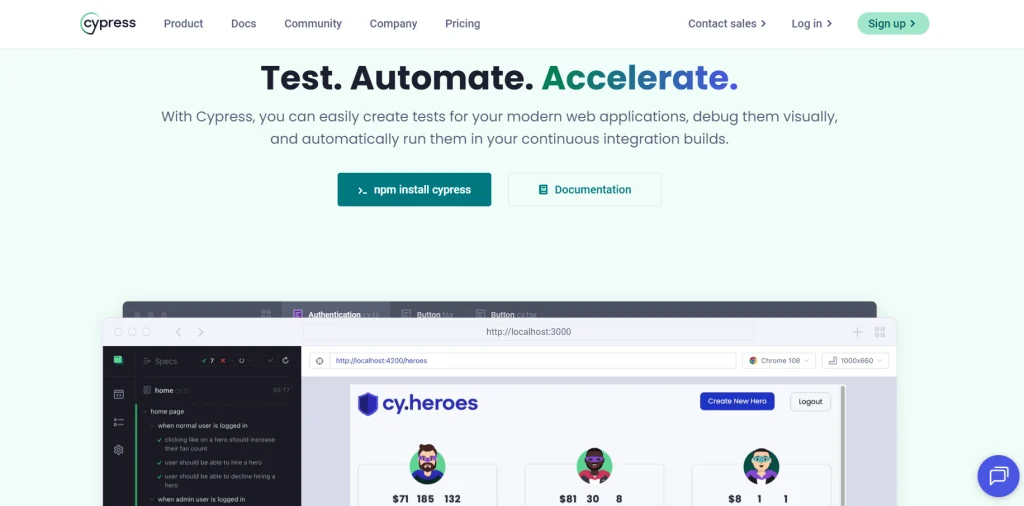
Cypress is one of the most popular playwright alternatives. It’s a front-end automation testing tool that runs on Windows, Linux, and macOS. Its user-friendly interface allows you to seamlessly integrate into web app development workflows.
Real-time testing and debugging make it ideal for CI environments. You can use Cypress intercept to monitor and control your app’s interactions with web services and APIs. With features like test parallelization, spec prioritization, and load balancing, Cypress helps you improve efficiency in critical tasks.
Best features
- Get detailed insights into test failures with features like test replay to analyze console logs, network events, and DOM changes
- Hover over commands to see which elements Cypress acted upon and how your app responded
- Manage your project health locally, and review, rerun, and debug tests recorded in Cypress Cloud
- Time-travel for a step-by-step review of your app’s performance during test execution or watch it in real time
Pros
- It doesn’t depend on other modules to operate and can run completely isolated without additional libraries
- Built-in debugging tools help you easily debug and fix issues
Cons
- Limited support for testing mobile apps
- Currently supports testing only on Firefox and Chrome-family browsers
Pricing
- Starter: Free trial (14 days)
- Team: $67 per month
- Business: $267 per month
- Enterprise: Custom pricing
2. Selenium

Selenium is one of the top open-source web app testing tools available in the market. It supports multiple programming languages, including Java, PHP, Ruby, Python, C#, and Perl. It allows you to test your app on major browsers like Chrome, Firefox, Safari, and Edge.
Selenium checks your app at various levels to ensure all scenarios are covered, and the app functions as intended. Plus, you can easily integrate it with frameworks such as JUnit, TestNG, NUnit, and Pytest to improve test organization, assertions, and reporting.
Best features
- Use Selenium WebDriver to automate complex web page interactions such as navigating between pages, clicking buttons, or filling out forms
- Pause the test execution at any point to inspect and troubleshoot issues with Selenium IDE
- Record web app interactions and play them back as automated tests without writing any code
- Manage and distribute tests across a large number of physical or virtual machines and reduce the time for test suites with Selenium Grid
Pros
- It can be easily integrated with CI/CD tools like Jenkins, Azure DevOps, Bamboo, Travis CI, and Circle CI
- Selenium is backed by a massive community that contributes to the tool and documentation
Cons
- It doesn’t have native reporting features
- It doesn’t offer advanced features such as built-in image comparison or AI-driven test generation
Pricing
- Free, as it’s an 100% open source tool
Related read: Playwright vs. Selenium
3. Puppeteer
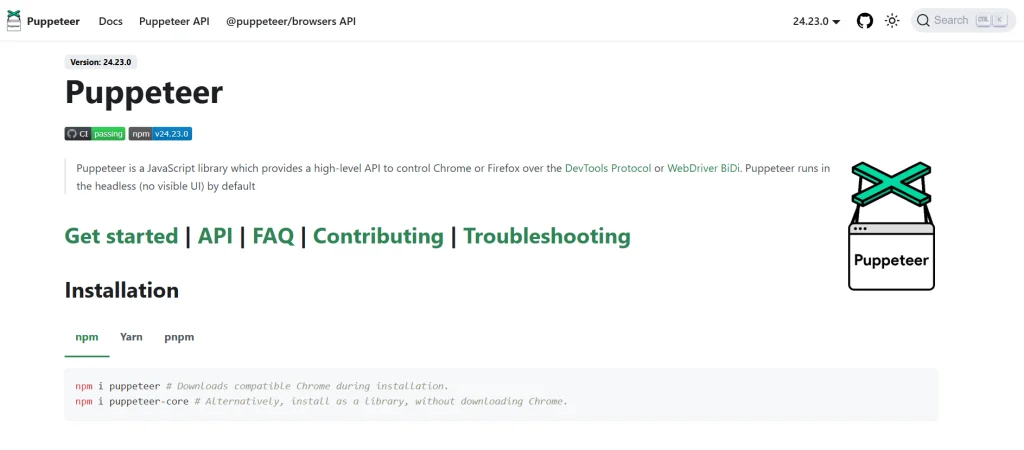
Puppeteer is a high-level JavaScript library that supports automation on both Chrome and Firefox browsers via DevTools Protocol or WebDriver BiDi. It runs in a headless (no visible UI) mode by default, but you can configure it to run in a headful browser for visual feedback.
Puppeteer allows you to automate tasks such as capturing screenshots, generating PDFs, and testing complex web apps. And, it’s particularly well-suited for web scraping. This means you can extract data from websites and organize it into structured formats for analysis.
Best features
- Reproduce complex scenarios that may include multiple steps or dynamic web elements to enhance troubleshooting
- Control browser actions, including CPU throttling, adjusting geolocation, and customizing settings for performance testing
- Capture a timeline trace of your site to identify performance issues such as long tasks, inefficient rendering, and heavy resource usage
- Leverage advanced features such as monitoring network activity, intercepting requests, or controlling JavaScript execution
Pros
- Straightforward installation with a single npm command, making it easy for you to get started
- An event-driven model that helps you eliminate manual sleep calls
Cons
- It’s designed mainly for JavaScript and Node.js, therefore, it might not be suitable for teams working with other languages
- It focuses primarily on chromium-based browsers
Pricing
- Free, as it’s an 100% open source tool
Related read: Playwright vs. Puppeteer
4. Testim
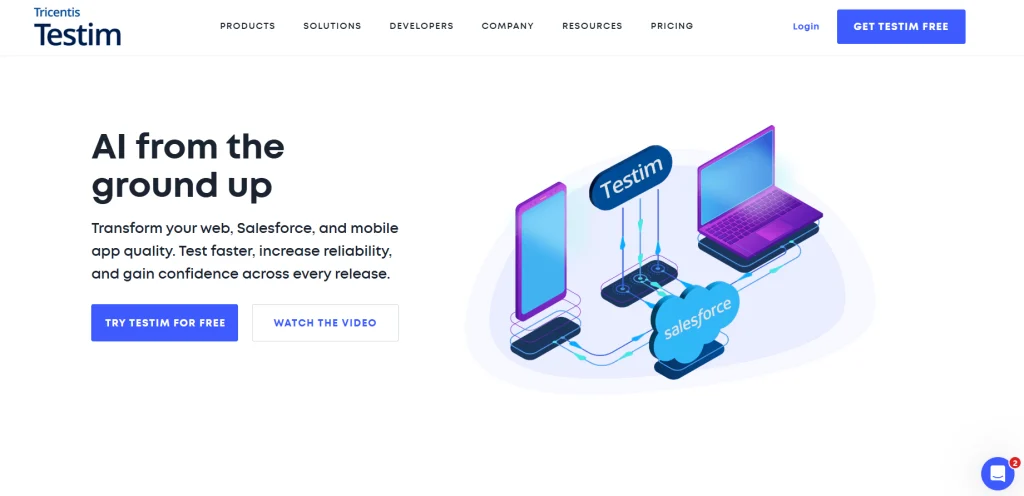
Testim is one of the alternatives to Playwright that’s AI-powered. It’s a web app testing platform that offers a scalable end-to-end solution with an AI-stabilized interface that adapts as your app changes.
It gives you the flexibility to handle unique test scenarios by executing custom code either within the browser or externally. You can integrate Testim into your CI pipelines and collaboration tools to speed up release cycles and improve performance.
Also, it helps you make the testing processes more structured by organizing step sequences into groups for reuse across multiple tests.
Best features
- Fetch data, execute actions, or validate outcomes during test execution by triggering API calls
- Use advanced looping functions, including contextual loops like “for each”, “while”, “do” and traditional “for” loops to use groups or steps efficiently
- Run custom code inside or outside the browser to adapt your test suite to almost any situation
- Capture highlighted comparison screenshots, console, and network logs for each test step to reduce troubleshooting time
Pros
- It allows you to efficiently automate smoke and regression tests with minimal manual effort
- Pre-defined tests and custom JS tests help test complex elements
Cons
- Limited customization available for complex testing scenarios
- Pricing might be on the higher side compared to its competitors
Pricing
- Testim Web
- Testim Salesforce
- Testim Mobile
- Testim Copilot
Custom pricing available for all plans upon request
5. WebDriverIO
WebDriverIO is a browser and mobile automation testing tool for Node.js. It allows you to run small and lightweight component tests as well as end-to-end scenarios to ensure you test the web app in an environment used by your users.
WebDriverIO comes with smart selector strategies that make interacting with React components easier and perform deep selector queries, even in nested shadow DOM trees.
These interactions happen via a standardized automation protocol; hence, they behave natively and are not just JavaScript emulated.
Best features
- Use the built-in auto-waiting feature to wait for elements to appear before interacting with them to reduce flakiness in tests
- Extend WebdriverIO’s functionality for more complex testing scenarios by easily creating helper functions and custom command sets
- Use a Command Line Interface (CLI) that offers a powerful configuration utility and helps you create your test setup easily
- Leverage native browser APIs to enable integrations to popular developer tools such as Google Lighthouse or Chrome DevTools
Pros
- It helps you generate reports in various formats, including HTML, PDF, and XML in customized layouts
- The Chromedriver service constantly keeps the Chromedriver version in sync with the installed version of Chrome
Cons
- It’s mainly JavaScript-based, which can be inconvenient for teams that use other languages
- The Service-based architecture can be tricky for beginners to use
Pricing
- Free, as it’s an 100% open source tool
6. Watir

Watir is a web automation testing platform built on Ruby. Basically, it leverages a set of Ruby libraries to automate browser interactions and simulate user actions such as filling forms, checking text, and clicking links on the site.
Watir supports multiple browsers, including Chrome, Firefox, Internet Explorer, and Safari. With Selenium 4.11+, it handles driver management natively and helps you by minimizing the need for external dependencies like the ‘webdrivers’ gem.
Best features
Manage alerts, pop-ups, and dialog boxes across different browsers with easy-to-use APIs
Improve control over session security with advanced cookie attributes such as ‘same_site’ and ‘http_only’
Simplify your test code by eliminating explicit calls to methods like ‘#when_enabledunless’ and ‘#when_present.’
Increase form handling versatility by setting date fields with any object that responds to ‘#strftime.’
Pros
- Built-in dynamic waits instead of forcing hard waits that help you reduce test flakiness
- You can integrate it with Ruby-specific tools such as RSpec, Capybara, and SitePrism
Cons
- Watir is restricted to Ruby for test creation
- Tests might get brittle if your web app undergoes major changes
Pricing
- Free, as it’s an open-source tool
7. TestCafe
TestCafe is an end-to-end testing framework for web apps that runs on Node.js. You can simulate common user interactions on major desktop browsers, cloud browsers, and mobile devices. It supports all three major operating systems: Windows, Linux, and macOS.
Node.js can leverage the capabilities of third-party JavaScript libraries and preprocessors, and it helps you test complex and security-sensitive web apps.
Best features
- Emulate HTTP responses to feed sample data to your app, troubleshoot connectivity issues, and avoid downtime
- Use multiple browser windows to test complex user interactions; switch to and from iframes with ease
- Use the in-built server-side API testing tools to add dedicated tests to your test suite or in existing functional tests
- Enter the debug mode to assess your app, troubleshoot Selector queries, and fix failing tests
Pros
- Simple installation and setup without the need for drivers or plugins
- First-class TypeScript support to improve automated test development
Cons
- Testcafe only supports CSS selectors and no XPath
- You’ll need to learn the platform-specific syntax and methods for testing
Pricing
- Free, as it’s an 100% open source tool
8. Ranorex
Ranorex is a functional automation testing tool for web, desktop, and mobile apps. It supports strong object recognition, has record-and-playback features, and allows you to write scripts in multiple programming languages such as VB.NET and C#.
Ranorex has an intuitive interface with drag-and-drop functionality and a keyword-driven approach to allow you to efficiently create and maintain tests even with limited programming skills.
Best features
- Easily integrate with tools like Jenkins, Azure DevOps, and Bamboo to enable early issue detection and faster release cycles
- Build reusable test modules and share across test cases and projects to reduce maintenance efforts
- Get detailed test reports along with screenshots, logs, and video recordings to simplify issue analysis and speed up debugging
- Identify UI elements across different platforms and ensure test stability even when there are frequent UI changes
Pros
- The recorder feature allows you to test your app’s GUI without writing scripts
- It offers you prerecorded demos and detailed instructions to make adoption easier
Cons
- It mainly supports only two programming languages: C# and VB.NET
- It has smaller community support compared to its competitors
Pricing
- All-inclusive licenses available; custom pricing based on your needs
Playwright Alternatives Comparison
Use the table below to quickly see how each tool compares in terms of strengths, platforms, and use cases.
| Tool | Languages | Browsers | Best For | Pricing |
|---|---|---|---|---|
| Cypress | JavaScript, TypeScript | Chrome, Firefox, Edge, WebKit (Experimental) | Fast frontend testing | Free + Paid Cloud |
| Selenium | Java, Python, C#, Ruby, JavaScript, Kotlin | Chrome, Firefox, Safari, Edge, IE | Large-scale automation | Free (Open Source) |
| Puppeteer | JavaScript | Chrome, Firefox | Browser automation | Free (Open Source) |
| Testim | JavaScript, Low-code | Chrome, Firefox, Safari, Edge | AI-powered automation | $450/mo (Starter) |
| WebDriverIO | JavaScript, TypeScript | Chrome, Firefox, Safari, Edge | Node.js testing | Free (Open Source) |
| TestCafe | JavaScript, TypeScript | Chrome, Firefox, Safari, Edge | Cross-browser testing | Free (Open Source) |
| Ranorex | C#, VB.NET | Chrome, Firefox, Edge, Safari | GUI automation testing | Free Trial + Paid (~$3,590+) |
| TestGrid | Scriptless, BDD | Chrome, Firefox, Safari, Edge | Enterprise automation | Custom / Paid |
How to Choose the Right Playwright Alternative
- Ease of use: If your team has varying skill levels, consider tools that offer low-code test script creation features. Select playwright alternatives that have user-friendly and intuitive interfaces to help your team learn and adapt without compromising productivity.
- CI/CD integration: Integration with CI/CD pipelines is critical to ensure automated tests are triggered as soon as code is pushed, merged, or deployed. The Playwright alternative you choose must support easy integration with CI/CD tools like Jenkins, CircleCI, Azure DevOps, and Travis CI.
- Aligns with your budget: When narrowing down Playwright alternatives, determine your budget. This will help you decide whether to select open-source or paid tools. Evaluate licensing fees and the cost of maintenance and integration with existing systems.
- Comprehensive test coverage: Thorough testing is critical to make sure your app doesn’t cause errors or glitches when it reaches the users. The tool must support different testing scenarios, such as cross-browser testing, API interactions, and visual verification, to ensure no edge cases slip through.
- Strong community support: The playwright alternative you select must have a vibrant community, tutorials, guides, and discussion forums. Active communities frequently share updates, feature enhancements, and bug fixes. This will help you learn the tool and resolve issues faster.
TestGrid – Best AI-Powered Playwright Alternative for Enterprise Testing

TestGrid is an end-to-end automation tool designed to make testing web apps more efficient and comprehensive. You can integrate it with Playwright and run tests on a remote browser using TestGrid’s cloud infrastructure.
TestGrid ensures your app functions smoothly, performs well, and stays secure on all major operating systems, browsers, including Chrome, Safari, Firefox, Opera, and Edge, as well as real and virtual devices.
You can easily integrate TestGrid with CI/CD tools like Jenkins, CircleCI, and Azure DevOps, and perform automated functional, API, and performance testing, both on cloud and on-premise environments.
Moreover, TestGrid can help you examine how your web app performs under different conditions, such as poor network connections or high traffic.
This allows you to spot and fix performance issues before you launch your app in the market. The platform also gives you detailed reports of test results, execution logs, and screenshots to help identify and resolve issues.
Best features
- Run automated tests across multiple real devices, browsers, and operating systems simultaneously
- You can perform API and UI tests for comprehensive coverage and detect issues early
- Create test cases in English, BDD, and CSV formats without writing any code
- Use the visual testing feature to detect even the slightest visual deviations in your app without adding any external SDK
- Automate barcode / QR code scanning tests to validate format handling in your app
- Optionally, integrate the testing platform with enterprise login systems (e.g. SSO) for user access control
Pros
- It offers comprehensive test reports to help you quickly identify issues
- Scriptless testing helps non-technical users automate tests without writing code
- It allows you to repair broken tests with its autoheal technology
- The Xray JIRA integration lets you run tests, automatically sync with TestGrid test cases, and link to JIRA tickets
Cons
- Initial setup and feature exploration might require some effort, but that can be resolved with extensive documentation available on the site
Pricing
- Starts at $199 per month
- Enterprise Test Infra (On-Prem / Hosted): Custom pricing (dedicated test lab for segregated enterprise teams)
Summing It Up
Out of all the tools discussed in this blog, your final pick will depend on what your priority is. Whether it’s ease of use, integration capabilities, or scalability, every tool has unique features to cater to your testing needs.
To help you in your testing journey and in launching a robust web app, TestGrid can integrate smoothly with your favorite development tools, provide real-time reports, and support multiple testing frameworks.
Opt for a free trial with TestGrid today, and simplify your web app testing across multiple browsers and devices.
Frequently Asked Questions (FAQs)
What are the best Playwright alternatives for end-to-end UI testing?
TestGrid is ideal for automated UI testing across web, mobile, and desktop apps without writing any code. Cypress is best suited for JavaScript and TypeScript projects that need fast feedback loops and real-time debugging. Selenium remains the top choice for large-scale, multi-language enterprise test suites. Puppeteer works well for browser automation and web scraping tasks. For AI-powered, low-code automation, Testim is a strong option with self-healing test capabilities.
Is Cypress better than Playwright?
It depends on your team’s needs. Cypress is easier to set up and offers a superior real-time debugging experience for JavaScript and TypeScript developers, making it better for frontend-focused teams. Playwright supports more programming languages, true multi-tab testing, and broader browser coverage, including WebKit. If your team is JavaScript-first and values fast feedback, choose Cypress. If you need cross-language support or complex browser scenarios, Playwright has the edge, though tools like TestGrid address the limitations of both.
What is the difference between Playwright and Selenium?
Playwright is a newer framework built for modern web apps with auto-waiting, network interception, and parallel execution built in. Selenium is older, more mature, and supports a wider range of programming languages, including Ruby, PHP, and Perl, along with legacy browsers like Internet Explorer. Playwright is generally faster for modern apps, while Selenium remains dominant in enterprise environments that require legacy browser support or have existing large-scale automation infrastructure.
Does Playwright support mobile testing?
Playwright supports mobile viewport emulation but does not support testing on real physical mobile devices natively. It can simulate mobile screen sizes and touch events, but this is not a substitute for actual device testing. For teams that need real device testing on Android or iOS, alternatives like TestGrid, Ranorex, or WebDriverIO with Appium integration are better suited.
How do I migrate from Playwright to another testing framework?
Start by auditing your existing Playwright test coverage to understand which tests are critical. Then map Playwright-specific APIs such as page.goto and page.locator to equivalent methods in your target tool. Frameworks like Cypress and WebDriverIO have community-maintained migration guides that help convert Playwright syntax. Migrate incrementally, start with smoke tests before moving to full regression suites to avoid disrupting your release pipeline during the transition.
Are programming skills required to use Playwright alternatives?
Not always. Tools like TestGrid, Testim, and Ranorex are designed for teams with limited or no coding experience. They offer visual editors, plain English test creation, and AI-powered script generation. However, open-source alternatives like Cypress, Selenium, WebDriverIO, and Puppeteer do require programming knowledge in JavaScript, Java, Python, or similar languages to write and maintain test scripts effectively.


