 CoTester 2.0 is LIVE! Your Always-Available AI Teammate for Testing.

- TestRail Alternatives
- What Is TestRail?
- Why Consider Alternatives to TestRail?
- TestRail Alternatives Comparison
- Top TestRail Alternatives
- How to Choose the Right TestRail Alternative
- Final Thoughts
- Frequently Asked Questions (FAQs)
- What are the best alternatives for TestRail?
- What are the AI-powered alternatives to TestRail?
- Which alternatives integrate best with Jira and CI/CD?
- Can TestRail alternatives support enterprise-scale test repositories?
- Which test management tools are the top alternatives to TestRail?
- How easy is it to migrate from TestRail to another test management tool?
If you’ve been in the QA space for some time, you might have noticed how quickly testing needs change and how important it is to have a test management tool that can actually keep up.
TestRail is not a new name in test management, and no doubt it is effective. But every team has unique needs. Some want strong automation capabilities, and others might be looking for comprehensive reporting and collaboration features.
So, considering your unique testing needs, we have created a list of the top 10 TestRail alternatives that you can explore and find the one that fits your QA process.
In this blog, we will be talking about the key features of each TestRail alternative, their pricing, limitations, and a quick guide to get you started.
To access an enterprise-grade test management suite, opt for a free trial with TestGrid.

TestRail Alternatives
TL;DR
- XRay: Jira-native test management with BDD support and APIs
- Zephyr by SmartBear: Scalable Jira test management with traceability
- PractiTest: Enterprise test lifecycle management with AI insights
- Testsigma: Agentic test management with coverage intelligence and release confidence scoring
- qTest: Enterprise test management with real-time analytics and DevOps integrations
- Qase: Modern test management with AI-assisted workflows
- Testmo: Unified QA platform for manual, exploratory, and automated testing
- Kualitee: Test management platform with reusable test libraries, AI assistance, and built-in defect tracking
- Tuskr: API-friendly test management with automation support
- TestGrid: AI-powered end-to-end testing with real device cloud
What Is TestRail?
TestRail is an AI-driven web-based test management platform that offers QA and dev teams a collaborative workspace to centralize, manage, and control test cases and test execution. It’s designed to handle the testing needs of both startups and large enterprises.
The platform gives you the flexibility to run black-box, exploratory, manual, functional, and automated tests. Plus, you can categorize your data into projects, test suites, sections, and subsections using a hierarchical folder structure.
TestRail allows you to import test cases from Excel, create and reuse multiple versions of test cases, and get detailed reports along with metrics related to pass/fail rates, test progress, coverage, and defect count.
Why Consider Alternatives to TestRail?
TestRail is a reliable choice for many QA teams, but like any other tool, it has its limitations, which are:
- It lacks native capabilities for defect tracking and requirements management
- Since the organization system is mainly folder-based, it can be hard to manage when test suites grow
- A few users mention performance lags when handling large datasets
- It relies heavily on third-party integrations for issue management
- The pricing plan is based on the number of users, which can be expensive when your team grows
TestRail Alternatives Comparison
Take a glance at the TestRail competitors and see which matches your team’s requirements.
| Tool | Best for | Integrations and Plugins | Pricing |
|---|---|---|---|
| XRay | Jira-native test management and automation | Jira, Jenkins, Bamboo, CircleCI, Azure DevOps, Travis CI | Custom |
| Zephyr by SmartBear | Scaled Native Jira test management | Jira, Jenkins, Selenium, TestComplete, ReadyAPI | Custom |
| PractiTest | Enterprise test lifecycle management | Jira, Azure DevOps, Selenium, Cucumber, Soap UI, TestComplete | Starts at $49 per user per month |
| Testsigma | Agentic test management with coverage intelligence and release confidence scoring | Jira, GitHub, Jenkins, CircleCI, Playwright, Selenium | Custom |
| qTest | Test orchestration and analytics | Jenkins, Selenium, Cucumber, Jira, VersionOne | Custom |
| Qase | Fast, collaborative test management | GitHub, GitLab, Cypress, Jira | Starts at $35 per user per month; free tier available |
| Testmo | Session-based test management | Jira, GitHub, GitLab, CircleCI, Bitbucket, Jenkins | Starts at $99 per month |
| Kualitee | Requirements traceability and defect management | GitLab, Jira, GitHub, Jenkins, Selenium, Redmine | Starts at $12 per user per month; free tier available |
| Tuskr | API-friendly Agile test management | Azure DevOps, Jira, GitHub, GitLab, ClickUp | Starts at $90 per user per year; free plan available |
| TestGrid | AI-powered end-to-end test automation | Selenium, Appium, CircleCI, TravisCI, GitLab, and Jira | Starts at $199 per month. Enterprise Test Infra (On-Prem / Hosted): Custom pricing |
Top TestRail Alternatives
QA teams exploring TestRail alternatives often need a test management tool with stronger automation support, deeper Agile/DevOps integrations, and more scalable test case management.
Here are the top options that offer those capabilities.
1. Xray
Best for: Jira-native test management and automation
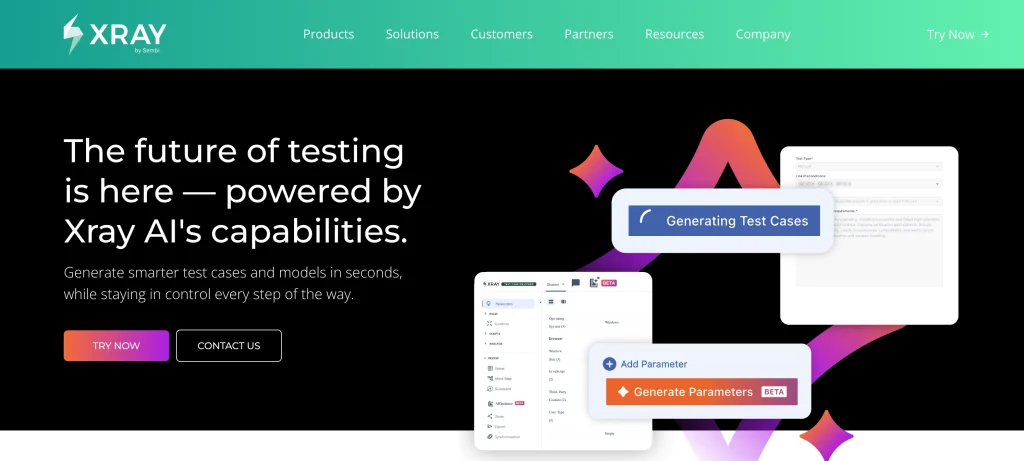
XRay is a native test management platform for Jira that helps you easily create manual and BDD test cases with AI. Plus, its AI Model Generation transforms requirements into a visual model so you can uncover gaps and improve test coverage. With XRay, your QA and dev teams can use the same naming and terminology and collaborate better.
Key features
- Convert requirements into structured test cases with AI-powered test case generation
- Keep tabs on all your tests with real-time indexing and catch problems faster
- Get detailed traceability reports so you know which test went wrong and where
- Easily manage all tests across large codebases with smart orchestration and native integration with frameworks like JUnit and Cucumber
How to use
Install XRay in your system and sign in to your account. Create test cases using the “Test” issue type. Sort your test cases via Test Sets or repository folder structure. Finally, execute the tests by specifying the begin date, end date, revision, and test environments.
Pricing
- Use the website’s pricing calculator to get an estimate
Limitations
- The reporting feature has limited customization options, and generating reports for large projects can be slow
- Teams might have to rely on external tools or Jira’s own module for requirements or user stories management
2. Zephyr by SmartBear
Best for: Scaled Native Jira test management

Zephyr is a Jira-native test management platform where you can intelligently create, automate, and execute tests right inside Jira without any need for scripting. The platform offers you AI-assisted test step suggestions, auto-generated validations, and self-healing locators to speed up your test cycles. Also, you can integrate Zephyr with the test automation frameworks of your choice, including Cucumber, TestNG, and Robot Framework.
Key features
- Create test cases by recording and replaying test executions, and generate test steps with AI-powered test step suggestions
- Access all your test assets easily from a single repository with hierarchical folders
- Reuse test data and parameters, as well as eliminate duplication with shared steps
- Track coverage, progress, and quality of your tests inside Jira and share them with your team to improve collaboration and visibility
How to use
Log in to your Jira instance as an admin. Click ‘Apps’ on the navigation bar and select the Zephyr app. Select ‘try it for free’ and enable Zephyr using the toggle. Now you can open Zephyr and import test cases or create a new one.
Pricing
- Contact sales to get a price quote
Limitations
- Zephyr’s integration capabilities might be limited if you’re not using Jira
- Setting up and configuring all the features can be complex initially
3. PractiTest
Best for: Enterprise test lifecycle management
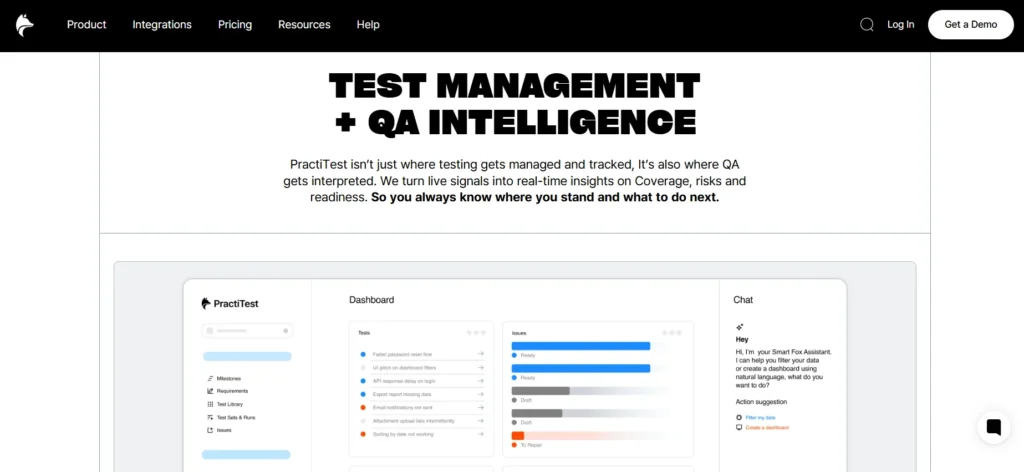
PractiTest is mainly designed to handle high-volume testing with ease. You can integrate it into agile workflows and with tools that your team already uses, like Jira, Azure DevOps, or ClickUp. The platform allows you to tailor workflows, custom fields, view reports and dashboards, and easily manage and track your project with milestones. PractiTest supports integration with CircleCI, Cucumber, and Selenium.
Key features
- Automatically generate well-defined test steps and adjust them as per your needs with Smart Fox AI assistant
- Edit tests, requirements, and issues while avoiding data overwrites with built-in conflict resolution
- Get real-time insights into issues in your testing process, and analyze risks and forecast releases
- Embed reports inside other reporting tools and share dashboards with anyone without the need for logins
How to use
First, go to the PractiTest website and sign up for a free trial. Open your account, define your project structure, set up custom fields, and integrate with platforms like Jira. Now you can create tests in the Test Library and organize them into Test Runs for execution.
Pricing
- Team Plan: $49 per user per month, 5 testers license pack
- Corporate Plan: Custom pricing
Limitations
- Since the platform offers an extensive feature set, the learning curve can be steep
- Some users might find the interface outdated and hard to use compared to other modern tools
4. Testsigma
Best for: Agentic test management with coverage intelligence and release confidence scoring

Testsigma is an AI-native test management platform that replaces manual folder structures with automatic, sprint-based organization. Agentic testing agents read Jira stories, PRDs, Figma designs, and code changes, then organize test plans by module automatically and sync two-way with Jira, no manual folder setup, no extra integration work. It also compares what is actually tested against what changed in the sprint, flags exactly what is not covered, and rolls that into a release confidence score so you know if you are ready to ship, not just what passed.
Key features
- Auto-generate test plans from sprint context (Jira stories, PRDs, Figma designs, code changes), organized by module, with no manual folder setup required
- Get full coverage visibility with gap detection that flags exactly what is not tested, tracked at the sprint, story, and module level
- Every agent-generated test case runs through a built-in verification harness, a human reviews and approves it before it counts toward coverage or release readiness
- Get a release confidence score built from pass rate, coverage, and a priority-weighted confidence metric, so you know if you are ready to ship, not just what passed
How to use
Sign up and connect Jira and your codebase. Agentic testing reads sprint stories, PRDs, designs, PRs, and code and auto-generates test plans organized by module. Review the coverage gaps it surfaces, and approve the generated test cases you want in your library through the verification harness, and run them across browsers and devices. Check your release confidence score and gate status before you merge; results sync back into Jira automatically.
Pricing
- Custom pricing based on team size and testing scope. Contact Testsigma for a quote.
Limitations
- Fully autonomous agentic generation firing on every commit is on the roadmap, not live today; each generation run still needs a human at a decision point
- Best suited for teams already shipping with AI coding tools who need coverage visibility across a growing codebase, rather than teams looking purely for a lightweight manual test-case repository
5. Tricentis qTest
Best for: Enterprise test orchestration and management
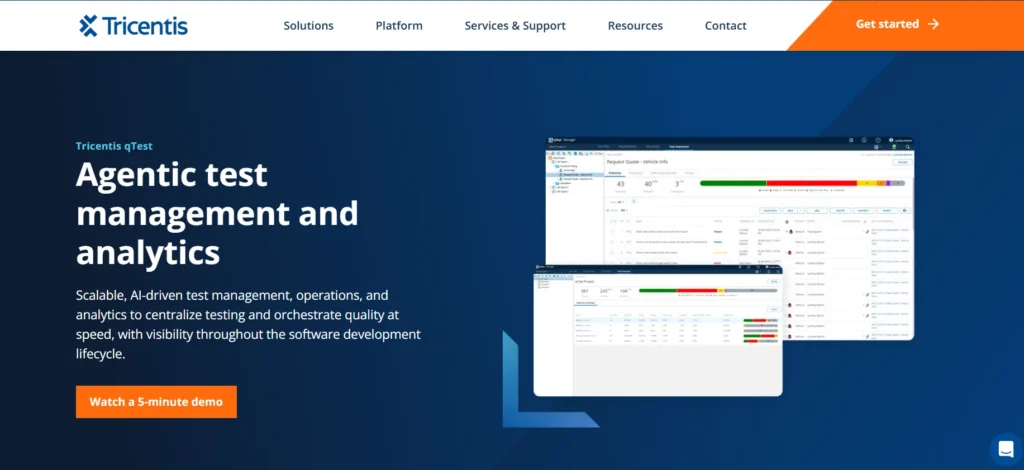
qTest is an agentic test management and analytics platform that helps you centralize testing and orchestrate quality at speed. It offers you context-aware agents that understand your requirements, tests, and previous work. The platform enables you to track, organize, and report on testing across the business with any Agile, waterfall, or hybrid methodology. It also supports Agile test management with a real-time, event-driven Jira integration, plus support for Azure Boards and Rally.
Key features
- Transform how you create, extend, and maintain your tests with embedded agentic AI
- Easily reuse and extend existing tests, and prevent duplication with minimal manual efforts
- Migrate seamlessly from spreadsheets and legacy test management solutions
- Manage, orchestrate, and report on automated testing and hosts
How to use
You need to first sign in to your qTest instance and create a project in qTest Manager. Then you can define releases and builds in the Test Plan. Add or import requirements and test cases, create Test Cycles and Test Suites, add Test Runs, execute them, and record results and defects.
Pricing
- Request a quote to get custom pricing
Limitations
- Dashboard customization and reporting options are limited
- Some users find the navigation difficult, particularly for larger projects and advanced integrations
6. Qase
Best for: Fast, collaborative test management

Qase is an AI-powered test management platform that brings your testing processes into a single workspace and helps you run tests up to 90% faster. The platform offers you shareable, easy-to-understand reports that cover every phase of your testing lifecycle so you can make data-informed decisions. Qase keeps your data safe and complies with strict security and privacy standards such as SOC2, GDPR, and ISO 27001.
Key features
- Easily convert manual tests into automated tests with AI without writing any code
- Build detailed reporting dashboards with custom widgets and share them with a link or download
- Create shared steps of groups of steps once and reuse them across any test cases in your workflow
- Monitor and identify out-of-sync requirements using the requirements traceability report
How to use
Log in to your account and create a project in your workspace. Use the Test Repository to write and group test cases. Then you need to go to Test Runs and click on ‘Start New Test Run’ to execute your tests.
Pricing
- Free: $0
- Teams: $35 per user monthly
- Enterprise: Custom pricing
Limitations
- No built-in test recorder; you have to build or import tests manually
- There might be performance slowdowns for large projects with extensive datasets
7. Testmo
Best for: Session-based exploratory test management
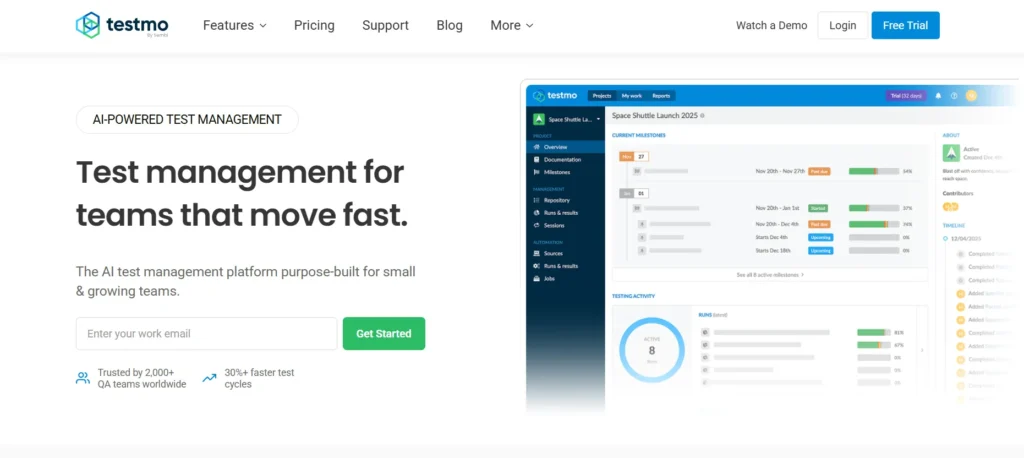
Testmo is a unified AI test management platform that’s easy to start using, gives teams instant visibility into test activities, and integrates with CI/CD tools and your tech stack. You get detailed insights on your test cases, automation, exploratory sessions, coverage, and traceability. The platform helps your team stay organized, prioritize critical issues, and release faster, without enterprise complexity. It supports integrations with tools like Jenkins, GitHub, GitLab, Selenium, Cypress, Playwright, and Cucumber.
Key features
- Centralize your existing test cases and use AI to generate new cases based on updated product requirements
- Run tests, enter results, and keep track of your testing progress efficiently
- Organize all your testing milestones and QA efforts with Testmo’s test case management
- Easily navigate between folders and tests, add results, and link issues without leaving the page
How to use
Sign up for a Testmo account and create an empty project to manage your tests. You can invite your team, then add test cases to the Repository or import existing cases. Create a test run, select and assign cases to testers, and record results.
Pricing
- Team: $99 per month; 10 users included
- Business: $399 per month per 25 users
- Enterprise: $599 per month per 25 users
Limitations
- A few users report that sharing test cases between teams can be challenging
- Some UI elements have fixed pixel sizes, which can affect the user experience on larger monitors
8. Kualitee
Best for: End-to-end test management and defect tracking

Kualitee is an AI-powered test management platform that helps you make your testing process structured and systematic. It helps you build customized, team-oriented workflows, designate roles, and specify privileges with a few clicks. It offers a centralized repository for every test asset your team owns. You can trace requirements, manage defects, personalize dashboards, get test summary reports, and run automation inside Kualitee.
Key features
- Create detailed test plans, execute multiple test cycles, as well as address defects along the way
- Keep track of all the changes and adjust your QA process in real-time
- Monitor project health with an integrated view of test case coverage, execution speed, and defects
- Save tests as templates so you can reuse them and save time in the future
How to use
You can sign up for the 14-day free trial and start creating your first project. You can add users and assign them to the project. Then, organize feature sets, create or import requirements, and associate them with your test scenarios and test cases. Go to the ‘Test Lab ’ and build test cycles, execute tests, and record results and defects.
Pricing
- Growth (Cloud): Free forever
- Hypergrowth (Cloud): $12 per user per month
- Lightspeed (On-premises): $292 per user per year
Limitations
- The initial setup can sometimes take time
- A few users mention that the dashboards may need improvements
9. Tuskr
Best for: API-friendly Agile test management

Tuskr is a test management software that comes with an intuitive UI, custom reports, and AI assistance. You can auto-trigger test runs from Jenkins, GitLab, and GitHub, and send results from Playwright and Cypress using its API and CLI. Tuskr helps you manage both manual and automated test results in one place, and provides you with audit logs so you can easily know what changed, who changed it, and when it was changed.
Key features
- Auto-generate test cases using AI or import test cases from spreadsheets
- Build smart test runs based on priority, recent edits, and flakiness, and record results in bulk
- Use rules to organize test cases into suites and sections, and set fields like type and custom attributes for better reporting
- Get detailed dashboards to track test runs, KPIs, and project health
How to use
You can start using Tuskr with a free trial. Create a new project, select testers who will perform the test runs, use the AI feature to write test cases, add test cases to a suite, and create a new test run to execute tests.
Pricing
- Free: $0
- Team: $90 per user per year
- Business: $150 per user per year
- Enterprise: $290 per user per year
Limitations
- AI-assisted test case suggestions feature might still need manual checks
- You can face performance lags when uploading large test suites or dashboards
10. TestGrid
Best for: AI-powered end-to-end test automation

TestGrid is an AI-powered end-to-end software testing platform designed to build, execute, and maintain web and mobile app tests at scale. Its codeless automation feature lets you write complex test cases easily and build logical workflows.
TestGrid’s autoheal technology automatically repairs your broken tests by identifying new locators for objects, which makes test maintenance easy. You can test your apps on a combination of real iOS and Android devices and multiple browsers, including Chrome, Safari, Firefox, and Opera.
The platform also offers an enterprise-grade AI agent for testing, CoTester, which helps you create and execute tests faster. You can upload or link your user stories from Jira, and the test case authoring agent turns your specs into full test logic in minutes.
TestGrid seamlessly integrates with CI/CD tools such as Jenkins, CircleCI, and Azure DevOps, as well as with Teams and Slack for efficient test management and collaboration.
Key features
- Write your test cases in English or BDD and upload them via CSV or paste them right into the AI portal
- Automatically convert inputs into executable test flows across devices and browsers
- Perform UI and API tests for comprehensive coverage and to detect issues early
- Analyze test results via intuitive dashboards that highlight issues and performance trends
- Run your Appium tests on a cloud-based collection of real Android devices, which eliminates the need for additional infrastructure
- Consolidate all your essential data in a single place, see who is working on what in real time, and track your team’s progress in the dashboard
How to use
Sign up for a free trial and log in to your account. Create a test case by adding name, description, steps, and preferred device/browser. Click the Run button to execute the test and view live logs and detailed reports in minutes.
Pricing
- CoTester Starter Package: Starts at $199 per seat/month (minimum 4 seats; includes 4 devices/browsers and 5,000 tokens)
- CoTester Growth Package: Custom pricing (includes all Starter features + marketplace integrations)
- Enterprise Test Infra (On-Prem / Hosted): Custom pricing (dedicated test lab for segregated enterprise teams)
Limitations
- The initial setup and feature exploration may require some effort
Learn More: How to Write Effective Test Cases
How to Choose the Right TestRail Alternative
1. Toolchain Integration Compatibility
If a testing tool doesn’t fit with the rest of your stack, you might end up spending time syncing and troubleshooting rather than actually improving your test quality. Make sure the tool you select can integrate with the CI/CD tools you use, such as CircleCI or Jenkins. Also check for flexible APIs and plugins, integration with issue trackers, and support for automation frameworks.
2. Scalability for Growing Test Suites
Not every tool can keep up when your test suites grow from a few dozen to thousands. So, when you’re choosing a TestRail alternative, check if it’s designed to handle large test repositories and support fast searches, bulk editing, quick filtering, and versioning without slowing down.
3. Reporting and Analytics Capabilities
A simple pass/fail dashboard doesn’t give you the insights you need to decide if you’re ready for a release. You need TestRail alternatives with reporting systems that give you a detailed overview of trends, defect density, and performance over time. Look for features like custom dashboards, real-time data visualization, flaky test detection, and historical comparisons.
4. Deployment Flexibility (Cloud vs On-Premise)
Look for TestRail alternatives that let you run tests and deploy in the cloud, on premises, and in hybrid environments, depending on your team’s security, compliance, and infrastructure needs.
Cloud gives you the flexibility of quick setup and low maintenance, on-premises is critical if you’re operating in a highly regulated industry; and hybrid environments help you balance security with scalability.
5. Security and Compliance Standards
If your test data contains sensitive user information, then you already know that security is absolutely non-negotiable. The TestRail alternative you select must have essential features such as role-based access controls, multi-factor authentication, robust encryption, and detailed audit logs for traceability.
Final Thoughts
Every TestRail alternative that we discussed caters to different priorities. Finalize a tool that genuinely improves how your team tests, collaborates, and releases. Take advantage of the free trial, run test cycles, and see which tool naturally complements your workflows.
To make your decision a bit easier, you can start a free trial with TestGrid and check out the platform yourself. It brings together test management, automation, and a device cloud into one flexible testing ecosystem.
Frequently Asked Questions (FAQs)
What are the best alternatives for TestRail?
If you’re looking for a TestRail alternative that offers test management, automation, codeless scripting, CI/CD integration, and real device testing, TestGrid is an ideal choice. Other best TestRail alternatives include Zephyr, Tricentis qTest, TestPad, and QA Touch.
What are the AI-powered alternatives to TestRail?
TestRail alternatives with AI-powered assistance are TestGrid, Tricentis qTest, Tuskr, PractiTest, and Qase.
Which alternatives integrate best with Jira and CI/CD?
XRay and Zephyr integrate well with Jira. But if you’re looking for TestRail alternatives that can embed easily into your CI/CD pipelines, you can go for TestGrid. It supports integration with Jenkins, CircleCI, and GitLab.
Can TestRail alternatives support enterprise-scale test repositories?
Yes, many TestRail alternatives are specifically designed to handle enterprise-scale test repositories. Some of these are TestGrid, QA Touch, and PractiTest.
Which test management tools are the top alternatives to TestRail?
A few top test management tools that are leading TestRail alternatives include TestGrid, XRay, Tricentis qTest, PractiTest, and TestLodge. Each of these tools comes with unique features such as test orchestration, real device testing, robust traceability, and advanced compliance.
How easy is it to migrate from TestRail to another test management tool?
Migrating from TestRail to another test management tool is manageable. TestRail lets you export test cases in XML, CSV, or Excel format. If the TestRail alternative you choose supports API-based import, it’ll be relatively easier for you to migrate your test cases with minimal manual effort.


