CoTester 2.0 is LIVE! Your Always-Available AI Teammate for Testing.

- What Is AI Test Case Generation?
- Manual Test Case Creation vs AI Test Case Generation
- How AI-Based Test Case Generation Works
- Techniques Behind AI Test Generation
- Top AI Test Case Generation Tools and Frameworks
- Benefits of AI-Driven Test Case Generation
- Challenges and How to Overcome Them in AI Test Case Generation
- AI Test Case Generation in Agile and DevOps Workflows
- AI Test Case Generation in Practice: Using CoTester and TestGrid
- Future Trends in AI-Powered Test Case Generation
- Building the Next Phase of Quality Engineering With AI Test Case Generation
- Frequently Asked Questions (FAQs)
As your application grows, maintaining test coverage becomes a systems problem. Each release modifies APIs, dependencies, and configurations. Which means you must continuously update and revalidate tests as features shift.
In practice, however, weak alignment between requirements changes and verification causes gaps: new features go untested, or old test scenarios linger as invalid. The worst part? Research shows that poor communication of requirements changes to testers is often the culprit here.
The good news? AI test case generation is showing massive potential in addressing this issue. In this blog post, we dive deep into how it works, the techniques that drive it, and where it fits within Agile and DevOps workflows.
We’ll also review the top AI test case generation tools and frameworks available, the benefits they provide, and the operational risks to account for before integrating them.
TL;DR
- AI test case generation uses natural language processing (NLP) and machine learning (ML) to automatically design and maintain tests from requirements and production telemetry.
- It converts manual test authoring into a continuous, model-assisted process that adapts with every code change and CI/CD deployment.
- Test case generation using generative AI predicts user flows, formulates scenarios, and produces executable scripts for faster validation.
- Reinforcement learning and static/dynamic code analysis are applied to refine test accuracy and relevance over time.
- Automated test case generation boosts test coverage, cuts maintenance overhead, and aligns QA with Agile and DevOps workflows.
- Key challenges include model drift, false positives, limited explainability, and data privacy concerns—each requiring proactive governance and monitoring.
- Tools such as CoTester illustrate how AI-driven approaches can be applied in practice, offering QA teams a way to integrate automated test case generation into their workflows
- The future of automated test case generation in software testing lies in autonomous agents, predictive prioritization, and real-time requirement-to-test pipelines.
What Is AI Test Case Generation?
AI test case generation is the process of using Artificial Intelligence (AI) models to automatically create, update, and optimize software test cases. It interprets functional requirements, user stories, and production data to generate executable tests that validate app behavior.
It shifts test case design from being fully manual to being model-assisted. Instead of depending on individual experience or available bandwidth, you can recognize recurring logic, identify coverage gaps, and keep test suites current with automatic test case generation.
Manual Test Case Creation vs AI Test Case Generation
| Aspect | Manual Test Case Creation | AI Test Case Generation |
| Creation method | Written manually by QA engineers based on requirements or user stories | Generated automatically using trained models that parse textual or code-based inputs |
| Maintenance | Updated after each feature change, often time-consuming and error-prone | Continuously adapted using change detection, impact analysis, and self-healing algorithms |
| Coverage | Depends on individual tester experience and available time | Optimized dynamically through pattern recognition and historical defect analysis in software testing |
| Scalability | Limited by available QA automation capacity | Scales with model performance and data availability |
| Feedback loop | Manual review and validation cycles | Automated validation through reinforcement learning, model evaluation metrics, and periodic retraining |
How AI-Based Test Case Generation Works
The process is broadly divided into four main stages:
1. Data interpretation
Natural language processing (NLP) models extract key entities, such as actions, conditions, and expected outcomes, from requirement documents and test repositories. These entities are then transformed into vector embeddings that capture their meaning.
The embeddings help downstream models or rules align similar requirements, infer missing steps, and generate structured test cases from natural language inputs.
2. Scenario formulation
Once the requirements are understood, the model predicts logical user paths and possible edge cases based on past testing data and functional patterns.
This forms the foundation of test case generation using generative AI, where Large Language Models (LLMs) trained on software documentation and testing data help map these flows with specific features or components.
3. Test synthesis
The model converts each test scenario into a formal test case. Depending on the integration, this can include generating Gherkin syntax, Selenium scripts, or API test payloads. Code analysis models validate the generated steps against your app’s APIs, UI object repository, and backend logic to ensure end-to-end test alignment with current functionality.
4. Continuous learning and optimization
After execution, the AI analyzes test outcomes. Failed or flaky tests are analyzed to distinguish model generation errors, environmental inconsistencies, data issues, or genuine application defects. This feedback feeds into retraining cycles, helping the system adjust weightings, improve scenario relevance, and refine test logic over time.
Techniques Behind AI Test Generation
The methods below outline how systems interpret, generate, and continuously improve test automation strategy in modern QA workflows:
| Technique | Methods | Model Types and Examples | Technical Approaches |
| Natural Language Processing (NLP) | Tokenization, entity extraction, dependency parsing | BERT, RoBERTa, GPT-4 (for instruction parsing) | Converts natural language inputs into structured representations for downstream LLMs |
| Embeddings and vectorization | Word embeddings, sentence transformers, similarity scoring | Word2Vec, Sentence-BERT, OpenAI Embeddings | Translates textual data into numerical form, enabling models to identify semantically similar actions, conditions, or user intents across varied phrasing |
| Reinforcement Learning (RL) | Reward modeling, policy gradients, fine-tuning | PPO, DQN, RLHF (Reinforcement Learning from Human Feedback) | Continuously improves test prioritization and generation strategies by learning from execution metrics such as defect density, pass rate trends, and code change impact |
| Code analysis and static inspection | AST parsing, dependency mapping, static type inference | CodeBERT, Codex, StarCoder | Validates that generated test steps correspond to actual code paths, APIs, and UI components, ensuring executable and relevant test artifacts |
| Prompt engineering | Few-shot prompting, chain-of-thought scaffolding, system prompts | GPT-4, Claude, StarCoder | Refines LLM performance for AI test case generation tools, improving precision, context handling, and reproducibility in generated tests |
| Self-healing scripts | Heuristic matching, anomaly detection, AI-based locator repair | Custom ML models, heuristic matchers | Detects broken locators, updated DOM structures, or altered API endpoints post-deployment and automatically repairs affected tests, reducing manual maintenance. |
Also Read: Hidden Costs of Ignoring AI Testing in Your QA Strategy
Top AI Test Case Generation Tools and Frameworks
Let’s explore the top AI-powered test case generation tools and frameworks transforming the software testing landscape. These intelligent solutions leverage machine learning, natural language processing, and automation to accelerate test creation, improve coverage, and reduce manual effort. From model-based testing to predictive analytics, these AI testing tools help QA teams design smarter, data-driven test scenarios and boost overall product quality. Discover how leading platforms like TestGrid’s CoTester, testRigor, Diffblue, and others are redefining how teams approach AI test case generation and automation in software testing.
1. CoTester by TestGrid
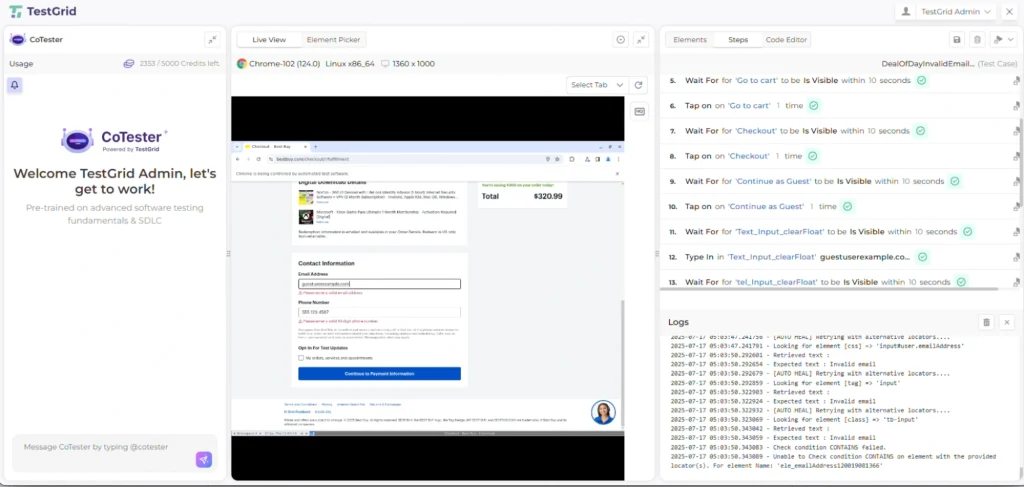
CoTester is an enterprise-grade AI agent for software testing that helps QA teams automatically generate, execute, and maintain test cases across web, mobile, and enterprise platforms.
Unlike traditional automation tools, CoTester uses a multimodal Vision-Language Model (VLM) to interpret user interfaces visually and contextually. It can read specifications from tools like Jira, convert them into executable test scripts, and run them across real browsers or devices.
What makes CoTester stand out is its self-healing engine, AgentRx, which automatically updates scripts when UI elements, workflows, or layouts change.
Designed for enterprise scalability, it supports no-code, low-code, and pro-code modes, integrates with CI/CD pipelines like Jenkins and Azure DevOps, and offers on-premise or private cloud deployment for complete data control.
With its adaptive learning and guardrail-based AI approach, CoTester minimizes flaky tests, accelerates release cycles, and brings accurate intelligence to end-to-end test automation.
2. testRigor
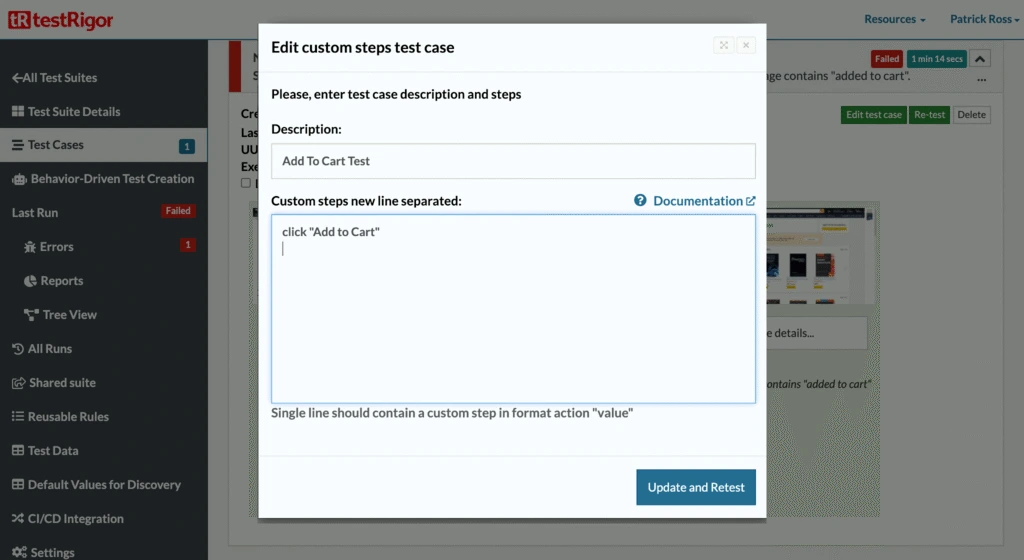
testRigor is a Generative AI-based test automation platform that lets you build and maintain tests in plain English.
You can describe an action like “purchasing a Kindle,” and testRigor translates it into executable steps, including typing, clicking, and verifying outcomes across browsers, devices, APIs, and even mainframe systems.
It supports everything from web and mobile to email, SMS, and 2FA testing, drastically cutting maintenance while scaling coverage.
3. Diffblue

Diffblue is an AI agent for automated Java unit test generation built primarily on static code analysis and symbolic execution, not reinforcement learning. It writes, maintains, and scales unit and regression tests at speeds far beyond manual scripting.
Integrated directly into CI pipelines, Diffblue Cover improves coverage, accelerates modernization of legacy systems, and frees developers to focus on core code instead of boilerplate testing.
4. ChatGPT
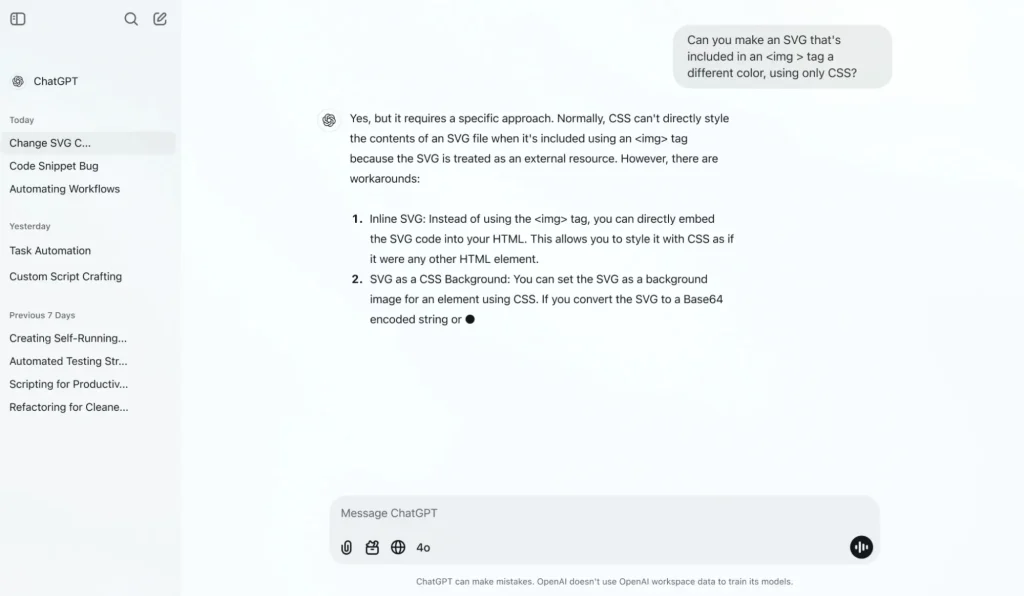
ChatGPT is a language model–based assistant that helps QA engineers draft, review, and refine test scripts faster. Describe a scenario in plain English, and ChatGPT can outline corresponding Selenium or Playwright steps, such as locating elements, validating inputs, or handling waits.
While it can’t yet interpret full runtime context or debug autonomously, it helps brainstorm edge cases or generate initial script templates. ChatGPT (powered by Codex-like capabilities) can generate and review code snippets or test logic but does not directly execute code or manage pull requests autonomously.
5. LangChain
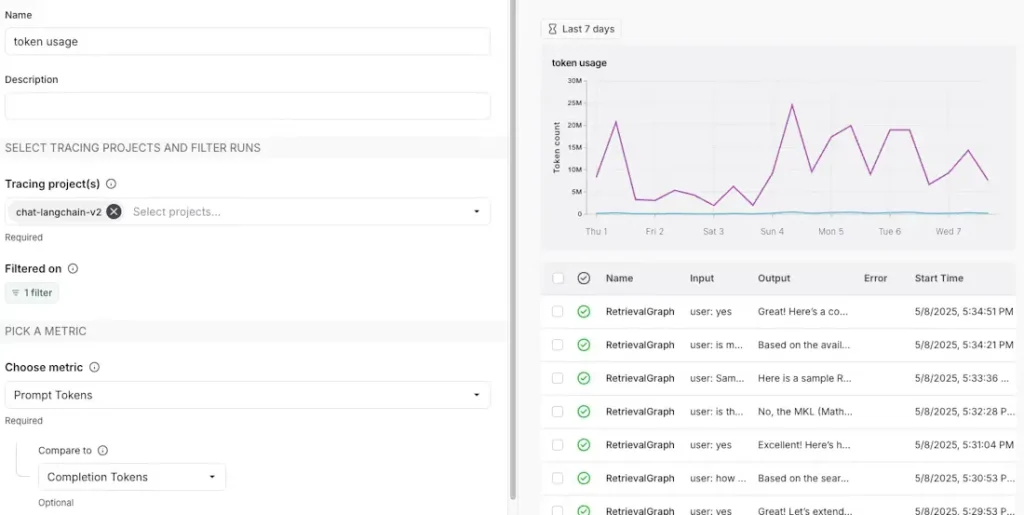
LangChain is an agent engineering platform that helps build, test, and ship production-ready AI agents. It offers orchestration, observability, and infrastructure for agent workflows, combining LangGraph, LangChain, and LangSmith to handle runtime control, integrations, and debugging.
Engineering teams use it to create durable, auditable AI agents that can reason, act, and scale reliably across enterprise systems.
6. GitHub CoPilot
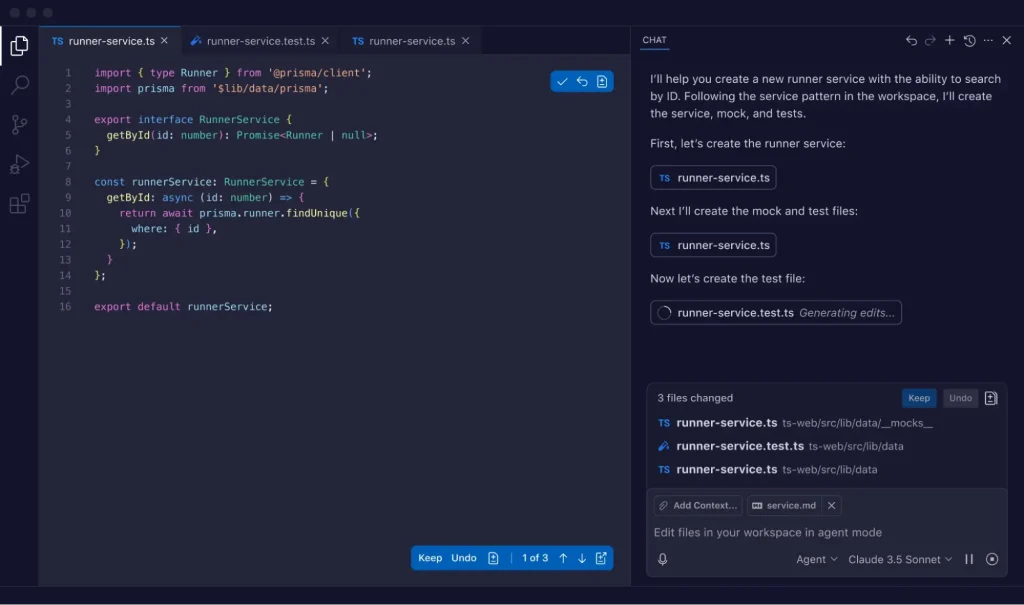
GitHub CoPilot is an AI coding assistant and agent that now extends beyond code suggestions. In its latest agent mode, Copilot can plan, write, test, and iterate on code autonomously, even managing pull requests and running CI workflows.
With support for multiple models like GPT-5 and Claude Opus, it helps developers move from writing code line by line to collaborating with an AI pair programmer that understands project context.
7. Selenium AI Plugins
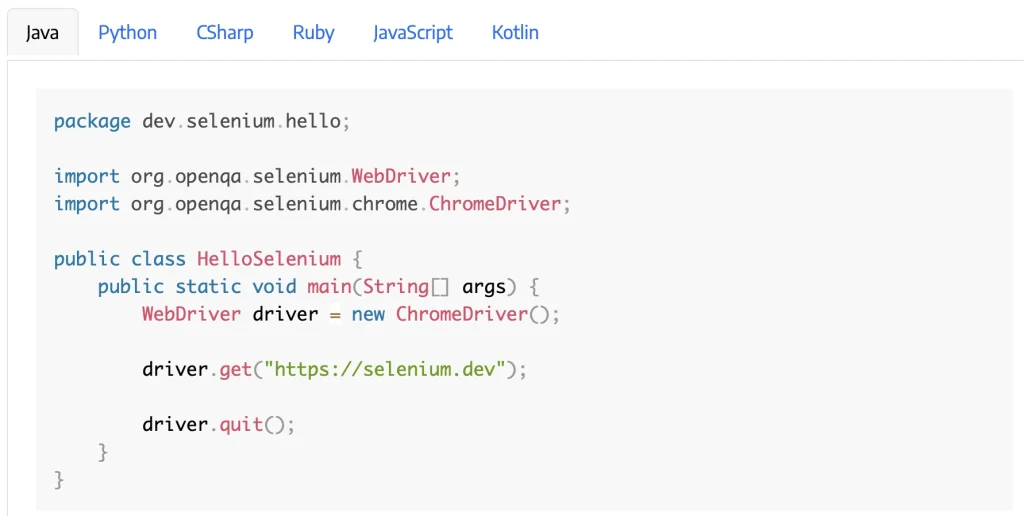
Selenium AI plugins are AI-augmented extensions that enhance Selenium’s locator strategy, flakiness detection, and test impact analysis through ML-based heuristics.
Platforms like Parasoft Selenic use ML to detect broken locators, suggest replacements, and analyze test impact after code changes. They don’t remove the need for human review, but they make tests more resilient against UI changes and help focus on validation instead of upkeep.
Also Read: Enterprise AI Testing – How to Choose the Right Tool for Scale
Benefits of AI-Driven Test Case Generation
What are the benefits of automated test case generation over manual methods? Let’s find out:
1. Faster test design and execution
With AI test case generation tools, you move from requirement parsing to executable validation within hours instead of days. The model-driven approach eliminates bottlenecks in test authoring, enabling automatic test case generation in software testing within CI/CD pipelines.
2. Broader test coverage with AI models
AI models continuously analyze production data, historical defects,telemetry, and code diffs to reveal potential test gaps that static analysis might miss.
By prioritizing high-impact scenarios, you can achieve coverage optimization that scales effectively with application complexity. This ensures accuracy and continuous testing across modules, APIs, and user journeys.
3. Cost efficiency and reduced test maintenance
Unlike static automation frameworks, AI-driven systems learn from execution results. They self-correct when locators or workflows change in the app, which, in turn, stabilizes regression suites, reduces maintenance costs, and improves test reliability over time.
Also Read: Democratizing Test Automation – How AI Lowers the Barrier to Entry
Challenges and How to Overcome Them in AI Test Case Generation
Despite the positives, AI test case generation also introduces new engineering complexities to the process, including:
1. Model drift and data decay
When test models rely on historical input data, even small changes in an app’s API responses, DOM structure, or workflow logic can create drift. The model continues to generate or validate against outdated patterns, resulting in test steps that no longer match the live system.
With time, this results in silent coverage loss, where tests appear to pass but no longer verify the current app behavior.
| CoTester Insight: CoTester continuously adapts to your app changes through its self-healing capabilities powered by AgentRx. It detects even major UI redesigns and updates test scripts automatically during test execution. |
2. False positives/negatives
In automated pipelines, flaky assertions often stem from how AI interprets interface or timing variations. If the model expects a button to appear within 1.5 seconds but your latest build takes 2 seconds to load, it may falsely flag a failure. Conversely, subtle visual or state changes, like a disabled control that looks active, can go undetected.
| CoTester Insight: CoTester executes tests across real devices and browsers, combining vision-language intelligence (VLM) with contextual reasoning. It “sees” the interface the way your test does, interpreting visuals, text, and layout together, which significantly reduces false positives and false negatives. |
3. Limited explainability
Most AI-based generators can output a working test but lack interpretability or traceability layers to justify why each step was generated.
When a test fails, you have no way to trace the logic that produced it or verify whether the failure lies in the model, the app, or the input data. This lack of transparency breaks root-cause analysis.
| CoTester Insight: CoTester introduces AI testing with guardrails, pausing at checkpoints to validate direction with your team. Every generated test is traceable back to its originating requirement, giving QA teams full visibility and approval before test execution. |
4. Model bias and coverage imbalance
Generative models tend to overfit toward patterns they see most often in the training corpus, such as login flows, cart interactions, or CRUD operations. Edge conditions, role-based access paths, or rarely triggered integrations remain under-tested. This uneven coverage skews quality metrics.
| CoTester Insight: CoTester’s context-aware agent understands product flows and adapts generation based on evolving use cases. With adaptive learning, it improves over time, identifying coverage gaps and balancing testing between common and exceptional scenarios. |
5. Data privacy and security risks
AI test generation depends on ingesting requirement documents, logs, and test data – much of which may include credentials, user identifiers, or system URLs. Without proper masking or isolation, this data can leak through model training, API calls, or cloud storage.
| CoTester Insight: CoTester is built for enterprise security and autonomy. It supports private cloud and on-prem deployments, ensures all inference runs within isolated compute environments, and allows you to bring your own data securely with field-level masking and encryption for secrets. |
AI Test Case Generation in Agile and DevOps Workflows
Here’s how it bridges the gap between development, QA, and release engineering:
| Workflow Context | How AI Fits In | Key Actions Performed by the Model | Resulting Value for QA & Engineering |
|---|---|---|---|
| Continuous testing and CI/CD integration | Embedded directly into your CI/CD pipeline and build orchestration layer | Analyzes code commits, pull requests, and diffs; identifies impacted test cases; generates or updates only what’s changed | Enables continuous testing with each build, shortens feedback loops, and reinforces DevOps automation principles |
| Regression testing with AI | Applied within ongoing QA cycles and TDD/BDD frameworks | Regenerates test segments affected by code or dependency changes; prunes obsolete tests; refines flaky ones based on failure patterns | Keeps regression suites lean and reliable, reduces maintenance effort, and improves long-term Quality Engineering efficiency |
| Shift-left testing in Agile | Integrated with backlog and sprint management tools like Jira or Azure Boards | Transforms user stories and acceptance criteria into executable test drafts before code is written | Supports early QA feedback, improves requirement clarity, and strengthens collaboration between developers, testers, and product owners |
AI Test Case Generation in Practice: Using CoTester and TestGrid
AI-driven test case generation can be implemented using two complementary tools in the TestGrid ecosystem: Co-Tester, an enterprise-grade AI software testing agent, and TestGrid, an AI-powered end-to-end testing platform.
While both use AI to translate requirements into executable tests, they serve different roles within the QA workflow. The following outlines the practical steps for generating AI test cases in each tool.
AI Test Case Generation in CoTester: Example Workflow
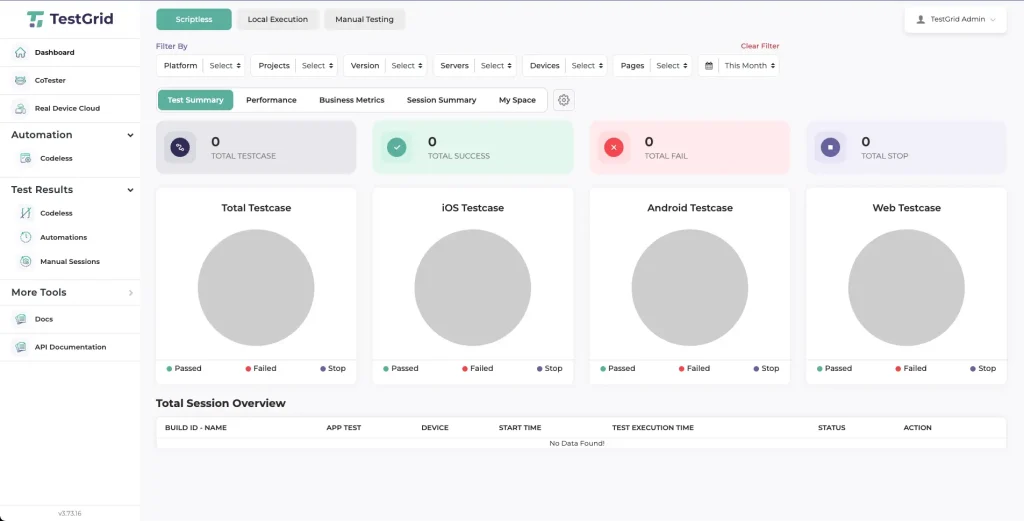
Step 1: From the TestGrid dashboard, open the left-side panel and click CoTester. This opens the CoTester interface where you can begin a new test case generation session.
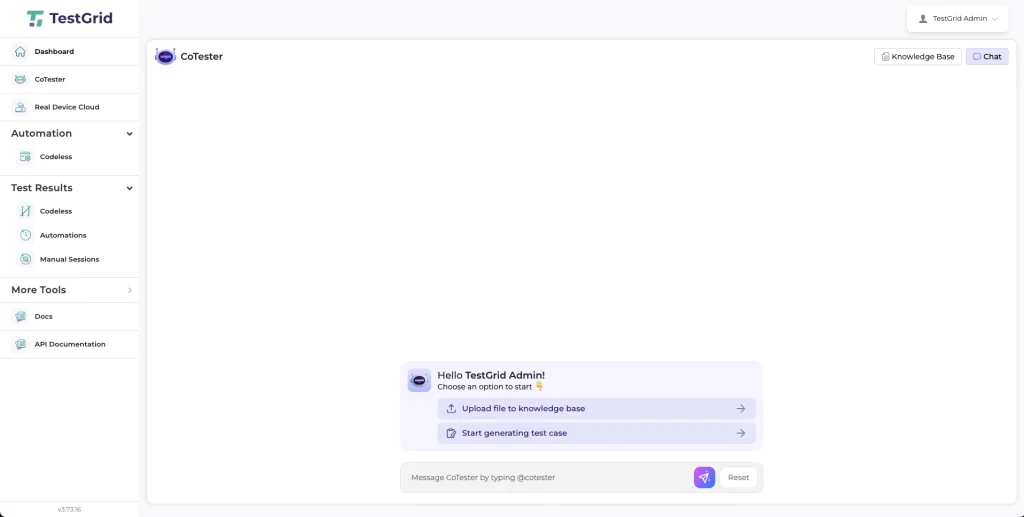
Step 2: Click “Start Generating Test Case” to begin creating a new automated test case. This will prompt you to provide the required setup details.
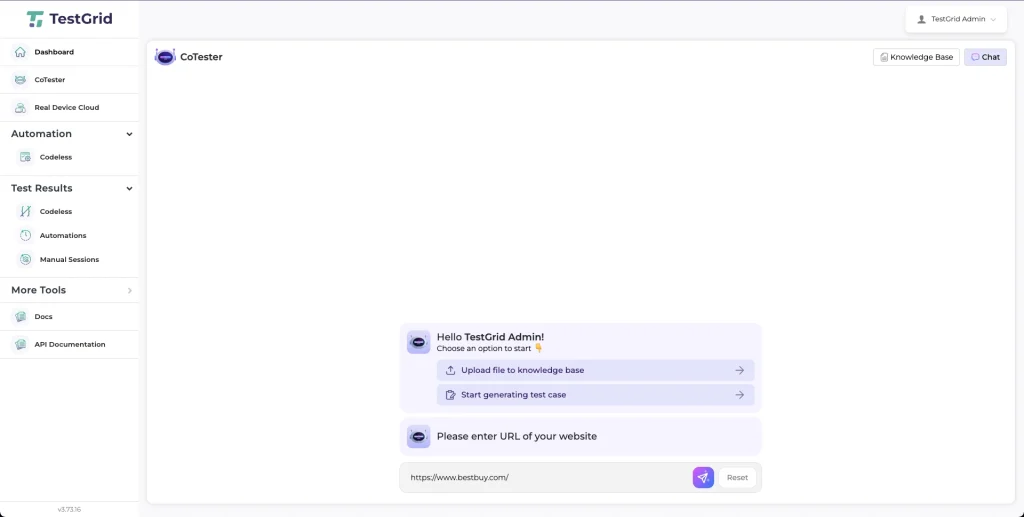
Step 3: In the URL input field, enter the webpage address for which you want to generate test cases. For this example, let’s take “https://www.bestbuy.com/.” This enables CoTester to load the desired webpage in a real browser.
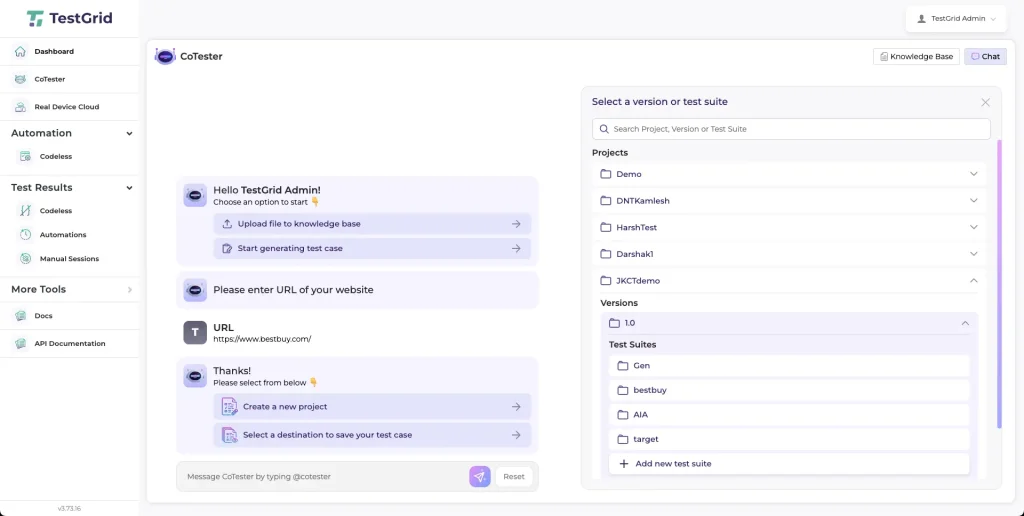
Step 4: Choose an existing project or create a new one where the generated test case will be stored. Enter a unique test case name and click “Save.”
You will then be redirected to the CoTester Studio, the workspace where test case generation and execution occur.

Step 5: In the CoTester Studio, click “Use CoTester” to open the main workspace. Here, you have access to the CoTester AI agent, generation controls, and the live browser environment.
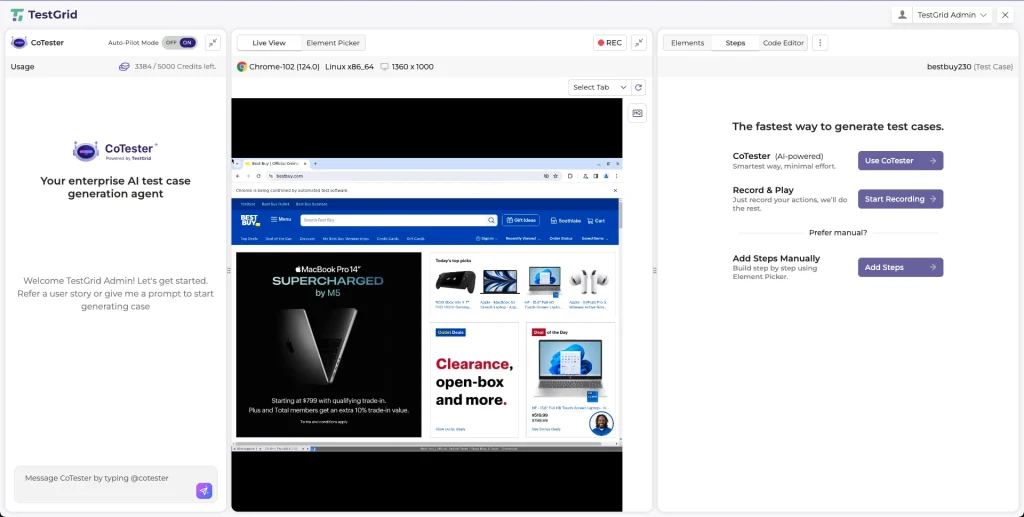
Step 6: In the CoTester panel on the left, describe the scenario you want to test.
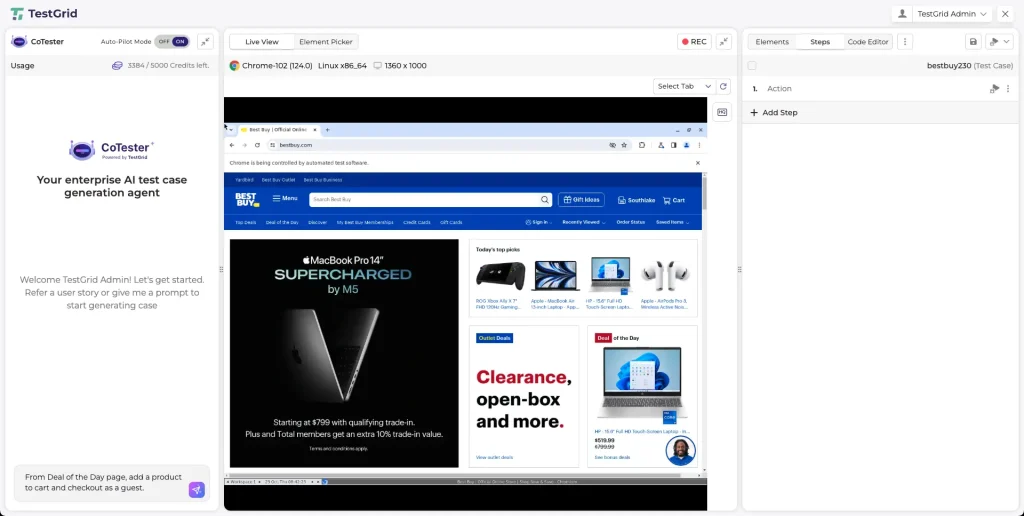
The more specific your prompt, the more accurate and contextually relevant the generated test steps will be.
Step 7: Click “Send Message” to generate the test case. Ensure the “Auto-Pilot Mode” is enabled so CoTester can automatically generate and execute the steps.ant to test.
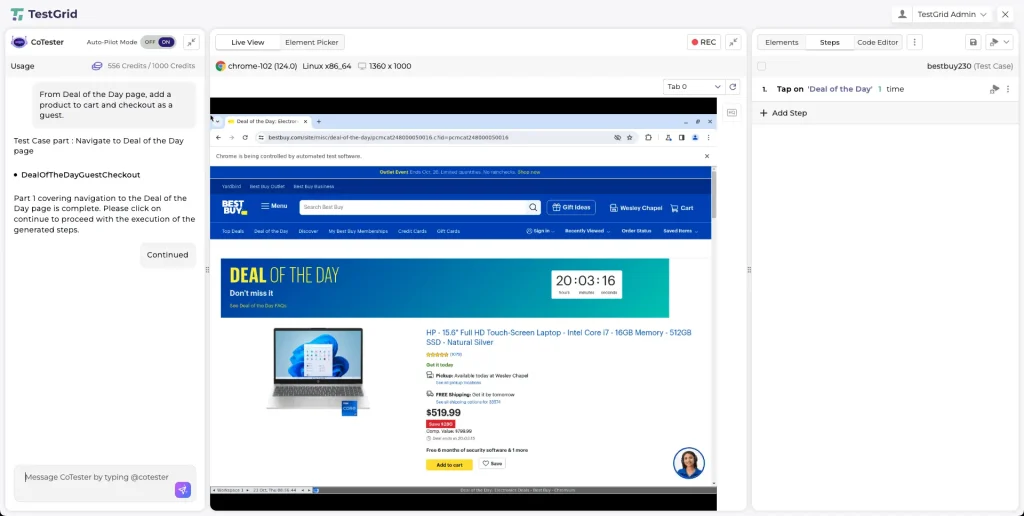
The generated steps will appear in the “Test Case” panel on the right, while the “Live Browser” shows the test running in real time.
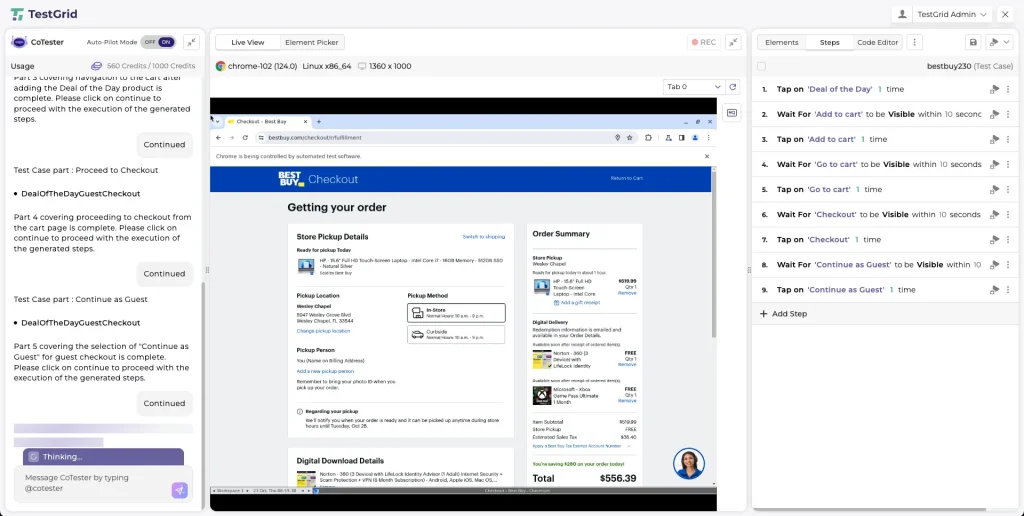
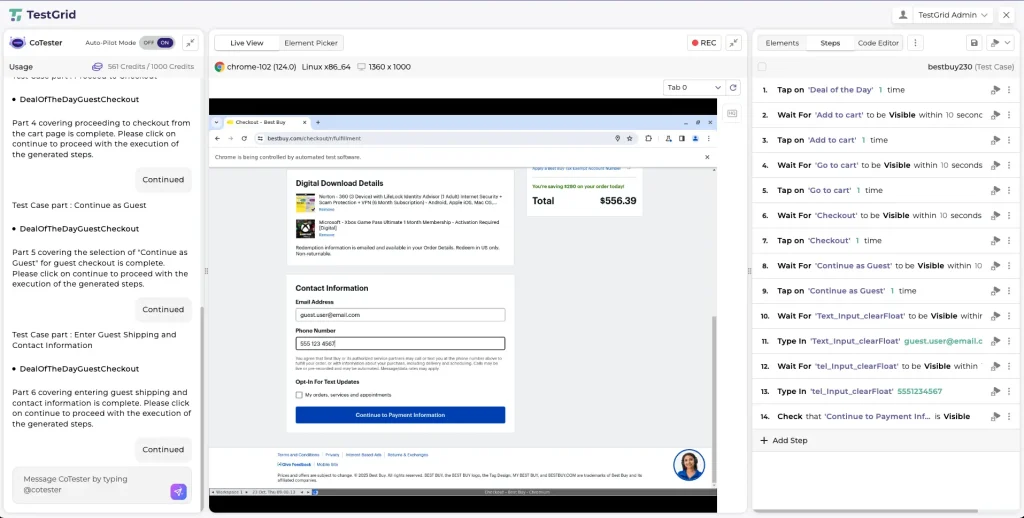
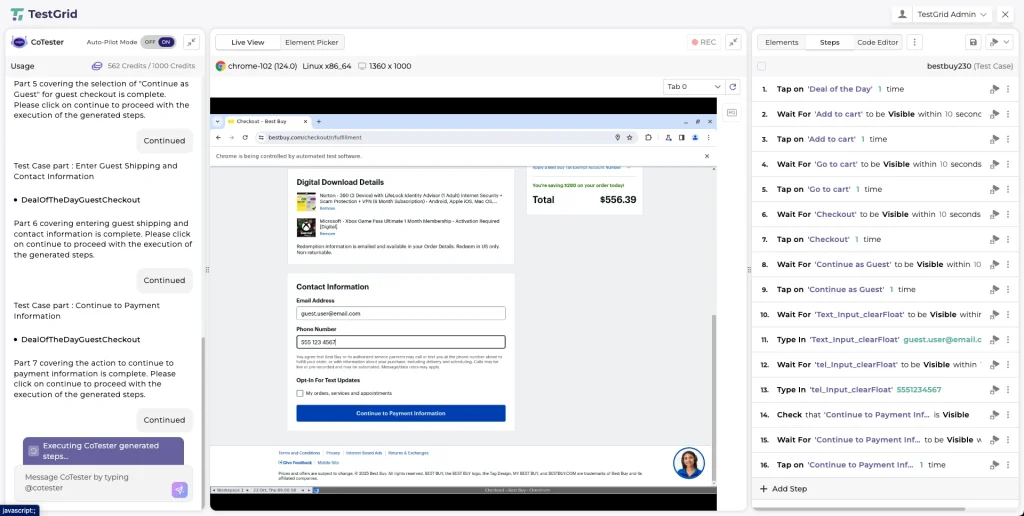
Step 8: As CoTester generates the test case in multiple parts, click “Continue” whenever prompted in the CoTester panel. This allows CoTester to move forward through the scenario and generate the next sequence of steps.
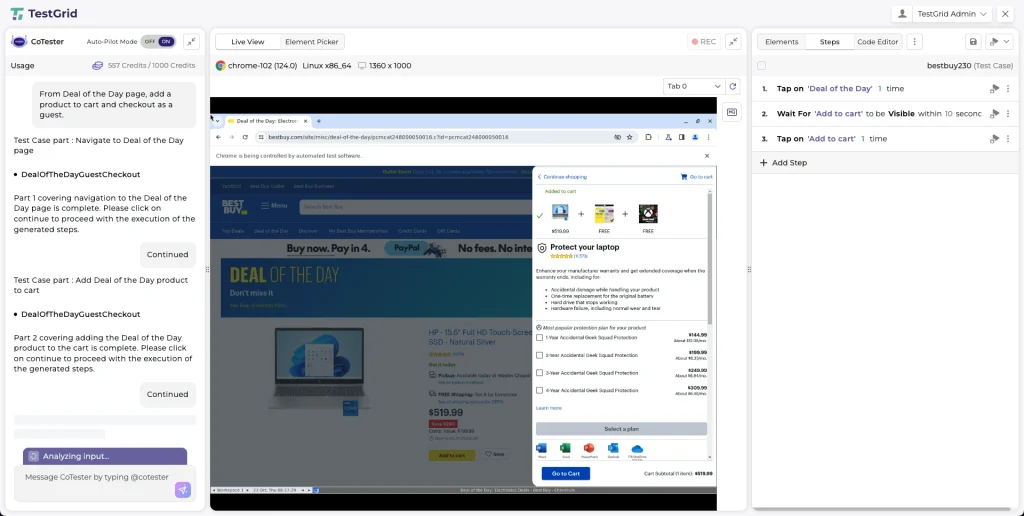
Step 9: The generated steps will appear in the “Steps” panel on the right side of the screen. Review the steps to ensure they follow the desired flow of the test case.
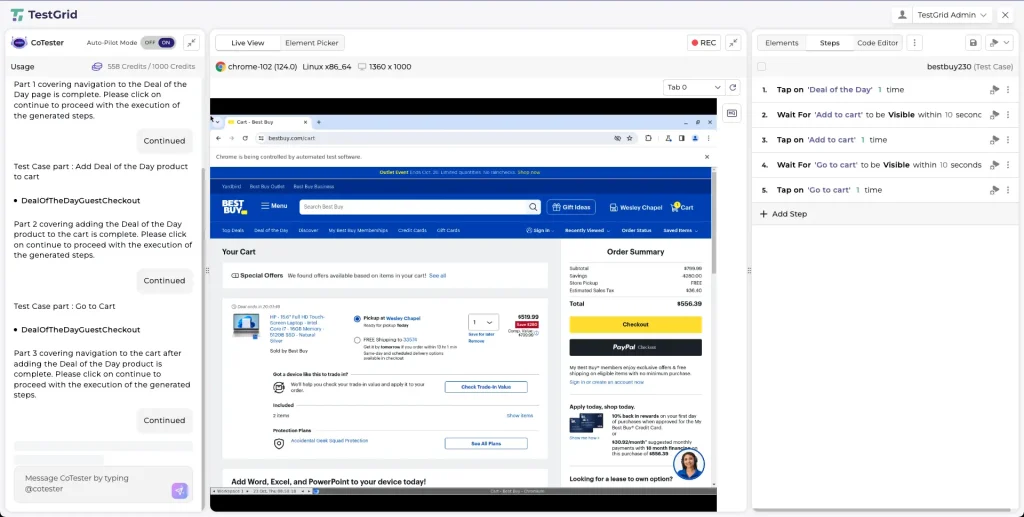
Step 10: Each step has edit and options icons that allow you to:
- Modify the action text
- Reorder steps
- Remove unnecessary steps
Make adjustments as needed to refine the test case.

Step 11: If your scenario requires extra actions, click “Add Step” at the bottom of the “Steps” panel. You can also use the “Element Picker” or “Record & Play” options to capture new interactions directly from the live browser.
Step 12: To verify that the steps work correctly, re-run the test using the “Live View” environment. This allows you to confirm the flow and behavior of the application.
Step 13: Once you are satisfied with the generated and refined test steps, the test case will remain stored under the selected project or test suite. You can now return to the “Test Results” section to execute it in future sessions.
Future Trends in AI-Powered Test Case Generation
What can you anticipate in the coming months? Let’s find out:
1. Autonomous test generation and execution agents
You’ll soon work with AI agents that operate quietly inside your delivery pipelines. They monitor every new build, dependency update, or configuration change and autonomously trigger test creation, execution, or deprecation based on defined drift or impact thresholds.
These systems learn from building telemetry, logs, and diffs to recognize when something has shifted enough to warrant new validation.
This is where Generative AI in testing starts to feel practical, helping your team build feedback loops that evolve automatically within an autonomous SDLC. For QA professionals, it means spending less time maintaining test cases and more time refining the intelligence behind them.
2. Predictive and risk-based test prioritization
Regression testing is becoming more data-driven. Instead of running every test in a suite, intelligent systems will use historical defect data, code change frequency, and production insights to predict where risk actually lives.
Over time, this approach will help AI-first QA departments plan testing around probability. High-risk areas get early attention; low-impact zones wait until evidence shows they need it. The result is a more balanced use of time, compute, and attention across every release cycle.
3. Integrated requirement-to-test pipelines
Agile toolchains are starting to close the gap between what’s defined and what’s verified.
When a new story or acceptance criterion is committed, integrated requirement management systems can automatically generate matching validation artifacts such as test scripts or Gherkin scenarios.
As each requirement evolves, its linked tests evolve too. You’ll have a clear, traceable connection between product intent and validation outcomes.
Building the Next Phase of Quality Engineering With AI Test Case Generation
The next phase of QA belongs to teams that pair human insight with autonomous precision. They must monitor the performance of AI-generated test suites, validate logic, and refine input data so models learn from the right signals.
With CoTester and TestGrid, you can bring that balance into your delivery pipeline and build tests that adapt, learn, and stay aligned with every release. Book a CoTester demo or start your TestGrid free trial to explore how AI can elevate your software testing workflow.
Frequently Asked Questions (FAQs)
What is test case generation using AI in software testing?
Test case generation using AI applies machine learning, NLP, and generative models to automatically create, update, and optimize test cases from requirements, user stories, code changes, and production data.
Will AI replace human testers in QA?
No. AI automates test creation and maintenance, but human testers provide judgment, context, and validation, especially in complex workflows, exploratory testing, and acceptance validation. The tester’s role shifts toward supervising and refining AI outputs.
Can AI generate both manual and automated test cases?
No. AI automates test creation and maintenance, but human testers provide judgment, context, and validation, especially in complex workflows, exploratory testing, and acceptance validation. The tester’s role shifts toward supervising and refining AI outputs.
What’s the biggest challenge in deploying AI test generation at scale?
The hardest part is maintaining test relevance over time. Without continuous retraining or change detection, AI-generated tests can quickly become outdated. Agents like CoTester address this with impact analysis, self-healing, and feedback-based optimization for accuracy.