 CoTester 2.0 is LIVE! Your Always-Available AI Teammate for Testing.
After a few years as a QA consultant for software teams, I kept running into companies whose QA process had outgrown existing tools, and no one noticed.
For example, a team used Zephyr to manage test cases, Jenkins for CI/CD, and Excel sheets, screenshots, and basic recordings to report results. Every sprint involved a string of extra Slack messages, Excel exports, and “final-final” reports to confirm what had actually passed.
No hate for Zephyr; it’s an effective tool, as I know from experience. But its rigid reporting and low automation visibility limit QA efficacy, especially as automation suites scale and new builds go live more often.
Zephyr remains a reliable Jira-centric solution, but as demands for faster releases and richer CI/CD pipelines ramp up, it starts to feel like a bottleneck.
This guide addresses that gap. It explores eight Zephyr alternatives, comparing features at the level of automation, integrations, scalability, and reporting.

What is Zephyr?
Fundamentally, Zephyr is a test management tool offering QA and dev teams a collaborative workspace for planning, managing, and running tests without leaving Jira. It’s a popular add-on in the Atlassian marketplace, used by almost any team also using Jira to track sprints.
Zephyr embeds QA directly within Jira. Testers can link each test case to its user story and bugs for complete pipeline traceability. Agile teams often use Zephyr to manage test progress while planning sprints and releases.
Zephyr generally runs on three versions:
- Zephyr Squad: Created for small to mid-sized agile teams. Lightweight, easy learning curve, embeds test management directly inside Jira projects.
- Zephyr Scale: Designed for larger teams or enterprises. Offers test data parameterization, detailed reporting, and better scalability. Great for managing test repositories across multiple projects.
- Zephyr Enterprise: Standalone version for enterprises that need stringent governance, regulatory compliance, and cross-project visibility. Enables centralized test management beyond Jira.
Limitations of Zephyr
Like every solution, Zephyr has its limitations. Because of how closely coupled it is to Jira, Zephyr’s automation and CI/CD capabilities can be insufficient, especially relative to newer, specialized platforms like TestWheel.
Teams have to run additional setup flows and install plugins to integrate continuous testing frameworks or aggregate results from multiple tools.
Because Zephyr does not operate beyond Jira (unless you pay enterprise version costs), it often becomes rigid as teams, orgs, or software products scale. Dashboards are only minimally customizable.
Extracting deeper insights (defect correlation, cross-release analytics) requires external tools and integrations. Teams operating in hybrid or cloud-based environments commonly find Zephyr’s dependency on Jira restrictive.
Top 8 Zephyr Alternatives
If you’re exploring Zephyr alternatives because your current setup feels rigid or slow, this list gives you options that handle scaling, automation depth, and reporting with far less friction.
Let’s break down how these test management tools stack up in the head-to-head comparison below so you can see which one actually fits your workflow.
#1 TestGrid

TestGrid is a unified testing platform designed for web and mobile applications. It brings real device testing, cloud, and on-prem deployments, and an integrated UX Lab into a single environment, allowing QA and engineering teams to validate experience quality under real conditions.
Teams can run functional and performance tests across browsers, devices, networks, and environments, while tracking experience KPIs such as load time, responsiveness, stability, and API performance.
TestGrid correlates data across device, OS, application, network, and test layers to accelerate triage and root-cause analysis.
The platform also includes CoTester Test Agent, an AI-assisted test authoring and maintenance system that identifies unstable steps, reduces script flakiness, and improves long-term reliability.
TestGrid supports flexible integration with CI/CD pipelines and can be deployed in cloud, on-premise, or hybrid environments, depending on enterprise requirements.
Key Features
- Real device cloud for cross-browser and device testing.
- Enables parallel test execution for faster release cycles.
- Offers codeless automation, so testers can build and execute tests without much coding/scripting.
- Integrates with most commonly used CI/CD tools.
- Offers built-in dashboards offering rich analytics.
- Offers unlimited test runs to facilitate growth without a sharp cost rise.
- Simplifies complex test scenarios, even enterprise-scale challenges, from version control to debugging with CoTester.
Integrations
Supports Jira integration, Selenium/WebDriver, Appium for mobile, and multiple CI/CD tools (CircleCI, GitLab, Travis).
Limitations
- May require some onboarding effort for QA teams not used to an AI-first UI.
- Teams may have to run additional configurations to access advanced analytics.
- Pricing can increase if cloud-based usage exceeds specific limits.
Pricing
starts at $25 Per Month. Freemium available.
#2 TestRail
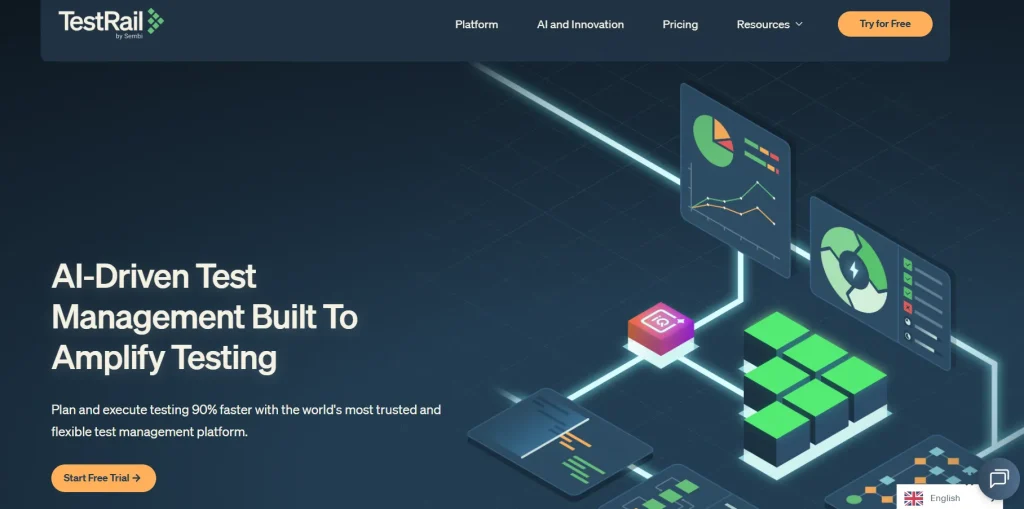
TestRail is a web-based test management platform designed to centralize, manage, and control test cases and test execution. It works equally well for small startups and large enterprises.
The tool works to facilitate multiple testing methodologies: agile, black box, exploratory, functional, manual, and automation testing.
Users can leverage multiple features to create and manage test cases. The platform allows a hierarchical folder structure, slotting data into projects, test suites, sections, and subsections.
Key Features
- Allows users to import test cases from Excel and other management tools.
- Testers can create and reuse multiple versions of test cases for comparison.
- Test cases can be defined in various formats: Test Case (Text), Test Case (Steps), Exploratory Session, and Behaviour Driven Development (BDD) for Gherkin.
- Captures detailed, step-by-step test execution history, including results, comments, screenshots, and logs.
- Generates detailed Test Case and Test Execution Reports, with metrics related to projects, milestones, plans, and test runs.
- Generates full system backups and exports data into CSV, XML, and Excel formats.
- Over 100 add-ons to connect TestRail with popular development and testing tools.
Integrations
Integrates with JIRA, Jenkins, Selenium, Cucumber, Bamboo, Bugzilla, Rally, and VersionOne.
Limitations
- Lack of native capabilities for requirements management and defect tracking.
- The organization system is fundamentally folder-based, which is harder to handle as test repositories grow.
- Reviews mention performance issues when large datasets are involved.
Pricing
starts at $37/seat/month.
#3 Xray for Jira
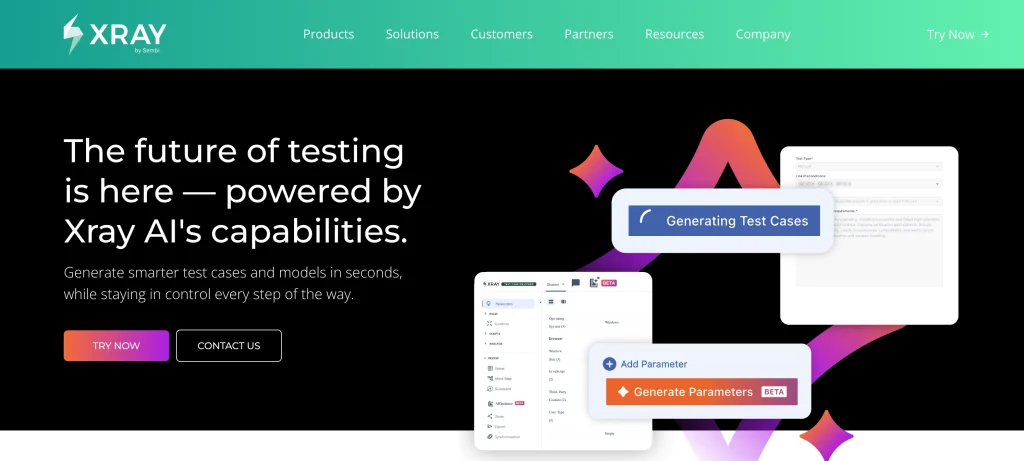
Xray for Jira is a test management add-on used to integrate tests directly within Jira. It supports manual and automated tests as Jira issues.
Users can label specific issue types, such as Test, Test Set, Test Plan, and Test Execution, to structure their QA pipeline.
Native integrations allow seamless workflow management without leaving Jira, with built-in features for collaboration. The platform aims to minimize silos between development and testing teams.
Key Features
- Users can create detailed test cases with steps, expected results, and preconditions.
- Users can reuse test steps.
- Test results can be published back to Jira via REST API, with real-time updates and traceability.
- Supports Behavior-Driven Development by allowing tests to be written in Gherkin syntax.
- Links test cases to requirements, user stories, defects, and other Jira issues.
- Intuitive dashboards with interactive charts and reports, such as requirement coverage reports and traceability matrices.
- Advanced reporting and dashboarding capabilities, including customizable dashboards, Jira gadgets, and built-in reports analyzing test execution, coverage, and traceability.
Integrations
Lives in Jira, so integration overhead is minimal.
Limitations
- Performance degradation due to Xray’s reliance on Jira’s storage, which can become problematic as test data volumes grow.
- Does not natively support requirements or user stories management. Teams have to rely on external tools or Jira’s own modules for these functions.
- Reporting capabilities are basic. Limited customization and potential slowness in generating reports for large projects.
Pricing
Tiered. Depends on the number of users, deployment type (Cloud or Data Center), and billing cycle (annual or monthly).
#4 Testmo
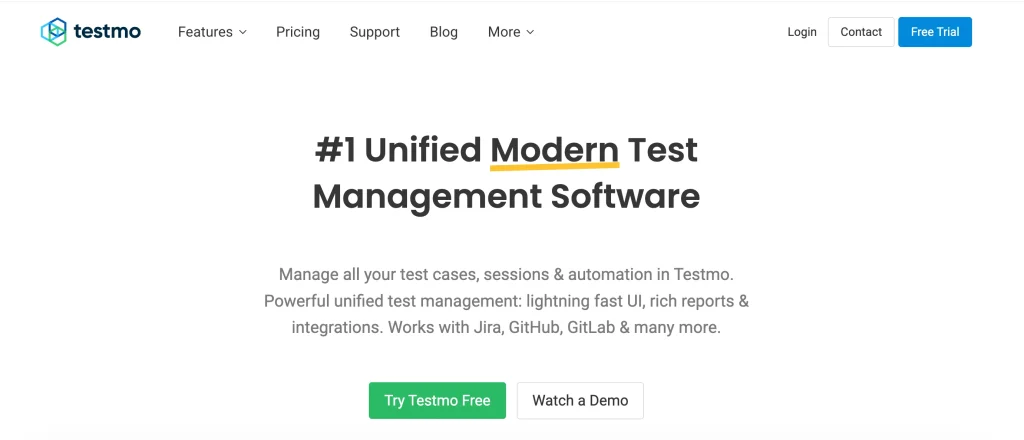
Testmo provides unified test management to streamline QA activities for agile development teams. It centralizes manual test cases, exploratory tests, and automated results within a single UI.
The platform provides customizable fields, workflows, and a structured hierarchy that slots tests into folders based on classes. Testers can create, execute, and manage test runs, assign tests to team members, and track results with detailed reporting.
The system stores all test results and changes to test cases for better traceability and audit-readiness.
Key Features
- Dedicated session management with rich note-taking, screenshot support, and traceability with test runs and milestones.
- Provides keyboard shortcuts, bulk editing, and a rich-text editor for efficient test documentation.
- Results are automatically linked to test cases.
- The platform can identify flaky, slow, or frequently failing tests.
- Allows direct linking to issues, native issue creation forms, and integration with version control systems.
Integrations
Integrates with Jira, GitHub, GitLab, Jenkins, CircleCI, and other popular CI/CD tools.
Limitations
- Doesn’t offer much in the way of smart features like intelligent test case recommendations, automated defect prediction, or advanced analytics.
- Lacks a dedicated requirements or issues management module; teams have to rely on external tools for these functions.
- Analytics and customizable dashboards can be somewhat limited.
Pricing
starts at $99/month.
#5 PractiTest
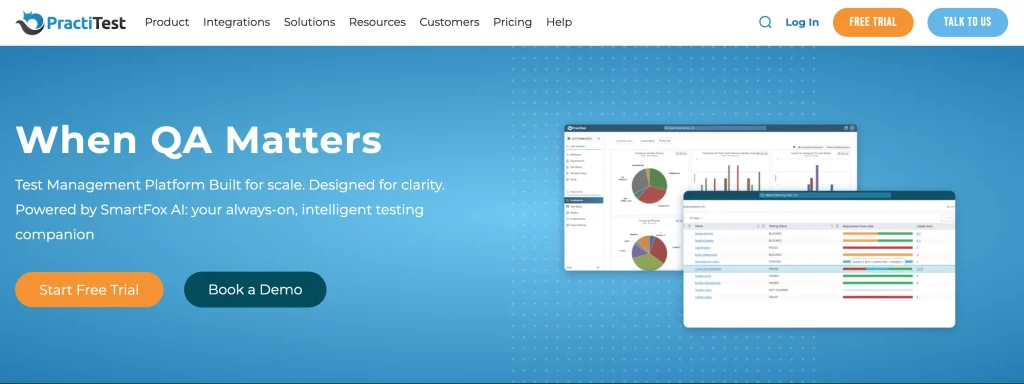
PractiTest is an adaptable test management tool providing end-to-end visibility, wide customization, and robust integrations with useful third-party applications. The platform helps streamline and unify Quality Assurance (QA) operations for software development teams.
QA engineers can manage testing from a 360-degree POV: requirements, test cases, test execution, defect tracking, reporting, and integration with other tools. It offers a single source of truth and reduces data silos across teams and workflows.
Key Features
- Enables test creation for scripted and exploratory testing.
- Allows users to log, view, and modify issues directly within PractiTest.
- Seamless bi-directional integration to external defect management systems like JIRA.
- All changes made to test cases are automatically reflected across all locations where they are used. This includes different test sets or linked requirements.
- Can create reusable test steps by importing steps from existing tests or bulk importing them via XLSX files.
- Fully open APIs allow the creation of custom integrations.
Integrations
JIRA, Azure DevOps, GitHub, Jenkins, Slack, Selenium, Eggplant, and more.
Limitations
- Steep learning curve due to extensive feature set.
- Outdated user interface that some users find unintuitive compared to modern tools.
- Lack of a dedicated mobile application, which restricts access to test data and management tools for users on the go.
- Pricing can be high for small to mid-size teams.
Pricing
Starts at $49/ user/month.
#6 Qase

Qase streamlines manual and automated testing in cloud-based instances. It offers comprehensive capabilities for test case management, planning, execution, debugging, and reporting.
Users can create structured test cases with detailed instructions, parameters, attachments, and even custom fields.
It provides a particularly robust integration ecosystem, supporting the most popular tools to unify test operations across development and project management workflows.
Key Features
- Can aggregate results from various automation frameworks like Pytest, TestNG, JUnit, Playwright, and Cypress.
- Robust REST API integrations.
- Offers AIDEN, an AI assistant that helps generate or enhance test cases (still in beta).
- Offers requirement traceability; test cases are mapped to user stories, epics, or other requirements.
- Offers role-based access control, API access via REST and GraphQL, and webhooks to trigger CI/CD builds.
Integrations
Jira, GitHub, GitLab, and Jenkins.
Limitations
- Does not offer a built-in real device lab; teams cannot run tests on real mobile or browser devices directly within Qase.
- No test recorder, so tests have to be manually built or imported.
- Performance slowdowns may occur when running large projects with extensive datasets.
Pricing
starts at $30/user. Free version available.
#7 QA Touch

QA Touch is an AI-powered test management platform that enhances the efficiency of software testing by unifying manual and automated tests in a single UI.
Users can organize, execute, and track test cases across multiple projects. The tool supports both Agile and Waterfall methodologies.
Testers can maintain a centralized repository of all their test cases, suites, releases, and requirements…managing the entire test lifecycle from one UI.
Key Features
- Supports multiple test formats: text-based, step-by-step, exploratory, and Behavior-Driven Development.
- Built-in bug tracking; testers can log, categorize, assign, and track issues within test execution.
- Offers role-based access control and customizable dashboards for real-time visibility into test progress.
- Provides analytics-rich reports with real-time insights, trend analysis, and productivity metrics.
- Supports data migration from other tools like TestRail, TestLink, and Testmo via CSV files.
- Can generate customizable reports for projects, releases, test cases, and issues.
Integrations
Jira, GitHub, Slack, and multiple automation frameworks.
Limitations
- Performance can degrade with large test suites.
- Users have reported slowdowns during bulk uploads or large batch edits.
- UI offers limited layout customization options.
- Certain advanced features (robust automation integration, detailed filters, the ability to add parameters to tests, and the use of shared steps) are missing or underdeveloped.
Pricing
starts at $39/month (billed annually).
#8 QMetry
This Zephyr alternative is enterprise-grade, AI-powered, web-based, requires no installation, and is built for scaling. It helps Agile and DevOps teams streamline the entire SDLC according to precise requirements.
The platform is highly available, complies with multiple industry regulations to enforce multi-level review and approval workflows.
Key Features
- Built on open-source technologies like Linux, Apache, PHP, and MySQL.
- Offers codeless customization to tailor requirements, tasks, reports, fields, test cases, and defects easily.
- Uses AI for intelligent test authoring. Can auto-generate test cases from user stories, requirements, and acceptance criteria.
- Enables flaky test detection, AI-powered defect detection, and triage by connecting failed tests to historical defects.
- Enables intelligent search with natural language queries so users can instantly find test cases, defects, and artifacts.
Integrations
Jenkins, Bamboo, GitLab CI, Bitbucket, GitLab, GitHub, Jira, Azure DevOps, Appium Inspector, and Katalon Studio.
Limitations
- A steep learning curve and a complex, unintuitive design.
- Users have reported confusing admin screens, difficulty understanding field requirements, and challenges with updating user passwords.
- No proactive insights or corrective suggestions for when test execution lags or when critical defects remain unresolved.
Pricing
Contact Sales for more details.
Head-to-Head Comparison: Zephyr Alternatives
Don’t have time to go through that long list?
Here’s a quick look at how the top Zephyr alternatives measure up against each other across parameters of automation, integrations, strengths, and pricing.
| Tool Name | Best For | Automation Integration | Strengths | Pricing / Access |
|---|---|---|---|---|
| TestGrid | Teams looking for an all-in-one test automation and management suite with a real-device cloud | Integrates with Selenium, Appium, CircleCI, GitLab, Travis, and Jira | Real-device cloud testing, codeless automation, parallel execution, advanced analytics via CoTester | Starts at $25/month, Freemium available |
| TestRail | Organizations seeking mature test management with detailed reporting and structure | Integrates with Jenkins, Selenium, Cucumber, Jira, and Bamboo | Deep hierarchical organization, detailed reports, over 100 add-ons, strong data export capabilities | Starts at $37/seat/month |
| Xray for Jira | Jira-centric QA teams aiming to manage tests directly within Jira | Native Jira integration; supports automation via REST API and CI/CD | Seamless Jira workflows, full traceability, BDD (Gherkin) support, robust dashboarding | Tiered pricing via Atlassian Marketplace |
| Testmo | Agile teams managing manual, exploratory, and automated tests in one dashboard | Supports Jira, GitHub, GitLab, Jenkins, CircleCI | Centralized results, automation linkage, strong traceability, and audit trail | Starts at $99/month |
| PractiTest | Enterprise QA teams seeking end-to-end lifecycle visibility | Integrates with JIRA, Azure DevOps, Selenium, and Jenkins | Strong customization, reusable test steps, unified view of requirements and defects | Starts at $49/user/month |
| Qase | Modern teams need quick setup, collaboration, and cloud testing | Integrates with Pytest, JUnit, Playwright, Cypress, and CI/CD tools | Clean UI, REST API, requirement traceability, role-based access control | Starts at $30/user, Free version available |
| QA Touch | Cost-conscious QA teams looking for simple management and reporting | Integrates with Jira, GitHub, Slack, Selenium, and other frameworks | Built-in bug tracking, role-based control, real-time dashboards, CSV import/export | Starts at $39/month, Free tier available |
| QMetry | Enterprises in regulated industries require compliance and scalability | Works with Jenkins, GitLab, Azure DevOps, Appium, Jira | AI-assisted test authoring, defect triage, deep audit/compliance workflows | Custom enterprise pricing; contact sales |
Key Features to Look for in a Zephyr Alternative
Have you ever managed a test cycle on a Friday release crunch? Then you already know that your test management platform will make or break your week.
I’ve run tests with spreadsheets to Zephyr to most major tools that promise “smart automation” (and often deliver no more than headaches). The right tool does not just organize test cases; it also keeps all of QA in tandem with development.
Here’s everything you need to look for when choosing a Zephyr alternative:
1. CI/CD Integration Support
Continuous integration must be paired with continuous testing. Your chosen solution should naturally fit into your existing CI/CD pipelines. Let Jenkins or GitLab trigger your test suites automatically, collect the results, and feed them right back into your dashboard. You shouldn’t have to run CSV uploads or copy-paste rituals.
2. Automation Compatibility
Automation is the backbone of modern QA. One of my nightmare projects had Selenium scripts living in GitHub, results were emailed, and someone manually updated Zephyr after each run. Unsurprisingly, reports went stale quickly.
Your chosen tool should be seamlessly compatible with Selenium, Appium, Cypress, Playwright, and JUnit. It should log automation results, link them to the right test cases, and link each failure to its corresponding defect, test case, and requirement.
3. Reporting and Analytics
QA veterans, how much do you hate the question, “So… are we ready to release?” A simple pass/fail dashboard doesn’t even answer it properly. We need context with insights on trends, defect density, and performance over time.
Your chosen tool shouldn’t just visualize data but also interpret it. Look for features around trend analysis, historical comparisons, flaky test detection, and team-level performance insights.
4. Test Reusability & Collaboration
Have you ever worked on a project where login tests were written seven times across different modules? Same steps, different owners, zero coordination. When one field label changed, five tests failed unnecessarily.
This is why you double-check on test reusability. Your chosen tool should enable shared steps, parameterization, and cross-project reuse. Reusability is key to test consistency, collaboration, and accountability.
5. Cloud Testing Flexibility
Often, you’ll have to resolve a bug that only shows up on “Android 12 with Chrome 117.” You try to replicate it locally, but don’t have that hardware setup.
Naturally, your chosen tool should enable cloud testing. It’s non-negotiable.
TestGrid, for instance, provides access to real devices on the cloud; actual hardware running real browsers and operating systems. So you can run, say, parallel regressions across 50+ environments, cutting regression time from two days to two hours.
6. Scalability and Maintainability
The tool should be able to scale, because your tests and datasets certainly will. Many tools crumble under their own data. Searches will slow down, dashboards will freeze, and syncing will fail.
A mature backend makes life much easier. Look for API-first design, database indexing for high-volume test runs, and hassle-free concurrency handling.
TestGrid and QMetry offer these. They can both manage enterprise-scale workloads without much performance degradation.
If you’ve been in QA long enough, you eventually grow this sixth sense for tools that “look good in the demo but fall apart in production.” Zephyr falls in this list, not because it’s inherently bad, but because it’s from a time when testing came after development.
Today, testing is part of development.
So don’t chase buzzwords. Look for any invisible friction. Check how many clicks you need to start a run, the time it takes for reports to sync, and the ease of explaining a failed test to a non-QA stakeholder. This will show you if a tool is built for testers.
Frequently Asked Questions About Zephyr
Which is the best Zephyr alternative?
The best Zephyr alternative depends on what your team needs. But if you’re looking for an all-in-one platform that combines test management, automation, CI/CD integration, and real-device testing, TestGrid works well.
It scales better than Zephyr, handles manual and automated tests in one place, and isn’t as expensive as many enterprise tools.
Jira-based teams could choose Xray. For structured enterprise reporting, TestRail or PractiTest could be worth a look.
Which Zephyr alternatives integrate best with Jira and CI/CD?
Xray and TestRail integrate well with Jira. But if testers also want to embed CI/CD pipelines (by using Jenkins, GitLab, or CircleCI, for eg), TestGrid stands out. It allows end-to-end automation: every commit triggers a full test suite, and results feed into Jira or the TestGrid dashboard.
What are the best test management tools, like Zephyr?
A few of the top test management tools similar to Zephyr would be:
1. TestGrid for automation, unified test management, and real-device testing.
2. TestRail for enterprise-grade reporting and test orchestration.
3. PractiTest for robust traceability and end-to-end visibility.
4. Xray for Jira-native, smaller, agile teams.
5. QMetry for advanced compliance and auditing for large enterprises.
AI-powered test management options vs Zephyr
Zephyr is a Jira-native test case management system. It’s useful for organizing test cases, mapping them to requirements, and tracking execution status inside Jira.
TestGrid, by comparison, focuses on executing tests and diagnosing experience issues across browsers, devices, networks, and environments.
The platform includes CoTester, an AI-assisted testing agent that helps teams create, stabilize, and maintain automated test suites.
CoTester understands application context, detects when UI elements or workflows change, and automatically heals affected test steps during execution. This significantly reduces the ongoing maintenance effort required to keep test suites reliable over time.
Parting Thoughts
When choosing a Zephyr alternative, think less from the POV of “replacing a familiar tool”. Rather, consider that you are trying to future-proof your QA pipeline. The tool will help your test management practices evolve as software delivery becomes faster, more automated, and more distributed.
Your current setup may be slowing down releases or hiding insights behind static reports. Upgrade to platforms that unify test management, automation, real-device testing, analytics, and CI/CD integration.
TestGrid excels at this. It brings the structure of a test management suite, the capabilities of an automation platform, and the flexibility of a device cloud in one ecosystem. Don’t believe me? Just book a demo, and gauge TestGrid for yourself.


