 CoTester 2.0 is LIVE! Your Always-Available AI Teammate for Testing.
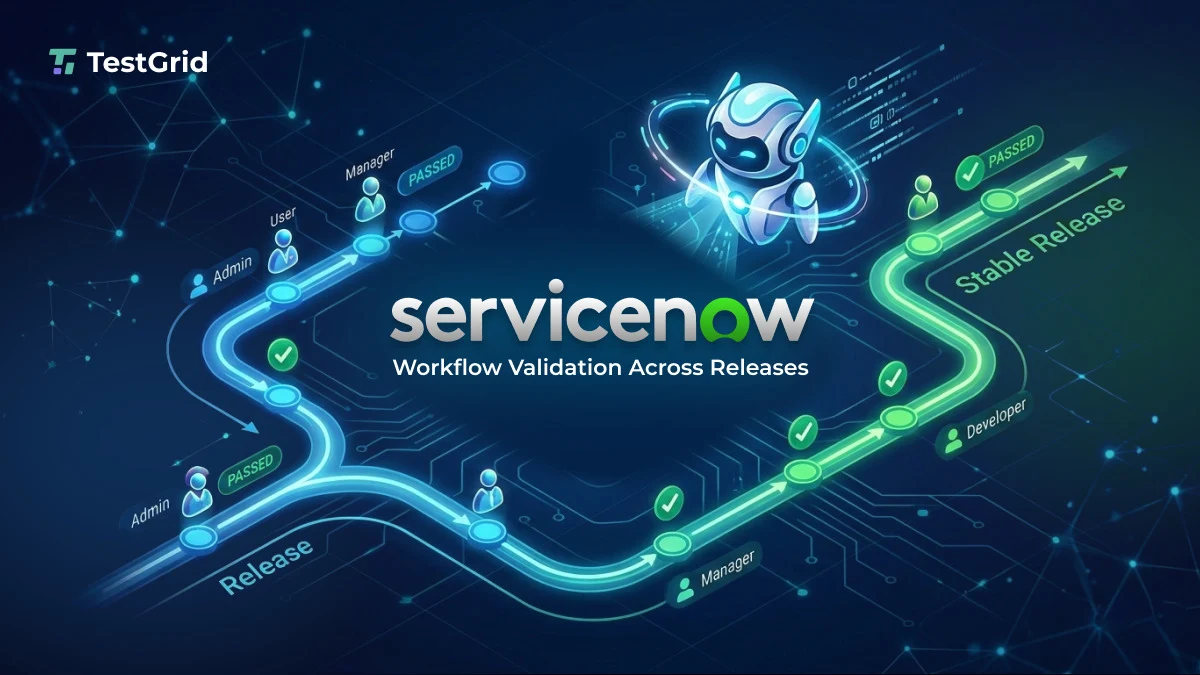
If your organization uses ServiceNow for procurement, finance, HR, IT, or ERP workflows, you’ll agree with one thing: platform releases that modify configurations, business logic, or data schemas often modify workflow outcomes.
The worst part is, many of these changes don’t produce visible UI errors. Instead, they affect automation behavior, access control, and downstream data.
Your responsibility across releases is to verify that defined business workflows continue to execute according to approved requirements. This includes validating state transitions, approval routing, role permissions, integration triggers, and data integrity.
In this blog, we learn to test ServiceNow workflows across releases using structured change impact analysis and role-based execution.
Make ServiceNow testing effortless with CoTester. Request for a free trial today.

TL;DR
- ServiceNow releases frequently alter workflow behavior through configuration, ACL, schema, and integration changes that do not surface as UI errors.
- Approval routing, state transitions, and downstream data integrity can fail silently when validation stops at the form level.
- Release-grade regression requires versioned workflow baselines tied to update sets and explicit change impact analysis before execution.
- Workflows must be executed under real role identities and validated at defined checkpoints across each state transition.
- Deterministic assertions of state paths, integration triggers, and data outcomes prevent drift and provide defensible release evidence.
How ServiceNow Configuration Changes Break Workflow Behavior Across Releases
Degradation in your ServiceNow instance follows predictable patterns tied to how enterprise instances evolve over time. Let’s dive deep into this:
1. Conditional logic drift in Flow Designer and business rules
Your workflow behavior is heavily dependent on conditional evaluation across Flow Designer branches, business rules on insert and update, and Script Includes that compute derived values. That means a small change to any of these can silently alter execution paths.
For instance, think about what happens when a monetary threshold comparison changes, a field becomes part of a compound condition, a branch is reordered, or a new exception path is introduced. Sure, the workflow still runs.
But the resulting state progression differs from what was originally approved. Without explicit condition validation across representative data sets, including edge cases like boundary values and compound conditions, these changes won’t be caught until a real transaction hits them.
2. Role and ACL reconfiguration over time
You’ve probably seen this: a role that had approval authority last quarter quietly loses it after an ACL tightening. A security team locks down field access. A department reorganization shifts responsibilities.
None of it shows up as a breaking change until someone hits a stalled approval or a blocked field in production. The problem is compounded by how most regression suites run. Your tests are probably executed with elevated privileges.
But production execution happens under constrained roles. When validation doesn’t replicate real role boundaries, access-related failures only surface after release, typically by the first user who actually tries to use the workflow.
3. Configuration-driven data model changes
Your admins regularly add mandatory fields, modify reference relationships, change default values, and introduce new validation scripts.
These changes can alter field requirements, reference relationships, and validation logic in ways that UI-level testing doesn’t fully validate at the workflow and downstream data level.
For instance, a workflow may complete form submission successfully while downstream automation, integrations, or derived field logic produce incomplete, incorrect, or inconsistent data due to configuration or schema changes.
Submission success is not the same as data integrity. If your ServiceNow testing stops at the form level, you’re missing everything that happens after.
4. Integration contract evolution
Your ERP workflows probably trigger external systems through REST integrations, middleware connectors, and event-based messaging.
And those integration contracts change over time with new required payload attributes, schema updates, authentication adjustments, error-handling modifications.
If your regression validation doesn’t assert outbound payload structure and response handling logic, integration failures stay latent.
They come up days later when a downstream reconciliation process flags a discrepancy. Unfortunately, by which point the root cause is difficult to isolate and even harder to explain to stakeholders.
5. Platform upgrades and engine-level changes
ServiceNow upgrades may introduce updates to UI components, scripting engines, APIs, and Flow Designer behavior.
Platform upgrades may introduce changes to supported APIs, scripting engine behavior, or Flow Designer execution that affect workflows relying on deprecated functionality or undocumented implementation patterns.
Without deterministic validation of state transitions and downstream artifacts, these shifts are difficult to attribute and easy to miss until they cause a real problem.
How to Deploy A Release-Grade ServiceNow Workflow Validation Model
Validating workflows across releases requires discipline in how you define, execute, and approve process behavior. The model has to operate at the level of state transitions, roles, and data outcomes, not screens.
1. Version workflow definitions against releases
Every critical workflow should have a defined and traceable configuration baseline tied to a specific update set, application version, or release deployment. Consider a procurement workflow in ServiceNow:
- A requester submits a purchase request
- If the amount is below $10,000, it’ routes to the department manager
- If it exceeds $10,000, it routes to both the department manager and finance controller
- Once approved, it generates a purchase order record and sends a payload to an external finance system
Example: ServiceNow procurement workflow validation matrix
| Scenario ID | Workflow Variant | Executing Role | Condition Triggered | Expected State Path | Integration Trigger | Data Assertions |
| PR-01 | Low value request | Requester | Amount < 10,000 | Draft → Submitted → Approved | No Finance Approval | PO not generated |
| PR-02 | High value request | Requester | Amount ≥ 10,000 | Draft → Submitted → Manager Approved → Finance Approved | Finance API call triggered | PO generated with correct cost center |
| PR-03 | ACL restricted case | Finance Controller | Field edit denied | Manager Approved → Stalled | No outbound API | Approval blocked with permission error |
This configuration includes approval conditions, role assignments, state transitions, and integration triggers, and should be traceable to specific update sets, change requests, or application version history.
If a later release increases the threshold to $15,000, that’s a version change in workflow behavior. Your validation baseline needs to be updated explicitly.
If the threshold changes in configuration but your validation still expects $10,000, you have misalignment. If it changes silently and validation doesn’t assert it at all, you have undetected drift and no way of knowing.
2. Run change impact analysis before regression
Before running regression, review what changed in the release and map those changes to specific workflows. Consider it a structured exercise in tracing configuration changes to execution paths.
For example, a Flow Designer update modifies the condition that determines high-value approvals. An ACL update restricts finance users from editing certain fields. A new mandatory field is added to the catalog item form.
Each of these changes affects your procurement workflow.
That way, you can identify that the procurement workflow needs to be executed under both low-value and high-value scenarios, and under requester and finance controller roles. That makes validation intentional rather than procedural.
3. Execute under a real role matrix
Let’s take an HR onboarding workflow as another example to understand this better.
An HR administrator creates a new employee record. A hiring manager approves. IT operations provisions access. Payroll receives downstream data.
Your validation needs to execute the workflow under each of these role identities in sequence. If the hiring manager role loses approval permission due to an ACL change, the workflow stalls at the approval state.
If you’re running validation with an admin account, the workflow proceeds successfully and you’ve just masked a defect that will surface in production. Role-scoped execution ensures permission drift surfaces before release, not after.
4. Assert state and data at every critical transition
State validation needs to happen at defined checkpoints throughout a workflow. In the procurement example: after submission, the record should move from Draft to Submitted.
After approval, it should move to Approved and generate a purchase order record with the correct cost center and amount. If the purchase order is created but the cost center field is empty due to a mapping change, your workflow has failed even though approval succeeded.
Example: Expected vs observed state assertion
Scenario: High-value procurement request
| Validation Area | Expected | Observed | Result |
| Record State | Finance Approved | Manager Approved | Fail |
| Purchase Order Record | Exists | Not Created | Fail |
| Cost Center | 4100 | NULL | Fail |
| Finance API Call | Triggered | Not Triggered | Fail |
In the HR onboarding example, after final approval, a payroll record should exist with the correct employee identifier. If the integration payload omits a required attribute introduced in a recent release, you may not find out for days.
Asserting state and data outcomes immediately after each transition stops that pattern before it becomes the norm.
Implementing Deterministic ServiceNow Workflow Testing with CoTester
CoTester by TestGrid, an AI software testing agent, is built specifically for this level of ServiceNow workflow validation.
For starters, CoTester generates executable test cases directly from the artifacts your team already produces — user stories, change tickets, configuration updates, governance revisions. Instead of recording click sequences, you start from documented workflow intent.
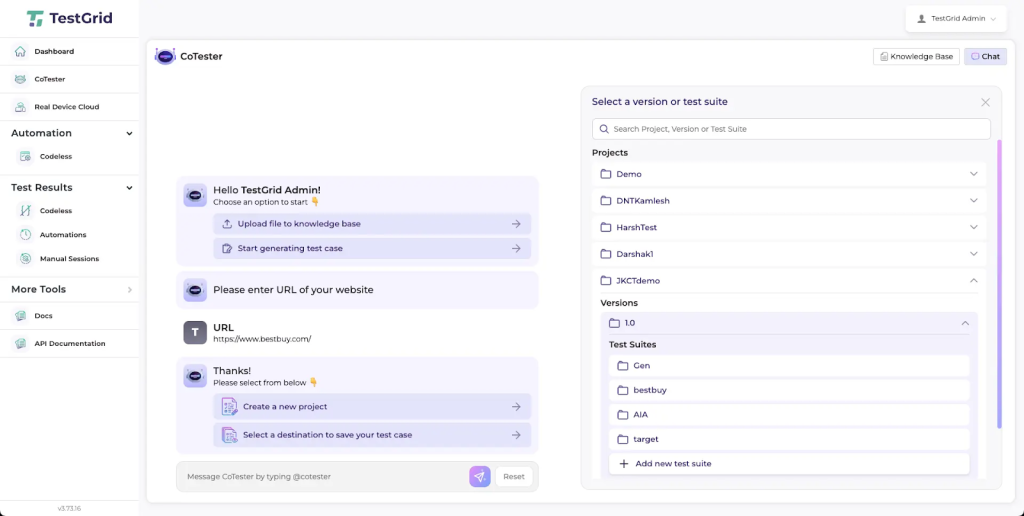
If a change request modifies procurement approval thresholds, CoTester generates updated tests reflecting the new conditional logic. Traceability between requirement and executed workflow stays intact across releases.
Next, CoTester executes tests in real browser environments using defined role identities. You can validate a procurement flow as a requester, manager, and finance controller in sequence.
If an ACL change prevents the finance controller from approving high-value requests, the workflow stalls during execution and the failure surfaces immediately under the correct role context, not an admin account.
CoTester applies a vision-language model (VLM) to resolve UI elements based on visual and structural context rather than brittle selectors.
When your form layouts change but workflow intent stays the same — a field moves, a label is updated, a section is reorganized — execution continues without requiring test rewrites. Your validation stays intact across releases without constant maintenance overhead.
CoTester lets you define checkpoints within a workflow where record state, field values, and derived data are validated. For integration-heavy workflows, you can assert that outbound calls occur and capture execution evidence including logs and screenshots.
After a procurement request is approved, for example, CoTester can validate that a purchase order record exists with the correct values before moving to the next step.
CoTester also integrates with CI pipelines and scheduled execution windows. After configuration deployment or before release windows, your defined workflow suites execute automatically.
That means execution evidence in the guise of logs, role identity, step-level outcomes is available for review and gives you a defensible record across every release.
Want to find out more?
Let CoTester help you test ServiceNow modules end-to-end – faster, smarter, and with zero flakiness. Request for a free trial today.
Frequently Asked Questions (FAQs)
1. What makes ServiceNow workflow regression different from UI regression?
Workflow regression validates state transitions, approval routing, role behavior, and integration outcomes, not just form submissions. UI success doesn’t guarantee correct downstream execution.
2. Why must ServiceNow regression run under real roles?
ACL and role changes can break approvals or restrict actions without visible errors. Testing under real role identities ensures permission issues surface before release.
3. How should integrations be validated during ServiceNow releases?
Regression should assert outbound payload structure, trigger timing, and response handling. Integration failures often appear only after release if not explicitly validated.


