CoTester 2.0 is LIVE! Your Always-Available AI Teammate for Testing.
- Automation Framework vs. Testing Platform: Where the Difference Starts
- How an Internal Automation Setup Becomes a Platform
- What Platform Ownership Adds to the Engineering Organization
- Why Platform Ownership Gets Harder Over Time
- When Buying or Blending Start to Make More Sense
- Simplify Testing Without Rebuilding Your Automation with TestGrid
When you decide to automate, you may start with a framework like Playwright. As your requirements expand, you add other capabilities around it.
You first run your tests, then connect them to CI/CD, create reports, increase device and browser coverage, and integrate with other systems like test management, issue tracking, collaboration, and version control tools.
Over time, however, the thing your team maintains has changed. What started as an automation setup now has shared infrastructure, integrations, compliance requirements, support requests, and its own engineering backlog.
The question is, does your organization want to take responsibility for the testing infrastructure? We’ll discuss that in this blog.
Enhance your test automation with TestGrid. Request a free trial.
TL;DR
- A framework helps you create and execute automated tests; a platform manages the shared infrastructure and controls around them
- Your automation framework may unintentionally become a platform as more teams, tools, and infrastructure depend on it
- More browsers, devices, integrations, and governance mean more components for your team to maintain
- Buying a testing platform can make more sense than building in-house when maintaining the growing testing infrastructure starts consuming too much of your engineering effort
Automation Framework vs. Testing Platform: Where the Difference Starts
An automation framework gives your team the tools they need to create and execute automated tests. Let’s think of Playwright as an example. It supports web automation and helps you run tests locally or through CI, get execution results, and investigate failures.
This covers a large part of automation that’s needed for web applications.
A testing platform, on the other hand, has a broader responsibility.
It supports the systems around automation, including execution infrastructure, browser and device access, historical results, test management, access controls, governance, and ongoing maintenance, so your team can test consistently across environments.
The difference between the two is that the former automates tests and the latter makes those tests available, controlled, and maintainable.
Also Read: Guide to Software Test Automation: Frameworks, Tools, and Best Practices
How an Internal Automation Setup Becomes a Platform
The change typically happens one requirement at a time, with the common flow looking something like the following:
Phase 1: You begin with an automation framework
For straightforward web UI automation, you might start by creating tests with Playwright, executing them, and connecting the suite to the delivery pipeline.
Your team soon realizes it needs more reliable execution; therefore, CI capacity, dependencies, credentials, test data, network access, scheduling, concurrency, retry rules, and environment configuration become part of the setup.
Phase 2: Reporting becomes important
Your team should be able to immediately understand why a test failed, which environment produced the result, whether the same failure has happened before, or if the issue relates to an existing defect. For that, your team might need a record of requirements, test cases, automation versions, execution environments, results, and defects.
Phase 3: Your coverage expands
You may need more browser and operating system combinations to test your web apps.
Release requirements might call for additional browser and operating-system combinations, including Safari on macOS or cross-platform coverage from Windows-based development environments. This can create additional infrastructure requirements.
Phase 4: Mobile testing can add complexity to the testing architecture
If you’re testing native Android and iOS apps, you’ll need dedicated mobile automation frameworks like Appium and access to suitable devices. Your test scope broadens because you may need to validate device-specific behavior such as biometrics, cameras, and gestures, along with behavior under different network conditions.
Phase 5: Other systems need to connect
Other systems that support the testing workflow, such as issue trackers, test management tools, CI/CD systems, databases, and communication platforms, might also need to connect. Each of these integrations has its own authentication, configuration, monitoring, and update requirements.
At this point, your team has a lot more to maintain than just automation scripts.
It now has to support internal users and manage infrastructure, security requirements, integrations, browsers and devices, support requests, platform upgrades, feature requests, and an engineering roadmap.
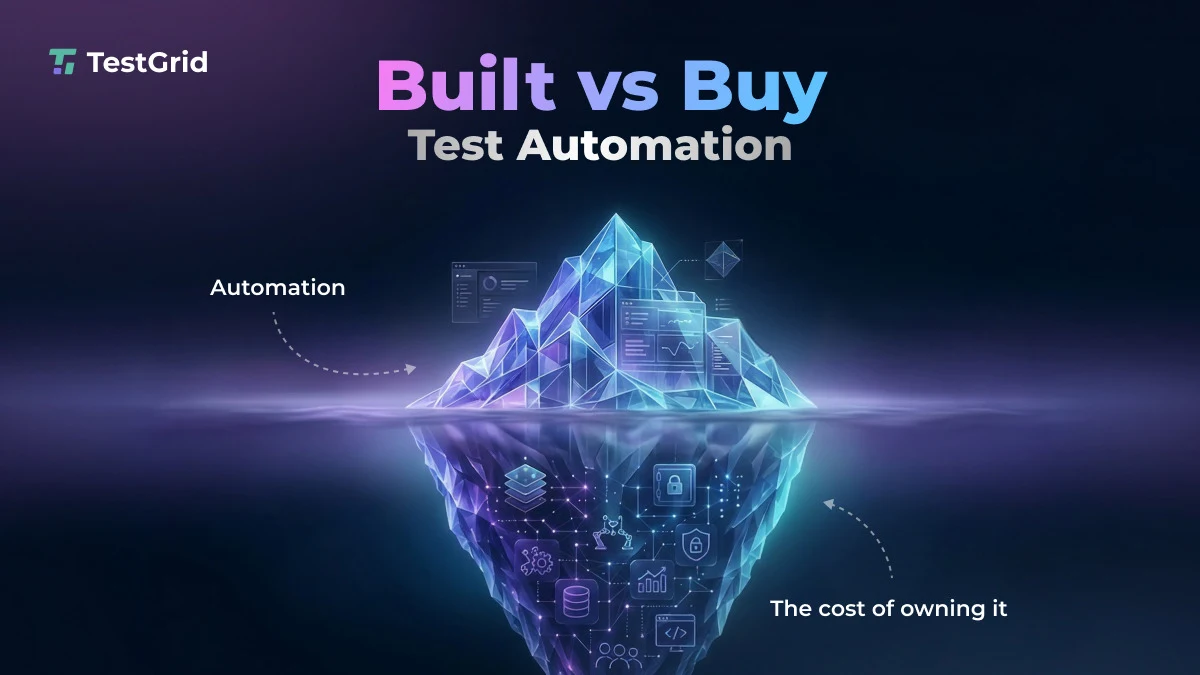
This is what we call “accidental platform ownership.” You may never have approved a “testing platform project,” but you still end up responsible for one because each of these local improvements becomes part of your shared testing system.
Learn More: Why Engineering Teams Should Stop Managing Their Own Test Infrastructure
What Platform Ownership Adds to the Engineering Organization
When cross-functional teams like QA, development, DevOps, and product teams depend on the same testing system, your responsibility extends beyond just automation maintenance. This can include three key areas:
1. Decide how the platform evolves
This can include answering questions like:
- Which browser and device environments should the platform support?
- Which integrations should you update and maintain?
- How should user access across the organization work?
- How should generated or modified test logic be reviewed and approved?
2. Make security part of the operating model
Security is another important area. When teams across your organization use the testing system and workflows, proper management and safeguarding of shared credentials, test data, network access, audit history, permissions, and approval processes become more important.
3. Treat support as an engineering activity
If your release pipeline fails because the testing infrastructure is unavailable, you need to investigate that. When a browser update affects the suite, you must respond. When a team needs a new integration or environment, that request needs assessment and prioritization.
Why Platform Ownership Gets Harder Over Time
Your internal testing platform continues to change. Maintenance requirements grow as applications evolve, new browsers, devices, and operating systems enter the release matrix, test data changes, APIs introduce new versions, and security requirements become stricter.
Even if you incorporate AI, that doesn’t remove this responsibility. AI might enable you to minimize the engineering effort required for some implementation and maintenance tasks. However, you still own each component for as long as your teams depend on it.
So, platform ownership isn’t a one-time decision. It’s an ongoing maintenance process. Now, internally building and owning a testing platform is easier if you have a focused app with a limited browser matrix.
But if you have a large product portfolio spanning web, native mobile, physical devices, several engineering teams, and formal governance processes, then you should know what you’re committing to maintain.
Also Read: Why Your Test Suite Is High Maintenance (And How to Make It Self-Sustaining)
When Buying or Blending Start to Make More Sense
An internal testing platform may remain manageable when you have a focused application, a limited browser matrix, and clear engineering ownership.
The decision becomes more complex when your product portfolio spans web and native mobile applications, physical devices, several engineering teams, and formal governance requirements.
At that point, reassess your build vs. buy decision. Look at the full responsibility your team carries today, then ask whether maintaining that capability creates enough strategic value to justify the engineering ownership.
If your team needs shared reporting, traceability, controlled access, formal approval, and integrations across the SDLC without the overhead of constant maintenance, then buying a testing platform can help you transfer a meaningful portion of the infrastructure and maintenance responsibility to a vendor.
In fact, you might even benefit from a blended approach where your team keeps proprietary test logic, workflows, or app-specific components and passes off execution infrastructure, devices, reporting, governance, or other shared capabilities to an external vendor.
Simplify Testing Without Rebuilding Your Automation with TestGrid
If you already use automation frameworks like Playwright, the question is whether your team also wants to maintain the testing platform around that automation.
TestGrid is an AI-native end-to-end software testing platform that works with existing automation workflows and provides the infrastructure and capabilities required to execute and manage testing across teams and environments.
You can run your existing automation scripts across real browsers and devices hosted in the cloud or on-premises. This means your team doesn’t need the burden of maintaining in-house device labs.
Other than this, the platform offers capabilities like mobile testing, codeless automation, test case and test data management, AI-assisted test generation, reporting, API testing, scheduling and orchestration, and support for integrations with CI/CD, collaboration, test management, and issue tracking systems.
TestGrid also takes care of your test infrastructure, execution environments, data, and artifacts with independently audited controls, customer-controlled environments, and strict physical isolation.
It keeps your data encrypted, applies the principle of least privilege access, monitors your systems 24/7, and has a dedicated team to help address cyber incidents.
Explore TestGrid and see how it fits your automation workflow. Request a free trial today.