CoTester 2.0 is LIVE! Your Always-Available AI Teammate for Testing.
- Why Is Converting Manual Tests to Automation Scripts Important?
- How to Convert Manual Tests Into Automated Scripts
- How Can CoTester Help Convert Manual Test Cases Into Automated Scripts?
- Wrapping Up
- Frequently Asked Questions (FAQ)
- What are the steps to migrate my manual tests to automation scripts?
- Do I need strong programming skills to convert manual tests to automation scripts?
- How can I automate my existing manual test cases?
- What happens if my application UI keeps changing? Will the automated scripts break?
- What are the challenges of transforming the test cases from manual to automation?
If you’ve spent hours validating the same login flow, waited days for regression test results, or been stressed out by the number of tests you need to execute within tight deadlines, you already know how essential automation is.
In this day and age, it’s the logical next step for enhancing engineering velocity in ways that manual testing simply cannot. Moving from manual test cases to automation scripts can be overwhelming. What you need is a structured process to automate the right tests and build an automation test suite that aligns with your development workflows.
This is what we will discuss in this blog.
Exploring AI-assisted automation? Request a free trial of CoTester.
TL;DR
- Converting manual tests to automation scripts helps teams scale and accelerate QA, find defects earlier, and improve app performance via repetitive quality checks
- For automating manual test cases, prioritize critical tests, structure tests for automation, choose an automation tool, integrate with CI/CD pipeline, and iterate
- Choosing the right automation tool depends on your app type, team skillset, scalability needs, and CI/CD ecosystem
- AI can help in automation from existing manual tests by generating tests faster via natural language inputs and self-healing tests to reduce maintenance
Why Is Converting Manual Tests to Automation Scripts Important?
Testing can be time-consuming and tedious, especially if you have to manually execute every test. Here’s why automating manual test cases is critical:
1. Manual testing slows down release cycles
Since manual testing heavily depends on human effort, for every new feature, bug resolution, or UI change, testers have to repeat the same steps.
This makes the testing process slow and almost impossible to scale when your app grows. Plus, manual testing increases the risks of missing defects when teams are trying to ship updates faster.
2. Automation ensures consistent, repeatable quality checks
In manual testing, interpretations and results may differ across testers. Automating manual test cases eliminates this variability by executing the same test steps and validations every time. This helps you frequently run regression tests and validate behavior across all app workflows.
3. Helps teams grow QA coverage
User scenarios expand as you add more features and upgrades to your app. Automation supports this growth without necessarily increasing the headcount by enabling parallel execution, reusable components, and data-driven tests.
You can test more functionalities in less time and release the app across multiple platforms
4. Enables shift-left testing and earlier bug detection
Automating manual test cases helps you start testing much earlier in the development cycle. You can execute tests after every commit and catch defects before they become complex and costlier to fix. Plus, early feedback helps your developers resolve issues faster, reduces rework, and improves product quality.
How to Convert Manual Tests Into Automated Scripts
Here is a step-by-step process you can use to replace manual test execution with automation.
1. Prioritize your manual test cases
First, find out which test cases you’re currently executing manually that can be automated. Focus on test cases that are repetitive or frequently executed. These can be regression tests, API tests, or smoke tests.
Prioritize tests based on execution frequency, risk impact, and critical user flows. This helps prevent the automation suite from becoming unmanageable.

| Best practice After you assess which tests to automate based on risk, repeatability, business impact, and maintenance cost, categorize them into “automate now”, “automate later” or “keep manual”. And review this prioritization every sprint so your automation aligns as your app evolves. |
Also Read: How to Write Effective Test Cases
2. Prepare tests for automation
Next, prepare for automating manual test cases by restructuring and refining their logic. Manual tests often have subjective steps such as “verify visually that the UI looks correct” or “check if the alignment is right. This cannot be automated directly.
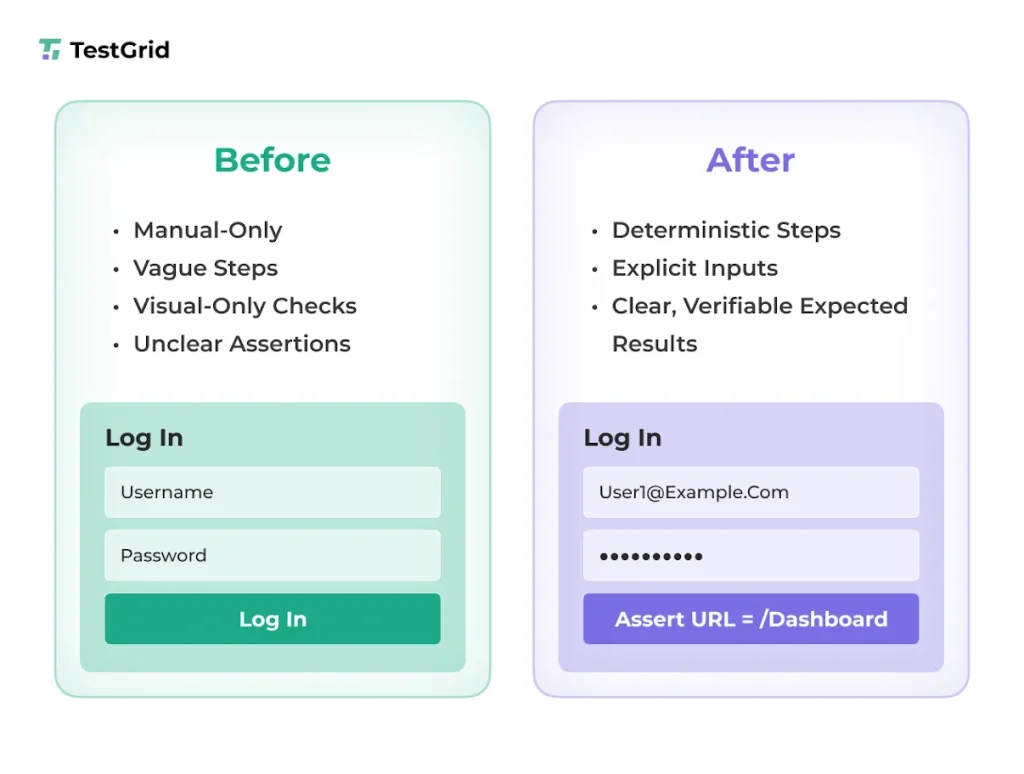
You need to write proper steps, standardize test data, define expected outcomes, and identify reusable components.
Let’s say there’s a requirement to sign in to an internal web application. You can use the following format to structure your test case for automation:
| Pre-Condition | Test Steps | Test Data | Expected Result |
|---|---|---|---|
| Application URL is available | Launch the selected browser and open the application URL | URL: https://app.example.com | The Login page is displayed |
| The Login page is visible | Enter a valid username in the Usernamefield | Username: test.user@example.com | Username is accepted |
| Username entered | Enter a valid password in the Passwordfield | Password: ******** | The Password field accepts input |
| Credentials entered | Click the Sign In button | NA | User is authenticated successfully |
| User authenticated | Verify post-login landing page | NA | User is redirected to the dashboard or home page |
With this structure, you can now use an automation tool to convert manual tests into automated workflows.
| Best practice Break large workflows into modular test scenarios to simplify script creation. Refactor your test cases using clear preconditions, deterministic steps, and measurable assertions. Also, maintain a test data sheet in the form of Excel, CSV, or JSON so that if test data changes you can simply update the sheet, not the code. |
Also Read: Guide to Software Test Automation: Frameworks, Tools, and Best Practices
3. Choose tools or frameworks for automation
This step is critical because it will directly influence how you scale testing, how stable your test scripts remain despite app changes, and the overall efficiency of your team in building and maintaining tests. So, before you pick an automation tool, consider these questions:
- Does the tool support the type of apps you’re testing (web, mobile, desktop)?
- Does it provide integration support for your testing CI/CD pipelines?
- How scalable is the tool for parallel, cross-browser, and cross-device executions?
- Is it easy to maintain scripts and reuse test assets with the tool?
Selecting the right tool ensures your automation suite aligns with your testing goals and supports your team’s productivity.
| Best practice To assess if a tool fits your testing flow, you can opt for free trials and check for integration support, locator stability, execution speed, reporting features, and CI pipeline compatibility. Compare the tools based on budget, onboarding complexity, and long-term payoff, and then finalize your decision. |
Know More: Test Automation Frameworks – The Complete Guide
4. Translate manual steps into automation scripts
Now that you have structured your test cases, you need to convert them into executable automation scripts.
For this, you can map each manual action, such as clicking a button, switching between pages, or entering text into corresponding automation commands in the tool you’ve selected. The goal is to write automation code that reflects how users interact with the apps.
| Best practice To optimize automation, you can follow design patterns like Page Object Model or Screenplay to abstract UI interactions and minimize duplication. Also, validate every script output against clear assertions to ensure reproducible results across environments. |
5. Integrate into your testing lifecycle
Next, you have to integrate the automation scripts into your CI/CD pipeline so that automated tests run consistently after every code commit, pull request, and build deployment.For this, you have to configure your automation framework to run inside the CI/CD tools you use (Jenkins, Azure DevOps, CircleCI, or GitHub Actions). Proper CI/CD integration leads to faster feedback, defect detection, and releases.
| Best practice You can use containerized environments via platforms like Docker to ensure consistent execution, store reports in a centralized location to improve visibility, and set up notifications so teams can act swiftly on failures across pipelines. |
6. Maintain and iterate your automation suite
As your app expands, locators, workflows, APIs, and business rules also change. So, your automation suite must be able to adapt accordingly. And to ensure this, you must continuously update test data, maintain scripts, review flaky tests, and eliminate scripts no longer relevant to your app workflows.
Make sure you regularly update test scripts so they don’t break when UI changes. Build reusable components and leverage test runners so you can extend your automation suite efficiently across multiple environments without increasing maintenance complexity.
| Best practice Implement periodic cycles to clean up brittle test scripts, improve locator strategies, and remove redundant scripts. Also, track test failure patterns to identify root causes, prioritize fixes and enhance test stability. |
How Can CoTester Help Convert Manual Test Cases Into Automated Scripts?
You begin with a user story. It can come directly from JIRA or from a requirement document. At this stage, nothing is automated. You’re working purely with functional intent and acceptance criteria.
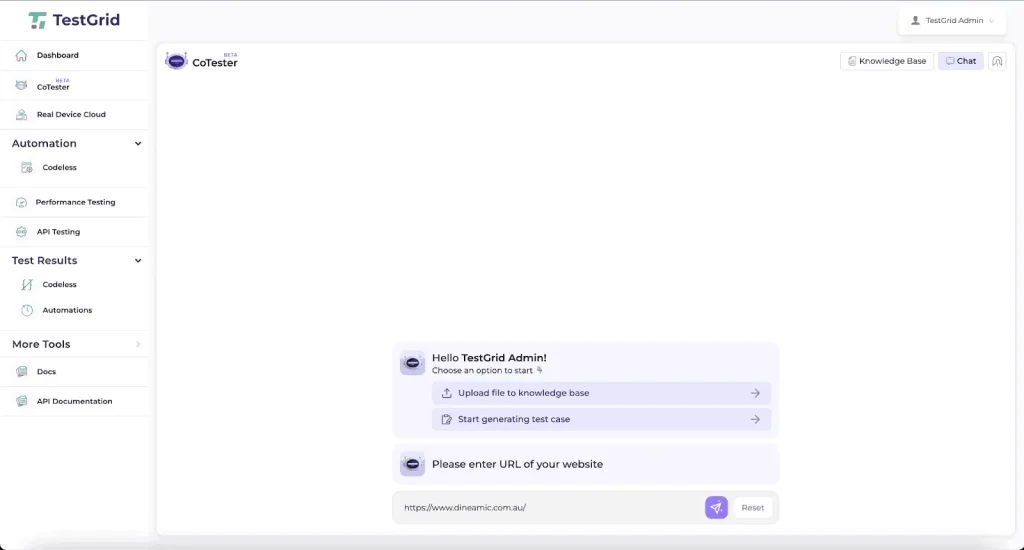
From this input, CoTester generates a structured manual test case. You see clear test steps, expected outcomes, and validation checkpoints. This is not automation yet. This is your executable manual test design.
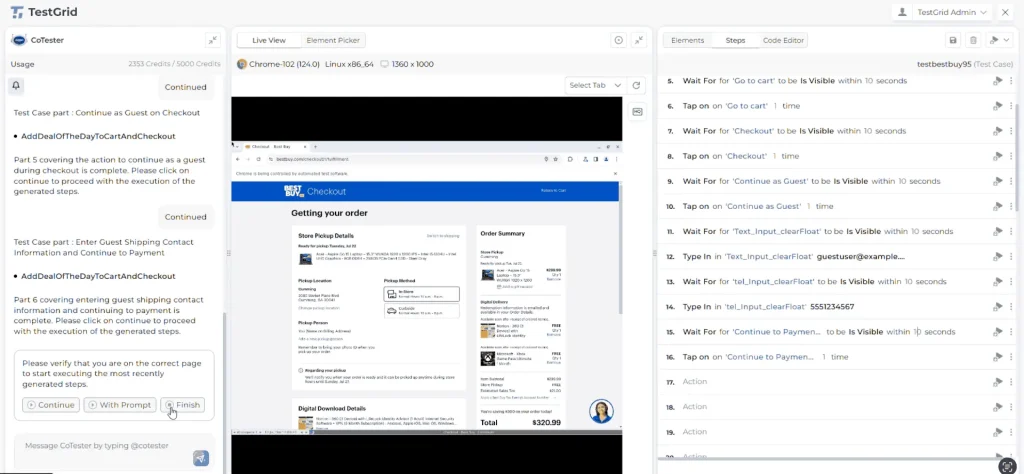
You review these steps, edit logic where needed, add edge conditions, and align the test with how the feature is actually supposed to behave.
Once the test reflects the correct business flow, you execute it manually. You run it on a browser in a real environment, follow each step, and observe the system response.
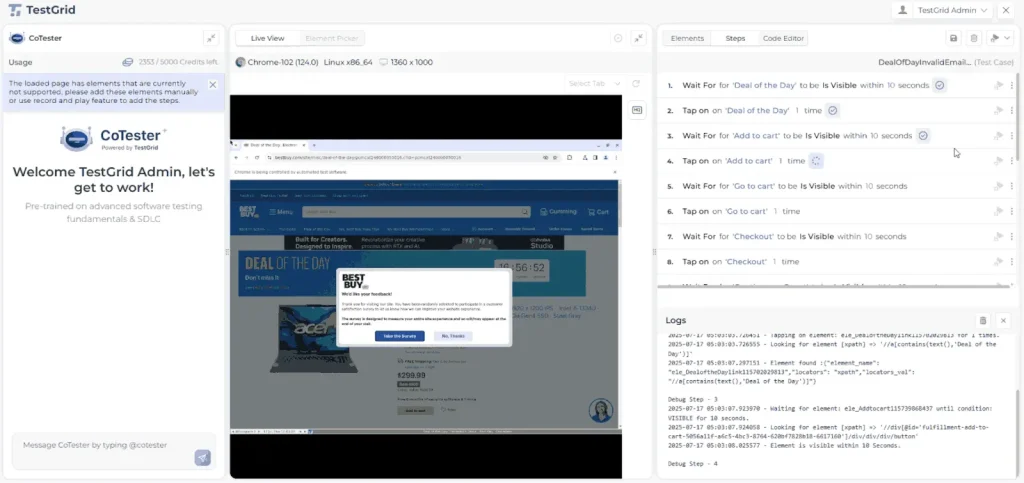
If the behavior deviates, you mark the failure and log a defect with execution evidence. At this point, the manual test is no longer just a design artifact. It has been actively validated.
Only after a manual test proves stable do you move it into automation. This is a deliberate decision.
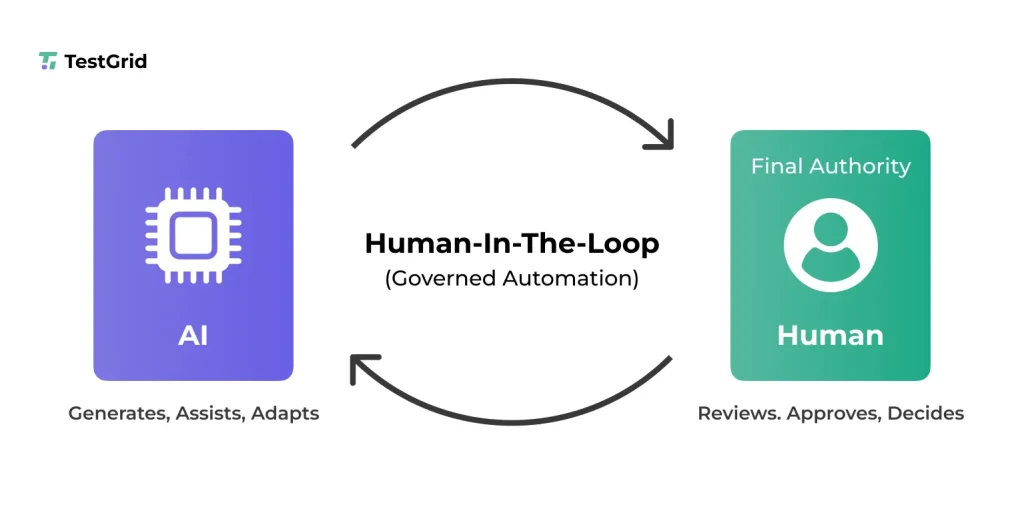
CoTester lets teams review and validate manual test cases before converting them into automation. Automation is initiated on demand, not by default, giving teams control over when a test is ready to scale. This keeps automation aligned with real business flows.
When you convert a manual test into automation, CoTester translates the same approved steps into executable automation logic. The sequence, validations, and intent stay exactly as you defined them during manual execution.
After conversion, you can:
- Execute the same test repeatedly across releases
- Run it across multiple environments
- Apply it across browser and mobile execution layers
- Expand one validated flow into multiple automated instances
- Monitor execution with full logs, screenshots, and failure context
Also Read: AI Testing Explained: Tools, Trends, and What QA Teams Need to Know
Wrapping Up
Switching from manual test cases to automation scripts is not something you do one time. It’s an ongoing process. The more your app changes and grows, the more you’ll have to refine your scripts and adjust your automation strategy to keep tests stable and relevant.
Remember, choosing the right automation tool is extremely important. Otherwise, automation can become more of an overhead and add unnecessary complexity to your testing workflow.
Want to see how validated manual tests scale into automation within your workflow? Request a free trial of CoTester.
Frequently Asked Questions (FAQ)
What are the steps to migrate my manual tests to automation scripts?
To migrate your manual test cases into automation scripts, identify the tests you need to automate, restructure them into repeatable steps, select an automation tool, script interactions, and embed the tests into your continuous delivery pipeline to consistently execute your tests.
Do I need strong programming skills to convert manual tests to automation scripts?
Programming knowledge can help you write automation scripts for your manual test cases using frameworks like Selenium, Appium, and Cypress. However, there are many AI-powered automation platforms like TestGrid that help you generate tests using low-code or no-code interfaces and even via record and play methods.
How can I automate my existing manual test cases?
You can automate your existing manual test cases by translating each test’s intent into scripted actions using an automation framework. For this, define clear interactions, verify expected outcomes, and organize scripts for reuse and maintainability. Now you can integrate these scripts with your CI pipeline for automated execution.
What happens if my application UI keeps changing? Will the automated scripts break?
Automation scripts can be fragile and can break if your app’s UI undergoes frequent changes. However, AI agents like CoTester adapt as your app evolves and auto-heal test scripts so they remain stable no matter how your UIs change.
What are the challenges of transforming the test cases from manual to automation?
Some of the main challenges you might face include selecting the right tests for automation, automating an entire app, as it can take a lot of time, planning, and monitoring, updating scripts after every code change, and choosing the right automation framework that helps scale testing and reduce maintenance.