CoTester 2.0 is LIVE! Your Always-Available AI Teammate for Testing.

- What is DevOps Testing?
- How Testing Works in the DevOps Pipeline
- Continuous Testing
- Types of Testing in DevOps
- Essentials of a DevOps QA Testing Strategy
- Criteria for Selecting the Best DevOps Software Testing Tool
- Best Practices for DevOps Test Automation
- Benefits of DevOps Testing (Test Automation in Particular)
- Start Your DevOps Testing Projects with the Right Tool for Real Success
- The Apple App Store has 1.96 million apps available for download.
- There are 1.68 million app users who can download fromthe Google Play Store
- Uninstallation rates, especially for Android apps, are almost always high, ranging from 46.76% in the USA to 65.3% in Argentina.
In light of these stats, it’s obvious that releasing a successful app (be it mobile or desktop) will be more difficult than ever before in 2024. It requires insightful market research, skilled developers, smart testers, tailored toolsets, and the utilization of the best testing practices.
This article will expand into the last, specifically, it will explore the protocols and practices involved in DevOps Testing. As one of the most successful and widely adopted testing practices in software-driven tech, it is an essential element of every modern SDLC (software development lifecycle).
What is DevOps Testing?
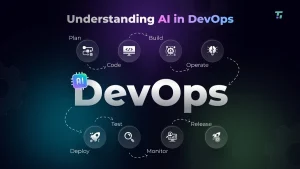
DevOps testing is the practice of integrating testing into every stage of the DevOps lifecycle, including planning, coding, building, testing, releasing, deploying, operating, and monitoring. It evolved as teams moved beyond early Agile methods, where development, QA, and operations worked in silos and slowed down releases.
With DevOps, cross-functional squads, shared ownership, and continuous testing replace the old handoff model. QA becomes a core part of the pipeline from day one, working alongside developers and ops instead of acting as a separate checkpoint.
By combining development and IT operations, teams achieve faster feedback loops, automated quality gates, CI/CD pipeline integration, real-time monitoring, infrastructure-as-code testing (IaC testing), and scalable cloud-native test automation. This shift not only accelerates delivery but also drives improvements in reliability, test coverage, and release consistency across environments.
How Testing Works in the DevOps Pipeline
Generally, development and testing teams require the following elements to implement DevOps in their projects:
Test Automation Architecture
Test automation is central to DevOps testing. For development, testing, and Ops teams to work together efficiently. Processes like CI/CD cannot be manually executed, and manual testing cannot identify all the bugs in layered code, especially within restricted timelines.
Additionally, modern software requires hundreds (if not thousands) of code changes before hitting the production stage. Manual testers cannot check code validity after every change; only automation testing tools can. Software also needs to be testing multiple real browsers, devices and OSes before meeting delivery standards – another activity that must be automated, at least partially.
In other words, to implement DevOps testing, your team must acquire automation tools specifically tailored to this form of test strategy.
Continuous Integration (CI)
Simply put, CI is a process in which every code change triggers an automatic deployment to a build server. The new code is subjected to a series of predetermined automated tests, assuring early bug detection and minimal code integration issues.
Continuous Delivery/Deployment (CD)
Continuous Delivery and/or Deployment takes the code that CI has pushed to the main branch after validating with automated tests, and preparing/triggering the code to production.
Once the code passes CI, it should automatically be delivered to a test environment that mimics the prod environment. The test environment must also automatically be refreshed to ensure 100% pristine results.
Once the code passes the test stage, it should be deployed to a staging setup, in preparation for deployment. This is continued delivery and generally offers the final layer of quality assurance for software in a DevOps ecosystem.
If the DevOps pipeline is set up to automatically deploy the app to production (without final human approval), the protocol is called Continuous Deployment.
Note: Ensuring that the source code migrates from server to server with it’s built intact is generally considered the task of Ops teams. However, DevOps requires devs and Ops personnel to work in tandem, plan the process, and deploy the Infrastructure as Code (IAC) required for efficient DevOps testing.
Continuous Testing
For DevOps testing to yield optimal results, the builds must go through a set of rigorous automated tests at multiple points in the pipeline. In other words, the code is continuously tested.
For example, integration tests work within the build server, functional and regression tests work within the test server, and deployment testing provides a layer of final verification within the staging server. Each test layer serves to prevent faulty code from moving forward to the next step. Builds must pass all tests to advance to the next stage.
Note: Teams with resource constraints may not be able to implement every type of test right from the first project under DevOps principles. Test automation is usually an incremental process, with QAs starting by automating whichever tests they can.
Start by applying automation to critical and complex areas of software functionality.
Continuous Monitoring
Once the app is published, the team must monitor its performance with real end-users to determine its success. Continuous Monitoring is the practice of tracking a released app’s performance, error rate, resource consumption, related report tickets, and so on. The idea is to use monitoring tools and collect analytics data that reflect the app’s true success/failure.
Environment Provisioning (IaC & Test Environment Automation)
All DevOps pipelines are somewhat resource-intensive due to the dominance of automation processes. To manage said resources and prevent abrupt pauses in coding/testing, teams must perform continuous resourcing – tracking, re-allocating, and preserving computing resources (memory, server space, documentation banks, etc.) whenever required and/or possible.
Even in a basic DevOps setup, teams will have to manage resources for:
- Integration testing
- Functional testing
- API testing
- Exploratory testing
- Regression testing
- Compatibility testing
- Security testing
- Acceptance testing
- Deployment testing
… at the very least. Once again, efficient resource management requires buy-in from the dev and operations teams.
Types of Testing in DevOps
- Unit Testing: Developers test isolated units of code, as functions independent of external influences, databases, and configurations. This is the first layer of testing, performed by devs before pushing builds to integration.
- Integration Testing: Integration tests check if different software components/modules are logically integrated. It is the first step in testing system compliance by validating how different modules work in combination.
- Regression Testing: These tests verify if any bug fixes or code changes have tampered with existing functions. Automated regression tests can be run after each code change to quickly find and eliminate issues introduced by said changes.
- End-to-end Testing: These tests validate software performance and functionality by simulating user actions and checking corresponding app responses. The goal is to ensure that the entire app works exactly as expected by end-users.
- Exploratory Testing: This involves testers “exploring” an app/website from the user’s perspective. The intent is to ferret out any bugs users might find, even when casually using the software in question.
Essentials of a DevOps QA Testing Strategy
If your team is just starting to implement DevOps test automation, consider the following steps:
- Understand that complete or even partial test automation will take some time and effort. Start by deciding which software areas require automation for the first project.
- Select tools designed to integrate with DevOps pipelines and follow DevOps principles.
- Realize that not all tests can be automated. Only the ones with repetitive user actions and values, such as regression tests.
- When building the team, clearly define roles such as Automation Lead.
- Establish clear, understandable processes for designing and maintaining tests as well as analyzing test results.
- Include testers early in the development pipeline. They should be present in the discussion right from the brainstorming stage.
- Expect things to go wrong. Your team will have to continuously review the effectiveness of tests and optimize for efficiency on the go.
When setting up a DevOps testing pipeline, keep an eye on the following:
- Identify test cases to be crafted for each build, and automate them first.
- Start with unit tests, as they are faster and more reliable.
- Focus end-to-end tests on end-user test scenarios.
- Choose a testing tool that enables parallel testing and compatibility testing.
- Ensure that errors and bugs are examined by the same developers who designed the code. This helps provide better context and accelerates bug resolution.
- Build harness tools to support test cases that cannot be immediately automated.
Criteria for Selecting the Best DevOps Software Testing Tool
The best DevOps test plans in the world won’t count for much if teams do not have the right tools for the job. When choosing a tool for test automation in DevOps, look for the following features:
- Must be compatible with your team’s existing tech stack and staging/testing environments.
- Must be easy to learn and use. Any tool with a steep learning curve will cause unnecessary delays in the pipeline.
- Must support programming languages that your team already prefers. Learning new languages is another unnecessary time sink.
- If you’re in a serious time crunch and have the budget to spare, consider a tool with a professional services and support team – ideally live support. They will be able to help with setup and a few initial test runs.
- Must be scalable; expect your testing requirements to grow exponentially once you start with CI/CD development.
- Should be able to integrate with other frameworks for test management, monitoring, recording, report generation, and so on. For instance, the tool should be able to integrate with bug tracking tools like Jira.
- Should have features dedicated to promoting collaboration between teams.
- Should be able to generate insightful and informative test reports accessible to all project stakeholders.
- Must be manageable within your team’s budgets. Most paid tools carry licensing and support costs. Open source tools like Selenium are quite popular, but require some level of technical expertise.
Best Practices for DevOps Test Automation
- Aim to test frequently and as early as possible.
- Prioritize comprehensive and quality test reporting as it facilitates smoother collaboration.
- Aim to invest some resources into hiring skilled test automation engineers. You can also choose to invest in the upskilling of currently employed testers, but be aware that it will take time and budgetary allocations.
- Put some effort into fostering the mindset of collaboration between teams, if it doesn’t already exist. Developers, testers, and Ops personnel should have an instinctive understanding of the fact that they must work together to deliver the best possible product.
- Don’t over-automate tests that require some manual testing, such as visual and user acceptance tests. Not every project needs every test to be automated.
- Never underestimate the importance of manual testing. Exploratory testers must always be part of DevOps and CI/CD pipelines because they will almost come across test scenarios that aren’t easy (or possible) to automate.
- Prioritize Shift-Left testing, i.e., move earlier up in the pipeline. Include testers in the brainstorming and requirements gathering stage, so they know what scenarios and user expectations to factor into their test scripts.
- A combination of behavior-driven development (BDD) and test-driven development (TDD) is ideal for high testability, improved efficiency, and collaboration.
- Update all documentation continuously. Document every release and modification — Quality Management Plans (QMP), Test, Summary Report, Risk assessment Report, Test Case Specifications Report, Regression test Report, Bugs Report.
- Use Pair Testing — two programmers work with each other to complete their respective tasks. This provides additional eyes on the code right from the unit testing stage.
- Update all documentation continuously. Document every release and modification — Quality Management Plans (QMP), Test, Summary Report, Risk assessment Report, Test Case Specifications Report, Regression test Report, Bugs Report.
- Identify bugs and problems as early as possible and report them consistently. Monitor test results right from the uni testing stage.
- Create specific standards like memory and CPU usage, response time, and so on. Every project needs standards that fit the unique user experience associated with the software.
Benefits of DevOps Testing (Test Automation in Particular)
- Promotes better collaboration between QA, developers,s and the Ops team, contributing to improved SDLCs.
- Improved customer satisfaction due to faster product releases of better quality.
- Facilitates easier incident management by detecting bugs at multiple stages in the development pipelines.
- Offers faster feedback cycles, since testing is more frequent and executed early on.
- Improves test accuracy and efficiency by introducing automation.
- Leaves manual testers with the time and bandwidth to focus on tests that really do need human intervention.
- Enables more frequent deployments, ensuring that new features and fixes get to the customers more often.
- Allows tests to be re-run at any time, with different variables, with low effort, thanks to automation.
- Makes it easy to scale tests and infrastructure, as long as you have the right automation tool in place.
Start Your DevOps Testing Projects with the Right Tool for Real Success
As explained above, DevOps testing is only possible with a certain measure of efficient, project-relevant automation. Most test automation tools are capable of adhering to some DevOps principles (given that it is considered a gold standard in testing practices), but some tools are better than others.
For example, Testgrid doesn’t just offer secure & scalable test infrastructure, hosting real mobile devices and browsers on cloud or on-premise. It also offers CoTester – the world’s first AI engine for software testing. The engine is pre-trained on advanced testing techniques, practices, and standards as well as architectural standards and tools.
There’s more:
- Perform end-to-end test automation, including AI-powered codeless testing, mobile app, cross-browser, visual UI testing, and more.
- Execute local Appium and Cypress-based scripts on TestGrid’s scalable & secure test execution cloud.
- Test your website & web apps faster on a secure & scalable Selenium grid powered by TestGrid. Run tests on real browsers & OS running on real devices.
- Cover every level of codeless testing, from record and playback, AI automation, to low-code/no-code testing.
- Deploy your test infrastructure on-premises and create a center of excellence for streamlining their testing process and saving costs.
- Host private dedicated devices on the TestGrid cloud and get 24×7 access for globally distributed teams.
- Host dedicated devices in a hybrid environment, and deploy devices both on-premise and in the cloud.
- Simulate IoT testing by accurately simulating real component behavior, removing time and access limitations for connected services and components.
- Perform automated visual testing to make sure visual bugs don’t ruin your digital experience.
- Conduct load testing to assess how your applications perform under varying levels of stress and traffic.
If you’re intrigued but not yet convinced, why not try Testgrid for free? Get 60 mins/month free manual testing for web and mobile, 200 mins/month free no-code automation testing, and much more.