CoTester 2.0 is LIVE! Your Always-Available AI Teammate for Testing.
Jenkins is still actively maintained, flexible, and capable of supporting complex CI/CD pipelines. The question for many QA teams is whether they still want to own the controllers, agents, plugins, upgrades, and pipeline maintenance that come with that flexibility.
That matters more as automated test suites grow. Your Jenkins alternative needs to do more than trigger a build. It has to support the frameworks your team already uses, parallel test execution, the hosting model your infrastructure requires, useful test reporting, and a migration path that does not force you to reconstruct every workflow manually.
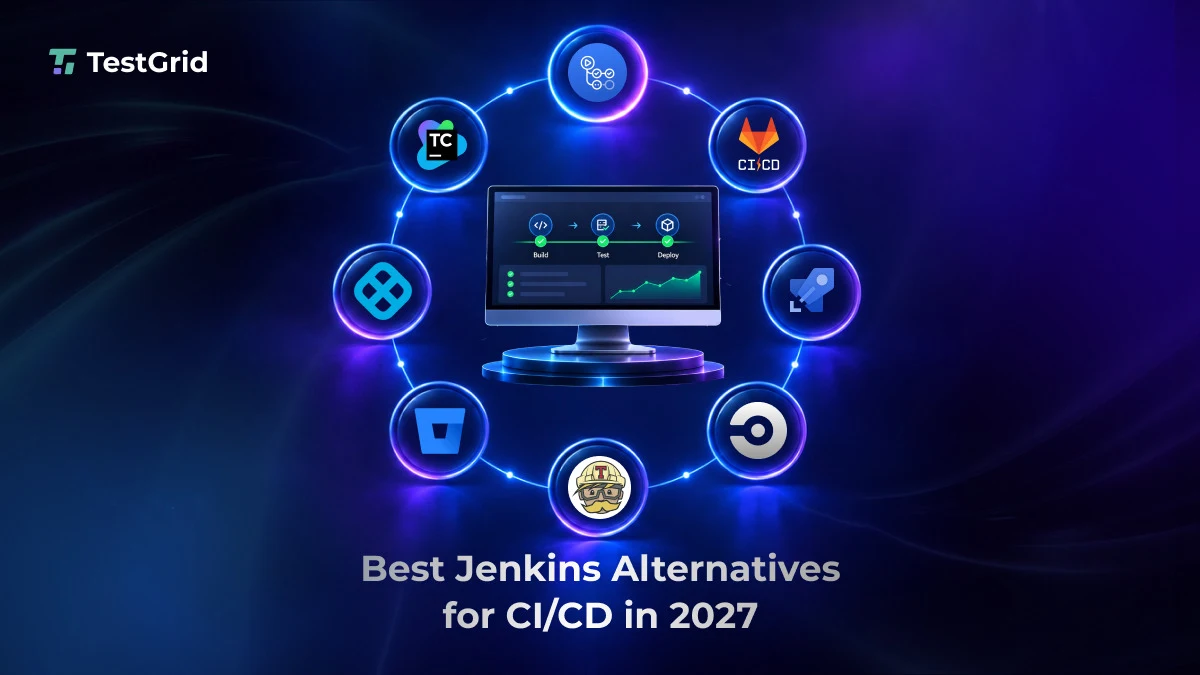
This guide compares eight of the best alternatives to Jenkins for test automation in 2027, including GitHub Actions, GitLab CI/CD, Azure Pipelines, CircleCI, Travis CI, Bitbucket Pipelines, Harness, and TeamCity.
Scale test automation with TestGrid. Request a free trial.
TL;DR
- GitHub Actions: GitHub-native CI/CD platform for automating software builds, tests, and deployments directly from GitHub repositories
- GitLab CI/CD: Platform for automating software development workflows, from code integration and testing to app deployment
- Azure Pipelines: Cloud-based platform to build, test, and deploy apps across different programming languages, platforms, and environments
- CircleCI: Platform for automating build, test, and deployment workflows with support for parallel execution and reusable configurations
- Travis CI: Cloud-based continuous integration service to automatically build and test code changes across multiple environments
- Bitbucket Pipelines: Bitbucket-integrated CI/CD service for building, testing, and deploying code through automated workflows
- Harness: AI-powered software delivery platform for automating continuous integration, continuous delivery, testing, and deployment workflows
- TeamCity: CI/CD server for automating builds, running tests, managing pipelines, and coordinating software delivery across development projects
Where Jenkins Falls Short for Modern QA Automation
Jenkins is a capable CI/CD tool, but its architecture and maintenance requirements can create obstacles for modern QA teams. With testing workflows getting more complex, restrictions in scalability, plugin management, infrastructure maintenance, and test orchestration can affect your team’s efficiency.
These are some of the reasons why users look for alternatives to Jenkins:
- Users mention a high maintenance overhead; managing plugins, Groovy scripts, and self-hosted server instances might lead to significant administrative friction
- Shared-process plugin architectures and unmaintained legacy plugins can create severe vulnerability targets if you don’t update instances regularly
- Teams starting new projects may consider newer CI/CD platforms like GitHub Actions, GitLab CI/CD, and Argo CD; every industry tier lists these platforms in higher tiers
- Maintaining Jenkins controllers, worker nodes, plugins, updates, and configurations needs an ongoing effort; this can become a dedicated responsibility and shoot up your operational overhead and maintenance costs
- Sometimes, a plugin update can cause issues with an existing pipeline, and troubleshooting that can take a lot of time
Also Read: What Is Test Maintenance? Types, Best Practices & AI
How We Evaluated These Jenkins Alternatives
We evaluated the Jenkins alternatives from the perspective of QA engineers, test automation engineers, QA leads, and engineering managers who regularly use CI/CD pipelines to run automated tests and validate releases.
For our assessment, we didn’t just focus on basic build and deployment automation. We also understood how capable each platform is in supporting the more practical requirements of QA teams who execute automated testing at scale.
The most important areas we considered were the tools’ test automation capabilities. This means the support they have for different testing frameworks (Selenium, Appium, Playwright, Cypress), automated test execution, parallel testing, and test reporting.
Then we assessed pipeline flexibility and customization so that your team can easily configure multi-stage workflows, reuse pipeline definitions, and manage conditional executions.
Apart from this, when evaluating tools similar to Jenkins, we looked at the cross-platform compatibility (testing across different devices, browsers, and operating systems) and integration support with issue tracking, version control, test management, analytics, and collaboration tools. This was critical to ensure that the tool can fit seamlessly with every team’s existing QA workflows.
And lastly, we reviewed scalability, execution speed, security controls, reporting, infrastructure management, and pricing to determine if the tools can support increasing QA workloads without adding unnecessary operational complexity.
Our list includes enterprise-grade, cloud-based, self-hosted, and lightweight Jenkins alternatives.
Jenkins Alternatives Comparison
The table below shows how the top alternatives to Jenkins differ in their best use cases, execution environment support, automation support, execution management, and pricing model. Refer to it to identify the tool which align with your test automation requirements.
| Tool | Best for | Execution environment and hosting | Test execution and session management | Automation support | Pricing model |
|---|---|---|---|---|---|
| GitHub Actions | GitHub-hosted repositories | Virtual machines and self-hosted runners | Matrix testing, job-level parallel execution | Selenium, Playwright, Cypress, JUnit | Subscription-based; free tier available |
| GitLab CI/CD | Monorepo pipeline management | GitLab-hosted runners and self-managed runners on private infrastructure | Parallel and matrix jobs | JUnit, Jest, Pytest, RSpec; Docker and Kubernetes | Custom; free tier available |
| Azure Pipelines | Microsoft ecosystem projects | Microsoft-hosted agents, self-hosted agents, Managed DevOps Pools, Azure VM | Distributed test execution | Selenium, NUnit, xUnit, MSTest, Pytest, Maven and Gradle | Usage-based |
| CircleCI | Distributed test suites | Self-hosted runners, and self-hosted CircleCI Server in private cloud | Test splitting | Jest, Mocha, Pytest, JUnit, Selenium, XCTest | Subscription-based; free tier available |
| Travis CI | Multi-version build matrices | Cloud-hosted build environments, self-hosted on-premises/private cloud | Build matrix and parallel build stages | Java, Python, Ruby, JavaScript, Go | Usage-based |
| Bitbucket Pipelines | Atlassian-integrated development | Atlassian-hosted cloud runners and self-hosted runners | Manual and scheduled pipeline triggers | Selenium, JUnit, Jest, Pytest | Subscription-based; free tier available |
| Harness | AI-driven CI/CD workflows | Self-managed host infrastructure | AI-powered test selection for execution | JUnit, TestNG, NUnit, Pytest | Custom; free tier available |
| TeamCity | Enterprise build management | Customer-managed cloud or local agents, and on-premises servers | Parallel test distribution | JUnit, TestNG, NUnit, MSTest, Pytest, Jest, Mocha | Subscription-based; free tier available |
Best Jenkins Alternatives in 2027
1. GitHub Actions
Best for: QA teams automating tests directly within GitHub repositories

GitHub Actions is one of the top Jenkins alternatives. It’s a popular CI/CD tool which makes it easy for QA teams to automate their software testing workflows. It supports Node.js, Python, Java, Ruby, PHP, Go, Rust, .NET, and more. You can easily build, test, and deploy your app in the language you prefer. Moreover, the tool allows you to store encrypted secrets at the repository, environment, or organization level.
Features
- Build and test all your projects across Linux, macOS, Windows, ARM, GPU, and containers
- Save your testing time with matrix workflows which simultaneously test across multiple operating systems
- See your workflow run in real time with color and emoji
- Run tests directly on a virtual machine or inside a container, or use your own virtual machines, in the cloud or on-prem, with self-hosted runners
Limitations
- Some users mention that the interface can feel overwhelming when learning about branches, merge conflicts, pull requests, and more advanced repository settings
- The code search interface inside repositories might feel a bit confusing when you want to locate a specific snippet or line of HTML/CSS across files
Migration from Jenkins
GitHub Actions Importer can convert Jenkins pipelines into GitHub Actions workflows and create a pull request with the converted files. However, if you have scripted pipelines, secrets, self-hosted runners, mandatory build tools, and unsupported plugins, it may need manual migration.
Pricing
- Free: $0
- Team: $4 per user per month
- Enterprise: $21 per user per month
2. GitLab CI/CD
Best for: Teams who are managing end-to-end testing within an integrated DevSecOps workflow
GitLab CI/CD enables you to test in production and efficiently catch problems while the blast radius is small. You can deploy it to virtual machines, Kubernetes clusters, or FaaS from multiple cloud vendors, without restructuring your pipeline. Plus, you can run your CI/CD jobs without provisioning or maintaining your own infrastructure.
Features
- Publish versioned, reusable components once; there’s no need to copy-paste the same pipeline config into every new project
- Split growing pipelines into independent sub-pipelines so you can start testing the moment a dependency finishes
- Detect vulnerabilities in your own code before deployment, rather than after a customer or auditor finds them
- See how your shared CI/CD components are being adopted, and which projects are running outdated versions
Limitations
- Navigating the vast set of features across complex nested projects might feel cluttered sometimes
- A few users say that troubleshooting failed CI/CD pipelines can take time
Migration from Jenkins
GitLab gives you a dedicated migration guide and an AI-powered conversion flow which can convert Jenkinsfiles into .gitlab-ci.yml configurations. But if you work with Groovy syntax, plugins, shared libraries, credentials, and agent configurations, it may have to be migrated manually.
Pricing
- Free: $0
- Premium: Custom
- Ultimate: Custom
Learn More: Test Automation Architecture: Components, Design Techniques, and Implementation
3. Azure Pipelines
Best for: Teams who want to scale automated cross-platform tests across Windows, Linux, and macOS
Azure Pipelines is one of the best CI CD Jenkins alternatives. It lets you build web, desktop, and mobile apps. You can deploy it to any cloud or on-premises environment. It also lets you simplify the management of hardware and virtual machines (VMs) with Microsoft cloud-hosted agents. With this platform, you get reliable builds on all platforms through deep integration with GitHub pull requests, checks, and statuses.
Features
- Build, test, and deploy Node.js, Python, Java, PHP, Ruby, C/C++, .NET, Android, and iOS apps; run in parallel on Linux, macOS, and Windows
- Easily build and push images to container registries like Docker Hub and Azure Container Registry
- Implement continuous delivery of your apps to any cloud, including Azure, AWS, and GCP
- Benefit from build chaining and multi-phased builds; it comes with support for YAML, test integration, release gates, and reporting
Limitations
- A user stated that the tool can have a steep learning curve when you’re configuring complex YAML pipelines, managing templates, and troubleshooting failures
- The Execution speed might slow down when there’s a spike in performance
Migration from Jenkins
You can refer to Azure Pipelines’ official guide for translating Jenkinsfiles into Azure Pipelines YAML and adapt build stages, scripts, environment variables, container builds, and credentials.
Pricing
- Pricing is based on usage
4. CircleCI
Best for: Those who want to accelerate large automated test suites through parallel execution and test splitting
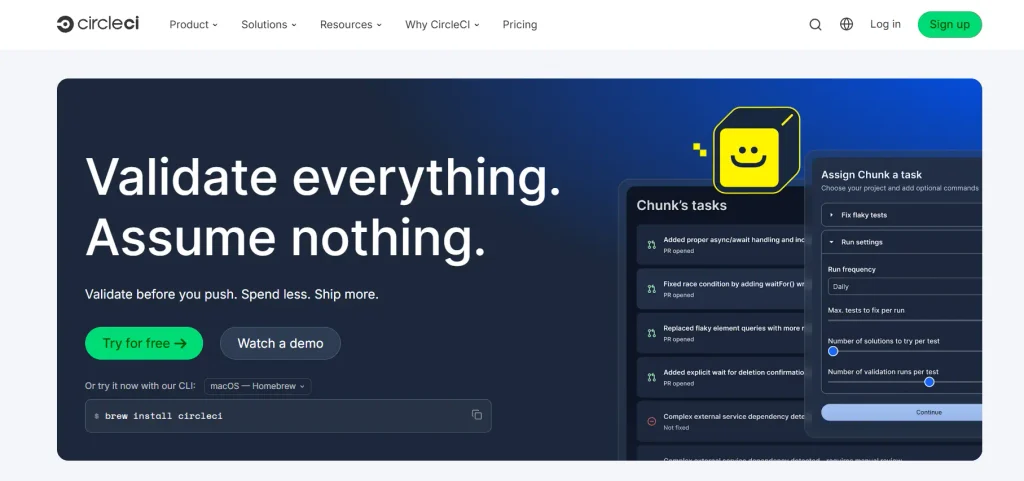
CircleCI, a Jenkins CI alternative, is designed specifically to meet the demands of modern development teams with fast and low-maintenance continuous integration and delivery. It offers managed infrastructure, straightforward configuration, and advanced developer tools, so you can reduce setup time, improve collaboration, and focus on delivering quality software. Moreover, CircleCI delivers SOC 2 compliance, advanced audit logs, and 24/7 support for secure operations.
Features
- Test and assess changes from any source; the platform’s AI changes how you write code
- Get quick feedback and autonomous fixes so you can keep shipping
- Automate your testing workflows across Linux, Android, macOS, and Windows
- Gain immediate insights on every commit and spot issues before they reach production
Limitations
- For troubleshooting complex workflow failures, you might need to analyze extensive logs
- Some users mentioned adding more complex CI/CD templates
Migration from Jenkins
CircleCI has a specific Jenkins migration guide which explains how you can recreate build steps with shell commands. However, if you have Jenkins plugins and configurations beyond Execute Shell, you need manual migration.
Pricing
- Free: $0
- Performance: $15 per month
- Scale: Custom
Also Read: Test Automation – A Guide to Automate Software testing
5. Travis CI
Best for: Validating apps across multiple programming languages, runtime versions, and environments
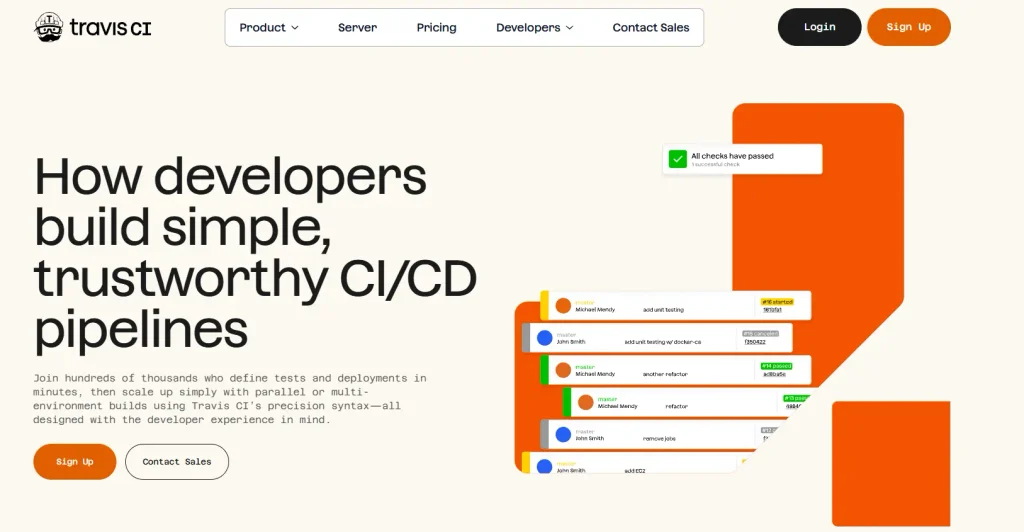
Travis CI is another Jenkins replacement. It helps you get faster visual feedback on commits and pull requests with strong parallelization. You can set up pipelines with preconfigured environments for your language and a minimal syntax. Which means you can start from scratch or easily rebuild your testing ecosystem. Plus, you can run, build, and push Docker images to any registry to test how your containerized services will run in production.
Features
- Run your unit and integration tests across any combination of environments for comprehensive automation
- Execute your pipeline by default with every change to a branch or pull request; you can also configure automatic deployments for passing builds
- Identify failures faster as per stages, or layer in smart conditionals; this helps you minimize build minutes and catch edge cases
- Connect your pipelines to DeepSource, Coveralls, Coverity Scan, SourceClear
Limitations
- The platform can be slow; users say that it takes a long time to see results after every code is pushed to the repository
- Travis CI may have fewer customization options compared to other CI/CD tools
Migration from Jenkins
You usually need to recreate your Jenkins build and test workflows in a .travis.yml configuration, and manually translate pipeline stages, commands, environment variables, and integrations.
Pricing
- Usage-based: $15 per month
- Unlimited plan: $78 per month
- Server: $34 per month
6. Bitbucket Pipelines
Best for: Automating tests within Bitbucket-based development workflows
Bitbucket Pipelines allow you to manage and automate builds, tests, and deployments with no infrastructure to manage. This is one of Jenkins alternatives self-hosted options which has the capacity to scale up or down as you need. No need to wait for agents or hardware. You can also modify workflows at runtime dynamically based on custom logic, including changes based on context from code changes or external systems.
Features
- Set up workflows from a library of pre-built workflows and language-specific templates
- Extend your pipeline with third-party tools across testing, security, and monitoring, with Pipes
- Track your pipeline progress, monitor logs, and debug issues right within Bitbucket
- Build, test, and deploy with any language, OS, or architecture; the platform supports Java, Python, Linux, Windows, and macOS
Limitations
- The user interface could improve navigation of repositories and reviewing pull requests
- A few users report occasionally noticing performance lags when they are working with larger repositories
Migration from Jenkins
The platform has an automated migration tool which converts declarative Jenkinsfiles into bitbucket-pipelines.yml files. But note that scripted pipelines are unsupported, and unsupported Jenkins plugins, credentials, and custom configurations need manual conversion.
Pricing
- Free: 0
- Standard: $3.65 per user per month
- Premium: $8 per user per month
7. Harness
Best for: QA teams who prefer optimizing test execution with AI-powered test selection and build intelligence

Harness offers AI-powered CI/CD automation, so you can seamlessly manage your continuous integration pipelines, test history, and code changes. Its AI agent acts on context, not guesses. You can benefit from the fully managed, isolated build machines for Mac, Linux, and Windows. It also has cloud machines fine-tuned for building and testing code. This enables you to ensure your pipelines run smoothly regardless of volume and complexity.
Features
- Describe your stack and get a production-ready pipeline with caching, tests, and security scanning configured
- Automatically analyze your codebase and select only the tests which are impacted by a code change with the help of AI
- Track which parts of your code were exercised by tests and identify coverage gaps down to the file and line level
- Leverage the AI to cross-reference your commits, deps, and test history to pinpoint root cause in seconds
Limitations
- The initial setup and configuration can take some time and effort
- Users say that integrating the pipeline with approval processes, legacy systems, and varying levels of DevOps maturity might need a lot of coordination
Migration from Jenkins
Harness offers a Jenkins Migration Assistant. It can convert your Jenkins pipelines, including Groovy scripts, into Harness YAML. But for custom plugins, shared libraries, and complex work, you may need to adapt manually.
Pricing
- Free Plan
- Essentials Plan: Custom
- Enterprise Plan: Custom
8. TeamCity
Best for: Managing complex, multi-platform build and test workflows with customizable pipelines
TeamCity is a CI/CD platform that’s fully accessible via MCP and CLI. This enables AI agents to configure pipelines, trigger builds, analyze failures, and verify fixes without leaving your IDE or terminal. You can set the guardrails, and the AI agents manage your workflows. The platform has built-in test history, failure trends, build results overview, and custom reporting. This allows you to know the tests that are flaky and why failures happen.
Features
- Run thousands of concurrent builds across massive monorepos and hundreds of microservices, without hitting concurrency limits or managing build queues
- Deploy on-prem, single-tenant cloud, or hybrid, and keep your data secure at all times
- Connect GitHub, GitLab, Bitbucket, and Perforce to the same project simultaneously
- Configure pipelines in YAML, Kotlin DSL, or with a visual editor
Limitations
- If you have highly customized workflows, you may face some difficulties during initial setup
- A user stated that triggering a build over the REST API may be tricky
Migration from Jenkins
You can take help from the platform’s Jenkins migration guide. It maps Jenkins jobs, pipelines, plugins, credentials, and build agents to TeamCity equivalents. But Jenkinsfiles aren’t directly reusable. Groovy pipelines have to be recreated using TeamCity’s Kotlin DSL or UI configuration.
Pricing
- Free Forever (On-premises)
- Enterprise: $2399 per year (on-premises)
- Cloud: $18 per committer per month
Scale Test Automation with TestGrid
These Jenkins alternatives can help you handle pipeline orchestration, but your team also needs reliable infrastructure where they can execute their automated tests across different browsers, devices, and operating systems.
Built by TestGrid, TestGrid ONE is the AI operating system that runs quality engineering. It integrates with some of the major CI/CD tools like Jenkins, GitHub Actions, GitLab CI/CD, CircleCI, and Azure DevOps to enable automated execution.
With TestGrid, you can reuse your existing Selenium, Appium, Playwright, and Cypress automation scripts and run the tests on real mobile devices and browsers. Plus, the platform’s parallel execution features allow your team to assess apps without the need to maintain any separate physical testing labs.
Your team can easily trigger regression and smoke tests, or even schedule these tests as per their release cadence through the CI/CD pipeline and examine execution logs, screenshots, and videos for debugging.
TestGrid offers cloud, on-premises, and hybrid deployment options, which give you complete control over your test infrastructure and execution environments.
See how TestGrid can help your QA team build a more efficient automation strategy. Request a free trial today.
Frequently Asked Questions (FAQs)
What is the best alternative to Jenkins for CI/CD?
There’s no single best alternative to Jenkins for every team. Your choice should depend on hosting requirements, migration effort, test automation needs, and how much CI infrastructure your team wants to manage.
What are some open-source Jenkins alternatives?
Open-source alternatives to Jenkins include GitLab Community Edition, Tekton, and GoCD. GitLab provides source control and CI/CD in a broader DevSecOps platform, Tekton provides Kubernetes-native building blocks for CI/CD pipelines, and GoCD is an open-source continuous integration and delivery server focused on pipeline modeling and release workflows.
Is Jenkins still relevant in 2026?
Yes. Jenkins remains actively maintained and continues to have a large plugin ecosystem, so teams with established Jenkins infrastructure do not need to migrate simply because newer CI/CD platforms exist. Teams often consider Jenkins alternatives to reduce CI/CD maintenance and simplify new projects.
Can you use Jenkins and another CI/CD tool together?
Yes. A migration doesn’t have to happen all at once. Teams can keep existing Jenkins pipelines while moving selected repositories or workflows to another CI/CD platform, then migrate more workloads after the new setup has been validated. Some platforms also provide migration tooling or hybrid approaches specifically intended to support a staged transition from Jenkins.
Can Jenkins alternatives run automated tests on real devices and browsers?
CI/CD tools can trigger and orchestrate automated tests, but they don’t all provide the real-device and browser infrastructure those tests need. You can integrate Jenkins, GitHub Actions, GitLab CI/CD, CircleCI, Azure DevOps, and other CI/CD platforms with TestGrid to trigger existing Selenium, Appium, Playwright, or Cypress suites on real mobile devices and browsers, then send execution results back into your delivery workflow.