CoTester 2.0 is LIVE! Your Always-Available AI Teammate for Testing.
- AI Browser Overview
- What is an AI Browser?
- How We Evaluated the Best AI Browsers
- AI Browsers at a Glance
- Best AI Browsers in 2026
- AI Browser vs Traditional Browser vs Agent Browser
- How to Choose the Right AI Browser
- 1. Do You Need AI Assistance or Full Automation?
- 2. Check Search and Response Quality
- 3. Handling of Information Overload
- 4. Assess Tab Management Efficiency
- 5. Check Privacy Settings
- Limitations of AI Browsers (What to Watch Out For)
- Beyond Browsing: AI Agents that Help You Build, Test, and Release Apps
- Frequently Asked Questions
Can you recall the times when we had to type the ‘right’ keywords to find relevant information, switch between tabs constantly to write and research, or dig through multiple pages to find the information we needed?
If you’re using a traditional browser, your search experience probably still looks a lot like this.
But with AI browsers, you just have to type your question, and they can do all the research, writing, and summarizing for you.
According to a McKinsey study, shows that around 50% of consumers today prefer AI-powered search.
Since there are so many different AI browsers out there, we tested the best among them to find out which ones are worth your time. Take a look!
AI Browser Overview
TL;DR
- Perplexity Comet: Research-focused browser for searching, summarizing, and organizing information across tabs
- Opera AI: Browser with built-in AI (Aria) for quick answers and content generation
- ChatGPT Atlas: AI assistant for answering questions, generating content, and handling multi-step web tasks
- Fellou: Autonomous browser for planning and executing workflows across websites
- Brave Leo: Privacy-first browser with built-in AI (Leo) for secure, on-device assistance and summarization
- Dia Browser: Context-aware browser for extracting insights across multiple tabs
- Sigma: Agentic browser for automating workflows like form filling and data entry
- Arc Max: Productivity browser with AI for summarization, writing, and tab management
- Genspark: AI workspace for research, content creation, and task execution
- Microsoft Edge (Copilot): General browser with AI for summarization, writing, and brainstorming
- Maxthon: Browser with AI tools, syncing, and productivity features
What is an AI Browser?
An AI browser is basically a regular web browser enhanced by adding artificial intelligence features to improve how you access, interact with, and consume web content.
AI browsers come with features like natural language search, personalized content recommendations, real-time AI summarization, autonomous task execution, writing assistance, and cross-tab analysis.
In this blog, we have discussed the best AI browsers available in the market. But first, look at how we narrowed them down.
How We Evaluated the Best AI Browsers
To put together this list, we didn’t just skim through the features or the marketing pages. We actually used the browsers, tested them for around 2–4 weeks, and assessed how they handle everyday scenarios like researching, writing, and overall web browsing experience, such as navigation, tab management, and page loading.
No one wants to spend hours trying to figure out how to use even the basic features. So, we checked if you can easily install and access the browser without major roadblocks.
We verified whether the AI browser is genuinely useful or just hype. Labeling a product ‘AI-powered’ doesn’t guarantee it’ll be effective. We tested the AI features and particularly focused on the smart tools, built-in chatbots, and how autonomously the browser can perform tasks like summarizing pages, comparing tabs, filling forms, and completing workflows with minimal user input. Any tool that felt like a gimmick didn’t make the cut.
We specifically picked up the AI browsers that can answer queries as well as do things like comparing tabs, filling forms, and completing workflows.
Speed and performance are another important area we assessed. Running an AI model alongside a browser can take a toll on your computer; therefore, you must ensure the AI browser assistant efficiently consumes your device’s resources. We assessed how fast the browser feels, how smoothly it handles multiple tabs, and whether the overall web browsing experience remains responsive under load.
Since AI browsers can access your data and what you’re viewing, we prioritized checking privacy controls, data usage transparency, how data gets stored, and whether users have clear control over what the AI can access.
After testing all the browsers we could get our hands on, these are our top picks.
AI Browsers at a Glance
Here’s a side-by-side comparative view of the browsers in our list, highlighting what each is best for. Hopefully, this will help you quickly trim down your options.
| Browser | Best for | AI feature | Pricing |
|---|---|---|---|
| Perplexity Comet | Deep research and multi-source information synthesis | Researching, email organization, and daily productivity tasks | Free |
| Opera AI | Quick answers and lightweight AI help during everyday browsing | Content generation, page summarization, browsing | Free |
| ChatGPT Atlas | Executing tasks directly on the web (agent-based workflows) | Product comparisons, data analysis, image/video/information searching | Free (features tied to ChatGPT plan) |
| Fellou | Automating complex, multi-step web workflows end-to-end | Complex data scraping, form fill-ups, multistep actions | Free; paid plans start from $19.9 per month |
| Brave Leo | Private AI interactions and secure browsing | Summarize webpages, translate text, and privacy-focused browsing | Free |
| Dia Browser | Context-aware writing, learning, and working across multiple tabs | Text on demand translation, preparing to-do lists, and tab management | Waitlist |
| Sigma | Automating real-world web tasks through agent-based browsing | Email management, scheduling meetings, citation-rich insights, and autonomous browsing | Free; paid plans start from $8 per month |
| Arc Max | Focused work and managing multiple tabs efficiently | Rewriting, summarizing, file organization, tab management | Free |
| Genspark | All-in-one AI workspace for research, content creation, and automation | Deep research, product comparisons, automatic ad or pop-up blocking | Free; paid plans start from $19.99 per month |
| Edge Copilot integration | AI-assisted productivity within daily work (docs, emails, browsing) | Information summarization, personalized updates, and voice command search | Free |
| Maxthon | Cloud-based browsing and cross-device productivity | Multitasking, split screen, focused reading, URL organization | Membership program |
Best AI Browsers in 2026
1. Perplexity Comet
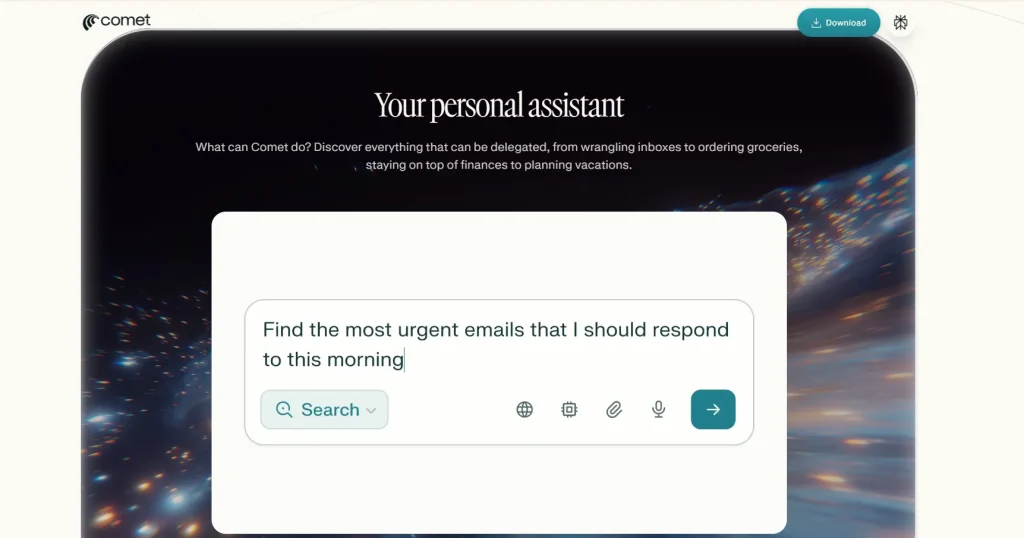
Perplexity Comet works like your personal assistant, helping you draft email replies, create work calendars, and even build basic websites. Every webpage you open in your browser includes instant summaries of articles, PDFs, videos, and social media content. You can interact with Comet through speech if you prefer hands-free browsing and tab management.
Use cases
- Efficiently analyze content by asking questions, and getting concept explanations and image descriptions
- Compose your emails, schedule meetings, and make purchases easily with task automation
- Compare information across multiple tabs with cross-tab intelligence
- Fill out your forms, navigate webpages, or engage with web content via autonomous navigation
Pros
- Useful for summarizing email threads, writing responses, and calendaring.
- Relatively fast integration with Gmail and Calendar
Cons
- You may experience slight lags.
- It can take some time to learn how to use all the features
Pricing: Free
Perplexity Comet ratings and reviews
- G2: 4.7/5
- Capterra: 4.6/5
Website: https://www.perplexity.ai/comet
2. Opera AI
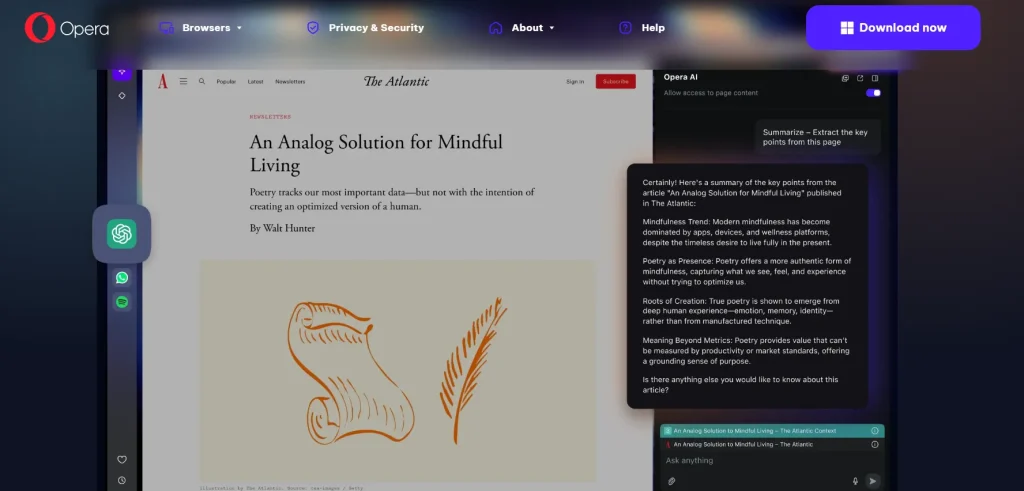
Opera AI is built right into your browser and helps you understand the content of your open tabs, generate images, analyze files, and translate YouTube videos. The best part? You don’t even have to sign up to start using it. Opera AI gives you smart and informed answers to your questions, whether you input it through voice or text.
Use cases
- Turn your ideas into stunning, high-quality visuals from just a single prompt
- Browse with fewer distractions and load websites faster with the help of the Ad Blocker
- Access your Gmail account or Google Calendar instantly from the sidebar
- Keep your emails and drafts visible alongside your browsing window so you always have reference materials at hand
Pros
- It can be easily accessed from the sidebar or keyboard shortcut.
- You can refine sentences without starting over
Cons
- It might struggle to remember earlier parts of a conversation.
- Fewer customization and business integration options available
Pricing: Free
Opera AI ratings and reviews
- G2: 4.2/5
- Capterra: 4.6/5
Website: https://www.opera.com/features/browser-ai
3. ChatGPT Atlas
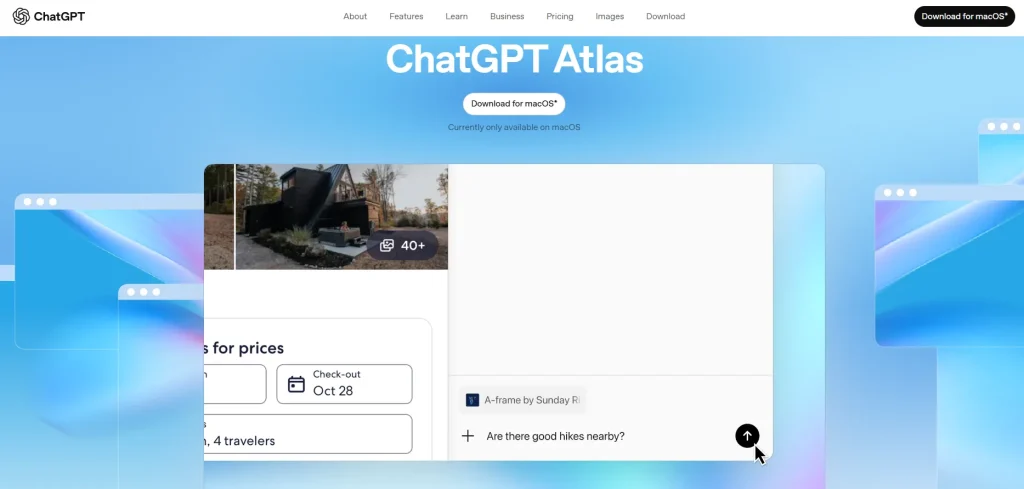
ChatGPT Atlas by OpenAI helps you with your web-based tasks, takes action for you, and assists you whenever you need it. But at the same time, you get to decide what ChatGPT can see, clear your browsing history, use incognito mode, or manage browser memories anytime. You can effortlessly search images, videos, text, and news articles. Atlas is powered by AI models like GPT-4 / GPT-4o.
Use cases
- Compare products, summarize content, or analyze data from any website you want by just opening the ChatGPT sidebar in a window.
- Use the agent mode to allow ChatGPT to interact with sites for you for researching or shopping while staying in control throughout
- Highlight text in calendar invites, emails, or docs with one click
- Navigate the web efficiently by using tabs, a search bar, autocomplete, and bookmarks
Pros
- Native experience that’s fast to set up and intuitive to use.
- User-controlled memory with options to restrict what gets saved
Cons
- Built-in responses can be, at times, contextually off.
- Multi-step tasks can be slow
Pricing
- Free to try; agent mode requires a ChatGPT subscription of $20 per month or higher
ChatGPT Atlas ratings and reviews
- G2: 4.7/5
- Capterra: 4.4/5
Learn More: 7 Real-World Agentic AI Use Cases in Software Testing
Website: https://chatgpt.com/atlas/
4. Fellou
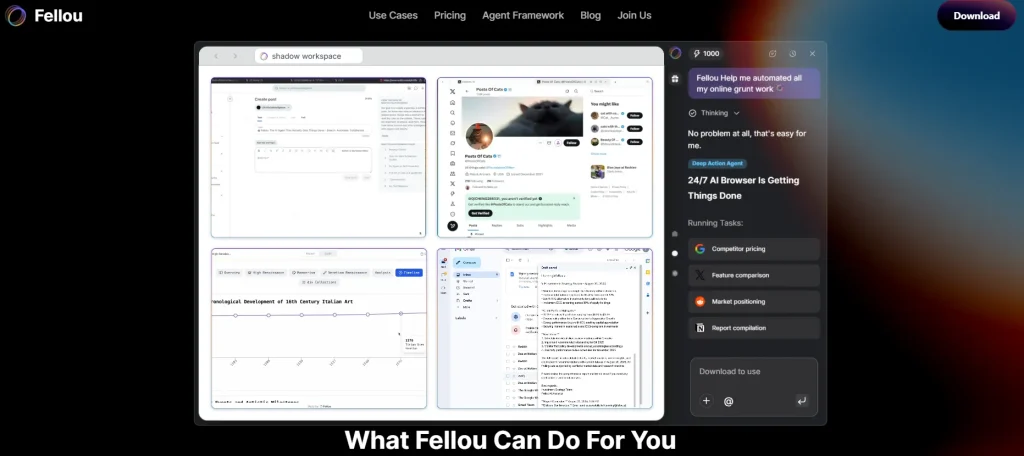
Fellou is an agentic AI browser automation you can use to automate complex web tasks with one prompt. The AI analyzes your goal and then creates a detailed step-by-step action plan at first. You can review, edit, and approve this plan before execution. The tool also helps you automate multi-source research and generate personalized, in-depth reports.
Use cases
- Handle complex data scraping and form fill-ups with a single command
- Grant permission to Fellou to operate your local apps and manage desktop files; benefit from agentic workflows while maintaining complete control
- Get information about your previous work by allowing Fellou to securely learn from your browser history and notes
- Automate research across the entire internet, including logged-in X, Reddit, or Salesforce accounts
Pros
- It can carry out multistep actions across websites and apps.
- Fellou works in the background to ensure your workflow stays uninterrupted
Cons
- Irregular page layouts may cause step failures.
- You might have to intervene or monitor complex workflows
Pricing
- Free: $0 per month
- Plus: $19.9 per month
- Pro: $39.9 per month
- Ultra: $199.9 per month
Website: https://fellou.ai/
5. Brave Leo
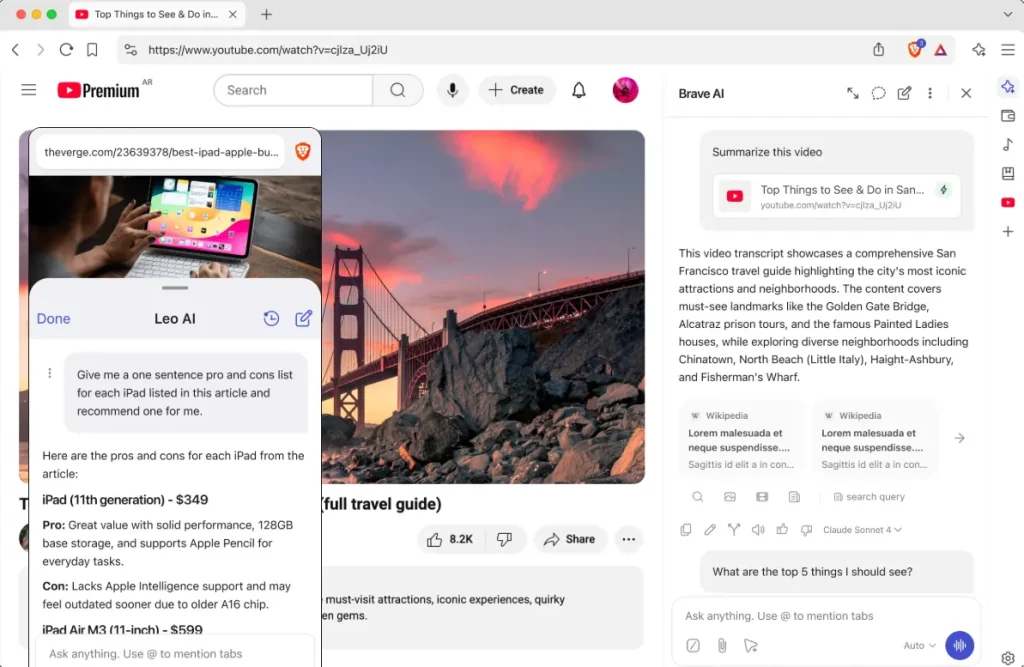
Brave Leo is an AI browsing agent built into your browser that can help you analyze Google Docs, PDFs, Google Sheets, and more. Leo combines with Brave Search to provide answers that have rich details and up-to-date information. You can organize and find tabs related to specific topics, revisit conversations locally on your device, and continue chats again later.
Use cases
- Summarize webpages, generate content, and translate text without leaving the tab; all you have to do is ask Leo
- Run your own models, local or remote, and maintain more control over your AI interactions
- Set preferences for Leo to remember chats; this helps you get more contextual responses
- Delete your chats instantly as soon as the conversation is closed
Pros
- You can use Leo without installation or creating an account.
- It allows you to switch between different LLMs, including Mixtral, Llama 2, and Claude
Cons
- It may generate fabricated or incorrect information.
- Leo often struggles to summarize long documents
Pricing: Free
Brave ratings and reviews
- G2: 4.6/5
- Capterra: 4.7/5
Website: https://brave.com/leo/
6. Dia Browser
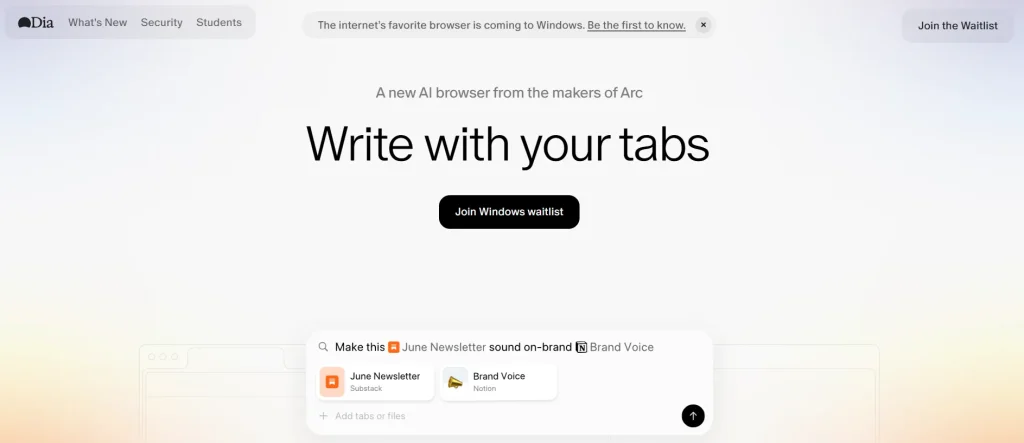
Dia is an AI browser assistant from The Browser Company, which was acquired by Atlassian in 2025. It’s built with strong security controls and enterprise-grade management that allows your team to work faster. This AI browser works like an active assistant across every tab, task, and textbox. And it comes with advanced features to help you write, learn, plan, and shop smoothly.
Use cases
- Prevent messy copy-paste with the help of an in-line copy editor
- Get straight to the information you want with YouTube timestamps
- Translate text on demand, write immediate to-do lists, and get information in the form of charts or any format you like
- Quickly scan through customer reviews before you decide what to buy
Pros
- You can interact with the content of a webpage with pre-built prompts.
- It offers personalized AI assistance as per user habits and preferences
Cons
- The persistent URL bar limits your screen space for content.
- It lacks advanced features compared to other AI browsers
Pricing: Join the waitlist to access
Website: https://www.diabrowser.com/
7. Sigma
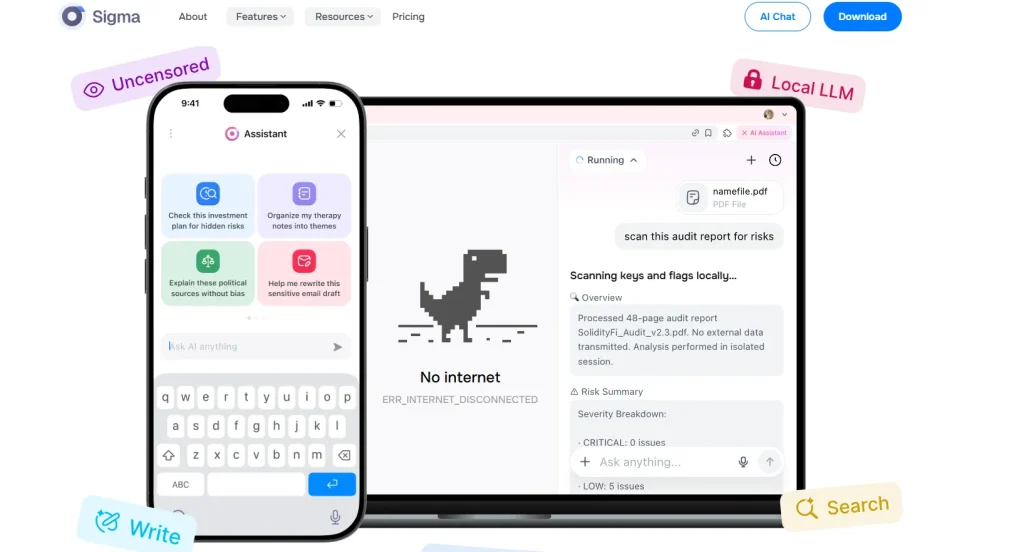
Sigma AI Browser is an agentic browser that helps you create, navigate, and automate on the web much faster than any traditional browser. Sigma can assist you in booking tickets, cleaning up your inbox, creating and posting social media content, paying bills, and updating spreadsheets.
Use cases
- Archive, label, or unsubscribe from your emails in bulk
- Automatically find meeting slots, send invites, or reschedule them easily
- Study journals, datasets, and expert sources to get distilled, citation-rich insights
- Get suggestions, rephrase your sentences, or design interactive social media posts
Pros
- Powerful agentic and research features, Strong focus on privacy
Cons
- Potential learning curve for users who are unfamiliar with AI tools.
- Limited third-party extensions, as it’s a relatively new product
Pricing
- Free: $0 per month
- Plus: $8 per month
- Pro: $60 per month
Website: https://www.sigmabrowser.com/
Also Read: Agentic AI Testing: The Future of Autonomous Software Quality Assurance
8. Arc Max
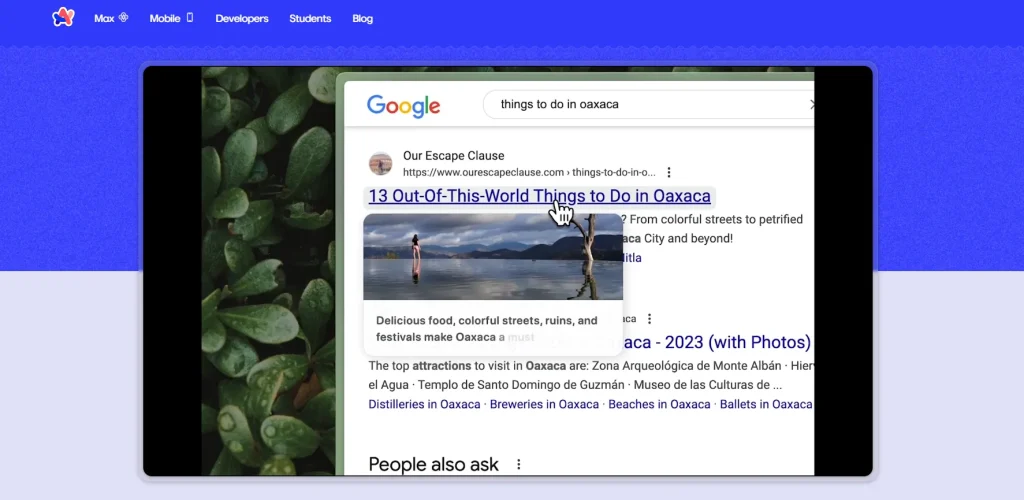
Arc Max offers you a bundle of advanced AI-powered features that you can use to enhance browsing, organizing files, researching a topic, and managing multiple tabs efficiently with the help of Tidy Tabs. You can also instantly open top search results, search multiple queries, and create a folder of tabs.
Use cases
- Hover and press Shift over any link of your choice and generate a preview of the webpage; no clicks needed
- Pin your tabs to automatically rename them with tidier and shorter titles
- Keep your files organized with smartly renamed downloads; this helps you find files more easily and quickly
- Add ChatGPT to your Search suggestions, or press Command-Option-G to ask any questions and get answers instantly
Pros
- Split view allows you to open four tabs in a single window.
- Intuitive and minimal UI with customizable Spaces
Cons
- The Auto-archiving feature for tabs open for more than 12 hours can be frustrating for users who leave tabs open for long periods.
- Built-in search may lag or miss results sometimes
Pricing: Free
Arc Max ratings and reviews
- G2: 4.8/5
Website: https://arc.net/max
9. Genspark
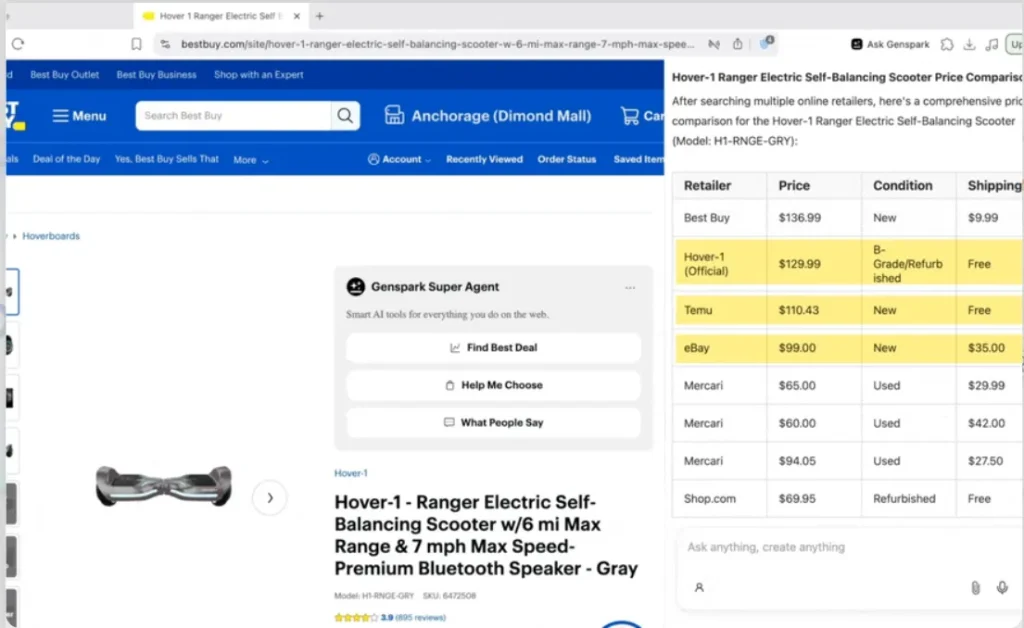
Genspark is powered by AI agents who assist you in browsing, summarizing YouTube videos, comparing prices, or doing deep research. The browser comes with smart features like ad-blocking, Autopilot mode, and the MCP store. It can currently be installed on macOS and Windows, making it a strong AI browser option whether you’re on Mac or Windows.
Use cases
- Find better deals, compare products, analyze user reviews, and make more informed decisions
- Automatically browse through feeds, gather information, access premium databases, and complete web tasks without hassles
- Connect your browser to Discord, Notion, Slack, GitHub, and 700+ other tools for smooth workflow automation
- Block distracting banners, ads, and pop-ups so you get a clean web experience
Pros
- You can access GPT, Claude, Gemini, and other AI models without switching platforms.
- It works both on phone and desktop
Cons
- Few users report the export functionality to be unreliable.
- Images are less polished compared to design-focused tools
Pricing
- Free: $0
- Plus: $19.99 per month
- Pro: $199.99 per month
Website: https://www.genspark.ai/browser
10. Microsoft Edge (AI Copilot integration)
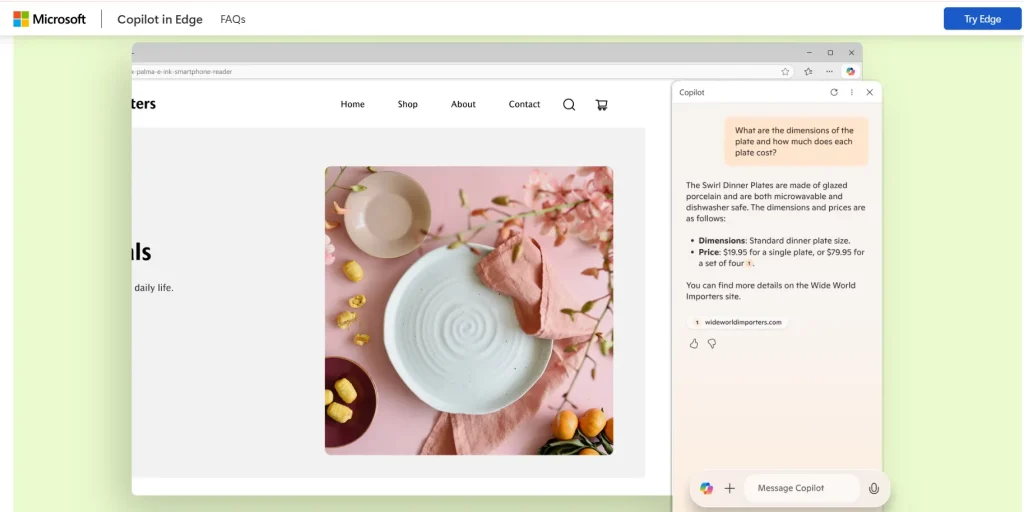
Microsoft Edge’s AI Copilot integration turns your web browser into an intelligent web companion. Forgot about the website you were browsing last week? Just ask Copilot to find and bring it back instantly. This AI assistant can summarize information from multiple pages, give answers fast, and finish online tasks while you stay in full control.
Use cases
- Generate images in your Edge sidebar by simply typing a prompt for the image you want
- Get personalized summaries of news, weather, and calendar updates before you start your day
- Interact with the AI companion by just using voice commands; no need to type or click anything
- Share your page context and get a quick gist of docs, articles, PDFs, websites, and videos
Pros
- Easy to use; you can integrate smoothly with Windows and Microsoft products.
- Seamless chat experience
Cons
- Limited context-aware search capabilities.
- It may need fact-checking and human verification to ensure content reliability
Pricing: Free
Copilot ratings and reviews
- G2: 4.5/5
- Capterra: 4.5/5
Website: https://www.microsoft.com/en-us/edge/copilot
11. Maxthon
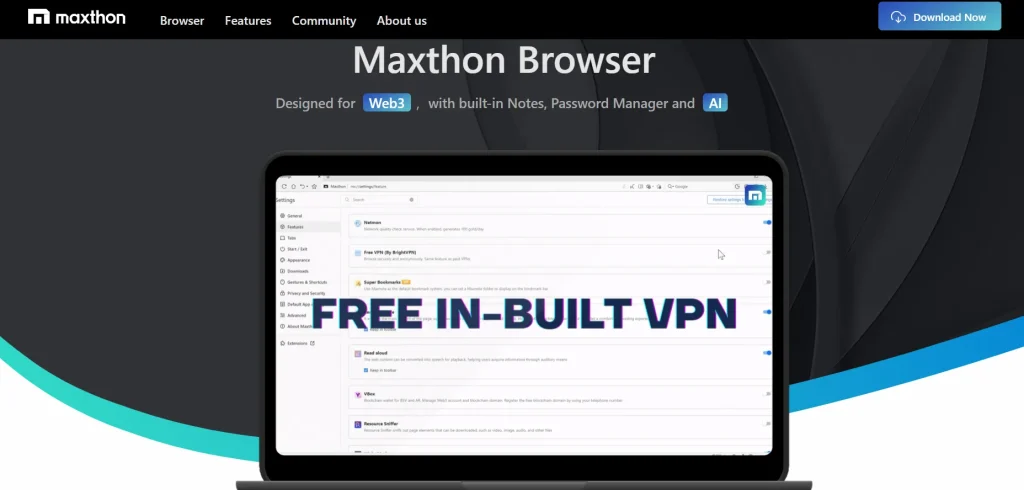
Maxthon boosts your browsing experience with easy tab management, multitasking split screen, and focused reading mode. It’s suitable for integration with Android, iOS, macOS, and Windows a solid pick if you’re after an AI browser for Windows that also syncs across devices and enables cross-platform sync, which helps you ensure browsing stays consistent across all your devices and accounts.
It’s suitable for integration with Android, iOS, macOS, and Windows, and enables cross-platform sync, which helps you ensure browsing stays consistent across all your devices and accounts.
Use cases
- Gather research, store important links, jot down ideas, and organize notes or URLs in one place
- Store your passwords securely, generate strong passwords, and make them accessible only to you with Maxthon Passkeeper
- Create and manage numerous virtual email addresses, and keep real email addresses confidential with UUmail
- Block ads, trackers, and popups to enjoy an ad-free browsing experience
Pros
- Built-in blockchain wallet and identity manager.
- Easy to tweak or customize
Cons
- Comparatively slower than competitors.
- Limited extension support
Pricing: Offers a membership program
Website: https://www.maxthon.com/
AI Browser vs Traditional Browser vs Agent Browser
When AI was still not the norm, browsers like Chrome, Firefox, and Safari helped you browse, manually navigate through pages, and bookmark important sites.
Then came AI add-ons, where traditional browsers integrated with AI chatbots or assistants like Claude or Gemini Google to help you summarize long text directly on webpages, rewrite content, and manage tabs.
We are now stepping into a new phase where agentic browsers carry out tasks autonomously with the help of your instructions. They can book appointments, fill out forms, and perform checkout tasks.
Here’s a detailed overview of these browsers.
| Aspect | Traditional browser | AI browser | Agent browser |
|---|---|---|---|
| Definition | A software app that lets you access, retrieve, and display content from the web; navigation and decision-making are done by the user | Web browser enhanced with built-in AI that can interpret content, answer questions, and assist users in navigating information more efficiently | A Browser that uses autonomous AI agents to not only understand user intent but also plan and execute multi-step tasks across websites with minimal manual input |
| Main role | Displays website or webpage content | Helps you understand and navigate content faster | Executes tasks on your behalf |
| User interaction style | You search, click, read, and repeat | You search, ask the AI questions while you’re on the page, and get answers | You give instructions, and AI handles all the steps |
| Who does the thinking | 100% you | Shared (you and AI insights) | Mostly the AI agent (based on your instruction and intent) |
| Automation level | None | Low to moderate (suggestions, summaries) | High (multi-step task execution, e.g., finding the best flight options or comparing prices across multiple sites) |
| Best for | Every day browsing, reading articles, accessing websites, and tasks where you want full control | Research-heavy work, quick comparisons, content digestion, and reducing information overload | Repetitive workflows, time-consuming tasks, and scenarios where you want to delegate work entirely |
| Control vs convenience | Maximum control, but at the cost of time and effort | Balanced; you get assistance without losing control | Maximum convenience, but sometimes visibility and control can be a concern |
| Use cases | Manually comparing products by visiting each site, reading multiple reviews, or filling out forms across different websites | Asking the browser to summarize articles, compare tools, or extract key insights before making a decision | Asking the browser to find, compare, and book a service (hotel or flights) without manually visiting each site |
| Learning curve | Almost none; most users are already familiar with how it works | Low: requires you to get comfortable with prompting or interacting with AI features | Moderate to high (depending on how advanced the AI features are; you may need to learn how to give clear instructions) |
Learn More: Inside Agentic AI: How Machines Learn to Perceive, Reason, and Act
How to Choose the Right AI Browser
If you’ve come this far, you must have noticed that not all these browsers are built the same way. Some browsers are great at researching or summarizing content, and some focus on complete workflow automation.
You have to first decide what your motive for using an AI browser automation is.
1. Do You Need AI Assistance or Full Automation?
If you want the help of AI for researching specific topics, translating text, or getting quick snapshots of long content like docs, PDFs, or articles, go for browsers that are powered by generative AI and large language models, e.g., ChatGPT, Atlas, or Perplexity Comet.
If you want tasks done for you, like booking a hotel or placing an order, you should select AI agents or AI browser agents that are good at multi-step execution, like Fellou or Sigma.
2. Check Search and Response Quality
Next, look at how efficient an AI browser is in understanding the context of your query and returning a relevant response. Try out each of these listed AI web browsers. Ask them a question and check if they can:
- Understand what your intent is, not just the keywords
- Pull insights from multiple tabs or pages
- Adapt based on what you’re currently doing
You’ll need a browser with a natural language interface to verify the points above.
Type in ‘find me a lightweight laptop for work under $800” instead of the keyword “best laptops under $800’.
Check the response it returns. Ideally, a context-aware browser should show laptops that are not only under $800 but also optimized for work (supporting docs, spreadsheets, and meetings) and lightweight.
3. Handling of Information Overload
Say you want a quick gist of a 10-page-long PDF, and you want an AI browser to do it. Evaluate which browser can easily summarize long blocks of text, highlight the key points, and help you jot down notes automatically.
AI browsers like Microsoft Edge Copilot integration and Maxthon do this well.
4. Assess Tab Management Efficiency
We all have faced this problem. We start researching a topic and end up juggling between 15 tabs. Yes, it’s frustrating. And that’s why most AI browsers come with advanced features like tab management or smart tab organization.
So, if managing tabs is your priority, select AI browsers that allow you to auto-group tabs, support cross-tab summarization, suggest related content, and help you revisit what you’re working on.
5. Check Privacy Settings
A very common concern when using AI, particularly autonomous AI agents, is how safely they are using your data. If you continuously handle sensitive data, work with confidential client information, and log into government, banking, or financial portals, it’s best to use AI web browsers that have robust privacy protection and security features.
You should look for capabilities like HTTP enforcement, sandboxing, built-in tracker blocking, third-party cookie control, fingerprint protection, secure password management, and permission-based automation.
Plus, many AI browsers rely on cloud inference. This means your data may be processed on external servers. That’s why it’s important to check their privacy and data policies.
Also Read: How to Ensure Trust in AI Testing | Regulated Industries
Limitations of AI Browsers (What to Watch Out For)
We use AI browsers because they read, research, and act on our behalf. But this is exactly what makes them risky. They have access to your data, accounts, and workflows, which raises a pressing question: is your data safe?
These are some common concerns we see associated with browser AI:
1. Indirect prompt injection: Attackers hide malicious instructions inside webpages, docs, and images, completely invisible to you. The AI browser might treat this hidden information as a genuine command and take unintended actions that can expose sensitive data.
2. Data leakage via AI prompts: When using an AI browser, we normally input large amounts of data to generate responses. But if you’re not careful and accidentally input confidential internal documents or login-related data, it can be misused or mishandled, leading to data leaks.
3. Expanded endpoint exposure: Many AI browsers communicate with tabs, apps, and external tools. This means your attack surface or entry points for potential threats also increase. A security breach in one tool can compromise all the connected apps, tools, and workflows.
4. Shadow AI and model misuse: Your employees may unknowingly use and feed information into tools that are not approved by the IT or security team. Without visibility into how these tools are used, it’s almost impossible to enforce data boundaries or ensure that sensitive information isn’t misused.
For navigating through these issues and effectively overcoming them, you should combine awareness with control. Build an AI governance layer to define how the AI accesses specific data and under what conditions. Set up in-browser DLP to block sensitive data from leaking and enable zero-trust access, so you can ensure every interaction is verified, not assumed safe.
Learn More: AI Model Testing: Methods and Best Practices
Beyond Browsing: AI Agents that Help You Build, Test, and Release Apps
Some of the AI web browsers we discussed, like Perplexity Comet, Genspark, and ChatGPT Atlas, can assist you in building basic websites and apps.
Here’s an AI agent that can help you test those apps – Cotester AI Software Testing.
CoTester is an enterprise-grade software testing agent built by TestGrid. It autonomously creates, executes, and maintains tests, while you stay in control of the entire process.
This agent first understands your product context and then adapts to your QA workflows. You can communicate with CoTester in natural language, upload your Jira user stories to automatically create structured test cases, run them across real devices and browsers, and get live feedback, execution logs, and screenshots.
CoTester never runs anything without your approval. You get to decide how and when tests run, connect to internal databases, and always enjoy full visibility into what the agent does.
Apart from CoTester, TestGrid also offers you an ecosystem of agents that enhances your testing lifecycle.
- Identify the modifications that affected exercised paths, areas with higher runtime risk, and changes that need deeper human attention using the code review agent
- Orchestrate test execution timing automatically based on code changes, deployment windows, and resource availability with the AI Test Scheduler Agent
- Leverage AgentRx to adapt tests to shifting layouts, labels, attributes, and dynamic UI elements, and reduce false failures
- Expand your app across languages, regions, and markets with the Localization Testing Agent
- Take the help of the Root Cause Analysis Agent to find the exact cause behind a failure
- Make your automation transparent with clear audit trails and human approvals at critical decision points using the DevSecOps Agent
Check out TestGrid’s full suite of AI agents and see how they can streamline your testing process. Request a free trial today.
Frequently Asked Questions
Which are the best AI browsers that can autonomously perform tasks like placing an order or setting up meetings?
Browser AI that can efficiently perform tasks on your behalf includes Perplexity Comet, ChatGPT Atlas, Dia Browser, Fellow, and Genspark. These browsers come with agentic capabilities and can understand your intent and complete workflows based on your instructions.
What is the best browser for ChatGPT Atlas?
ChatGPT Atlas itself is the browser. You don’t need to integrate it with another browser to use it. It’s currently based on Chromium and available mainly on macOS, making it a strong choice if you’re looking for the best AI browser for Mac.
Are AI browsers actually safe to use?
How safe AI browsers are depends on what privacy controls and security features they offer. Since most of the AI browsers know what you’re viewing, typing, sharing, and also about your login sessions, you should check for data collection policies, encryption, and permission settings.
Do I need technical knowledge to use an AI browser?
Not really. Most AI web browsers are made for users who can use them for everyday tasks like reading, writing, or browsing. However, you may need some time to learn their advanced features and get comfortable with prompt engineering.