 CoTester 2.0 is LIVE! Your Always-Available AI Teammate for Testing.
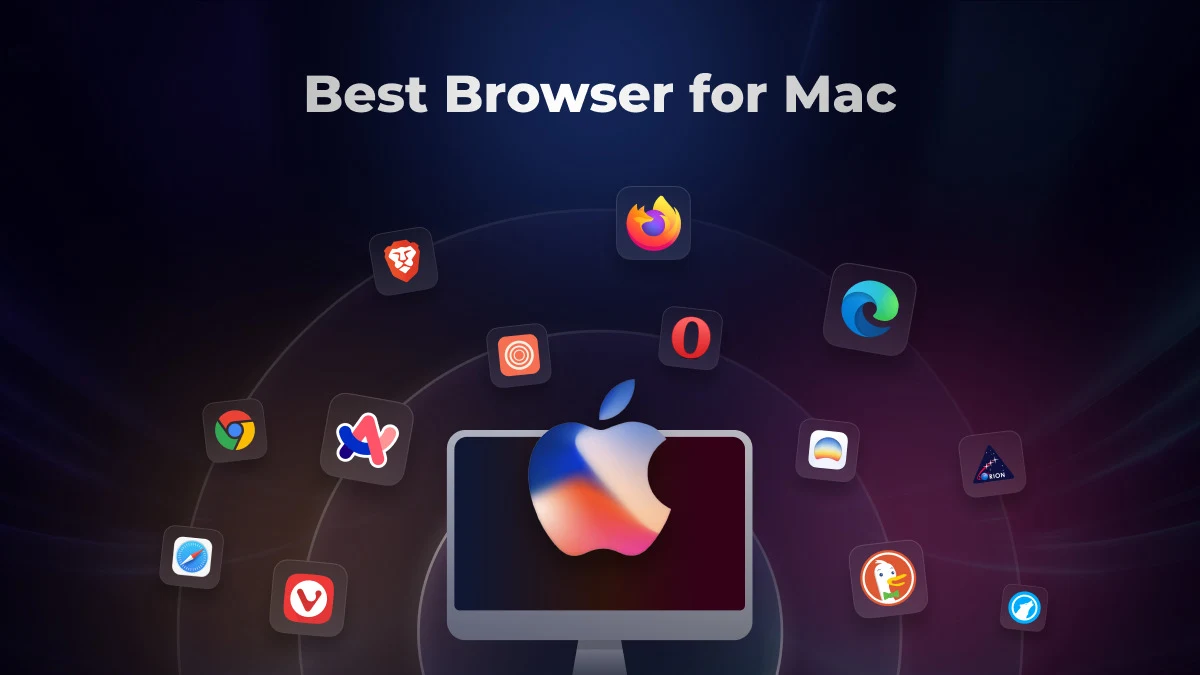
Most of us just open the default browser on our Mac, or any device for that matter, and get straight to work without thinking if there’s a better option available.
You may not realize it, but a browser can make a big difference in how fast your websites load, how long your battery lasts, or how much of your personal data gets used.
We researched the different factors that affect your browsing experience, including speed, battery life, memory usage, privacy protections, and compatibility with the Apple ecosystem. And based on our findings, we assessed the best browser for Mac in 2026.
Read on to learn about these browsers, along with their features, use cases, and limitations.
Mac Browsers Overview
TL;DR
- Safari: Apple’s WebKit-based browser, exclusive to macOS/iOS, tightly integrated with the Apple ecosystem.
- Google Chrome: Google’s Chromium-powered browser, dominant for web compatibility, speed, and frequent updates.
- Mozilla Firefox: Open-source browser using the independent Gecko engine, known for privacy and customization.
- Brave: Chromium-based, privacy-first browser with built-in AI and Web3 integration.
- Microsoft Edge: Microsoft’s Chromium browser with AI Copilot integration and deep ties to the Microsoft ecosystem.
- Orion: WebKit-based Mac browser that supports both Chrome and Firefox extensions.
- Vivaldi: Chromium browser focused on extreme personalization, user control, and productivity features.
- Arc Browser: Modern Chromium browser with a workspace-centric interface, reimagining browsing as project organization.
- Zen Browser: Community-driven, Firefox-based browser emphasizing simplicity, openness, and minimalism.
- DuckDuckGo Browser: Lightweight browser built around DuckDuckGo’s privacy ecosystem, blocking trackers by default.
- Dia Browser: AI-native browser designed for conversational, context-aware browsing experiences.
- Opera: Feature-rich Chromium browser with AI integration, communication tools, and built-in VPN/ad-blocker.
- LibreWolf: Privacy-focused Firefox fork, stripping telemetry and enhancing security defaults.
How We Tested the Different Browsers for Mac
1. Speed and performance
The browser you use should load pages quickly as well as feel responsive under demand workloads.
So, for selecting the best browsers for Mac, we evaluated factors like startup time, page rendering, tab switching, scrolling smoothness, and how each browser handles JavaScript-heavy websites.
Other than this, we also considered the underlying browser engines such as WebKit, Blink, or Gecko, and the JavaScript engine (e.g., V8, SpiderMonkey), because they influence rendering speed and web app responsiveness.
2. Battery life
We looked beyond the advertised battery life and assessed how much battery drain actually happened when performing everyday activities like web browsing, video streaming, online meetings, and multitasking across multiple tabs.
Since battery usage can vary by product, we observed how browsers performed on MacBook Air and MacBook Pro models and noticed if sustained browsing sessions led to unnecessary power consumption in the background.
3. Compatibility with Apple ecosystem
Next, in our assessment of the best browsers for Mac, we tested how easily each browser integrates with the Apple ecosystem.
This involved evaluating compatibility with Apple Silicon Macs (M1, M2, M3, M4, and M5), Intel Mac systems, iMac, Mac mini, as well as the latest macOS releases, including macOS Sequoia and macOS Tahoe.
We also verified whether the browsers have support for features such as iCloud Keychain, Apple Passwords, Handoff, and Apple Pay.
4. Memory and CPU usage
You should be able to multitask without your browser consuming excessive memory or CPU resources. That’s why before picking the best Mac browser, we examined whether the browsers can manage inactive tabs, background processes, and memory allocation without affecting the performance of active tabs or web apps.
5. Privacy
Many browsers process sensitive information like your browsing history, passwords, cookies, payment details, and personal data, which is why privacy is important. When finalizing the best browser for Mac, we assessed how the browsers:
- Protect users through features like tracker blocking
- Defend against cross-site tracking and browser fingerprinting
- Offer support for private browsing and passkeys
- Safeguard against phishing and malicious websites
Also Read: iOS App Testing: A Comprehensive Step-by-Step Guide
Best Mac Browsers at a Glance
Each browser we discussed offers different performance capabilities, speed, features, and usability. The table below compares the most important factors so you can quickly narrow down the best browser for MacBook.
| Browser Name | Biggest Strength | Best For | Battery Life |
|---|---|---|---|
| Safari | Apple ecosystem integration | Everyday browsing, video streaming | Excellent |
| Google Chrome | Developer tools | Cross-device syncing, web compatibility | Average |
| Mozilla Firefox | Open-source customization | Web debugging, cross-browser testing | Good |
| Brave | Ad and tracker blocking for secure browsing | Ad-free browsing, secure online payments | Good |
| Microsoft Edge | Office workflows | AI-assisted productivity, PDF viewing and annotation | Good |
| Orion Browser | Lightweight browsing | Low-resource browsing, extension compatibility | Excellent |
| Vivaldi | Advanced tab management | UI customization, workspace organization | Good |
| Arc Browser | Project organization | Research and creative workflows | Average |
| Zen Browser | Vertical tabs and Workspaces | Distraction-free reading, focused research | Good |
| DuckDuckGo | Tracker blocking and private search | Private searching, quick browsing sessions | Excellent |
| Dia Browser | AI-assisted research | Content drafting, context-aware browsing | Average |
| Opera | Built-in VPN | Media consumption, built-in communication | Good |
| LibreWolf | Fingerprinting protection and secure browsing | Privacy-sensitive research | Good |
Best Browser for Mac in 2026
1. Safari
Best for: Apple ecosystem users who want the most battery-efficient and seamless browsing experience on macOS
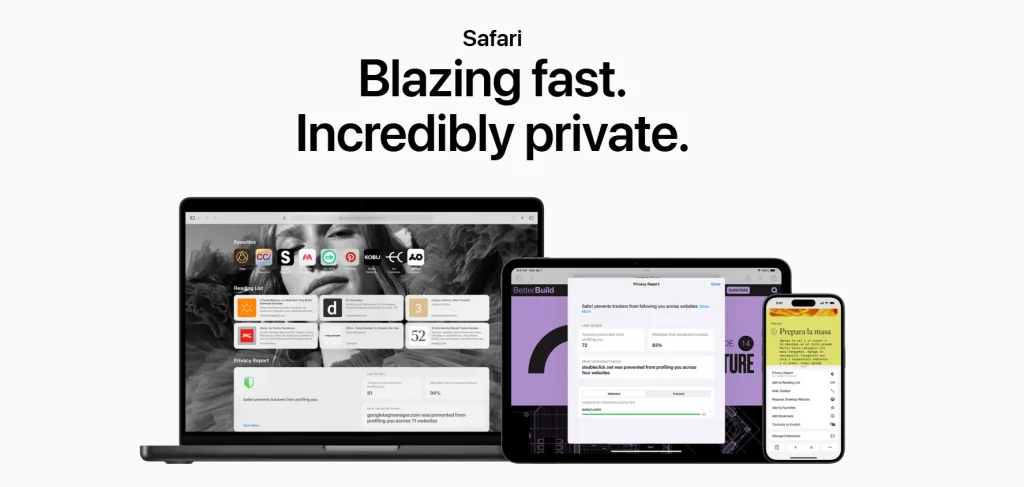
Safari is the default browser for Mac. It’s one of the best web browsers for Mac because it comes with robust customization options, built-in privacy protections, and battery life optimization features.
Safari’s Intelligent Tracking Prevention identifies trackers and helps you block them from profiling or following you across the web. You can organize your tabs in groups, set a custom background image, stream video in 4K HDR, and add your favorite Safari extensions.
Features
- Stream videos for up to 18 hours on a single charge
- Browse across all your devices as Safari supports third-party extensions for iPhone, iPad, and Mac
- Jot down ideas as you browse websites with Safari Notes
- Click Privacy Report in the Safari menu for a snapshot of cross-site trackers
Limitations
- Fewer extensions available compared to Firefox and Chrome
- There can be occasional compatibility issues with web apps
2. Google Chrome
Best for: Users who prefer Google Workspace and need maximum extension compatibility and cross-device synchronization
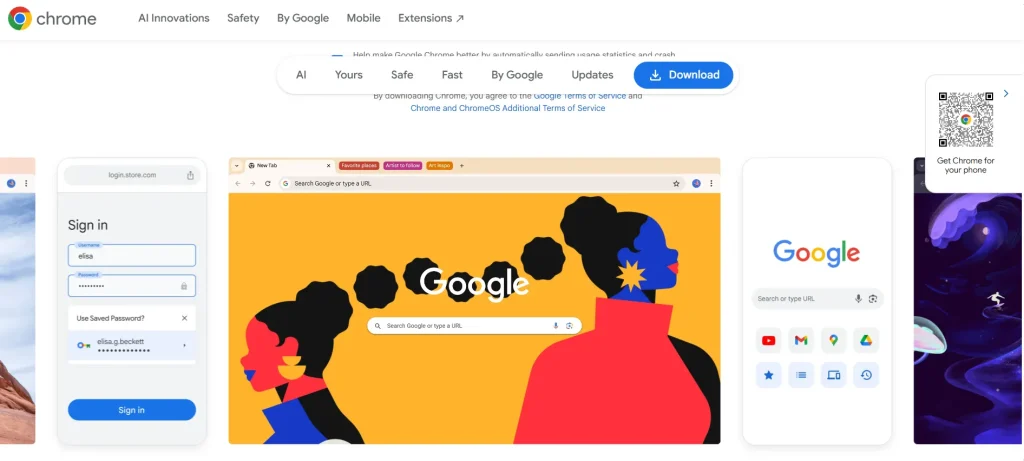
Google Chrome is probably one of the most popular browsers that’s used for both personal and professional tasks.
Its built-in AI assistant, Gemini, helps you easily understand the content on web pages. You can customize your browser with themes, save addresses and passwords for quick autofill, and improve your browsing experience with over 100,000 Chrome Web Store extensions.
Features
- Use Chrome’s Safety Check to quickly confirm your privacy and security, including saved passwords, extensions, and settings
- Get warned about malware or phishing attacks with Chrome’s Safe Browsing
- Optimize your experience with features like Energy Saver and Memory Saver
- Group, label, and colour-code your tabs to organize your work
Limitations
- May involve higher RAM and CPU usage during heavy browsing
- Prolonged browsing and video streaming might have a greater impact on battery
3. Mozilla Firefox
Best for: Privacy-conscious professionals who want open-source browsing with extensive customization
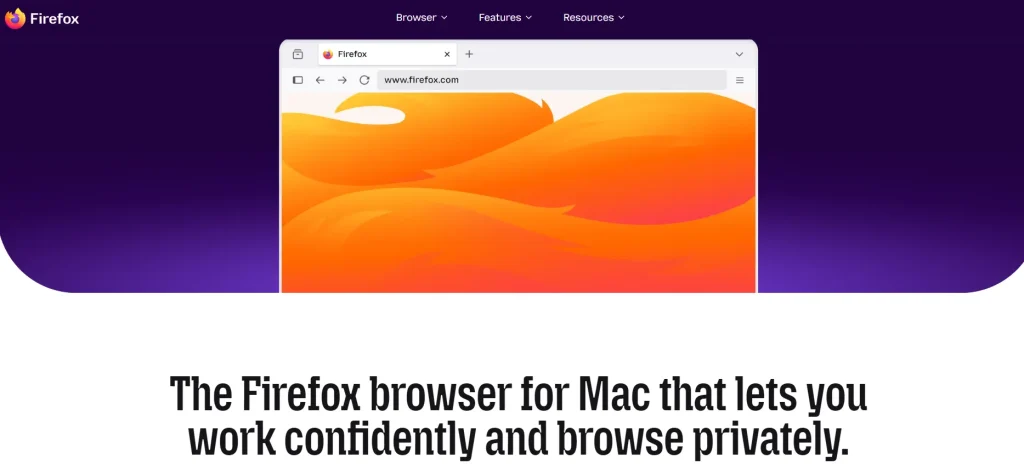
Mozilla Firefox helps you easily browse web pages, manage your workspaces, and protect your data. You get features like tab groups, a customizable sidebar, phishing protection, and enhanced tracking protection.
The Reader Mode allows you to stay focused on your work by clearing distractions from articles, picture-in-picture, and videos. And its clean interface and intuitive controls enhance your overall browsing experience, which makes it one of the best browsers for MacBook.
Features
- Get instant page summaries to surface the key points
- Keep your tabs, bookmarks, and passwords across all your devices
- Customize how AI shows up when you’re browsing, or turn it off entirely
- Choose themes, adjust layout, and personalize browser appearance to match how you work
Limitations
- You might experience compatibility issues when using web apps tested on Chromium-based browsers
- Can consume significant memory with heavy multitasking
Also read: Best Browsers for Privacy
4. Brave
Best for: Users who want a plug-and-play private browsing experience with built-in ad blocking

Brave browser comes with robust security features, battery life optimization, third-party ad blockers, AI-powered browsing, and private search.
You can generate content, get AI answers, and search in nearly 160 languages. Moreover, Brave Search doesn’t profile you, which means it can’t share, sell, or lose your personal data, because it didn’t collect it in the first place.
Features
- Block video ads, search ads, and social media ads, as well as pop-ups with Brave Shields
- Save Wi-Fi bandwidth and mobile data, battery life, and CPU
- Protect every app, on every device, even outside the Brave browser
- Easily access your favorite sites, reading list, and bookmarks from the sidebar
Limitations
- Tracker blocking might interfere with websites that rely on third-party scripts
- Some users report that certain extensions are not fully compatible with Brave
5. Microsoft Edge
Best for: Microsoft 365 users who rely on AI-assisted productivity and enterprise workflows
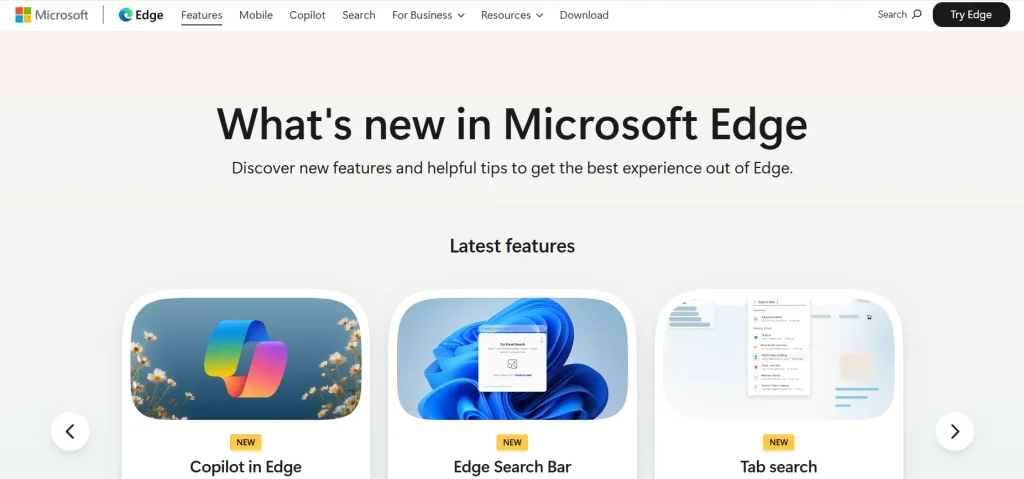
Microsoft Edge is one of the top browsers for Mac, which is built to help you make everyday browsing easier with advanced features like tab search, sleeping tabs, energy saver, resource controls, password monitor, and scareware blocker.
The vertical tabs, tab groups, and profiles help you stay organized. You can search the web with any image, sync passkeys across your devices, and complete tasks seamlessly with Copilot.
Features
- Reduce CPU and memory usage, and extend battery life by an average of 25 minutes on your PC
- Manage the memory consumption of your browser to improve device performance by enabling Resource Controls
- Stop deceptive popups and fake alerts with Scareware Blocker
- Browse in InPrivate Mode, which automatically deletes your browsing history, cookies, and other data
Limitations
- Built-in features may make the interface feel cluttered
- Resource usage can shoot up if multiple productivity features are enabled
6. Orion Browser
Best for: Power users who want Safari’s efficiency but also support for both Chrome and Firefox extensions
Orion for macOS is natively built for Mac users who want performance and control without compromise. It also offers extensions with Chrome, Firefox, and Safari.
The browser blocks ads and trackers by default, is light on your system’s resources, maintains your privacy, and ships updates and improvements regularly. This is probably one of the most responsive and fastest browser for Mac.
Features
- Create custom toolbar buttons with menu shortcuts, external URLs, or custom code
- Get a visual preview of every open tab when you switch with Tab-group Switcher
- Sync your passwords across all Orion browsers with the Password Manager
- Get access to open tabs, bookmarks, windows, and reading list in a customizable panel
Limitations
- Limited long-term maturity compared to established browsers
- Smaller user community and third-party support
7. Vivaldi
Best for: Multitaskers who need advanced tab management and deep customization for their workspaces
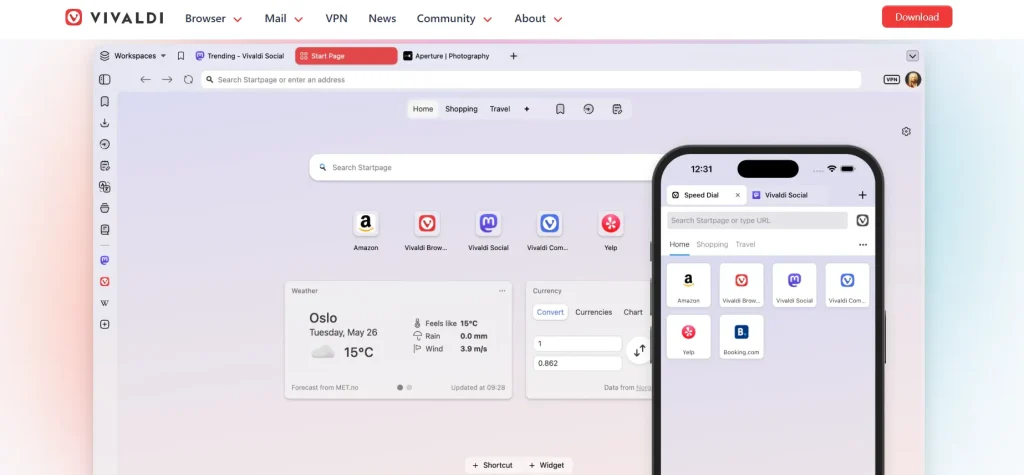
Vivaldi browser is next on the list of best browsers for MacBook.
It comes with a powerful feature that allows you to juggle dozens of tabs, personalize the interface to match your style and workflow, manage emails from multiple accounts, take notes in the sidebar while browsing, organize workspaces, and sync data across all your devices.
Editable toolbars, themes, extension support, page zoom, and quick commands make your browsing experience seamless.
Features
- Organize your tabs into categories and then easily switch between views
- Watch videos in a floating window while you still work
- Keep your privacy intact with zero profiling, ad and tracker blockers, and end-to-end encryption
- Build custom commands and trigger them with a single keystroke or gesture
Limitations
- Productivity tools can increase resource usage
- Chrome-specific extensions or themes may show minor functionality issues
8. Arc Browser
Best for: Creative professionals who prefer project-based browsing and collaborative workflows
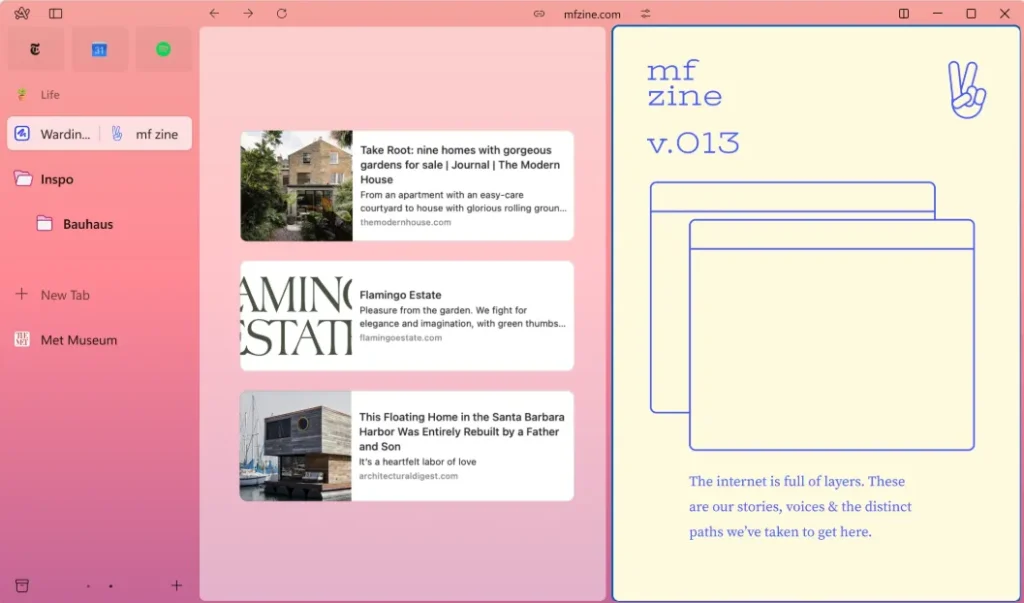
Arc works like a browser assistant and gives you a clutter-free interface and intuitive features to help you multitask. You can compare tabs, summarize tabs, glance at the top sites, watch or listen as you browse, and share folders or splits with anyone.
Arc is built to be private and secure, so they don’t keep a record of the sites you visit or what you search for. This is one of the best browsers on Mac for users who emphasize privacy.
Features
- Customize Arc to work the way you use the internet
- Organize everything that you do online (work, hobbies, study) with Spaces and Profiles
- Create your perfect setup with Split View and Themes
- Preview links quickly without leaving your current Pinned Tab
Limitations
- The platform is still growing, so the extension library is smaller compared to established browsers
- You may encounter higher memory usage because of multiple Spaces and tabs
9. Zen Browser
Best for: Productivity enthusiasts looking for a distraction-free browsing experience
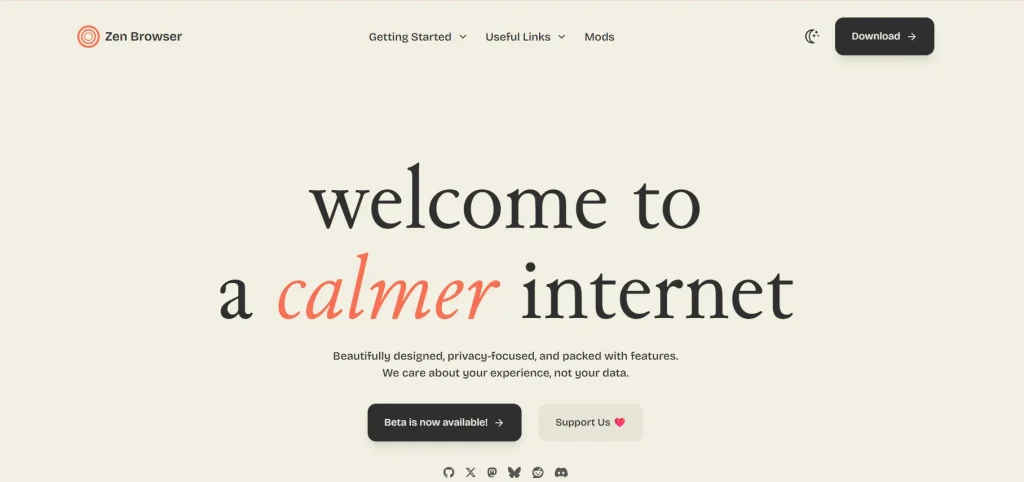
Zen Browser offers you robust features that help you stay productive. It comes with a minimalistic interface, smart navigation, picture-in-picture, and multiple extensions.
It can sync windows on the same device so that changes in one window are instantly reflected across the others. And it uses the URL bar as a quick, efficient way to navigate the web, eliminating the need for a dedicated new tab page.
Features
- Organize your tabs into Workspaces, keep your projects separate, and switch between them whenever you want
- Move between your most used tabs without having to scroll through the entire history
- Get more screen space by hiding the pages you don’t need with Zen’s Compact Mode
- View two or more windows side by side in split view
Limitations
- Since the browser is still developing, you may experience occasional bugs and stability issues
- Firefox-based architecture may lead to lower performance on some modern web apps
Also Read: Top 15 Cross Browser Testing Tools for QA Teams in 2026
10. DuckDuckGo Browser
Best for: Users who demand privacy and want to browse without being profiled
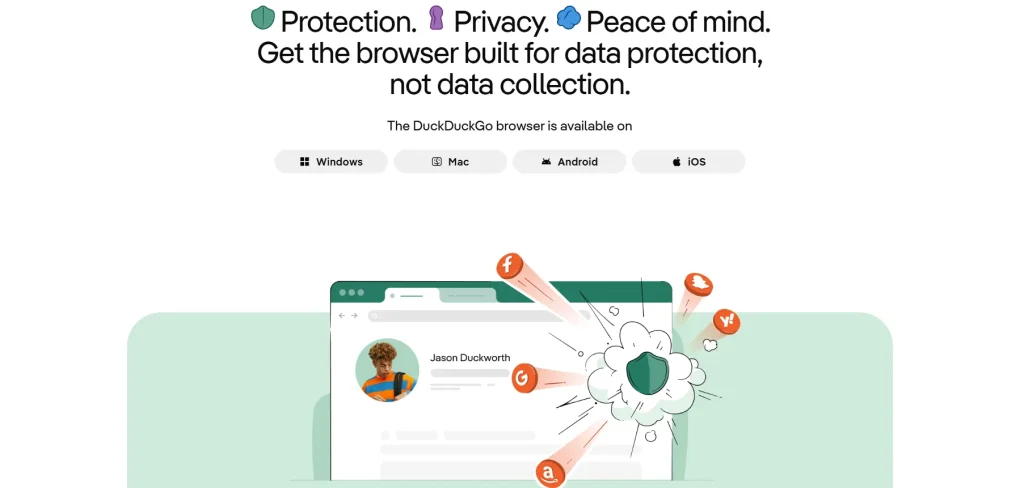
DuckDuckGo’s search engine works similarly to engines like Google. But it doesn’t track your searches and blocks ads and third-party cookies that collect your data.
The browser has optional AI search, and it lets you chat privately with ChatGPT, Claude, and other AI chatbots in one place.
Plus, it provides you with protections like 3rd-Party Tracker Loading Protection, Global Privacy Control, Link Tracking Protection, CNAME Cloaking Protection, and Google AMP Protection.
Features
- Import, save, and encrypt your passwords, as well as store them securely on your device
- Instantly clear browsing history, cookies, cached data, and open tabs with just a single click
- Upgrade website connections to HTTPS whenever a secure version is available
- Leverage Apple’s native WebKit rendering engine for fast and efficient browsing on macOS browser
Limitations
- Has limited advanced productivity features
- Smaller ecosystem and fewer synchronization capabilities
If you’re interested in AI-powered tools beyond your browser, check out our guide to the top AI platforms for content creation, automation, and productivity.
11. Dia Browser
Best for: AI-first professionals searching for an intelligent browser that can assist with reading, writing, and researching across tabs
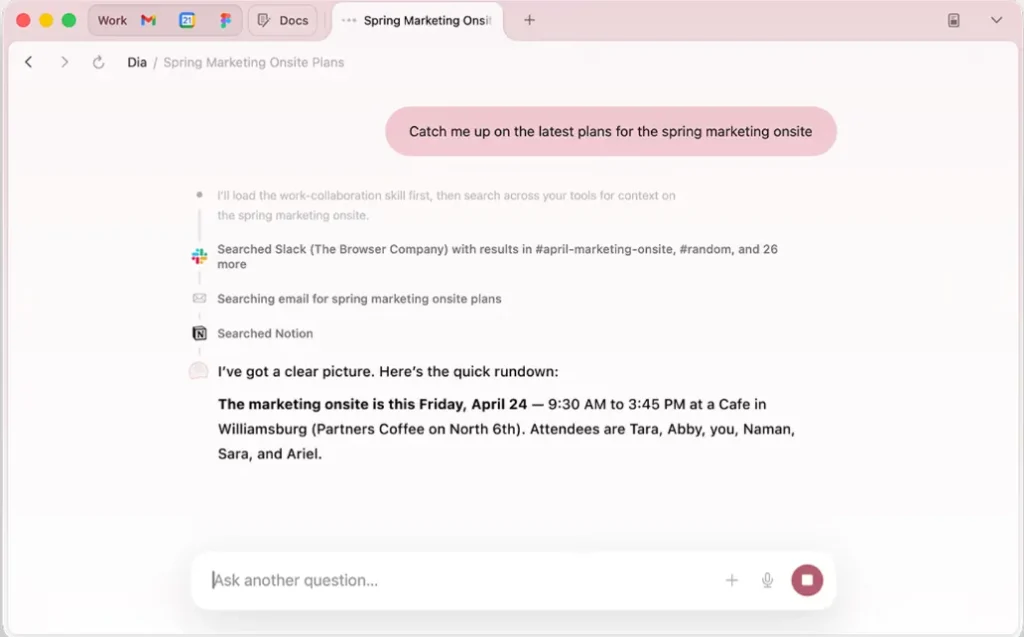
Dia Browser is an AI browser that offers strong security controls and enterprise-grade management, allowing you to work faster and more efficiently. It comes with advanced features to help you write, learn, plan, and shop smoothly.
Plus, you can control if Dia remembers your preferences and the tools you use. It’s end-to-end encrypted and comes with guardrails like SSO and admin tools.
Features
- Ask Dia for a deck, and it turns your scattered context into slides with headers, layout, and flow that you can present
- Easily create custom tabs, logins, and color themes
- See a meeting on one side and a doc on the other without switching windows
- Translate text on demand, write immediate to-do lists, and get information in the form of charts or any format you like
Limitations
- Dia is currently available only on macOS with Apple Silicon
- Users conscious about their privacy may be cautious about AI data processing
12. Opera
Best for: Users who want an all-in-one browser with built-in VPN, AI, and communication tools
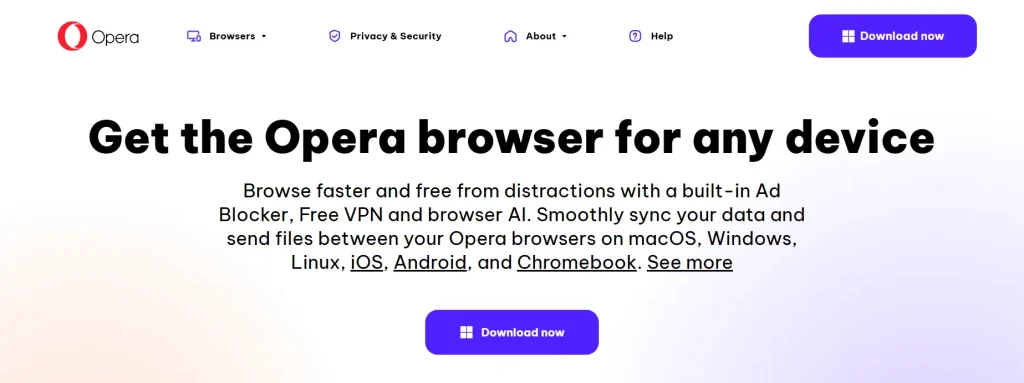
Opera is another popular browser that helps you enhance your online search, productivity, and privacy with features like ad blockers, music player, AI image generator, tab islands, split screen, browser AI, workspaces, and more.
You can work smoothly with multiple tabs open, translate pages and text instantly, chat with friends and teammates right in your browser, save your device’s battery life, and keep your data secure at all times.
Features
- Browse securely and protect your privacy with Opera’s integrated free VPN
- Block intrusive ads by default to reduce distractions, improve page load times, and create a cleaner browsing experience
- Group related tabs automatically and make your projects easier to manage
- Sync links, notes, files, and other content seamlessly between your devices
Limitations
- Higher resource usage when multiple tools are active
- Built-in VPN may have limited functionality
13. LibreWolf
Best for: Privacy advocates who want maximum privacy protections with minimal telemetry and data collection
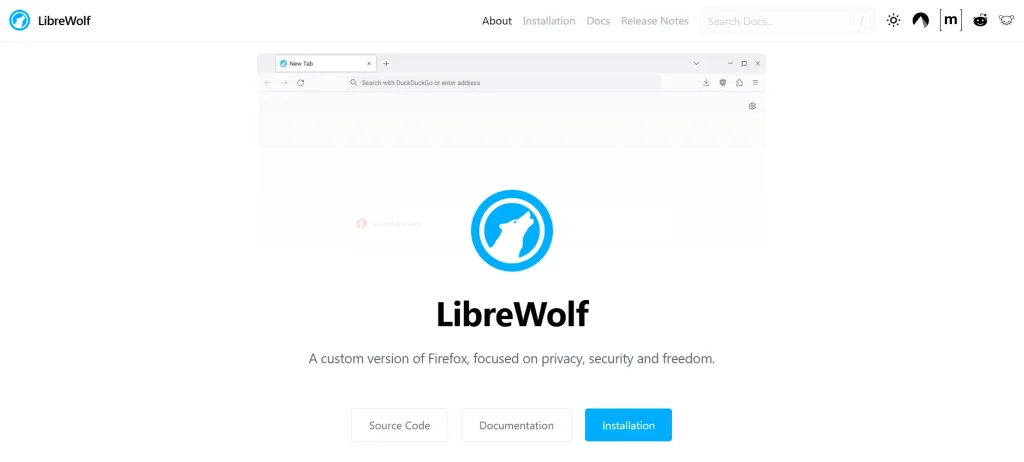
LibreWolf browser is basically a custom version of Firefox. Its main focus is on privacy, security, and user freedom. This is one of the best browsers for Mac because its goal is to remove all the telemetry, data collection, and annoyances, and protect you against tracking and fingerprinting.
You can also participate in the development of LibreWolf and contribute to merge requests and bug reports.
Features
- Block ads, trackers, and malicious content with Tracking Protection
- Isolate cookies per website and prevent cross-site tracking by enabling Dynamic First-Party Isolation (dFPI)
- Enhance your browser security with stricter TLS/SSL negotiation, PDF scripting protection, and IDN homograph attack protection
- Automatically delete cookies and website data when your browser closes
Limitations
- Strict privacy settings may affect website functionality
- Limited convenience features and integrations
Learn More: 11 Best AI Browsers in 2026 (Tested and Compared)
Choosing the Right Browser for Your Mac in 2026
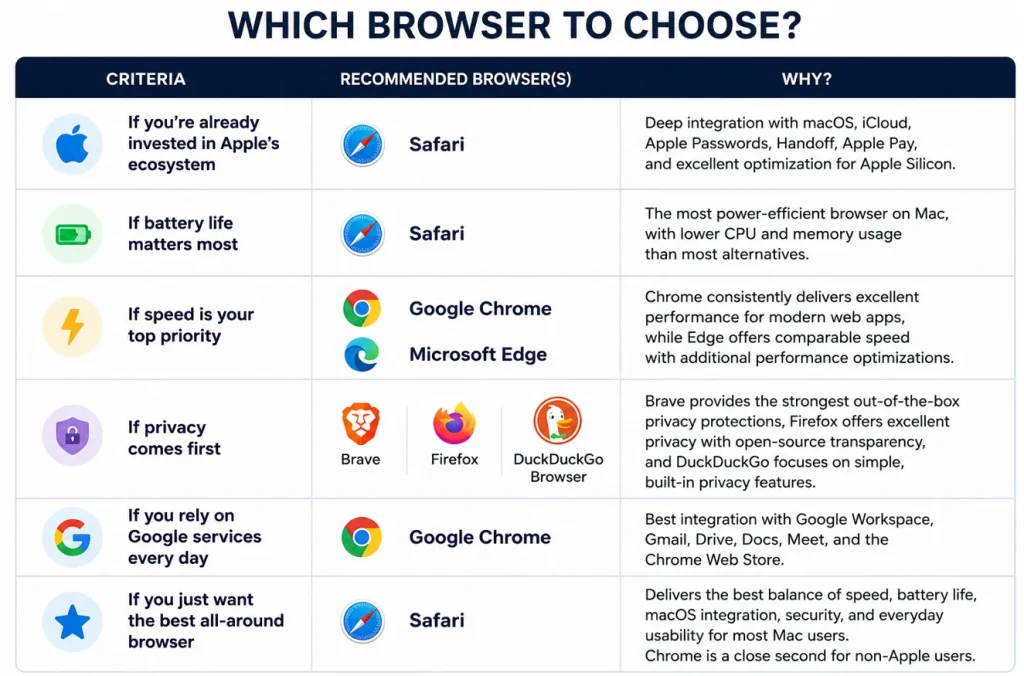
The choice of the best browser for Mac actually depends on how you use a browser. You need to decide if you prioritize battery life, privacy, productivity, or seamless integration with the Apple ecosystem.
You can refer to the quick guide below to identify which browser aligns best with your working style, productivity needs, privacy preferences, and performance expectations.
Cross-Platform Browser Testing on macOS and iOS (with TestGrid)
When you build websites and web applications, you need to verify that they work correctly across the browsers, operating systems, and devices your customers use.
TestGrid is an AI-powered end-to-end testing platform that helps teams deliver reliable web experiences by testing websites and web applications across supported desktop browser environments and real iPhones and iPads, without maintaining their own device lab.
You can run tests through TestGrid’s cloud infrastructure or deploy the platform on-premises when your organization requires greater control over its testing environment.
TestGrid provides browser coverage across Safari, Chrome, Firefox, Opera, and Samsung Internet on supported desktop and mobile environments.
You can execute tests in parallel across multiple browser and operating-system combinations, connect testing with CI/CD pipelines, and review results through logs, screenshots, videos, and performance data. Availability may vary by test type and configuration.
Validate your web experience across supported macOS and iOS environments with TestGrid. Request a free trial today.
Frequently Asked Questions (FAQs)
What is the best browser for Mac for developers?
There’s no single best browser for MacBook for every developer. It depends on the development workflow, features, privacy, and customization you’re looking for. Google Chrome is preferred for its DevTools and extension ecosystem, while Mozilla Firefox offers powerful debugging tools and strong support for open web standards.
Are Chromium-based browsers better than Safari?
Chromium browsers (Chrome, Edge, Brave, Opera) excel in extension support and web app compatibility, but Safari is better optimized for macOS, delivering battery efficiency, lower resource usage, and seamless Apple integration.
Can I use more than one browser on my Mac?
Yes, macOS supports multiple browsers simultaneously. Many users even select different browsers for different tasks, like Safari for everyday use, Chrome for work apps, Firefox for development, Brave for privacy.
Which browser is best for multitasking and managing lots of tabs?
Vivaldi offers Workspaces, Tab Stacks, and Tab Tiling. Arc provides project-based Spaces. Microsoft Edge includes Vertical Tabs and Sleeping Tabs, while Opera adds Workspaces and Tab Islands for complex sessions.
Which browser uses the least RAM on Mac?
Safari is generally the most memory-efficient browser on macOS, optimized for Apple hardware and WebKit. Actual usage varies by tabs, extensions, and websites, but Safari consistently ranks best in independent tests.
What is the safest and most private browser for Mac?
This answer depends on your privacy needs. Safari includes Intelligent Tracking Prevention. Brave blocks ads and trackers by default. LibreWolf removes telemetry and enforces hardened privacy defaults. The choice depends on your privacy priorities.


