CoTester 2.0 is LIVE! Your Always-Available AI Teammate for Testing.

- Top AI Platforms Overview
- What is an AI Platform?
- Top AI Platforms & Tools by Category Comparison
- AI Platforms and Agents for Software Testing
- AI Writing and Assistant Platforms
- AI Email Assistant Platforms
- AI Scheduling Platforms and Tools
- AI Image Generation Platforms
- AI Video Generation Platforms
- AI Project Management Platforms
- AI App Builder Platforms and Coding
- AI Data Analytics Platforms
- How to Integrate AI into Your Software Testing Workflow with CoTester
- Frequently Asked Questions
- How do AI platforms differ across categories like testing, assistants, and automation?
- How can I choose and compare AI platforms for my use case?
- What’s the difference between traditional AI and generative AI?
- Which AI platforms are most effective for software testing?
- What are the most popular AI platforms and tools in 2026?
- Can AI platforms integrate with my existing workflows?
- Are AI platforms safe for business use?
- What security risks should I watch out for when using AI?
Whether you know it or not, there’s an AI platform for pretty much every task you want to perform. These top AI platforms and tools are transforming how individuals and businesses get work done. With AI projected to contribute up to $15.7 trillion to the global economy by 2030, according to PwC’s Global Artificial Intelligence Study, the question is no longer whether to adopt AI; it’s which platform fits your specific needs
Or, at the very least, there’s an AI platform that can help you build tools to get things done. From productivity tools to testing frameworks, these different AI platforms cater to diverse needs. The last few years have changed the way we think, plan, and solve problems.
You can now brainstorm ideas, design decks in seconds, automate mundane tasks, and analyze heaps of data, all with just a few prompts. At the same time, innovations like AI browsers are bringing these capabilities directly into everyday web interactions. Many of today’s popular AI platforms have become indispensable in software testing, data analytics, and workflow automation.
For example, agentic AI testing platforms are redefining how QA teams generate and execute tests. Learn more about agentic AI testing here. The possibilities are endless. However, with numerous options available, how do you determine the right platform that aligns with your goal?
This guide will save you hours of research and help you compare the top AI platforms and tools and select the ones that fit your business goals, team dynamics, and working style.
So, let’s get started.
Top AI Platforms Overview
TL;DR
- AI Testing & QA: CoTester is an Enterprise AI test agent that writes, executes, and AgentRx auto-heals across changing UIs.
- AI Writing and Assistant: ChatGPT, Gemini, Claude, Microsoft Copilot, Perplexity, QuillBot – Brainstorm, write, and manage context-heavy tasks.
- Email Automation: Shortwave, SaneBox, Superhuman – Prioritize, organize, and automate your inbox.
- Scheduling & Productivity: Reclaim, Clockwise, SkedPal, Asana, ClickUp, Monday.com – Intelligent scheduling and workflow optimization.
- Generative AI Images & Video: Midjourney, Dall-E 3, Adobe Firefly, Google Veo, Invideo, Runway, Synthesia – Create high-quality visuals and videos instantly.
- App Builders & Coding Tools: Lovable, Bolt, Cursor, Bubble – Build apps and automate workflows faster.
- Data & Analytics: Tellius, Thoughtspot, Qlik Sense, Sisense – Extract actionable insights with AI-driven analysis.
What is an AI Platform?
An AI platform is a software environment that combines machine learning models, data processing tools, and automation capabilities into a single, accessible layer so you can build, deploy, or use AI-powered features without starting from scratch.
Think of it as the infrastructure layer between raw AI technology and the actual tasks you want to accomplish. Instead of training your own models or managing complex pipelines, an AI platform handles the heavy lifting and exposes it through interfaces you already know: chat windows, APIs, dashboards, or drag-and-drop builders.
Whether you’re a solo founder automating outreach, a marketing team scaling content production, or an enterprise routing thousands of support tickets, the right AI platform removes the manual grunt work and shifts your focus toward higher-leverage decisions.
Top AI Platforms & Tools by Category Comparison
In 2026, there’s an AI platform for almost everything you want to do, whether it’s testing software, analyzing data, managing projects, or creating text, images, and videos. Modern platforms combine LLMs, AI agents, and automation tools to make workflows smarter, speed up tasks, and help teams focus on what really matters.
AI Platforms and Agents for Software Testing
AI testing platforms help your team write, run, and maintain tests without heavy manual effort. Instead of hand-coding every test case, these platforms use AI agents to generate, execute, and self-heal tests as your product changes, cutting down QA cycles and keeping coverage intact at scale.
1. CoTester
Best for: QA teams looking to automate software testing with AI agents
TestGrid Cotester is the world’s first enterprise-grade AI testing agent that lets you create test cases with minimal manual effort. You can create and refine tests in plain language or directly in the editor, run them across real browsers and devices, and securely deploy on private cloud or on-prem infrastructure while staying in full control.
With Cotester AgentRx AI self-healing, it detects UI changes in real time, even full redesigns, and automatically updates test scripts on the fly. Guardrails ensure that every action is validated with your team before execution, keeping you in control at every step.
Features
- Use the chat interface or editor to tweak steps and update workflows manually or with the help of AI
- Refine steps manually in the editor or through natural language chat
- Run tests across real browsers and devices with execution logs and screenshots
- Parametrize test data securely with encryption for sensitive data by connecting to internal databases
- Insert hooks into pipelines, customize how and when tests run, and align automation to your stack
- Deploy securely with private cloud or on-prem support, with full ownership of your code and logic
Pros
- Users of all skill levels (non-coders, semi-technical, pro coders) can use CoTester
- Works at scale in industries where compliance, traceability, and precision matter (BFSI, healthcare, telecom, and so on)
- Incorporates guardrails and pauses at critical checkpoints to validate alignment with your team
- No vendor lock-in: customer owns automation logic
Cons
- Some features (like extended mobile support or deeper integrations) are currently in development
Pricing
- CoTester Starter Package: Starts at $199 per seat/month (minimum 4 seats; includes 4 devices/browsers and 5,000 tokens)
- CoTester Growth Package: Custom pricing (includes all Starter features + marketplace integrations)
For more examples of tools like CoTester, check out our guide to AI testing tools
AI Writing and Assistant Platforms
An AI assistant is a software app that understands user inputs (text, voice, or image), processes them, and performs a specific task.
1. ChatGPT
Best for: Individuals and teams seeking a versatile AI assistant for everyday work

ChatGPT is one of the top AI platforms that uses generative pre-trained transformers to answer your questions, translate and summarize text, write, and debug computer programs. It interacts with you via text, audio, and image prompts.
ChatGPT models come with web browsing capabilities, generate and refine images, and offer plugins that you can use to run code, solve mathematical problems, make hotel reservations, and even order groceries.
Features
Look up the latest news, market data, real-time stock price movements, and sports scores
Write and run code in a secure environment to analyze data from spreadsheets, CSV, or JSON files
Research complex topics or rewrite code in a side-by-side ‘canvas’ view to eliminate endless scrolls through chat history
Pros
- Handles thousands of queries at once, making it ideal for large organizations
- Supports multiple languages to cater to global audiences
Cons
- May generate outdated or inaccurate responses
- Can lose track of minute details if conversations get too long
Pricing
- Free: $0
- Plus: $20 per month
- Pro: $200 per month
- Enterprise: Custom pricing
2. Gemini
Best for: Users who rely heavily on Google Workspace and Google’s ecosystem

Gemini is a generative AI chatbot created by Google. It’s also the name of the Large Language Model (LLM) that powers it. It can understand and process your commands in the form of text, code, images, and audio.
The best part about Gemini is that you can integrate it with Google apps like Gmail, Docs, GMeet, and Maps, and summarize emails, transcribe meetings, create presentations, and draft documents.
Features
- Analyze large datasets, like sales figures, to track trends and create charts by accessing Gemini directly from Google Sheets
- Generate and debug code in multiple languages like Python, Java, and C++
- Schedule your everyday tasks, such as setting alarms, making calls, or even controlling smart home devices
Pros
- Helps double-check responses from Google, improving accuracy
- Offers building customized agents with ‘Gems’ for high-impact tasks and personalization
Cons
- Might produce factually incorrect or hallucinated outputs
- Usage limits may vary based on features and license type in Google Workspace
Pricing
- Free: $0
- Google AI Pro: $19.99 per month
- Google AI Ultra: $249.99 per month
- Gemini Business: $20 per user per month
- Gemini Enterprise: $30 per user per month
3. Claude
Best for: Professionals who need strong reasoning, writing, and document analysis

Claude is a family of AI models developed by Anthropic, used for tasks like natural language processing, reasoning, and coding. The latest version, Claude Opus 4.8, brings improvements in coding reliability and agentic task performance, including stronger tool-use efficiency and the ability to catch its own mistakes during multi-step coding work, building on the capabilities of earlier Opus 4.x models.
Features
- Upload images or documents and turn ideas into interactive visual artifacts
- Write, debug, and explain code across multiple programming languages from text prompts
- Connect to Google Workspace and integrate with tools like Jira and Intercom
Pros
- Strong at summarizing meeting notes, reports, and long documents
- Let’s users delete conversations, with backend removal completed within 30 days
Cons
- The free tier has daily usage limits
- Long sessions can occasionally run into performance issues
Pricing
- Free: $0
- Pro: $20/month
- Max: $100/month (5x usage) or $200/month (20x usage)
4. Microsoft Copilot
Best for: Organizations already invested in Microsoft 365

Microsoft Copilot is an AI assistant integrated into Microsoft 365 apps like Word, Excel, Outlook, and Teams. It allows you to automate repetitive tasks, create content, summarize docs, and code. You can even build agents to perform tasks for you.
Features
- Suggest tones like professional or informal while writing drafts, extract and insert data from other Microsoft apps, and expand or condense existing text in Word
- Create slide decks from a doc or outline, generate speaker notes, suggest layouts, and tailor presentations for different audiences and time limits
- Simulate ‘what-if’ scenarios for forecasting and automatically create formulas, pivot tables, charts, and graphs from data in Excel
Pros
- Retains user context and preferences for a personalized experience
- Access to advanced AI models like GPT
Cons
- It can be costly when bundled with Microsoft 365 apps
- Limited capabilities outside the Microsoft ecosystem
Pricing
- Microsoft 365 Copilot Chat: $0
- Microsoft 365 Copilot: $30 per user per month
- Microsoft 365 Business Basic: starting at $36 per user per month
5. Perplexity
Best for: Researchers and professionals who need source-backed answers

Perplexity is a search engine that answers your complex queries through real-time web-based search, making it a top AI platform for research. The answers include citations to their sources on the internet, which helps you verify information and keep the research process transparent.
Features
- Use the ‘focus’ feature to narrow down the search to specific topics, content types (academic papers or social media), and platforms (Reddit, YouTube, or Wolfram Alpha)
- Collaborate with your team and share projects, organize conversations, and consolidate web results in a dedicated workspace
- Check out related searches mentioned at the end of every response to dig deeper into a topic
Pros
- Straightforward UI with minimalist and easy navigation
- Integrates with platforms like Claude and GPT for deeper analysis
Cons
- Might not be ideal for creative writing and offers fewer customization options
- Limited natural language conversational ability
Pricing
- Free: $0
- Pro: $20 per month
- Enterprise Pro: $40 per user per month
These platforms demonstrate how generative models can assist developers and testers, a trend we covered in generative AI in software testing.
6. QuillBot
Best for: Students, researchers, and professionals who need paraphrasing, rewriting, and writing improvement tools
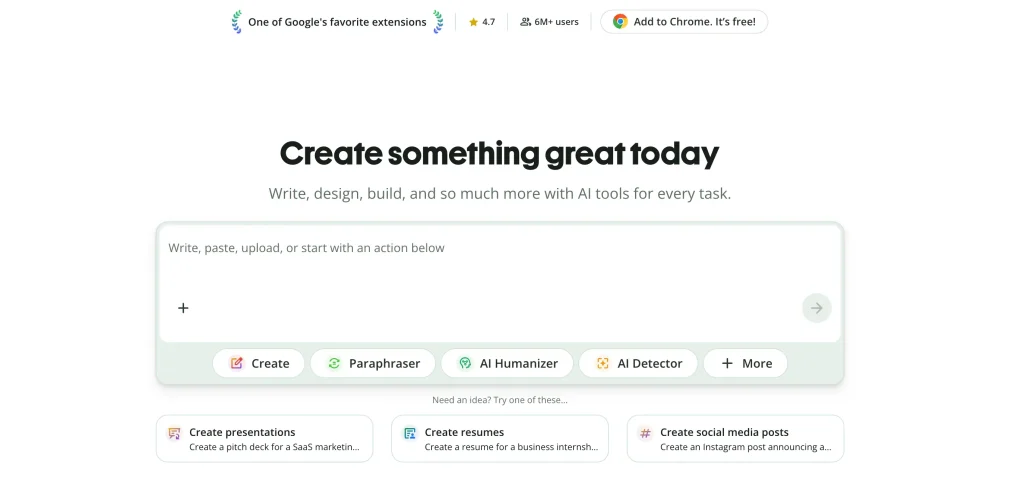
QuillBot is an AI-powered writing and paraphrasing platform built around machine learning and natural language processing, originally known for helping users rephrase sentences, fix grammar, summarize text, and check for plagiarism. As the platform has expanded beyond writing, it now also includes an AI Image Generator as part of a wider suite of image tools. This lets users turn text prompts into images, photos, and illustrations directly within the same ecosystem they use for writing, without needing a separate design tool.
Features
- Generates images from natural-language prompts, with style options including photorealistic, anime, watercolor, cinematic, and cyberpunk
- Produces images intended for use in blogs, marketing materials, presentations, and social media
- Supports a quick refine-and-regenerate workflow to improve results without starting over
- Connects to a separate AI Photo Editor and Background Remover within QuillBot’s image-tools suite for further editing after an image is generated
Pros
- Beginner-friendly interface with fast generation times
- Free plan available for casual users
- Supports multiple creative styles and high-resolution downloads
- Commercial-friendly image usage for personal and professional projects
- Sits inside the same account/platform as QuillBot’s writing tools, useful if you’re already a QuillBot user
Cons
- The free plan is limited to a small number of images per day
- Fewer advanced/manual controls than more technical tools like Midjourney
- Premium image generation limits still apply monthly
Pricing
- Free plan: up to 3 AI-generated images every 24 hours (requires a free account to view/download)
- Premium plan: QuillBot’s site currently states that this tier will offer up to 300 AI images per month
AI Email Assistant Platforms
These artificial intelligence platforms help you manage inbox overload and streamline communication.
Check out the top AI platforms for email management:
1. Shortwave
Best for: Busy professionals managing high volumes of email

Shortwave turns your inbox into a high-performing workspace. It combines productivity and team collaboration tools like Slack, Notion, and Asana into a single space so you can automate workflows without leaving your inbox.
Features
- Locate messages, analyze email history, and extract key insights from conversations with your team through AI-powered search
- Triage promotions, newsletters, and updates in bulk to keep your inbox looking clean
- Get personalized suggestions, real links, and phrases from your email history while typing
Pros
- Works on iOS, Android, Mac, and Windows
- Shows AI summaries at the top of long emails or threads
Cons
- Currently works on Gmail, hence not suitable for Outlook and Apple Mail users
- The interface might feel cluttered at times
Pricing
- Business: $24 per user per month
- Premier: $36 per user per month
- Max: $100 per user per month
2. SaneBox
Best for: Users who want AI-powered email organization without changing inbox providers

Sanebox helps organize your overwhelming inbox by filtering out unnecessary emails even before they drop in. Once you go through the onboarding, you don’t need to log in every time you use your email account. Sanebox quietly works in the background and splits your messages by category.
Features
- Drag and drop important emails into a separate folder, and Sanebox quickly picks up on your intentions and learns where to file similar emails in the future
- Keep a track of unanswered emails or the ones that need follow-up in the ‘SaneNoReplies’ folder
- Add annoying emails like promotions and newsletters in the ‘SaneBlackHole’ folder and never hear from them again
Pros
- Works with Gmail, Outlook, Yahoo Mail, and Apple Mail
- Analyzes emails by sender and subject, but not content, helping protect sensitive information
Cons
- Only focuses on inbox management, not drafting
- Potential risk of filing important emails into spam
Pricing
- Snack: $2.42 per month paid annually (1 email account)
- Lunch: $4.08 per month paid annually (2 email accounts)
- Dinner: $11.58 per month paid annually (4 email accounts)
3. Superhuman
Best for: Power users who spend hours in their inbox every day

Superhuman helps you read and reply to messages faster through keyboard shortcuts. It has AI tools that automatically organize your emails based on importance and help you draft messages by adjusting tone based on who the email is coming from (workplace or outside).
Features
- Automatically set reminders for follow-up emails by choosing a date and time
- Share a live view of an email with your team, and comment about work progress in real time without depending on meetings or email forwards
- Check the status of who read your email and when, so you can follow up with the right message
Pros
- Built for Gmail and Outlook users, and integrates with CRM tools like Salesforce, HubSpot, and Pipedrive
- Uses snippets or full email templates to automate emails and reply faster without retyping
Cons
- Requires a steep learning curve to learn keyboard shortcuts
- Individual users might find the subscription pricey
Pricing
- Starter: $25 per user per month
- Business: $33 per user per month
- Enterprise: Custom pricing
AI Scheduling Platforms and Tools
Take a look at the top AI platforms for scheduling:
1. Reclaim
Best for: Teams that want automatic calendar scheduling and time blocking

Reclaim is a calendar assistant that manages your tasks, meetings, habits, and breaks. Set a goal, say the number of hours you want to work, and Reclaim intelligently creates a schedule around your existing calendar events. In case things change, it realigns all your tasks in seconds.
Features
- Access habit templates or create custom ones for your team
- Set default working hours and track usage to maximize productivity
- Track work-life balance metrics, time spent on meetings, and hours logged via AI-driven analytics
Pros
- Integrates workflows with tools like Slack, Jira, Asana, and ClickUp
- Negotiates meeting time and finds the best slot for all participants
Cons
- Limited customization for highly complex schedules
- Currently supports Google Calendar, while Outlook integration is still in beta
Pricing
- Lite: Free
- Starter: $8 per user per month
- Business: $12 per user per month
- Enterprise: $18 per user per month
2. Clockwise
Best for: Organizations optimizing team calendars and meeting schedules

Clockwise is a top AI platform for scheduling that protects time for deep work and navigates schedules across multiple calendars in a team to set up meetings. It understands the preferences and habits of your teammates and suggests a meeting time that works for you as well as your team.
Features
- Reschedule meetings dynamically without searching for a free space in your calendar
- Clear your day or book numerous 1:1s with a single chat request
- Share your to-do list, and Clockwise automatically shuffles tasks as your calendar changes throughout the week
Pros
- Integrates well with Google, Slack, and Outlook
- Offers daily and weekly reports of how time was spent to help users refine scheduling habits
Cons
- Doesn’t support integration with personal Google accounts
- Automatic rescheduling doesn’t work for external meeting attendees
Pricing
- Free: $0
- Teams: $6.75 per user per month
- Business: $11.50 per user per month
- Enterprise: Custom pricing
3. SkedPal
Best for: Professionals balancing complex schedules and shifting priorities

SkedPal turns your simple to-do list into a smart, time-blocked schedule and adapts when your priority changes. It‘s a top AI platform designed to schedule your tasks based on urgency, availability, and your working style, by learning from your past behavior and work deadlines.
Features
- Group tasks into “admin”, “client work”, or “creative” and set weekly hour limits for each
- Rank tasks that matter the most by drag and drop, and SkedPal’s algorithm adapts them for future tasks
- Monitor your progress and anticipate potential conflicts with Status Tracker
Pros
- Helps avoid double-bookings with two-way calendar syncs
- Integrates with Google Calendar, Microsoft, iCloud, and Asana for unified scheduling
Cons
- Requires time to get used to time blocking features
- Needs refinement on the mobile app interface
Pricing
- Core: $9.95 per month (21-day window, 1 account)
- Pro: $14.95 (60-day window, unlimited accounts)
AI Image Generation Platforms
These are some popular AI platforms that let you create stunning images in seconds:
1. Midjourney
Best for: Designers and creators producing high-quality AI artwork

Midjourney lets you create images using natural language prompts. You can access it through Discord, where you interact with the bot and use ‘/image’ command to generate images and upscale them.
Features
- Use the ‘image weight’ parameter after uploading an image to specify how much influence it will have on the result. High weight, for example, will generate a result that closely follows the structure and details of your input image
- Use Style Reference to guide the tool to generate an image that resembles the texture and color palette of the uploaded image
- Create images in anime and illustrative styles using the Niji collaboration
Pros
- Offers an extensive online gallery of high-quality images
- Active community of over 20 million users
Cons
- Doesn’t have a free or trial version
- Restrictive commercial usage of images
Pricing
- Basic plan: $10 per month
- Standard plan: $30 per month
- Pro plan: $60 per month
- Mega plan: $120 per month
2. Dall-E 3
Best for: Users who want simple image generation through natural-language prompts

Dall-E 3 is one of the top AI platforms by OpenAI. It’s the latest image generation model that translates natural language prompts into highly detailed and coherent images. It allows you to create visuals in diverse styles, including photorealistic, cartoon, 3D render, and abstract, and is integrated into ChatGPT, making it easier to refine prompts through conversation.
Features
- Click on specific areas of the image to replace, remove, or extend elements while keeping the rest of the image intact
- Create images in various lighting, texture, color palettes, and moods by describing them in prompts
- Expand an image beyond its borders and add background details
Pros
- Easy-to-use interface for both beginners and experts
- Offers access through ChatGPT, Bing Image Creator, and Microsoft Copilot
Cons
- Struggles with generating text within images
- It can take up to 30-45 seconds to generate complex images
Pricing
- Depends on the access method (whether through ChatGPT Plus, OpenAI API, or Microsoft tools)
3. Adobe Firefly
Best for: Creative professionals working within Adobe’s ecosystem

Adobe Firefly helps you generate images and vectors using text prompts. Firefly is one of the top AI platforms that’s trained on licensed content and Adobe Stock, so the images you generate are safe for commercial use.
Features
- Add, remove, or expand elements on images using prompts to facilitate non-destructive editing
- Apply stylized effects to texts when creating flyers, creative titles, or social media posts
- Upload a reference image to create a new image that matches its style, texture, and color palette
Pros
Can handle small personal projects as well as large corporate campaigns
Integrates with Photoshop, Illustrator, and After Effects to optimize edits
Cons
- Might struggle to generate images with fine details
- Cannot create images solely based on image inputs; requires additional text prompts
Pricing
- Firefly Standard: $9.99 per month
- Firefly Pro: $29.99 per month
- Firefly Premium: $199.99 per month
- Creative Cloud Pro: $41.99 per month
AI Video Generation Platforms
Here’s a list of AI platforms for creating appealing videos through natural language prompts:
1. Google Veo
Best for: Creators producing realistic, cinematic AI-generated videos

Google Veo is a top AI platform developed by Google DeepMind that helps convert your text inputs into videos. You can generate high-quality 1080p resolution videos with cinematic features like time-lapse and aerial shots, and with accurate physics and natural movements.
Features
- Use images to guide Veo to produce visuals with consistent styles, characters, and aesthetics
- Add, remove, or mask parts of a scene using prompts or region selection tools available in the editor
- Pan, zoom, and track shots, as well as see how a scene looks from different camera angles (wide-angle or shallow-depth-of-field)
Pros
- Syncs dialogues, ambient sounds, and background music to enhance realism
- Produces videos in under 2 minutes
Cons
- Might misalign lip-syncs and merge characters in complex video formats
- Expensive subscription plans can be a barrier for casual creators and hobbyists
Pricing
- Veo 3: $0.75 per second (audio+video generation)
- Veo 3: $0.50 per second (video generation)
2. Invideo
Best for: Creators who need end‑to‑end video generation from a single text prompt.
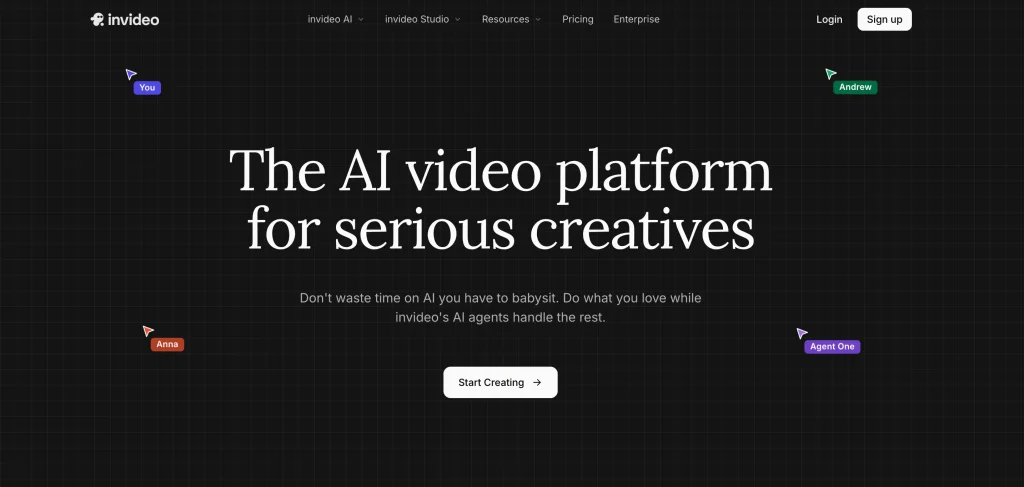
Invideo is an AI video creation platform featuring Agent One, a system that supports filmmaking tasks. It can turn prompts, scripts, or ideas into videos using agents and 200+ AI models. It is designed to maintain character consistency, style memory, and long-term project context, making it suitable for faceless YouTube channels, social media content, ads, and digital products.
Features
- Intelligent AI agents with long-term memory for style and project consistency
- Natural conversation-based creation (no complex prompt engineering)
- Multi-shot video generation up to 30+ minutes with models like Seedance 2.0, Veo, and Kling
Pros
- Speeds up video production workflows
- Provides consistency across characters, scenes, and branding
Cons
- Credit-based usage can increase costs for heavy creators
- Some learning curve to master agent workflows
Pricing
- Free Tier: Available with limited credits and features
- Plus Plan: Starts at $17/month
- Max Plan: $85/month (more credits + unlimited features)
- Generative: $170/month
- Elite: $900/month
- Credit Top-ups: Available on-demand for heavy usage
3. Runway
Best for: Content creators editing and generating videos with AI

Runway uses prompts in the form of images, other videos, or texts. You can edit videos, apply color grades, blur faces, and create super slow-motion sequences via browser or API. Runway also contributes to the creative community by collaborating with studios like Lionsgate.
Features
- Bring static images to life, generate transcripts and subtitles, and split scenes into clips using prompts and editing tools
- Use the Erase and Replace feature to refine and expand visuals
- Upload or generate audio and use the lip sync feature to sync it with videos of people talking
Pros
- Offers collaborative workflows for remote creative teams
- Doesn’t require high-end devices due to cloud-based operations
Cons
- Premium tools are available on high-tier plans
- Limited credits for free users
Pricing
- Free: $0
- Standard: $12 per user per month
- Pro: $28 per user per month
- Unlimited: $76 per user per month
- Enterprise: Custom pricing
4. Synthesia
Best for: Businesses creating training, onboarding, and explainer videos

Synthesia is one of the top AI platforms that lets you create realistic human avatar videos. It turns your texts into videos and is great for creating tutorials, product demos, and explainer videos. It’s widely used by businesses, marketers, and teachers.
Features
- Customize your avatars based on your business needs or to represent your brand identity
- Write a script and choose the language or accent for the region you’re creating the video for
- Automatically generate closed captions and track video performance using metrics like views, completion rate, and watch time
Pros
- Offers over 65 video templates and royalty-free access to music, icons, and footage
- Helps record voice and translate it into 29+ languages for a personalized experience
Cons
- Avatars lack realistic facial expressions, impacting UX
- AI-generated voices might sound robotic and mispronounce certain words
Pricing
- Basic: $0
- Starter: $18 per month
- Creator: $64 per month
- Enterprise: Custom pricing
AI Project Management Platforms
Some of the top AI platforms for project management are:
1. Asana
Best for: Teams managing structured projects across multiple departments

Asana is a work management tool that helps your team plan, organize, and execute tasks. It’s a web-based tool that allows you to collaborate with other team members, track projects, exchange files, and meet deadlines.
Features
- Manage a series of projects in private or public spaces and filter them based on tags, priority, and assigned people
- Comment directly on a task, image, or PDF so your team knows what needs to be fixed
- Organize work into shared projects using lists or Kanban boards for your meetings, initiatives, and programs
Pros
- Alerts members in a workspace when there’s a change in tasks
- Offers integrations with various productivity, reporting, communication, and product management tools (Instagantt, Power BI, Mailbulter, and Jira)
Cons
- No in-built time tracking capabilities
- A task can be assigned to only one user at a time
Pricing
- Personal: $0
- Starter: $10.99 per user per month
- Advanced: $24.99 per user per month
- Enterprise: Custom pricing
2. ClickUp
Best for: Organizations seeking an all-in-one workspace for projects and collaboration

ClickUp is a top AI-powered platform for project management that’s cloud-based, helping teams organize tasks and reach their goals efficiently. It supports multiple views like lists, boards, and calendars, so teams can choose the format that suits their day-to-day workflow.
Features
- Arrange your workspace by departments, teams, clients, or initiatives, and choose who can access it
- Add text, screenshots, docs, or videos to your tasks to keep all info in one place
- Create, import, and customize reports to track your team’s performance and see who’s working on what and who missed a deadline
Pros
- The mobile app lets users assign tasks and read critical notifications
- Integrates with tools like Slack, Google Drive, and Zoom for better communication and file sharing
Cons
- Extensive features and customization options demand a steep learning curve
- Might report occasional performance lags when managing large projects
Pricing
- Free: $0
- Unlimited: $7 (for small teams)
- Business: $12 (for mid-sized teams)
- Enterprise: Custom pricing
3. Monday.com
Best for: Businesses that need highly customizable workflow management

Monday.com allows you to collaborate with team members to plan, track, and deliver projects. It integrates with multiple marketing, CRM, finance, and HR tools, including Mailchimp, Calendly, Jobflows, and QuickBooks, to help you automate workflows, manage resources, and track portfolios.
Features
- Organize projects via boards and visualize them through various views like Kanban, Gantt charts, or calendars
- Jot down meeting notes and project scope in WorkDocs and directly embed them in your boards to reflect updates in linked documents
- Plan product roadmaps, define sprints, and track bugs by integrating Kanban or Scrum boards directly into your code base
Pros
- Offers hundreds of built-in industry-specific templates to get teams started quickly
- Includes a self-serve knowledge base, learning center, and 24/7 support
Cons
- Activity log tracking is limited to one week for free and basic users
- Limited functionality and layout in the mobile app
Pricing
- Free: $0 (up to 2 users)
- Basic: $9 per user per month
- Standard: $12 per user per month
- Pro: $19 per user per month
- Enterprise: Custom pricing
AI App Builder Platforms and Coding
Here are the best AI platforms for no-code or low-code app development:
1. Lovable
Best for: Founders and non-technical teams building MVPs with AI

Lovable is one of the top AI platforms for app development that allows you to build web apps using natural language prompts. It helps you create frontend, backend, and database code. Also, you have the option to connect the code with a GitHub repository for customization.
Features
- Spot security vulnerabilities with your app through the Security Scan feature
- Switch to Dev Mode and edit your project code directly on Lovable
- Visually edit styles like margins, padding, text size, and alignment directly in the app UI
Pros
- Allows the swift development of prototypes and MVPs within hours
- Helps collaborate with the team to work on projects and share feedback
Cons
- Limited advanced customization options for complex apps
- Doesn’t offer a native mobile app
Pricing
- Free: $0
- Pro: $25 per month
- Business: $50 per month
- Enterprise: Custom pricing
2. Bolt
Best for: Developers creating full-stack applications from natural-language prompts

Bolt helps you build full-stack web apps. Describe your desired application using natural language prompts, and Bolt will generate code for the frontend, backend, and database structure in seconds. You can preview and edit the components, and download the source code or directly export to platforms like Vercel.
Features
- Manually edit source code, if required, using Bolt’s browser-based IDE
- Tweak layouts, logic, and text using the visual editor
- Integrate with tools like Figma to import designs, Supabase for backend database and authentication, Expo for mobile app development, and Netlify for hosting
Pros
- Offers a browser-based IDE that eliminates local installations or configurations
- Supports popular libraries and frameworks like JavaScript, React, Vue, and Angular, which makes it a top AI platform for app development
Cons
- Doesn’t support languages such as PHP and Python
- May require manual correction of inaccuracies or irrelevant information in the AI content
Pricing
- Free: $0
- Pro: $20 per month
- Teams: $30 per month
- Enterprise: Custom pricing
3. Cursor
Best for: Software engineers accelerating development with AI-assisted coding

Cursor is a code editor built on VS Code that lets you write, edit, and debug codebases in natural language. You can refactor and implement bulk changes by updating multiple lines of code simultaneously. Plus, Cursor’s agent mode keeps you in the loop while executing commands.
Features
- Reduce the need for manual debugging by automatically detecting lint errors and fixing them
- Simply use the @ symbol to see the list of all the files and code to reference them while writing a command
- Use the image button or drag an image into the input box for visual context
Pros
- Provides content-aware and project-specific code suggestions
- Supports multiple coding languages, including Python, JavaScript, C++, PHP, and Ruby
Cons
- May lag when dealing with larger files and extensive codebases
- Dependency on external APIs like OpenAI, Anthropic, and Google Cloud AI
Pricing
- Hobby: Free
- Pro: $20 per month
- Ultra: $200 per month
- Teams: $40 per month
- Enterprise: Custom pricing
4. Bubble
Best for: Entrepreneurs building web applications without traditional coding

Bubble allows you to build apps with dynamic databases and advanced features using a visual drag-and-drop interface. It’s one of the top AI platforms designed for small businesses as well as large enterprises.
Features
- Describe your app idea in natural language and create an app with a customized design, data structure, and core logic
- Launch your app and get instant customer feedback to refine it rather than spending too much time on early drafts
- Install various plugins based on categories like productivity, tech, visual elements, and customer support to enrich your app
Pros
- Offers access to a robust library of guides and tutorials to get through every step in the development process
- Hosts apps on enterprise-grade infrastructure that helps with scalability
Cons
- Doesn’t allow code exports, so users have to rely on Bubble for maintenance and hosting
- Limited customization options for apps with graphical interfaces
Pricing
- Free: $0
- Starter: $29 per month
- Growth: $119 per month
- Team: $349 per month
- Enterprise: Custom pricing
Also Read: AI in Software Testing: Everything You Need to Know
AI Data Analytics Platforms
Some of the most popular AI platforms for analytics let teams explore data, uncover insights, and make decisions faster.
1. Tellius
Best for: Business users exploring data through natural-language queries

Tellius is a top AI platform for data analytics that makes complex data insights accessible to you by processing natural language queries without needing SQL knowledge. You can ask questions about comparisons, growth drivers, trends, and top/bottom performers in a specific dataset.
Features
- Combine datasets and charts from marketing, sales, and support into one dashboard (Vizpads) and apply filters to focus on specific segments
- Detect patterns, correlations, and anomalies within a dataset using the Guided Insights feature
- Build no-code predictive models (regression or classification) and use Explainable AI to understand the reasoning behind the forecasts
Pros
- Simplifies data exploration with an intuitive interface
- Integrates with Microsoft Teams, Salesforce, Hadoop, and Snowflake to facilitate comprehensive analysis
Cons
- Limited customization features for dashboards
- Extended features might be difficult to adopt for non-technical users
Pricing
- Premium: $1495 per month (up to 10 users)
- Enterprise: Custom pricing
2. Thoughtspot
Best for: Teams seeking self-service analytics without SQL expertise

Thoughtspot uses natural language query (NLQ) to generate answers and visualizations without requiring knowledge of SQL or table relations, making it a top AI platform for non-technical users. It integrates with cloud platforms like Snowflake, Google BigQuery, and Oracle to help you analyze large datasets.
Features
- Identify patterns, anomalies, segmentations, and predict future outcomes using the SpotIQ tool
- Use ThoughtSpot Embedded to integrate customized analytics and AI-search directly into your app or web portals
- Access the latest data and interact with charts and KPIs to get deeper insights with Liveboards
Pros
- Comparatively more affordable than other BI tools
- Suitable for growing businesses and enterprises with large datasets
Cons
- Fewer chart types and dashboard customization options
- Data might need to be cleaned and modeled manually for the Search function to work
Pricing
- Essentials: $25 per user per month
- Pro: $50 per user per month
- Enterprise: Custom pricing
- ThoughSpot Embedded: $0 (Free for Developers for 1 year)
3. Qlik Sense
Best for: Enterprises requiring advanced analytics and data visualization

Qlik Sense allows you to gather and visualize data across various industries and helps make informed decisions. You can deploy it on-premise, in the cloud, and in hybrid environments to optimize resources and maintain performance as data volumes increase.
Features
- Use interactive maps, charts, tables, and dashboards to filter and examine data
- Get real-time updates about market conditions via databases, cloud platforms, and even social media
- Analyze trends and predict future outcomes using insights from historical data
Pros
- User-friendly drag-and-drop interface for both technical and non-technical users
- Allows access to data insights on the go with a robust mobile app
Cons
- May require significant training to master its full potential
- Expensive pricing, especially when add-ons are required
Pricing
- Starter: $200 per month
- Standard: $825 per month
- Premium: $2750 per month
- Enterprise: Custom pricing
4. Sisense
Best for: Companies embedding analytics into customer-facing applications

Sisense is designed to combine data from various sources (files, databases, and cloud warehouses, model it, and create interactive dashboards that you can embed into apps and workflows. This makes Sisense the best AI platform to make insights readily available for your users.
Features
- Use data preparation tools to clean, transform, and shape data, and make it suitable for analysis
- Create customizable charts, tables, and widgets using drag-and-drop
- Ask questions about data and perform calculations in plain language prompts
Pros
- Offers on-prem, cloud, and hybrid deployment options
- Can handle large datasets and concurrent users efficiently
Cons
- May require help from developers to use advanced functionalities like custom coding
- Limited user community and troubleshooting resources
Pricing
- Custom pricing available
How to Integrate AI into Your Software Testing Workflow with CoTester
As you think about the year ahead, consider what challenges matter most to you. Start with one or two platforms that align with those needs, give them time to fit into your workflow, and then expand as you grow more comfortable. AI is not a passing trend.
It is steadily becoming part of how we think, work, and create. By approaching it with intention, you can make these tools a meaningful part of your everyday work and long-term goals. If you’re interested in elevating your software testing efforts, request a free trial of CoTester.
Frequently Asked Questions
How do AI platforms differ across categories like testing, assistants, and automation?
AI platforms are designed for specific goals. Testing platforms focus on QA automation, assistants help with research and content, and automation tools streamline workflows. The best fit depends on whether you want to reduce manual QA, generate content, or optimize processes.
How can I choose and compare AI platforms for my use case?
To make the right choice, start by clarifying your main need: testing, content creation, automation, or analytics. Then compare platforms based on features, integrations, scalability, pricing, and ease of use to see which aligns best with your workflow.
What’s the difference between traditional AI and generative AI?
Traditional AI is built to handle specific tasks, learning from structured inputs to make decisions. Generative AI goes further: it takes inputs like text, images, or video and creates new content, not just analyzing existing data but producing something original.
Which AI platforms are most effective for software testing?
Tools like CoTester act as AI testing agents, automating test case creation, execution, and maintenance. They reduce manual effort and improve test coverage, making QA faster and more reliable.
What are the most popular AI platforms and tools in 2026?
Widely used platforms include ChatGPT, Gemini, Claude, and Microsoft Copilot for general tasks. For specialized needs, CoTester leads in testing, Midjourney in image generation, and Cursor in coding.
Can AI platforms integrate with my existing workflows?
Yes, most AI platforms support integrations with project management tools, cloud services, and APIs, so you can adopt them without disrupting your current systems.
Are AI platforms safe for business use?
They can be safe if proper security measures are in place. Always evaluate vendor policies, compliance standards, and access controls to protect against risks like data privacy issues or model manipulation.
What security risks should I watch out for when using AI?
The biggest risks include data poisoning, where attackers manipulate training data to introduce vulnerabilities, and privacy threats, especially when sensitive information like financial records, biometrics, or health data is involved. Always review how a platform handles sensitive data before adoption.