 CoTester 2.0 is LIVE! Your Always-Available AI Teammate for Testing.
Take a scenario, for example. Your product team adds a requirement in Jira to implement TOTP-based two-factor authentication for every mobile app login. This creates a chain of work for your QA team.
They first need to interpret the requirement and then identify the scenarios which require testing. They have to design tests that cover successful as well as failed authentication scenarios, expired codes, retries, different devices, operating systems, and application states.
Next, they have to update dependent tests, connect to test data, execute in the right environments, and investigate in case a test fails.
Then comes the most critical question: Can we ship this update? This again includes assessing the results, the evidence supporting those results, any unresolved issues, and risks which can arise post release.
As you can see, enterprise quality engineering is a connected operating workflow. And if you’re incorporating AI, its value increases when it can participate across this entire workflow because each stage depends on context created in the stages before it.
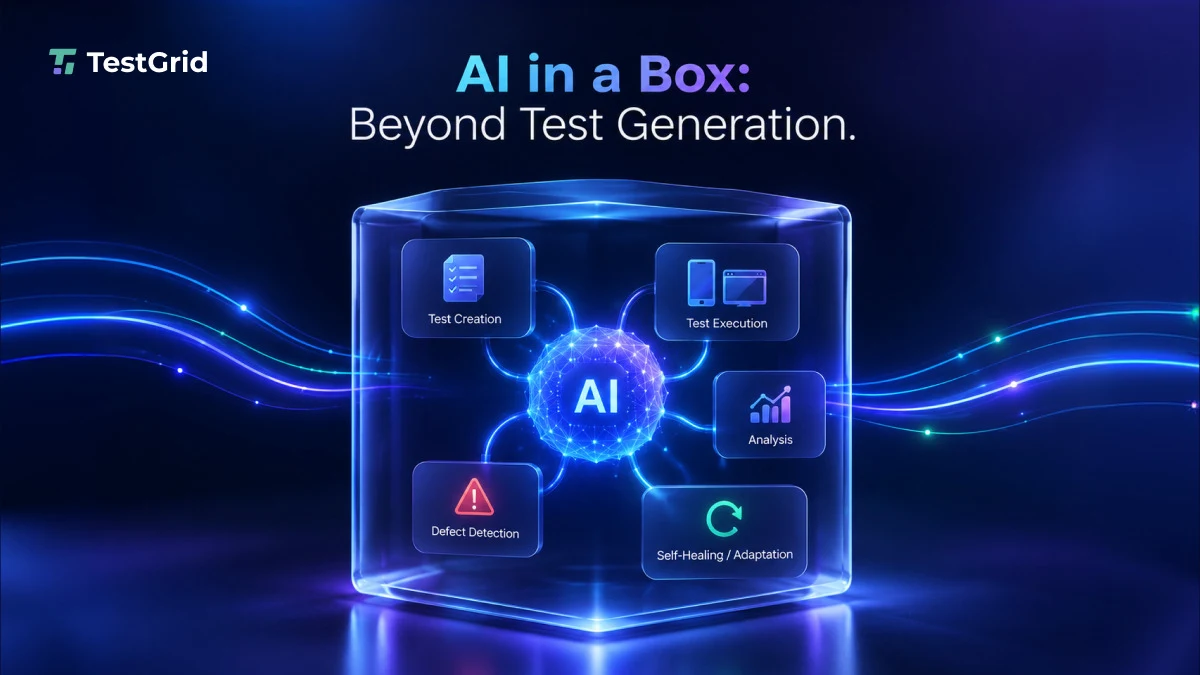
This is the idea behind AI in a Box: an operating model where TestGrid connects the context, agents, execution environments, infrastructure, and evidence involved in quality engineering.
In this blog, we’ll look at why enterprise AI delivers more value when requirements, test generation, execution, and analysis operate as part of one connected system.
Optimize your QA processes with AI-assisted test automation, management, and analysis using TestGrid. Request a free trial.
TL;DR
- Enterprise QA involves activities like test creation, requirement interpretation, coordinating test tasks, test execution, and reporting
- An AI system should be able to add value across all these processes, not only test generation
- AI in a box means an AI operating model which connects the test context, agents, execution environments, and infrastructure involved in quality engineering
- TestGrid’s AI approach brings requirements, test management, execution, maintenance, analysis, and infrastructure into a connected quality engineering workflow
- AI-powered quality engineering is ultimately about expanding what AI can operate, minimizing manual handoffs, and giving teams strong evidence for release decisions
Starting with the Requirements
In a conventional QA setup, human testers translate the requirements into test cases, then create automation scripts for testing. With TestGrid, your requirements become the starting context for AI.
CoTester, an enterprise-grade AI software testing agent, can understand your user stories and Jira inputs, interpret the acceptance criteria and user flows, and then automatically turn them into structured test cases with steps, validations, and expected outcomes. Your team can review these tests before execution.
Because that workflow continues into execution, TOTP-protected login tests can generate verification codes during the run without stopping for manual intervention.
Existing automation also stays part of the workflow: teams can run Selenium, Appium, Cypress, or Playwright suites on TestGrid without rewriting them.
Also Read: AI Testing: What It Is, What It Isn’t, and Why It Matters
Executing the Tests on Real Environments
Your login flow might behave differently on an Android device and an iPhone. A browser-based version might function differently in different browsers like Chrome, Safari, and Firefox. Or, authentication may fail only under a particular network condition, device model, or browser version.
In TestGrid, the AI layer is connected directly to the execution infrastructure it needs to act. That connection gives the workflow access to real Android and iOS devices and browser environments across Safari, Chrome, Firefox, Opera, and Samsung Internet.
It helps you integrate with CI/CD tools like Jenkins, Azure DevOps, and GitHub Actions so you can trigger tests and execute them across these environments in parallel.
Its browser testing enables testing on multiple browser and OS combinations, reduces feedback time during regression cycles, and lets you review results with logs, screenshots, videos, and performance insights.
Adapting Tests When Product Changes
Now, say in the next release, your login screen changes. The development team moves a field, renames an element, or adds another step before the verification code screen. Traditional automation might fail even if your user journey is still valid.
TestGrid’s adaptive auto-healing capabilities are designed to identify these changes during execution. It can determine how to continue your test execution without failures, and surface the changes for review rather than halting the execution altogether.
That’s where AI in a Box starts to extend beyond test generation: the AI can continue participating as the application and the test itself change.
TestGrid’s agentic QA model coordinates specialized functions like test creation, execution, engineering, stability, and analysis. It doesn’t rely on one general-purpose assistant.
The model brings together dedicated agents and AI capabilities for test generation, self-healing, bug detection, root cause analysis, and orchestration.
Also Read: AI in Test Automation: A Detailed Overview
Leveraging Failures as Evidence
Now, suppose the two factor authentication you implemented fails on one Android configuration. But a mere “failed” status in a test report doesn’t give you enough information. You need to know the underlying reason behind it.
- Did your app reject the new code?
- Did the Android device lose connectivity?
- Did the UI fail to show the expected element?
- Or was the wrong version of the test running?
TestGrid provides you with the evidence behind every test result. It can capture execution context such as screenshots, recordings, environment information, test versions, and failure categories.
It also makes investigation easier by preserving test version information and classifying failures into categories such as element-not-interactable, locator failures, assertion failures, application crashes, data errors, device loss, and infrastructure failures.
You can use this information for root cause analysis without having to reconstruct the execution manually.
You can see that our single Jira requirement has now travelled through a complete quality engineering loop starting from test creation, orchestration, real execution, self-healing, failure analysis, and evidence.
So, What Actually Is Inside “AI in a Box?”
For TestGrid, the box is the operating environment around the AI, not a single model or agent. It brings together the context, agents, execution systems, and infrastructure the AI needs to operate across quality engineering. It contains:
- The context layer consisting of your requirements, user stories, Jira, ADO, PRDs, and existing test assets which the AI needs to make predictions
- The agentic layer where CoTester and specialized AI capabilities create, execute, maintain, and analyze your testing workflows
- The execution layer which involves executing tests across web, mobile, APIs, performance, visual, accessibility, audio, and enterprise apps
- The infrastructure layer that includes real devices and browsers hosted across dedicated cloud, on-premises, and hybrid deployment models
Moreover, TestGrid’s hybrid architecture can combine enterprise-owned infrastructure with TestGrid-hosted resources so you can keep your test execution under a common management layer.
TestGrid doesn’t just add AI to testing. It connects what needs to be tested, the agents who do the work, the infrastructure where that work runs, and the evidence which tells you what happened during execution.
From Requirement to Evidence: Why This Workflow Matters
“Applying AI to enterprise quality engineering requires teams to answer a question bigger than, ‘Can AI generate tests?’”
If the AI can generate a test but your human testers still have to move it between tools, provision the environment, repair it after every app change, reconstruct failed executions, and assemble the evidence, then your fundamental operating model hasn’t really changed.
AI in a Box expands the boundary of what AI can operate across.
TestGrid extends that boundary by connecting the context, systems, execution environments, and infrastructure AI needs to move from a requirement to execution evidence, while reducing manual handoffs between stages.
This is what it means to make AI operational across quality engineering. Request a free trial of TestGrid and operationalize end-to-end QA workflows with AI.


