CoTester 2.0 is LIVE! Your Always-Available AI Teammate for Testing.
- What Is Intelligent Test Automation?
- How Does Intelligent Test Automation Work?
- What Can Intelligent Test Automation Help With?
- Common Challenges in Adopting Intelligent Test Automation
- Real-World Examples of Intelligent Test Automation
- How to Implement Intelligent Test Automation?
- Best Intelligent Test Automation Platforms Compared
- How CoTester Powers Intelligent Test Automation
- Future of Intelligent Test Automation
- Final Words
Traditional test automation relies on predefined test scripts or test logic, which works well for repeatable checks. But it can become a limitation if your apps, requirements, and test conditions change frequently.
The overhead of maintaining scripts, investigating failures, expanding coverage, and deciding which tests to run can be overwhelming when done manually.
Intelligent test automation helps you tackle these gaps with the help of AI and Machine Learning (ML).
PractiTest’s 2026 State of Testing report found that 76.8% of respondents’ organizations use AI, reflecting the growing adoption of AI across software testing.
In this blog, we’ll learn what intelligent test automation is, how it works, its benefits, and how to implement it effectively.
Optimize test automation with agentic intelligence using CoTester. Book a demo.
TL;DR
- Intelligent test automation blends traditional test automation with AI-driven capabilities to generate, adapt, analyze, and optimize testing
- Intelligent automation testing helps you with scriptless test authoring, auto-healing tests, intelligent execution, risk-based prioritization, and root cause analysis
- Some real-world use cases include codeless test automation, failure analysis, flaky test detection, and voice-assisted tests
- To implement it, outline test goals and success criteria, automate test cases, configure AI agents, establish governance, begin with a pilot, and integrate into CI/CD
- The top 5 intelligent test automation tools are CoTester, mabl, Functionize, Applitools Autonomous, and Tricentis Tosca
What Is Intelligent Test Automation?
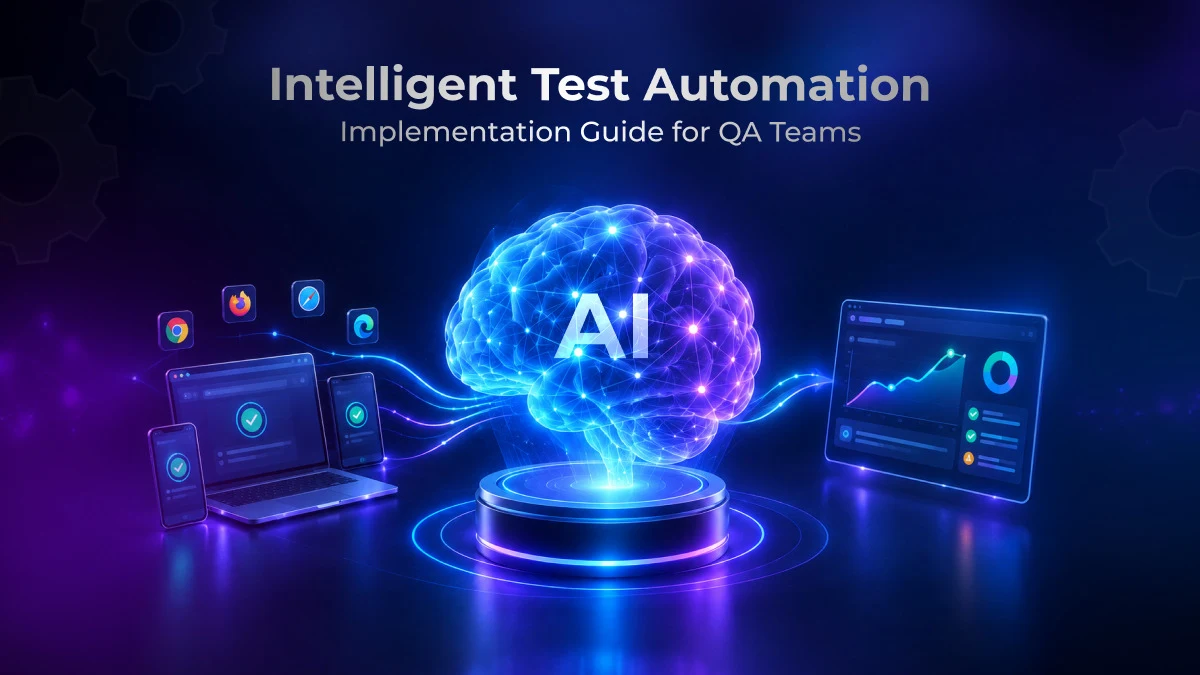
Intelligent test automation combines conventional test automation with AI techniques such as ML, Natural Language Processing (NLP), and computer vision to support capabilities such as natural-language test authoring, self-healing, test prioritization, and failure analysis.
Intelligent test automation vs. traditional test automation
The table below will help you understand the difference between traditional and intelligent automation testing across software testing activities.
| Area | Traditional test automation | Intelligent test automation |
| Main goal | Automate repetitive test execution | Automate execution and also make testing more adaptive and data-driven |
| Test creation | You manually create scripts based on predefined steps | AI can generate tests from requirements, prompts, or user stories |
| Test maintenance | You have to manually update broken scripts when apps change | AI can detect changes and self-heal affected tests |
| Test coverage | Depends on the test scenarios testers design | AI can suggest additional scenarios and edge cases based on coverage gaps |
| Test execution | Automation tools execute predefined test scripts which specify the test steps, inputs, actions, and expected results | Automation engines execute tests across configured environments, while AI can help select or prioritize tests based on signals such as code changes, historical failures, and risk |
| Human involvement | High involvement in authoring, maintenance, and analysis | Human involvement shifts from routine authoring, maintenance, and triage toward review, supervision, exploratory testing, and higher-value quality decisions |
Learn More: AI in Test Automation: A Detailed Overview
How Does Intelligent Test Automation Work?
The process generally starts with a requirement, user flow, test objective, or natural-language instruction. Depending on the platform, AI can interpret the input, generate test cases or test steps, orchestrate their execution, and analyze the resulting test data.
Here’s how the typical flow looks.
a. Understand
The system first analyzes your inputs which can contain information about the functional requirements, user journeys, app behavior, or historical test data. NLP then converts your natural language instructions into test intent.
The historical results and app context help your AI system identify relevant scenarios and potential risk areas.
b. Generate
Now, based on the intent, the AI builds test cases or expands existing coverage with additional scenarios. It can create tests from requirements, user stories, or app models, which helps you reduce manual scripting and identify coverage gaps and edge cases.
c. Execute and adapt
The automation engine executes tests across configured browsers, devices, or environments. Where self-healing is supported, the system can use structural, visual, or historical signals to recover from certain locator or UI changes during execution.
d. Analyze and optimize
After execution, AI-assisted analysis can correlate results, failure patterns, historical runs, and coverage data to surface risks and insights. Some platforms also use prior runs or explicit feedback to improve element matching, prioritization, or subsequent test generation.
Technologies which facilitate intelligent test automation
- AI: This enables your test automation tools to understand test objectives, generate tests, analyze failures, and take actions with minimal human intervention
- ML: ML learns patterns from your historical test results and execution data to identify high-risk areas, optimize test selection, and detect anomalies
- NLP: NLP basically helps your automation tools to process natural language prompts or instructions and convert them into executable test steps; this enables teams to reduce scripting time
- Deep Learning: This technology mainly uses multi-layer neural networks to learn complex patterns from large datasets and support advanced analysis, visual understanding, and anomaly detection
- RPA (Robotic Process Automation): RPA automates repetitive, rule-based business processes; within testing workflows, it can support activities such as test-data setup or repetitive cross-application tasks
What Can Intelligent Test Automation Help With?
1. Scriptless test authoring and automation
AI-based test generation tools can help you create tests from instructions written in plain English or Gherkin syntax (via BDD frameworks). This allows your manual testers, business analysts, and even product managers to contribute to designing tests without the need for coding.
2. Self-healing test maintenance
Intelligent automation systems can apply self-healing mechanisms to detect certain UI or locator changes, such as modified attributes, labels, or layouts, and attempt to recover element identification during execution.
Genuine application behavior changes or low-confidence matches should still result in failures or require review.
3. Intelligent execution
Risk-based test prioritization is another important benefit of intelligent automation testing. Here, your tests are ranked as per factors like code modifications, historical failures, business criticality, and risk.
This lets your team run the high-risk tests first, which have the most impact on business and users. Intelligent execution can be particularly useful for regression testing, because you can focus on the critical tests rather than executing the entire suite.
4. Predictive testing
Some intelligent testing systems use predictive analytics to analyze historical results, execution trends, code changes, defect history, and other signals to estimate which tests or application areas carry higher failure risk.
This defect prediction helps your team focus testing on critical workflows earlier and proactively identify potential quality risks.
Learn More: Predictive Test Selection: How It Works, Use Cases, and Best Practices
5. Test and root cause analysis
Intelligent failure-analysis systems can correlate test results, logs, screenshots, traces, and historical runs to determine whether a failed run is more likely to stem from an application defect, test issue, or environment problem.
This can reduce false-positive investigations and speed up root-cause analysis.
Common Challenges in Adopting Intelligent Test Automation
1. Poor quality training data
Some ML-based testing capabilities, particularly predictive prioritization, anomaly detection, and custom models, depend on relevant historical test and defect data. Poor-quality data can reduce the reliability of these capabilities.
| How to overcome For models trained in-house, validate datasets and retrain or recalibrate them when necessary. When using vendor-hosted AI, maintain high-quality test data, use available feedback mechanisms, monitor outputs, and understand the vendor’s data-use and model-update policies. |
2. Integration issues with existing tools and frameworks
Intelligent testing systems must integrate with your existing test automation frameworks, CI/CD pipelines, test management systems, defect trackers, and app environments to accurately create, execute, and act on tests.
However, differences in APIs, data formats, authentication, and execution models can make integration complex.
| How to overcome You should always pick tools with documented APIs and native integrations. Also, verify compatibility through a small pilot, and expand automation incrementally instead of replacing existing infrastructure at once. |
3. Measuring the ROI can be hard
Calculating the ROI of your automation can be tough because its benefits extend beyond just direct cost savings. Teams also have to account for improvements in test coverage, maintenance effort, defect detection, and release speed. But measuring the financial impact can be difficult.
| How to overcome To evaluate the impact of intelligent test automation, establish baselines for execution time, maintenance and triage effort, flaky-test rate, test coverage, escaped defects, and infrastructure cost. Then translate measurable time or cost reductions into financial impact when calculating ROI. |
Also Read: Measuring the ROI of Agentic Test Automation
4. Security and compliance
AI-enabled testing may process sensitive application data, test data, logs, screenshots, or credentials. Depending on the data, organization, and jurisdiction, this can create privacy, security, and compliance obligations.
| How to overcome You can implement data masking or synthetic test data generation, enforce access controls and encryption, limit sensitive data sent to AI systems, and select platforms with appropriate compliance and data governance controls. |
Also Read: Top 25+ AI Testing Tools and Platforms for QA in 2026
Real-World Examples of Intelligent Test Automation
1. Codeless test automation
Code-based test automation often requires programming-language and framework expertise, which can create a barrier for non-technical contributors.
Intelligent automation testing can address this problem by letting you use natural language instructions, visual interfaces, and no-code workflows and convert test intent into executable automation.
Learn More: Codeless test automation: A Comprehensive Guide
2. Intelligent failure analysis
A test failure doesn’t always happen because of a product defect. A lot of times environment issues, timing problems, or automation errors can produce misleading failures.
Intelligent automation can correlate logs, execution context, screenshots, traces, and historical patterns to classify failures and suggest whether the likely cause is a product defect, test issue, timing problem, or environment failure.
3. Flaky test detection
Some tests might pass or fail inconsistently without any real app changes. This can lead to unreliable results and affect your confidence in automation.
AI systems can identify tests with inconsistent pass/fail histories and recurring instability patterns, helping teams distinguish likely flaky behavior from product regressions and prioritize further investigation.
4. Voice-assisted tests
Testing apps which have voice technology can be tricky because traditional UI automation may not be able to validate spoken commands and conversational interactions. AI can help you interpret voice inputs, automate voice-driven workflows, and check responses.
This allows your team to test apps where speech is the primary interaction method.
Learn More: Scale Audio Testing with TestGrid
How to Implement Intelligent Test Automation?
1. Outline your testing goal and success metrics
You have to first define the specific problem you want the automation to solve. This could be reducing regression time, increasing coverage, or improving defect detection.
Then you need to determine measurable baseline metrics (like test execution time, defect detection rate, test maintenance effort, and false-failure rate) and target outcomes.
This will enable you to evaluate if the implementation improves your testing efficiency and business value.
2. Identify the test cases to automate
Next, you have to decide the tests you need to automate. This should ideally include the tests you frequently execute like regression tests across web, mobile, desktop, and APIs, tests affected by frequent UI changes, and high-risk scenarios.
These are the tests that will benefit the most because intelligent automation can scale repetitive execution, adapt to frequent locator changes, prioritize tests as per criticality, and cover large numbers of browser or device combinations.
3. Configure AI agents
If your chosen platform supports agentic testing, you can configure agents with clearly defined roles, inputs, outputs, permissions, and boundaries to support testing tasks while maintaining appropriate human oversight.
Here are examples of AI agent roles that can cover different areas of your software testing cycle:
- Generator: Creates test scenarios, cases, or executable test steps from requirements, user flows, app context, and existing test assets
- Optimizer: Assesses execution history, code changes, coverage, and risk signals to prioritize relevant tests, reduce redundant execution, and optimize test execution
- Analyzer: Evaluates test results, logs, screenshots, traces, and historical failures to classify failures, detect patterns, and identify potential root causes
- Healer: Detects broken automation caused by app changes and repairs affected locators, selectors, or test steps with approval
4. Establish test data and governance
Next, you should decide how your test data will be created, stored, accessed, and refreshed before you integrate the AI agents into testing workflows.
Make sure you use synthetic or masked data where appropriate and set access controls, retention policies, auditability, and data quality checks to avoid sensitive information from entering AI systems.
5. Start with a pilot
The best way to implement intelligent test automation is to begin by automating a limited, representative set of test cases or a single app workflow.
A pilot will help you validate AI-generated tests, self-healing behavior, failure analysis, integration, and governance under controlled conditions before you expand adoption.
6. Integrate testing into CI/CD
Incorporate AI systems into your CI/CD pipeline so that your tests can run automatically when code changes are committed, built, or deployed.
This enables continuous testing and helps AI-driven test selection, execution, failure analysis, and feedback become a part of the software delivery cycle.
Best Intelligent Test Automation Platforms Compared
Look at the table and compare intelligent test automation tools across their best use cases, features, and AI technologies they use.
| Tool Name | AI Focus | Best For | Ideal For |
| CoTester | Agentic AI, multimodal vision-language model, self-healing automation | Generating and maintaining end-to-end tests for enterprise web and mobile apps | Real mobile devices and browser testing |
| mabl | Agentic intelligence, machine learning, generative AI | Continuous regression testing of web, mobile, and API apps | Web, Mobile, API |
| Functionize | Machine learning, generative AI, self-healing | Self-healing UI testing | Enterprise web apps |
| Applitools Autonomous | Deterministic language model, Visual AI, LLM, NLP | Visual regression testing for web applications | Web, visual UI, API, PDF, cross-platform |
| Tricentis Tosca | Machine learning, agentic AI | Model-based testing for large-scale enterprise packaged apps (like SAP, Salesforce, and Oracle) | Enterprise apps, web, API |
How CoTester Powers Intelligent Test Automation
CoTester is an enterprise-grade AI software testing agent which integrates seamlessly with your development workflows and enables you to generate, execute, and maintain automated tests efficiently. This agent learns your product context and handles testing like an experienced human tester.
You can upload or link user stories from JIRA, paste a URL, or share documentation, and it intelligently generates and runs tests with your approval and adapts them as your app evolves to keep your automation stable.
Its self-healing engine, AgentRx, updates locators automatically when you change UI elements or redesign layouts.
Other than this, CoTester helps you automate test execution across real devices and browsers and gives you detailed results, including logs and screenshots. It even continuously learns from every feedback loop to improve the accuracy and efficiency of your test automation processes.
Future of Intelligent Test Automation
We have seen how intelligent test automation is helping teams with codeless testing, autonomous execution, predictive testing, intelligent exploratory testing, test prioritization, and self-healing.
Looking ahead, we can expect to see AI agents planning, generating, executing, analyzing, and refining tests autonomously.
AI might evolve into a test orchestrator and assist teams in coordinating test management, automation frameworks, environments, CI/CD pipelines, and defect systems.
Over time, AI systems might be able to combine requirements, source code, historical results, production telemetry, and business context so tech leaders can make better testing decisions.
However, one thing that will remain integral despite growing AI adoption is human testers who will focus on supervising AI agents, reviewing their outputs, and managing quality, security, and compliance.
Final Words
Teams today want more than just faster test creation and execution. They want to optimize every aspect of their QA lifecycle, including speed, productivity, and accuracy.
Intelligent test automation can reduce repetitive manual execution, maintenance, triage, and context switching, giving testers more capacity for exploratory, risk-based, and strategic quality work.
However, you need to note that successful adoption requires clear human oversight, trustworthy data, controlled AI autonomy, and measurable feedback.
Explore CoTester to see how it brings human-in-the-loop control, adaptive test automation, and self-healing execution into your testing workflows. Book a demo today.