 CoTester 2.0 is LIVE! Your Always-Available AI Teammate for Testing.

When does a test management tool stop matching the way your QA team works?
A platform that worked well when testing centered on test cases and execution runs may face different demands as your workflow expands across automation, AI-assisted testing, CI/CD pipelines, multiple frameworks, and enterprise governance.
The World Quality Report 2025-26 found that 43% of organizations were experimenting with generative AI in QA, while only 15% had scaled it across the enterprise.
That shift changes what teams may expect from test management. Testomat supports manual and automated testing, but your requirements may extend further into areas such as real-device execution, deeper traceability, AI-assisted workflows, reporting, or enterprise deployment.
This guide examines the best Testomat alternatives and where each one fits, so you can compare their strengths, limitations, integrations, and pricing against the way your team tests software today.

Manage and execute tests with TestGrid. Request a free trial.
Testomat Alternatives Overview
TL;DR
- TestGrid: AI-native software testing platform with test management, AI test creation, codeless automation, and real-device and browser execution
- Testmo: Unified test management platform for manual, exploratory, automated, and AI-assisted testing in one centralized workspace
- Testiny: Flexible test management for organizing test cases, planning test runs, tracking results, and integrating manual and automated testing
- Xray: Jira-native test management for organizing test cases, preconditions, test plans, test sets, executions, and requirements traceability
- TestLodge: Straightforward test management that helps create test plans, organize test suites, document requirements, and track test execution
- TestRail: Centralized management for test suites, test plans, runs, milestones, execution results, and testing reports across projects
- Zephyr: Test management for planning, creating, executing, tracking, automating, and reporting tests across projects
- PractiTest: End-to-end test management platform connecting requirements, test cases, execution runs, and defects through centralized QA workflows and traceability
What Is Testomat?
Testomat is an AI test management tool that enables you to organize projects, design reusable tests, run them on any environment, and keep your team moving fast. You can easily migrate to Testomat from any other test management system in just a few clicks.
The platform also helps you structure tests into suites and folders that match how you work, with roles that keep stakeholders informed without write access. You can write tests in classical or BDD format and parameterize them with data tables.
Moreover, with Testomat you can bulk edit hundreds of tests in a YAML editor and paste screenshots straight from your clipboard as well as reuse steps from a shared database for autocompletion to stop rewriting the same boilerplate.
Why Teams Look for Testomat Alternatives?
Testomat is a capable test management platform that helps you efficiently manage test runs, track results, and integrate automated testing into your workflows. But this tool may not be the best fit for every team’s requirements.
Differences in your team size, testing workflows, integration needs, reporting requirements, and budget can influence your choice. Plus, there are certain limitations that lead users to look for Testomat.io alternatives. These are:
- Some users report that there’s a learning curve when setting up advanced workflows and integrations; some parts of the interface may feel unintuitive for first-time users
- Another user mentioned that the order of test cases within a test run isn’t always consistent with the order defined in the test suite; this can make it a bit hard to follow the execution flow
- The UI can at times feel cluttered, and navigating between large test suites may feel cumbersome
- A few users say that the built-in dashboards aren’t deeply customizable
How We Evaluated These Alternatives
When researching the different Testomat alternatives, we considered the factors that are most critical for teams who want to efficiently manage their manual and automated testing workflows.
Therefore, in our assessment, we looked at capabilities like test planning and execution, requirements traceability, reporting, and collaboration to determine how effectively each tool can support the software testing lifecycle.
Test automation support was another important area. We searched for platforms that can integrate with major automation frameworks like Selenium, Playwright, Cypress, Appium, and WebdriverIO. This allows teams to design as well as manage automated test suites.
We also assessed how easily you can connect your testing workflows with project management and collaboration tools like Jira, Slack, Microsoft Teams, GitHub, and Confluence for seamless communication, test progress tracking, and workflow coordination.
Then, we focused on reporting and analytics features, including execution metrics, test coverage, defect tracking, and customizable dashboards. And lastly, we considered interface usability and whether users can smoothly navigate the platform, access relevant information, and configure dashboards to suit their test requirements.
Testomat Alternatives Comparison
Take a look at all the Testomat alternatives and see how they differ in their use cases, integrations, and pricing to find a fit for your team’s requirements.
| Tool Name | Best For | Integrations | Pricing |
|---|---|---|---|
| TestGrid | Unified test management with AI-assisted testing and real-device execution | Selenium, Appium, Cypress, CircleCI, TravisCI, Azure DevOps, GitHub Actions, Jira, Slack, Teams | Starts at $249 per seat per month; free trial available |
| Testmo | Managing manual, exploratory, and automated testing in one platform | Jira, GitHub, GitLab, CircleCI, Bitbucket, Jenkins | $59 per month |
| Testiny | Lightweight test case management with flexible automation | Jira, Azure DevOps, GitHub, GitLab, Bugzilla, ClickUp | Starts at $15.42 per user per month; free tier available |
| Xray | Jira-native test management with requirements traceability | Jira, Jenkins, Bamboo, CircleCI, Azure DevOps, Travis CI | Custom |
| TestLodge | Straightforward test planning, test case organization, and execution tracking | Azure, Jira, GitHub, GitLab, Redmine, Zoho | $34 per month |
| TestRail | Centralized test case management and test tracking across large QA teams | Selenium, Jira, Azure DevOps, Jenkins, GitHub, CircleCI, Travis CI | $22 per user per month |
| Zephyr | Managing and automating software testing directly within Jira | Jira, Jenkins, Selenium, TestComplete, ReadyAPI | Custom |
| PractiTest | End-to-end QA management with centralized testing insights | Jira, Azure DevOps, Selenium, Cucumber, Soap UI, TestComplete | $49 per user per month |
Best Testomat Alternatives for 2027
1. TestGrid
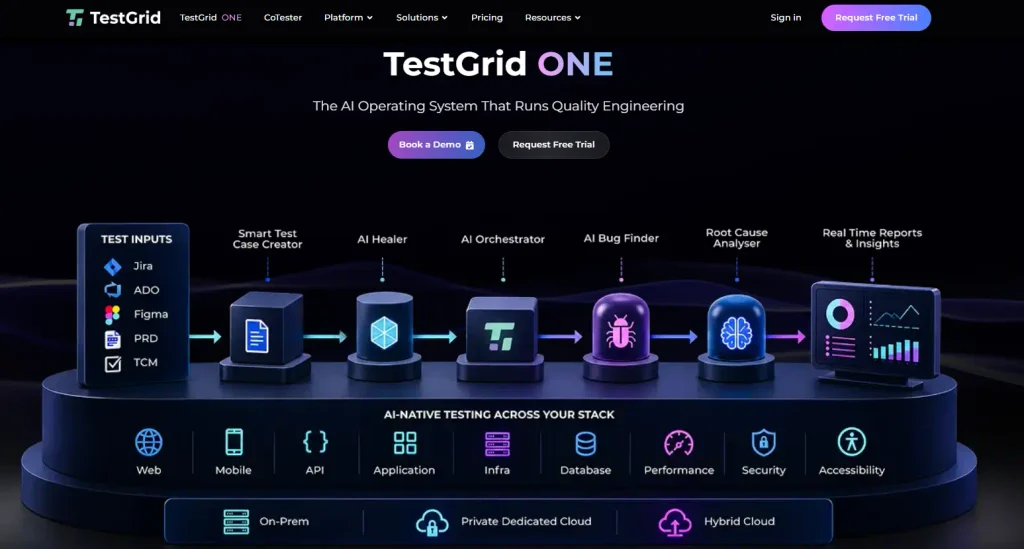
Built by TestGrid, TestGrid ONE is the AI operating system that runs quality engineering. The platform centralizes test management, AI-assisted test creation, execution, and reporting in one environment. You can build tests in codeless, low-code, and full code modes.
You can run tests across real devices and browsers, and retain execution evidence such as screenshots, logs, and environment data when failures occur.
Platforms like Testomat offer robust test management features, but TestGrid combines test management with scalable execution, mobile app automation, secure enterprise-grade test infrastructure, AI-assisted testing workflows, test data management, functional and non-functional testing, and debugging.
TestGrid also seamlessly integrates with CI/CD tools such as Jenkins, CircleCI, and Azure DevOps, as well as with Teams and Slack for efficient test management and collaboration.
Features
- Write your test cases in English or BDD and upload them via CSV or paste them right into the AI portal
- Manage tests for both manual and automated testing; no need to maintain separate test repositories
- Create and manage structured test cases from user stories and acceptance criteria, then execute and review them under production-like conditions
- Correlate data across your device, OS, app, network, and test layers to speed up triage and root-cause analysis
- Consolidate all your essential data in a single place, see who is working on what in real time, and track your team’s progress in the dashboard
- Deploy TestGrid through on-premises, private dedicated cloud, or hybrid test infrastructure based on your security, control, and infra requirements
Limitations
- The initial setup and feature exploration might need some effort. However, detailed guides, documentation, and assistance are always available
Pricing
- CoTester Starter Package: Starts at $249 per seat/month (minimum 4 seats; includes 4 devices/browsers and 5,000 tokens)
- CoTester Growth Package: Custom pricing (includes all Starter features + unlimited tokens, SSO, site-to-site VPN, device reservations, and marketplace integrations)
- Custom Device Lab (On-Prem or Hosted): Custom pricing (all-inclusive test lab deployed on-premises or in your private cloud)
2. Testmo
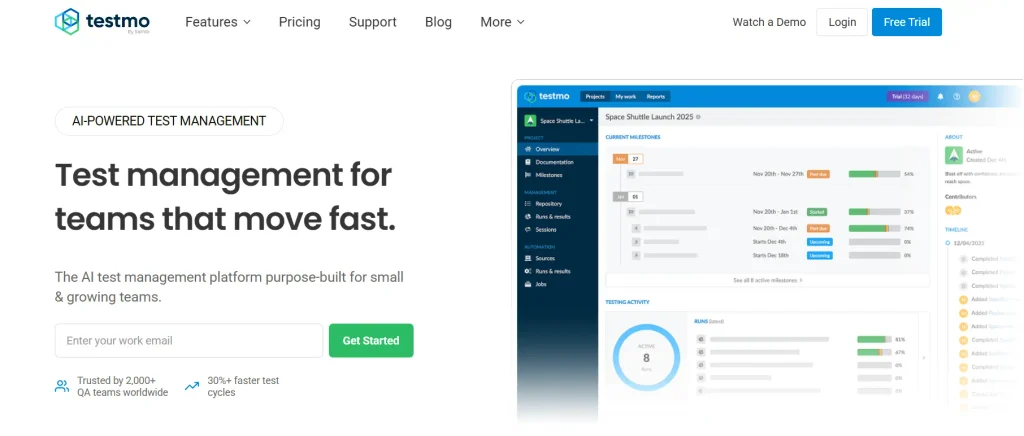
Testmo is a unified test management which integrates test automation with your existing testing tools, CI pipelines and build systems. You can automatically submit results, track tests, analyze and report failures, detect flaky tests, uncover critical issues quickly, and link failures to defects, all from one place. The platform also supports integrations with development tools like Jira, GitHub, and GitLab and enables you to unify your entire software development pipeline.
Features
- Easily manage test cases, record test results, and track test runs with Testmo’s flexible test case management
- Get immediate insight into test cases, automation, exploratory sessions, and AI testing agents with end-to-end coverage and traceability
- See coverage, progress, and risk across all your testing in real time, spot trends, and release data-driven and reliable test metrics
- Document notes, screenshots, and bugs from exploratory or ad-hoc test sessions to accelerate feedback loops
Limitations
- Reporting and analytics features can feel limited compared to other tools
- Some users mention that sharing test cases between teams can be challenging; plus, currently, it’s not possible to share repositories across teams
Pricing
- Team: $59 per month
- Business: $249 per month
- Enterprise: $599 per month
3. Testiny
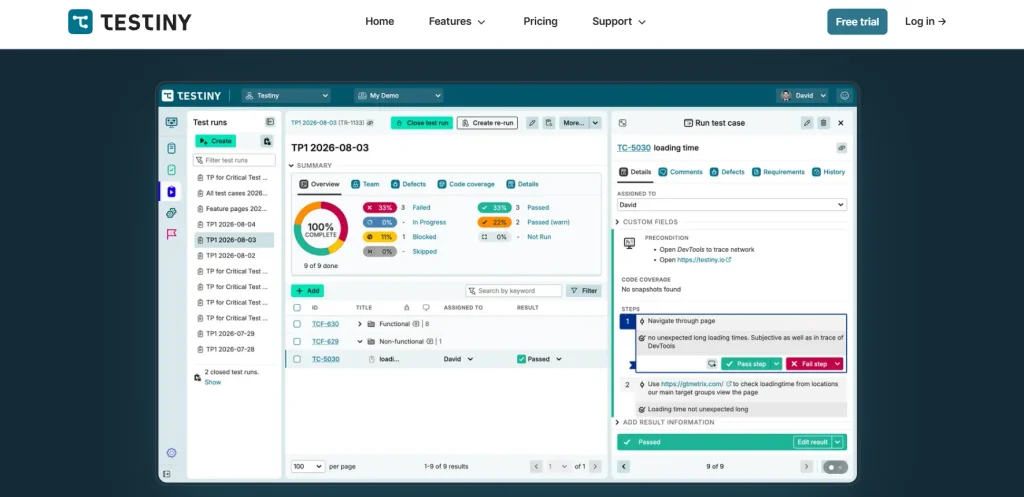
Testiny is a test management platform that lets you centralize manual and automated test management with secure, scalable, fully integrated workflows. It’s purpose-built for fast-moving teams. You get powerful reporting, CI/CD integrations, efficient test management, and enterprise-grade security. With Testiny, you can empower your teams with an efficient testing workflow with rich text editors, step-by-step execution UI, and bug reporting with screenshots and videos.
Features
- Centralize all your test cases, test plans, and execution in one platform, link to requirements or defects, and gain visibility into test progress
- Create, link, and update issues in Jira, Linear, GitHub, GitLab, or Azure DevOps
- Import results from Playwright, Cypress, Selenium, or JUnit, and consolidate every outcome into one unified report
- Get detailed dashboards, real-time charts, and shareable PDF reports across every run
Limitations
- The dashboards and analytics features may feel limited when you’re working with large projects
- A few users mention that it’ll be more convenient if they could launch a test run directly from the parent folder containing other test case folders
Pricing
- Free: $0
- Starter: $15.42 per user per month
- Business: $17.08 per user per month
- Enterprise: $25 per user per month
4. Xray
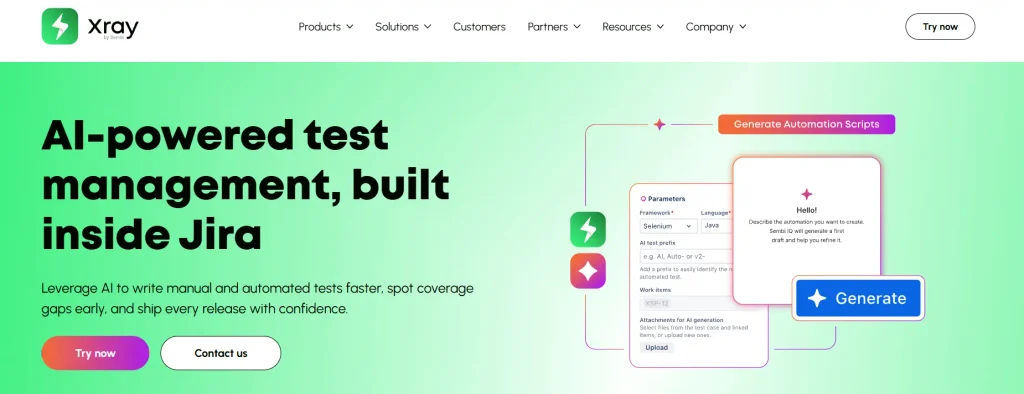
Xray is an AI-powered test management tool built inside Jira. It helps you write Cucumber scenarios directly in Jira and bring in results from JUnit, NUnit, and CI tools like Jenkins and GitLab. With Xray, you can consolidate the creation, execution, and reporting of manual and automated tests in one platform with integrations like Jenkins, Travis CI, Azure DevOps, Cucumber, TestNG, JUnit, and more.
Features
- Draft structured test cases from your requirements in manual or Cucumber format, and review, edit, and decide what gets saved with Xray AI
- Rank your test cases by risk, based on test history and defects, and run the riskiest ones first to catch problems before they reach production with AI Test Prioritization
- Link every requirement to its tests, runs, and defects, so everyone sees the same picture with detailed traceability reports
- Keep your tests up to date in real time, detect coverage gaps early, catch problems fast, and release quality software with confidence
Limitations
- The tool can involve a steep learning curve because there are many concepts like Test, Precondition, Test Set, Test Plan, and Execution; this may confuse new users
- Test execution views may get cluttered when you handle large numbers of test cases
Pricing
- Custom pricing available based on requirements
Also Read: Top 10 Xray Alternatives: Features, Use Cases, Pricing, and Limitations
5. TestLodge

TestLodge is a modern test case management tool that’s designed from the ground up with feedback from industry-leading software testers. It has a straightforward UI and is easy to use. The platform integrates seamlessly with your existing issue tracking tools and test automation systems. You can build test suites or import existing test cases from a spreadsheet. You can mark your tests as passed, failed, or skipped, and can optionally automate the creation of tickets when a test fails.
Features
- Use our trusted template to create your test plans, or design your own from scratch
- Organize and store requirements and user stories in requirement documents
- Store test cases in test suites so they are easier to organize; this allows you to efficiently maintain them as your software, website, or app evolves
- Check your test coverage to know which requirements are not being verified by tests
Limitations
- Currently, the platform doesn’t have built-in bug tracking, so you need to use another tool for that
- A few users state that adding an unlimited number of test cases and test runs would be beneficial
Pricing
- Personal: $34 per month
- Basic: $69 per month
- Plus: $139 per month
- Premium: $279 per month
6. TestRail
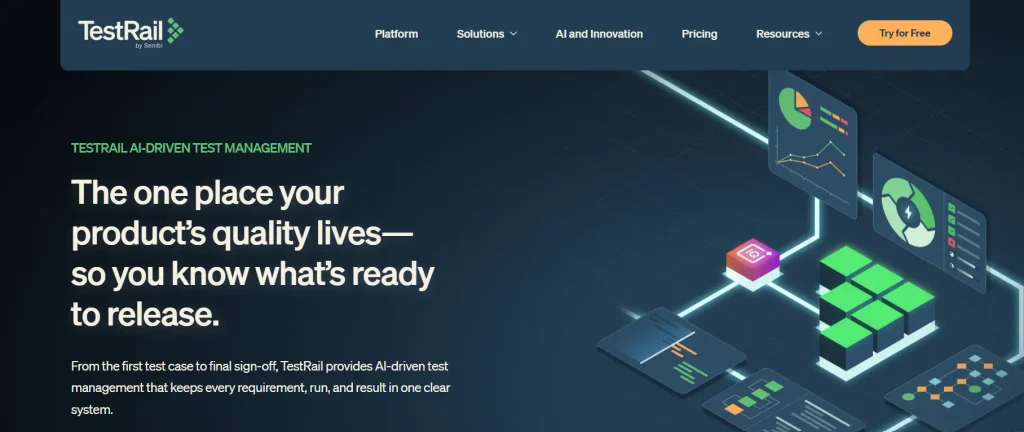
TestRail is an AI-driven test management platform where you can manage all of your manual, exploratory, and automated tests in one place and gain full visibility into your testing. You can also centralize your testing activities and easily access your test assets, reduce duplication, and ensure consistency across the testing process. TestRail lets you link tests to issues to find requirement gaps, minimize defect leakage, and ensure tests cover your app’s features.
Features
- Build test plans in minutes, assign work across the team, and track execution in real time
- Generate test cases from your requirements in seconds and spend your time testing, not authoring
- Compare test case versions side-by-side to track how test cases have changed over time
- Reuse test cases across multiple test runs and copy test cases to new suites or projects
Limitations
- Some of the pages can feel slow when working with bigger datasets or large test suites
- Some users mention getting familiar with the platform takes time
Pricing
- Essentials: $22 per user per month
- Professional: $39 per user per month
- Enterprise: $78 per user per month
Learn More: TestRail Alternatives: Top 10 Tools
7. Zephyr
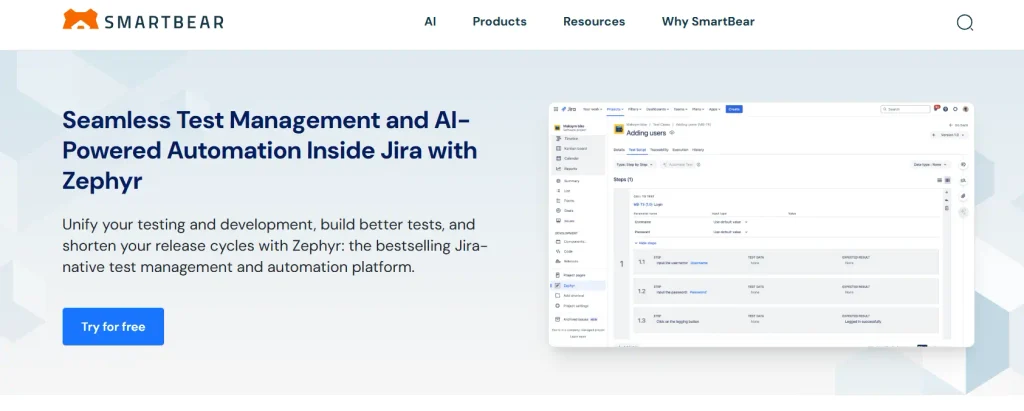
Zephyr is a test management tool that allows you to streamline your test management and keep testing and development in sync by easily creating test cases, linking them to user stories and requirements, tracking defects, and monitoring progress, all within your Jira environment. Other than this, the platform also offers cross-project sharing and reusability features, unlimited storage, and seamless test case execution. Plus, you can easily access all your test assets from a single repository with hierarchical folders.
Features
- Keep your team aligned with development goals, find defects fast, and gain full visibility into testing progress
- Create test cases by easily recording and replaying test executions and automating tests without scripting
- Create, modify, and execute automated tests faster with AI‑assisted test step suggestions, auto-generated validations, and self-healing locators
- Track requirements across test cases, test cycles, test plans, and execution results easily
Limitations
- A few users find the poor UI of Zephyr Enterprise challenging and cite problems with navigation and performance
- Some users even reported that searching test cycles is hard because the system lags sometimes
Pricing
- Custom pricing available on request
Also Read: Best 8 Zephyr Alternatives
8. PractiTest
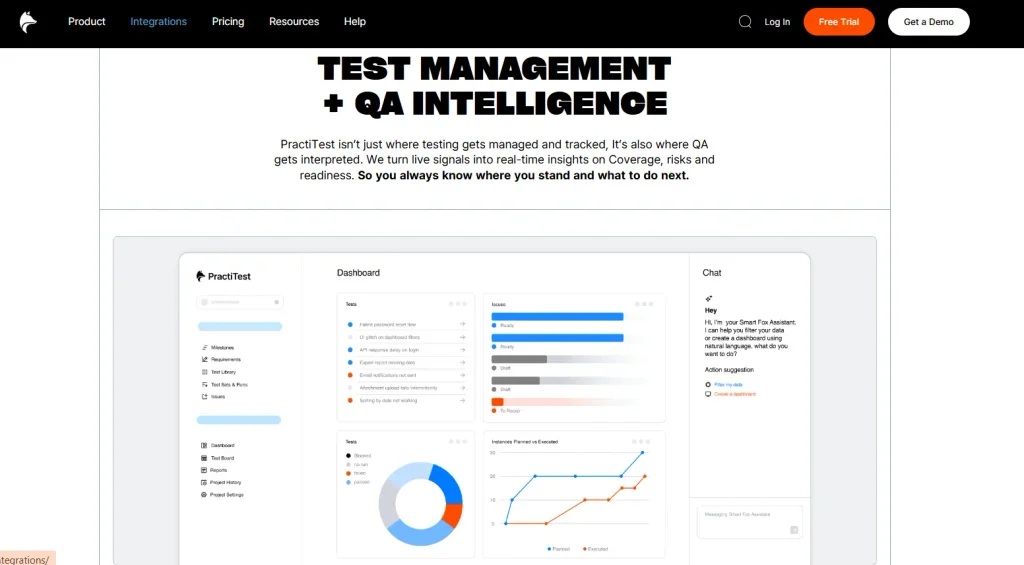
PractiTest is mainly designed to handle high-volume testing with ease. You can integrate it into agile workflows and with tools your team already uses, like Jira, Azure DevOps, or ClickUp. The platform allows you to tailor workflows, custom fields, view reports and dashboards, and manage and track your project with milestones. You can automatically generate well-defined test steps and adjust them as per your needs with the Smart Fox AI assistant, and edit tests, requirements, and issues without data overwrites.
Features
- Import from Jira or Azure DevOps, surface tests instantly, identify gaps, and create tests with AI
- Get complete traceability across user stories, test runs, and defects
- Gain daily status, including execution progress, coverage, defects, and real-time visibility into automation
- Build and organize your manual, automated, exploratory, and BDD tests from one unified space
Limitations
- Since the platform offers an extensive feature set, the learning curve can be steep
- Some users might find the interface outdated and hard to use compared to other modern tools
Pricing
- Team Plan: $49 per user per month
- Corporate Plan: Custom
What Should You Look for in a Testomat Alternative?
Out of the many Testomat alternatives we discussed in this blog, picking one can be hard. However, the choice actually depends on your team’s testing requirements, existing workflows, and long-term goals.
First, compare the pricing plans against your budget. Here, you need to consider the subscription costs as well as user limits, project restrictions, and additional feature charges. Then assess how easy the platform is to adopt. Look for a platform that allows your teams to smoothly migrate and use without extensive training.
Apart from this, opt for tools that have flexible deployment options, including cloud-based, on-premises, and self-hosted setups. Also, assess data security and governance capabilities, such as role-based access controls, encryption, audit logs, and compliance support, particularly if your team works with sensitive user and test data.
To choose the right Testomat alternative for your team, take advantage of free trials before committing long-term. Request a free trial of TestGrid to see if it aligns with your QA workflows.
Frequently Asked Questions (FAQs)
What is the best Testomat alternative for test management?
TestGrid is a strong option if you need test management alongside AI-assisted test creation and maintenance, real-device and browser execution, automation infrastructure, and reporting. Tools such as TestRail, Testmo, Xray, Testiny, Zephyr, and PractiTest may suit teams with different requirements around Jira integration, test case management, traceability, and reporting.
Which Testomat alternative combines test management with real-device and browser execution?
TestGrid is a Testomat alternative that combines test management with execution across real mobile devices and browsers. Teams can manage manual and automated tests, run existing Selenium, Playwright, Cypress, and Appium suites, and review execution evidence such as screenshots, logs, and video from the same quality engineering platform.
Can I migrate test cases from Testomat to another test management tool?
Yes, provided the destination platform supports an import format compatible with your exported test data. Before moving to another Testomat alternative, check how it handles custom fields, test steps, attachments, folder structures, tags, priorities, and other metadata, since some information may require additional mapping during migration.


