CoTester 2.0 is LIVE! Your Always-Available AI Teammate for Testing.
- What Is ServiceNow Testing and Why Do You Need It?
- Best 10 ServiceNow Automation Testing Tools
- 1. CoTester by TestGrid
- 2. AutomatePro
- 3. Leapwork
- 4. Automated Test Framework (ATF)
- 5. AutonomIQ
- 6. Panaya
- 7. Accelq
- 8. Tricentis
- 9. TestComplete
- 10. Copado Robotic Testing
- Make Your ServiceNow Tests Reliable with These Best Practices
- Bringing It All Together With ServiceNow Test Automation Tools
- Frequently Asked Questions (FAQs)
ServiceNow is a big part of how enterprises today manage their business processes by automating routine tasks, streamlining approvals, and connecting systems across operations from IT management and human resources to customer service and security.
From 2020 to 2024, ServiceNow’s revenue grew at a 26% CAGR, which reflects that more and more enterprises are adopting and expanding their use of the platform.
However, the same features that make ServiceNow indispensable, such as custom workflows and integrations, also make it complex. So even small configuration errors and misalignment in workflows can slow down your operations.
This is exactly why you must test all your ServiceNow workflows, apps, and features. In this blog, we have listed the best 10 ServiceNow testing tools to help you ensure reliable releases.
Book a demo with CoTester to accelerate your ServiceNow deployments.
What Is ServiceNow Testing and Why Do You Need It?
ServiceNow testing is the process of checking the ServiceNow workflows, apps, and customizations, and ensuring they are free from defects and function as per requirements. Doing so helps you identify and address issues and bugs before the app is released into production.
To ensure ServiceNow testing meets both technical and business standards, focus on:
- Validation: Did you build the right solution that meets business and functional requirements?
- Verification: Did you build the solution according to technical specifications, configurations, and quality standards?
Any gaps in testing can lead to an increase in data integrity risks, inaccurate reports, duplicate records, missed bugs, and delays in business operations.
Best 10 ServiceNow Automation Testing Tools
Automation testing in ServiceNow is crucial to ensure workflows, customizations, and integrations run smoothly without manual errors. Leveraging the right tools can save time, reduce operational risks, and improve overall system efficiency.
Here’s a curated list of the best 10 ServiceNow automation testing tools to streamline your testing process.
1. CoTester by TestGrid

CoTester is an enterprise-grade AI-testing tool by TestGrid that helps you test your ServiceNow workflows end-to-end. It can handle even the most complex modules, including IT Service Management (ITSM), HR Service Delivery (HRSD), Customer Service Modules (CSM), as well as any custom apps.
You can create and refine tests in plain language and run them across real browsers and devices, and securely deploy on private cloud or on-prem infrastructure. CoTester integrates seamlessly into your CI/CD pipeline to enable continuous testing and fast feedback.
Plus, guardrails ensure that every action is validated with your team before execution so you can retain control at every step. CoTester helps you test ServiceNow modules end-to-end—faster, smarter, and with zero flakiness.
Best features
- Automatically generate test cases from your ServiceNow workflows
- Use the chat interface or editor to tweak steps and update workflows either manually or with the help of AI
- Get detailed logs, screenshots, and step-by-step results after every test execution
- Detect major UI changes, including structural shifts and full redesigns, with the auto-heal engine, AgentRx
- Parametrize test data securely with encryption for sensitive data by connecting to internal databases
- Store all uploaded files and generated assets in a searchable repository
Pros
- Users of all skill levels (coders, non-coders, and semi-technical) can use CoTester
- No vendor lock-in
- It pauses at critical checkpoints to validate alignment with your team
Cons
- Features like extended mobile support or deeper integrations are under development
Pricing
- CoTester Starter Package: Starts at $199 per seat/month (minimum 4 seats; includes 4 devices/browsers and 5,000 tokens)
- CoTester Growth Package: Custom pricing (includes all Starter features + marketplace integrations)
2. AutomatePro

AutomatePro is one of the ServiceNow testing tools that is generative AI-powered. The test automation platform lets you create tests within seconds through natural language inputs.
It helps you develop, test, and release ServiceNow customisations, functionality, and new features without coding skills. With the Test Run Viewer, you can identify root causes of defects instantly.
Best features
- Type in your requirements in the form of prompts, and AI will automatically generate tests tailored for ServiceNow
- Generate test variations or update tests as workflows change to ensure consistency
- Start with pre-built test scenarios designed for ServiceNow modules to speed up testing
- Tie user requirements to existing model blocks through AI for quick and reliable automation
Pros
- It automatically generates up-to-date documentation, including user guides and compliance reports with the AutoDoc module
- It offers in-app data capture of tests and defects
Cons
- Steep learning curve for advanced features
- Implementation of test suites might be time-consuming initially
Pricing
- Entry (5 named users)
- Professional (20 named users)
- Enterprise (50 named users)
Pricing for all plans is available upon request.
3. Leapwork

Leapwork’s no-code platform makes it easy for you to build and maintain ServiceNow automation and ensure critical business processes aren’t impacted by upgrades and releases.
You can create and maintain test plans by organizing test cases into structured run lists and automating execution by scheduling based on manual triggers and REST API calls.
Best features
- Improve productivity across business functions by removing repetitive ServiceNow tests and processes
- Scale and maximize coverage using a visual, no-code approach to automate ServiceNow
- Use the built-in integrations to run tests across multiple platforms, devices, and browsers in parallel and at speed
- Ensure governance with tamper-proof audit logs, video-based reporting and dashboards, and access control
Pros
- GUI-based platform for easy test creation
- Comprehensive data storage that allows you to reuse blocks and subflows for automation tasks
Cons
- Test execution might be slower on remote agents
- You may encounter issues with automation when handling Excel-derived data
Pricing: Custom pricing available on request
Related read: Codeless Test Automation: A Comprehensive Guide
4. Automated Test Framework (ATF)

Automated Test Framework is one of the most popular ServiceNow testing tools to create and run automated tests on ServiceNow apps and workflows to verify functionality and customizations. This helps you reduce manual testing efforts and the risk of human errors.
The platform offers you 600+ out-of-the-box tests and templates with quick-start options so you can start testing immediately across ServiceNow workflows. Plus, you can improve efficiency by incorporating multiple data values in a single test.
Best features
- Set up tests once and reuse them every time there’s an upgrade
- Automate UI testing of service-catalog requests and forms, as well as server-side and REST API tests
- Create custom components or select from more than 100 standard components that test common functionality
- Use the AI-powered test generation to speed up regression testing and reduce overall testing time
Pros
- It helps you automate complex tests with parallel execution
- Instant test result visibility for customizations
Cons
- It might not always execute tests smoothly in sequence
- It runs tests locally and may require external tools for complex testing
Pricing: It’s a built-in feature of the ServiceNow platform; hence, pricing is based on your license.
5. AutonomIQ
AutonomIQ is an autonomous testing platform for ServiceNow that helps you manage testing through constant changes, frequent upgrades, and new functionality additions.
It’s a low-code automation platform that allows you to generate test artifacts at the time of code commit and integrate them into the ServiceNow developer workflow. This helps you reduce the test automation labor needed to understand, validate, write, and troubleshoot various test artifacts.
Best features
- Create test cases, scripts, and data in plain English
- Automatically generate test artifacts, including scripts and test data, without reworking existing artifacts
- Gather all the changes occurring in the apps within the ServiceNow environment and automatically modify test artifacts with self-healing
- Autonomously configure and test end-to-end business processes without human effort
Pros
- It’s ideal for large-scale, complex testing of apps
- It can easily integrate with CI/CD tools such as Jenkins and CircleCI, as well as issue trackers like FogBugz
Cons
- It takes time to learn the tool for beginners
- Regular updates might require significant adjustments in automation scripts
Pricing: Custom pricing upon request
6. Panaya
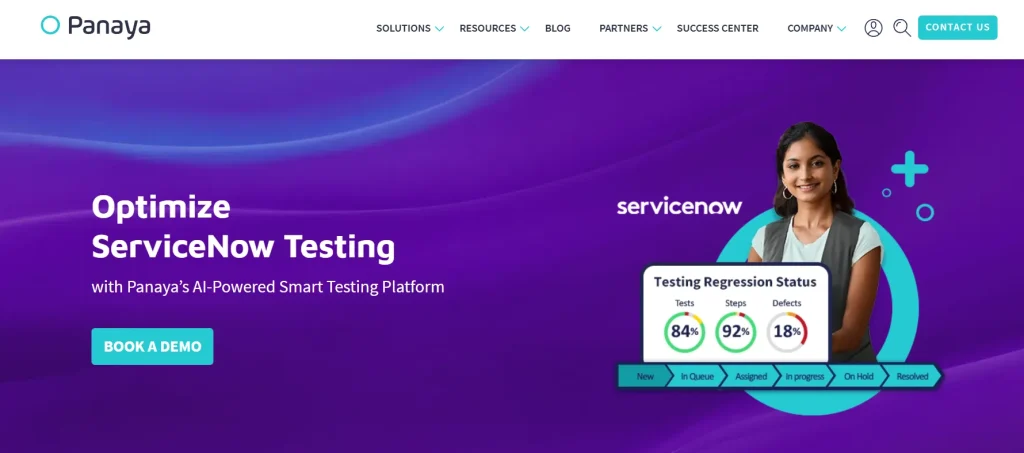
Panaya is an AI-powered ServiceNow test automation tool with a comprehensive test repository that ensures every test is documented, validated, and audit-ready, helping you meet the highest standards of compliance.
With a robust infrastructure, Panaya allows you to scale globally across diverse geographies and multiple entities within your enterprise and provides visibility into User Acceptance Testing (UAT) progress.
Best features
- Leverage the AI-powered change analysis to pinpoint impacted business process scenarios and get suggestions on what to test
- Reduce regression testing efforts by receiving suggestions of what not to test
- Automate repetitive tasks such as updating data, assigning issues, and sending out custom notifications
- Get real-time insights via reporting tools and dashboards to make informed decisions
Pros
- It allows you to trace requirements end-to-end
- It offers you an intuitive interface for easy test creation and navigation
Cons
- The learning curve might be steep
- Integration with automation tools is limited
Pricing: Flexible pricing available on request
7. Accelq
Accelq comes with pre-built codeless test automation assets that are modeled on business processes and stay updated with vendor releases. It delivers seamless, locator-free automation across ServiceNow elements, with reusable assets that map directly to the app’s workflows.
Risk-based and defect-based Pega test planning, test suite tracking, and coverage analysis help improve testing effectiveness and defect detection.
Best features
- Enable simple, no-code handling of ServiceNow objects such as embedded iframes and trees
- Build no-code test cases easily and modify them as needed to fit test requirements
- Integrate within your CI pipelines for automated regression tests
- Use Accelq’s visual model-based approach for super-fast test development and minimum maintenance
Pros
- It auto-generates test cases and adapts to your app changes
- API-driven automation improves test execution and validation for ServiceNow
Cons
- Integration with custom pipelines might need tweaks
- You may need customizations to get test logs
Pricing
- Automate Web
- Automate Mobile
- Automate API
- Automate Manual
A 14-day free trial is available for all plans, and custom pricing on request.
8. Tricentis

Tricentis is one of the codeless AI-augmented ServiceNow test automation tools that help you accelerate end-to-end testing by reducing manual effort and enabling faster release cycles.
The platform’s automation suite identifies and isolates integration issues early and helps you get immediate feedback along with clear guidance for issue resolution. And, with Tricentis Data Integrity, you can protect data across all your ServiceNow workflows and integrations.
Best features
- Thoroughly validate critical business processes with end-to-end testing and minimize the impact of changes on ServiceNow workflows and integrations
- Use Tricentis’s model-based test automation to roll out new features and verify customization without manual errors
- Check the performance and scalability of workflows and ServiceNow apps to ensure a consistent user experience with Tricentis Neoload
- Centralize test management for traceability, tracking progress, and release readiness with Tricentis Test
Pros
- It flags workflow issues with detailed reports
- You can integrate it with CI/CD tools such as Jenkins, Azure DevOps, and Bamboo
Cons
- Frequent updates in your ServiceNow apps may need continuous test maintenance
- Steep learning curve, particularly for complex scenarios
Pricing: Contact sales to receive customized pricing
9. TestComplete
TestComplete is a functional testing tool that allows you to automate tests for apps on web, mobile, and desktop environments. You can create realistic and reusable test data customized to your use cases. This helps you build and execute data-driven tests faster.
The platform offers AI-powered visual testing to help you spot visual bugs and filter out false positives. TestComplete reduces your test maintenance burden by automatically adapting to the changes in your app’s UI, so you can focus on more strategic tasks.
Best features
- Write test cases in Gherkin syntax and easily convert them into functional tests
- Use the scriptless record and play feature to create automated UI tests and play them back across apps
- Separate test steps, objects, actions, and data easily with a built-in keyword-driven testing framework
- Run tests on ServiceNow apps across multiple physical and virtual machines with TestExecute
Pros
- It offers cross-platform automation, including web and UNIX
- You can write test scripts in multiple languages, including Python, JavaScript, and C#
Cons
- Limited features available for error handling and API testing
- The pricing might be on the higher side compared to its competitors
Pricing
- TestComplete Base: $4108 (single user)
- TestComplete Pro: $7799 (single user)
- TestComplete Advanced: Custom Pricing
10. Copado Robotic Testing
Copado Robotic Testing is an AI-powered low-code test automation solution that supports ServiceNow IT workflows, employee workflows, customer workflows, and creator workflows, making it one of the most comprehensive ServiceNow testing tools.
It’s cloud-based and doesn’t require any installation. You can simply sign in and start testing immediately. Copado Robotic Testing allows you to test ServiceNow workflows across different apps and systems through the UI and API, and helps you deliver top-notch end-user experience.
Best features
- Generate text-based test cases and execute them with low-code design
- Pinpoint manual workflows and translate them into automated test steps
- Create robots and run continuous tests in parallel on multiple platforms
- Spot and correct broken tests with self-healing
Pros
- It supports reusable assets such as flows and test components
- Extensive dashboards and reporting to help you diagnose issues faster
Cons
- It might face performance issues when handling large datasets and complex tests
- Initial setup might take some time
Pricing: Flexible pricing available on request
Make Your ServiceNow Tests Reliable with These Best Practices
- Reduce manual testing
Manual testing processes are slow, tough to scale, and prone to human errors, particularly if your ServiceNow instance undergoes frequent releases or upgrades.
Automating repetitive activities such as validating workflows and running regression tests through ServiceNow testing tools will channel your focus into more critical tasks, such as exploring edge-case scenarios.
Pro tip: Don’t rush to automate all workflows and processes right away. Select a few repeatable but high-impact processes, for example, creating login IDs. Measure benefits by tracking error reduction, coverage, and time saved.
- Use persona users
For testing, accurately simulating user roles and behavior is critical. This means, test users should be as close to real users as possible for high-quality test results.
User impersonation for performing tests can introduce risks such as inconsistent permissions, security breaches, and faulty test outcomes. So, rather than impersonating existing users, create dedicated personas.
Pro tip: When you create user personas, follow a consistent naming convention (for example, test.servicedeskagent) and assign them appropriate roles in order to reflect actual user scenarios.
- Focus on test maintenance
Tests might break or become outdated if your ServiceNow apps and workflows get frequent updates or customizations. Therefore, to maintain tests, use reusable components that automatically update relevant tests based on the changes, so you don’t have to repeat updating every test manually.
Pro tip: Set up a regular test review cycle, say after every sprint or release, to identify the tests that are failing or outdated. And use dashboards or reports that flag these tests to easily analyze and fix them.
Bringing It All Together With ServiceNow Test Automation Tools
Now that you have a fair idea about the different ServiceNow testing tools available in the market, take your time to consider goals specific to your enterprise before narrowing down your options. Look for tools that give you the flexibility to perform both manual and automated testing.
Plus, ServiceNow testing tools that support robust integrations can help you identify root causes of issues faster and improve test coverage. And, finally, check documentation and licensing to ensure the tool matches your budget and team’s skills.
As enterprises expand features and usage, scaling ServiceNow testing at speed will be critical in the coming years.
AI agents for software testing, like CoTester, will help you reduce manual efforts, scale tests across browsers, devices, and platforms, as well as provide actionable insights.
To see CoTester in action, book a free demo today.
Frequently Asked Questions (FAQs)
What are the different components of ServiceNow that CoTester tests?
The main functional components or modules of ServiceNow that you must test to ensure they work as intended under different scenarios include ServiceNow ITSM, Common Service Data Model (CSDM), Governance, Risk, and Compliance (GRC), and IT Operations Management (ITOM).
What challenges might I face during ServiceNow testing?
One major challenge is testing every customization and upgrade you add to match your enterprise’s growing needs. Validating interactions between ServiceNow and multiple third-party services and internal systems might delay test cycles.
What are the types of testing used in ServiceNow?
Different types of ServiceNow testing are regression testing (verifies that no existing function breaks because of changes), functional testing (ensures features work correctly), performance testing (checks speed and reliability under heavy traffic), integration testing (examines interaction between components), and security testing (identifies vulnerabilities).