CoTester 2.0 is LIVE! Your Always-Available AI Teammate for Testing.
For a long time, functional, performance, and security testing were the default benchmarks for deciding if an app was ready to ship. And these tests are still critical. But users today are not just trying to complete a task. They want to complete it in the best way possible.
This means that if they are trying to fill out a form, their goal is not completion; they expect the experience to be smooth and intuitive.
But as apps become increasingly complex and releases become more frequent, traditional testing may not be enough to catch subtle experience gaps.
Vibe testing, a relatively newer concept in software testing, helps you focus on these gaps. In this blog, we will talk about what vibe testing is and the top vibe testing tools available in 2026 that help teams deliver experiences that users enjoy.
See how CoTester enables scalable vibe testing across complex workflows. Request Free Trial
TL DR
- CoTester AI Test Agent: AI-powered testing agent focused on enterprise-grade test creation and execution, with strong support for complex business apps, self-healing, and scalable automation
- Autify: No-code AI test automation for web and mobile apps, offering visual regression testing, self-healing tests, cross-browser/device execution
- Harness: AI-driven test automation integrated into the Harness DevOps platform, supporting generative test creation, visual validation, and continuous testing at scale
- mabl: AI-native test automation platform combining UI, API, and visual testing with agent-based execution, auto-healing, and deep CI/CD integration
- ThinkSys: QA and software testing services provider offering functional, automation, performance, and UX-focused testing
- Playwright MCP: MCP server built on Playwright that enables LLMs to explore web pages, extract structured accessibility snapshots, and drive browser interactions
- Reflect: No-code web test automation tool using a cloud browser for recording tests, visual change detection, and easy maintenance
- Applitools: Visual AI platform specializing in perceptual visual validation, cross-browser checks, accessibility testing, and autonomous custom-flow test authoring
- Appvance: Offers autonomous test generation, scenario modeling, and AI-driven execution
- TestSprite: AI-powered testing tool that auto-generates test plans and executable tests and supports natural-language testing
- testers.ai: AI-driven website testing tool that crawls applications to detect functional, accessibility, performance, and UX issues
What Is Vibe Testing and Why Is It Gaining Momentum Now?
Vibe testing is a human-led conversational approach to software testing where you describe your product requirements and user scenarios in natural language, and then AI turns them into executable tests.
The main focus of vibe testing is not on whether your app works as expected. It’s on how the app feels to real users. So rather than checking if a button functions properly, you verify if it’s responsive and easy to use.
Modern software apps often use micro frontends, follow mobile-first user journeys, and are updated frequently. This can create gaps, such as small inconsistencies in copy, UI, or transitions, that can create UX issues. That is why vibe testing is becoming popular among testers as it helps them detect these subtle issues early.
What Type of Tools Can Help Optimize Vibe Testing?
Vibe testing tools that have robust AI features, visual checks, and user-centric metrics help you create more nuanced tests from the user’s perspective and detect experience issues efficiently.
Vibe testing tools that have the following capabilities can enhance your vibe testing process:
- Natural language test creation so that non-technical users, such as product managers and business analysts, can design user scenarios in plain English
- AI-driven visual validation that helps you spot layout, styling, and pixel-level regressions
- Real device testing support so you can verify your app and detect UX issues on real devices and under actual usage conditions
- Self-healing locators to keep your vibe checks stable after UI changes
- CI/CD integration to automatically run vibe tests after every build
Top 11 Vibe Testing Tools In 2026
Here is a list of the best vibe testing tools that have advanced NLP, self-healing intelligence, visual validation, and UI testing to help you uncover issues such as unclear messaging, confusing user flows, and UX regressions.
1. CoTester by TestGrid

CoTester is an AI-powered software testing agent that allows you to efficiently design, execute, and manage vibe tests. You can create tests that align with your app by simply sharing user stories in formats like CSV, PDF, or Word. The agent then uses this information to generate test cases for you.
To work with CoTester, you don’t need a predefined script. Just use the chat interface to start a conversation and describe your test requirements. You can simulate real user actions and verify them by executing your vibe tests in real browser and device environments.
CoTester gives you live feedback so you can identify issues faster and resolve them before they reach your users. Moreover, this agent learns from every test execution and feedback to adapt, reduce test flakiness, and enhance its understanding of how apps should behave from a user’s perspective.
Best features
- Detect changes such as layout shifts, renamed elements, and redesigned screens, and update your tests dynamically with AgentRx
- Interpret your app screen’s visual, text, and layout with the help of a multi-modal Vision Language Model (VLM)
- Automatically detect and log bugs, and get clear visibility into issues the moment they happen
- Customize how and when tests run, and align automation to your stack
- Easily switch to scriptless or record and play mode for nuanced test case generation
- Connect internal databases and securely parameterize test data, with encryption for secrets
Pricing
- CoTester Starter Package: Starts at $199 per seat/month (minimum 4 seats; includes 4 devices/browsers and 5,000 tokens)
- CoTester Growth Package: Custom pricing (includes all Starter features + marketplace integrations)
How to use
Click Start Free Testing to begin using CoTester instantly.
Upload your user stories or requirement documents (PDF, Word, or CSV), and CoTester automatically generates test cases for you. You can review and refine the generated test steps anytime using the chat interface, just edit, add, or adjust steps as needed.
Limitations
- Teams new to agentic testing may require some training effort; however, extensive documentation and support are readily available
2. Autify
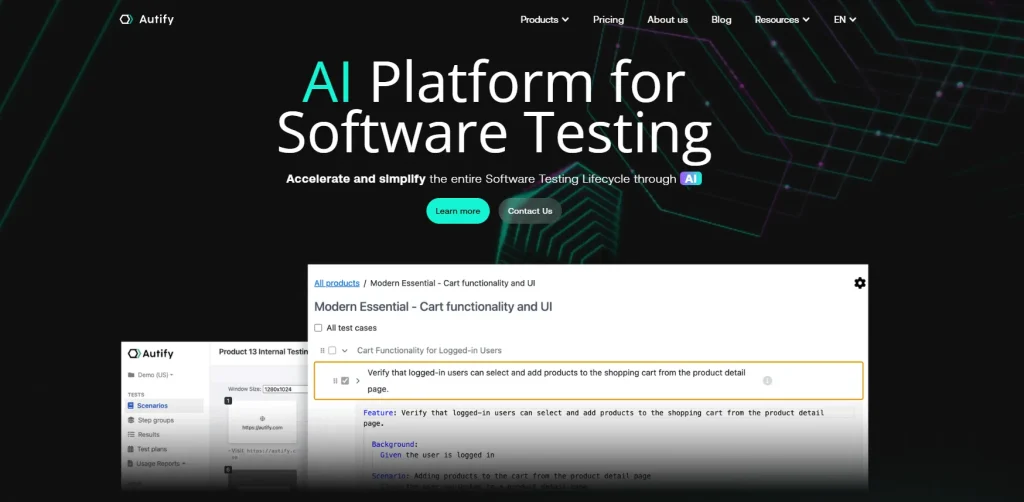
Autify is an AI-powered software testing platform that offers a range of products to optimize your testing cycles. Autify Nexus helps you streamline test creation, execution, and maintenance. Autify Mobile allows you to design tests for your Android and iOS apps. With Autify Genesis, you can create test cases from simple product documents. You can easily connect Autify to your CI/CD stack to enable continuous testing.
Best features
- Describe the user flow, and the Natural Language Recorder captures it as a structured, editable test
- Upload your product requirements in the form of PRDs, user stories, and specs, and Nexus translates them into detailed test cases
- Organize and manage test scenarios efficiently through shared step groups and directories
- Leverage parallel testing and effortlessly scale your testing process by running multiple tests concurrently
Pricing
- Free Tier: $0
- Professional: Starts at $3600 per year
- Enterprise: Custom
How to use
Sign up on Autify and then install the Autify Recorder extension. Now you can create your first scenario by recording user interactions. Configure the test steps, run automated tests, and maintain them with the help of built-in AI assistance.
Limitations
- The pricing tiers are relatively higher compared to other tools
- Integration support may be limited, which can restrict functionality
3. Harness
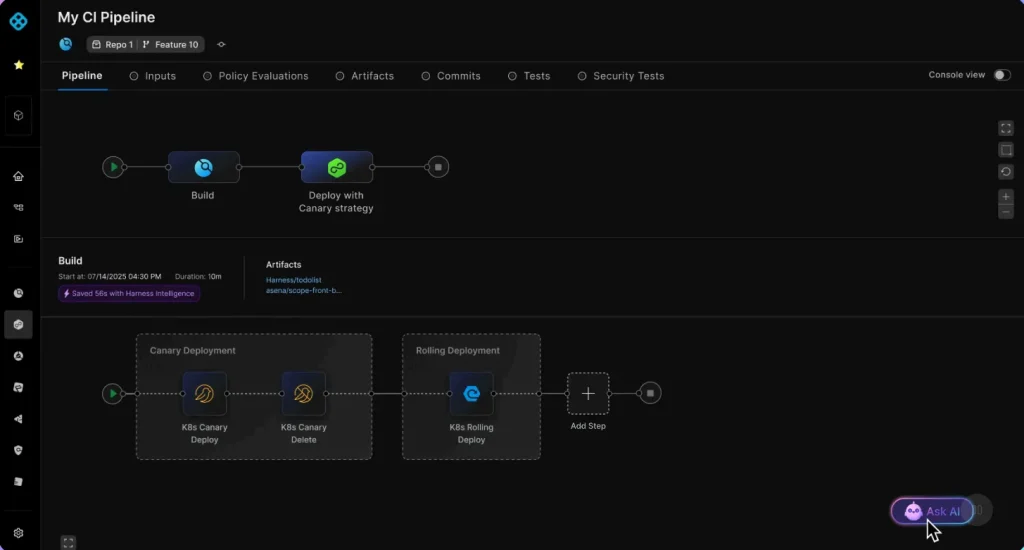
Harness is an AI test automation platform that uses generative AI to streamline test creation by allowing you to generate robust tests in natural language. You can also verify complex UI elements like Canvas-based graphs with human-like visual testing. The platform helps you streamline data-driven testing with parametrized tests that dynamically handle data at runtime.
Best features
- Create high-quality, intent-based tests in minutes with AI-powered assertions and catch bugs without scripting
- Run tests easily across environments and save time on test maintenance using the Smart Selector technology
- Record test steps automatically by interacting with your app
- Leverage built-in page validation and discover API errors, dead links, app freezes, and slow pages
Pricing
- Free Plan
- Essentials Plan
- Enterprise Plan
Customized pricing is available for all the plans.
How to use
After you sign in to your account, enable AI Test Automation in your project. Create tests easily just by interacting with your app or by writing natural language prompts. You can set up the environment, then run and monitor your test execution in the platform’s dashboard.
Limitations
- Few users find the limited features of Harness hindering tasks like development and feature management
- May involve a steep learning curve because of the complex UI
4. Mabl
Mabl is an AI testing platform that helps you optimize every stage of your software testing lifecycle, from creation and execution to maintenance and analysis. Mabl’s agentic co-pilot interprets, decides, and adapts like a skilled human. It enables robust interaction across web, mobile, and APIs, and allows you to easily handle complex elements like Shadow DOM, emails, and PDFs.
Best features
- Generate tests with agentic test creation, including intelligent assertions for complex scenarios such as images and AI chatbots
- Describe intent or user story, and Mabl autonomously plans and designs tests
- Avoid UI issues and poor user experiences with visual change detection; Mabl uses computer vision to detect unexpected UI changes
- Detect potential regressions early and keep a track of page load and test run times to spot anomalies
Pricing
- Request a quote for tailored pricing
How to use
Mabl doesn’t need installation since it’s a cloud-based platform. You can sign up for the free trial and create a workspace. Define your app and environment, and then launch a Browser Test via Mabl Trainer. Record clicks and assertions in your app, click Run, execute the test, and get results instantly.
Limitations
- Test reports can feel complex for non-technical users
- A few advanced features may need developer-level familiarity
5. Thinksys
Thinksys’s AI-powered QA works closely with your developers, communicates clearly, and stays focused on your goals. The platform allows you to build reliable, low-maintenance automation, find bugs faster, and speed up release cycles. You can also test your app on real devices across screen sizes, platforms, and networks, and validate mobile usability under real-world conditions.
Best features
- Test how real users experience your app, identify friction points, and get suggestions on workflow improvements
- Check how your app performs on different browsers, devices, and operating systems to make sure everything works the same for everyone
- Test features and user flows, validate requirements and expected results, and catch regressions early
- Perform exploratory testing for usability validation, and catch UX issues that automation often misses
Pricing
- Hourly
- Project Based
- Monthly
Customized pricing is available for all plans on request.
How to use
To start using Thinksys, you will first have to initiate contact through their website and define your requirements and goals. At the same time, you can use their QA calculator for pricing. Their experts will customize plans for you, after which you can start testing.
Limitations
- The UI may feel intuitive for some users
- Adjustments to data and requirements can take more time
6. Playwright MCP
Playwright MCP is an automation layer built on Microsoft Playwright that enables LLMs and AI agents to interact with your web app. Rather than relying on screenshots, it uses structured accessibility snapshots and Playwright locators, which allow AI to navigate pages, fill forms, and trigger actions across browsers.
Best features
- Enable multi-browser automation across Chromium, Firefox, and WebKit engines through one protocol layer
- Perform browser actions like navigation, clicks, and form fills programmatically
- Leverage AI-driven testing and exploration without writing traditional test scripts or UI locators manually
- Drive stable browser interactions that stay resilient to UI layout or visual changes
Pricing
- Free, as it’s an open-source tool
How to use
First, you need to install and run the Playwright MCP server. Configure your AI agent to connect to the MCP interface, then issue commands for navigation, clicks, or form input. This enables structured, agent-driven browser automation built on Playwright.
Limitations
- The MCP server might fail to start sometimes; this can interrupt your testing flow
- You may find it challenging to manage complex, multi-step tasks or several AI agents through Playwright MCP
7. Reflect
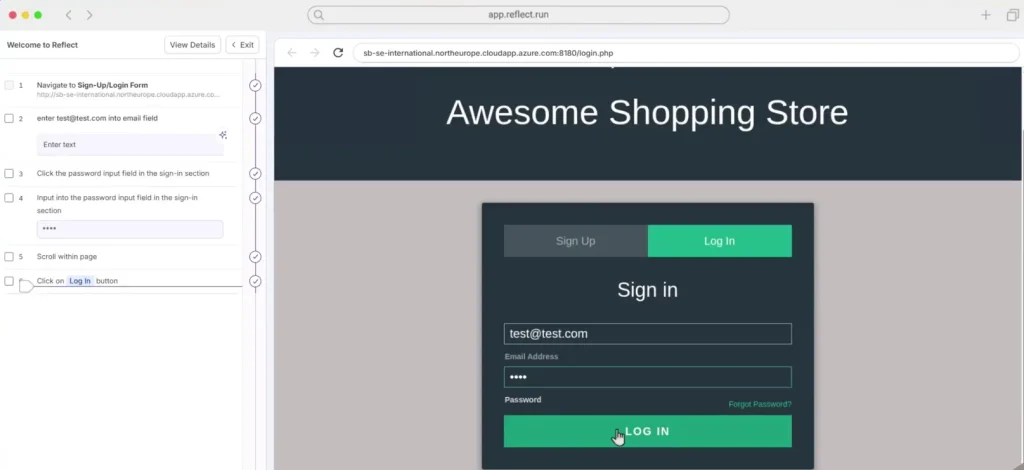
Reflect is an all-in-one test automation platform powered by AI, where you can create, run, and maintain web and mobile tests without code. It doesn’t depend on fragile locators or selectors and adapts your tests automatically, even when UI changes. You can write actions as prompts using GenAI just like ChatGPT, and integrate with various CI/CD, issue tracking, and test case management tools.
Best features
- Use generative SmartBear HaloAI to instantly convert your plain English test steps into automated actions with no coding required
- Leverage record and play to capture actions automatically as you interact with your app
- Accelerate bug resolution with the help of comprehensive repro steps, HD video demonstrating the bug, and complete console or network logs
- View and approve visual changes in your web app before your users see them
Pricing
- Team: $225 per month
- Premium: Custom
- Advanced: Custom
- Enterprise: Custom
How to use
Sign in to your account and click on the Create Test button. Define test name, URL, and device profile, and click Begin Recording and interact with your website to record test steps. After that, click on Save, and Reflect will immediately execute the tests for you.
Limitations
- Some users feel the UI needs to be more user-friendly
- Reflect may show inconsistent behavior when working with embedded iframes
8. Applitools
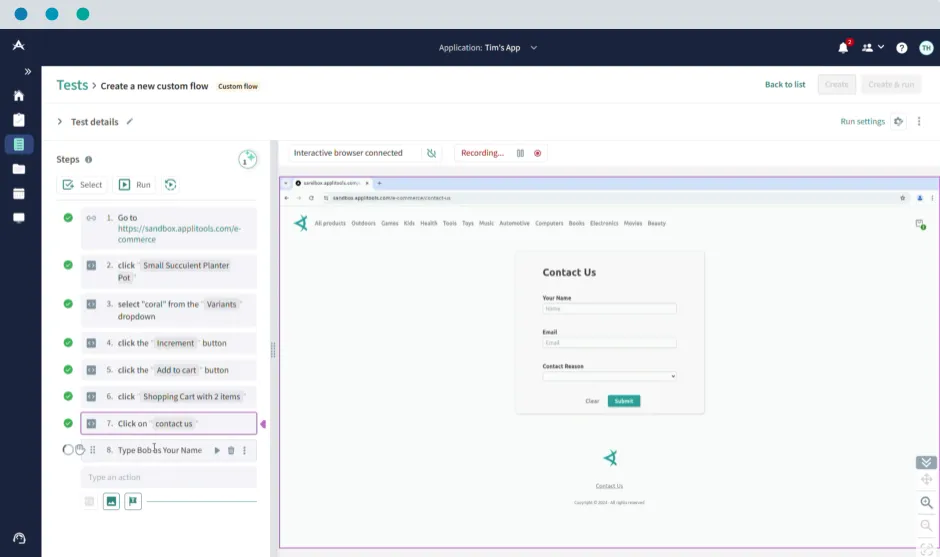
Applitools is an AI end-to-end testing platform that allows you to comprehensively test apps, websites, PDFs, docs, or any type of screen or device. You can deploy Applitools on your own infrastructure, inside your firewall, for maximum security and compliance.
Or, you can do it in a dedicated cloud on Amazon, Azure, or GCP. The platform supports integration with many test frameworks, CI/CD tools, and bug tracking tools, including Selenium, Circle CI, Jenkins, and Jira.
Best features
- Author your tests in plain English or using a test recorder that records user journeys with accuracy
- Validate UI/UX quickly by testing mocks, components, or full user journeys with visual speed and precision
- Orchestrate your testing at scale across thousands of different browsers and devices
- Automate test result analysis, build powerful dashboards, and pinpoint errors
Pricing
- Starter: $969
- Public Cloud: Custom
- Dedicated Cloud: Custom
How to use
For creating a new test in Applitools Autonomous, go to Tests, click Create New Test, and select Custom Flow. Record interactions or type test steps in plain English in the interactive browser. Add user actions, assertions, and UI checkpoints, and then save and run.
Limitations
- May have a steep learning curve and cumbersome setup process
- The tool is expensive compared to some of its competitors; this can limit accessibility and flexibility for smaller teams
9. Appvance
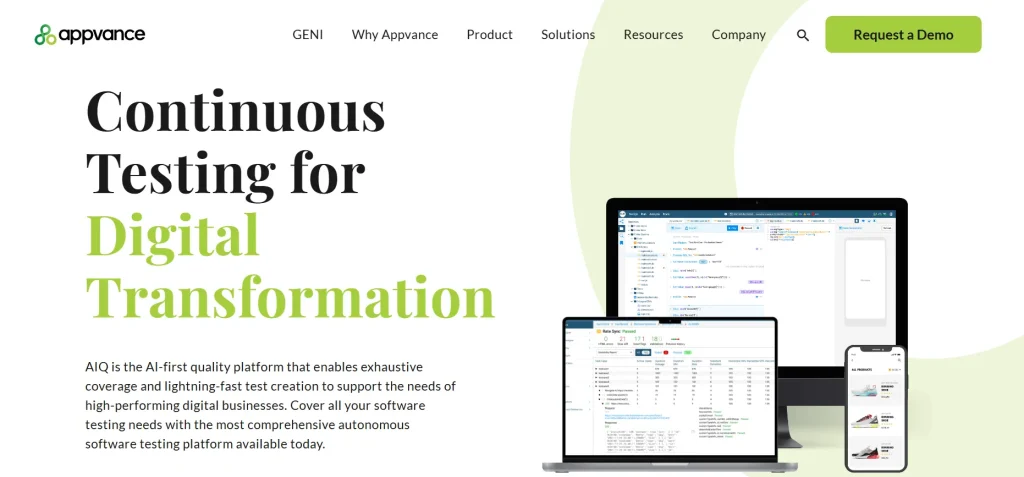
Appvance AIQ is an AI-first platform that helps you speed up test creation while also enabling exhaustive coverage. The platform runs on AWS. Azure, Google Cloud, and supports on-prem or private cloud deployment. With Appvance, you can measure whether every unique page and state was reached and if every possible action in the app was executed during testing.
Best features
- Maximize coverage by leveraging AI-generated autonomous testing and ML-assisted creation of resilient self-healing scripts
- Get enterprise-class performance with parallel execution of tests at the UX and API levels
- Reduce test creation efforts by reusing common test infrastructure, including test scripts, test scenarios, and test data
- Simplify and accelerate testing with AI-piloted exploration of all application functionality and possible user flows
Pricing
- Customized pricing available on request
How to use
Request a demo of Appvance AIQ and upload the app that you want to test. Then use the AI-driven script generation feature or record and play tools to create autonomous test scenarios. Set up your execution settings and run automated tests.
Limitations
- Some users indicate a need for security enhancements and an intuitive design
- The complex UI of Appvance can be challenging for users who are not tech-savvy
10. TestSprite
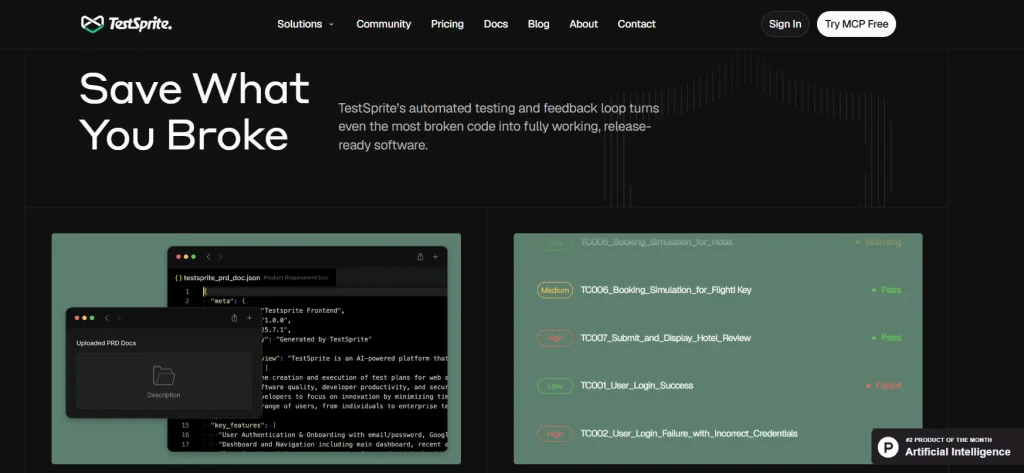
TestSprite is an AI agent designed for comprehensive testing of frontend UIs and backend APIs. It automatically generates and runs tests across your full stack, identifies subtle issues, and enables continuous testing with speed and accuracy. Moreover, Testsprite gives you detailed reports of the edge cases and performance issues, as well as provides auto-patching and self-fixing capabilities.
Best features
- Generate and execute multiple tests on the cloud sandbox to prove every UI, API, and edge case works exactly as intended
- Automatically re-run tests on schedules and catch issues early
- Group and manage your most important tests for easy access and re-runs
- Use the web preview feature to understand how each test interacts with your frontend elements in real time
Pricing
- Free
- Starter: $12 per month, yearly
- Standard: $45 per month, yearly
- Enterprise: Custom
How to use
Sign in to the TestSprite web portal and add your app details. TestSprite’s AI will now automatically generate test plans and test cases along with clear descriptions. You can review the test plan, adjust it manually, and execute it in the cloud environment.
Limitations
- Early-stage maturity for some legacy or highly custom UI edge cases should be validated
- Pricing at scale for very large suites needs planning and evaluation
11. testers.ai
testers.ai offers you an ecosystem of AI testing agents that covers all your autonomous testing needs for web apps, from functionality and performance to API and usability. You can simulate real user interactions, generate user feedback, perform competitive benchmarking, test for privacy and security, and detect even the smallest bugs via comprehensive performance analysis.
Best features
- Auto-generate test flows, define them with a prompt, or record and playback scenarios, and AI executes them for you
- Check for issues ranging from usability, performance, and functionality with one click
- Integrate fully automated AI checking for 1000s of common issues and full interactive user flows with just one command line
- Get dedicated enterprise support with priority assistance and custom configurations
Pricing
- Customized pricing available upon request
How to use
Install the extension and enter your app or webpage URL details. Add prompts or let the AI generate test flows. Now you can review and run the test suite and detect issues immediately.
Limitations
- The on-premise option requires a significant enterprise-level investment
- Advanced customization may need technical expertise
How to Select the Right Vibe Testing Tool for Your App?
1. Supports exploratory and behavior-driven testing
Exploratory testing helps you interact freely with your app and find minute UX issues that scripted tests may not be able to catch. Behavior-driven testing (BDD) allows you to design tests around business outcomes and user intent.
For example, you can design tests like “Given a first-time user, when they attempt to sign up on a mobile device, then the flow should feel intuitive, and error messages should be clear.”
Choose vibe testing tools that offer both these features so you can validate intent and align your technical checks with real user behavior.
2. Integration with CI/CD and reporting tools
To scale vibe testing, you must make sure the vibe testing tools you select can easily integrate with CI/CD pipelines and reporting tools. This will help you run tests automatically on code commits, feature branches, and releases, and give your developers real-time feedback.
Go for tools that have built-in dashboards, integrations with issue trackers like Jira, and provide analytics to help interpret results, track regressions, and understand UX trends.
3. Provides user experience metrics
Specifically select vibe testing tools that capture user experience metrics such as task completion time, customer satisfaction score, error rate, and bounce rate. These metrics will help your team objectively assess how users feel when interacting with your app and prioritize the areas or features that need enhancement.
4. Wide platform coverage
Choose vibe testing tools that let you test your app on various real devices and browsers, and under realistic conditions like different screen sizes and network variability. This way, you can ensure that your app is not tested only under lab environments, and it can handle actual user interactions and connectivity profiles.
Comparing the Top Vibe Testing Tools
Here is a quick snapshot of the top vibe testing tools based on their core capabilities, integration support, and pricing model to make your evaluation process easier.
| Pricing | Key feature | Integration support | Pricing |
|---|---|---|---|
| CoTester | Autonomous test generation, self-healing automation, vision language intelligence, automated bug logging | Appium, Selenium, Cypress, CircleCI, TravisCI, GitLab, Jira | Custom |
| Autify | Test recorder, cross-browser and real-device execution, parallel test runs, AI-powered test maintenance | Bitrise, GitHub Actions, CircleCI. Jenkins | Starts at $3600 per year; free tier available |
| Harness | Generative AI test creation, Visual validation, UI change classification | GitHub Actions, AWS, Azure, GCP, Tanzu, Kubernetes | Custom; free plan available |
| Mabl | Agentic test generation, cross-browser visual testing, Auto-healing, test orchestration | Jira, Jenkins, Postman, GitHub, GitLab, Bamboo, Azure Pipelines | Custom |
| Thinksys | Test strategy, planning, and test-engineering resources, rich reporting | Jenkins, GitLab, Azure DevOps, GitHub Actions, TestRail, Jira | Custom |
| Playwright MCP | Real browser automation, accessibility snapshots, and supports multi-browser engines | GitHub Copilot, Cursor, VS Code, Windsurf | Free |
| Reflect | No-code test recording in cloud browser, UI diffing, parallel execution, CI/CD hooks | Azure DevOps, Bitbucket, CircleCI, Jenkins, Travis CI, Heroku | Starts at $225 per month |
| Applitools | Visual AI, plain-English test authoring, end-to-end validations with dashboards, and advanced UI testing | Travis, TeamCity, Jenkins, Bitbucket, Circle CI, Bamboo, Jira | Starts at $969 |
| Appvance | AIQ autonomous test creation, generative test authoring, scenario-based execution | Jira, Jenkins, Azure DevOps, Bamboo, Azure Pipelines | Custom |
| TestSprite | AI-powered case test creation, no-code editing, and real-time test execution | GitHub Actions, Windsurf, Cursor | Starts at $12 per month; free plan available |
| testers.ai | AI site crawling and one-click checks, auto test-case generation from prompts, detailed reports with screenshots | GitHub Actions, GitLab CI, Jenkins | Custom |
Final Words
Software testing is growing into an ecosystem where human expertise and AI work together to deliver quality experiences to users. AI efficiently handles massive amounts of data, identifies patterns, and automates repetitive tasks. Human testers bring judgment, context, and the ability to question and investigate why something is off.
The tools we have covered in this blog are built to support this balance.
Before you make your final decision, check if the vibe testing tools you choose align with real workflows, give you clear visibility into user experience signals, and integrate seamlessly with your development workflow.
Request a free trial today, and start vibe testing with CoTester.
Frequently Asked Questions (FAQs)
How is vibe testing different from usability testing?
In usability testing, you verify if users can complete tasks efficiently and without errors. Vibe testing checks for emotional cues such as visual consistency, interaction flow, copy tone, and overall coherence across screens and devices.
Can vibe testing be automated?
Although vibe testing is mostly exploratory in nature, you can automate aspects such as regression detection, interaction flow validation, accessibility scans, and cross-device behavior testing. This helps scale vibe tests and allows testers to focus on exploring complex user flows.
When should teams run vibe tests?
You must perform automated vibe tests alongside development within your CI/CD pipeline, before major releases, and after UI or copy changes. This way, you can ensure you detect UX issues early and maintain experience quality throughout releases.
Which are the top AI testing tools for Vibe coders?
Some leading AI testing tools for vibe coders that support natural language test creation, automated checks, and integrated reporting include CoTester, Mabl, Autify, Applitools, and testers.ai.
Which vibe testing tools work for large-scale enterprise apps?
For vibe testing enterprise apps, tools like CoTester, Harness, Mabl, Appvance, and Thinksys provide features like AI-powered testing, cross-platform support, advanced reporting, and multiple integrations.