CoTester 2.0 is LIVE! Your Always-Available AI Teammate for Testing.
- What Is MCP (Model Context Protocol)?
- Why MCP Matters for Software Testing
- How Does MCP Work in a Software Testing Workflow?
- Use Cases of MCP for Software Testing
- How You Can Integrate MCP into Your Testing Workflows
- What QA Teams Should Consider Before Adopting MCP Testing
- What’s Ahead for MCP in Test Automation
- Frequently Asked Questions (FAQs)
When a code change affects multiple modules, you have to determine which regression tests you need to rerun, check dependencies, investigate failures, and trace defects across different environments.
And if your QA team is managing large suites, interconnecting context and tools across these activities can be operationally cumbersome.
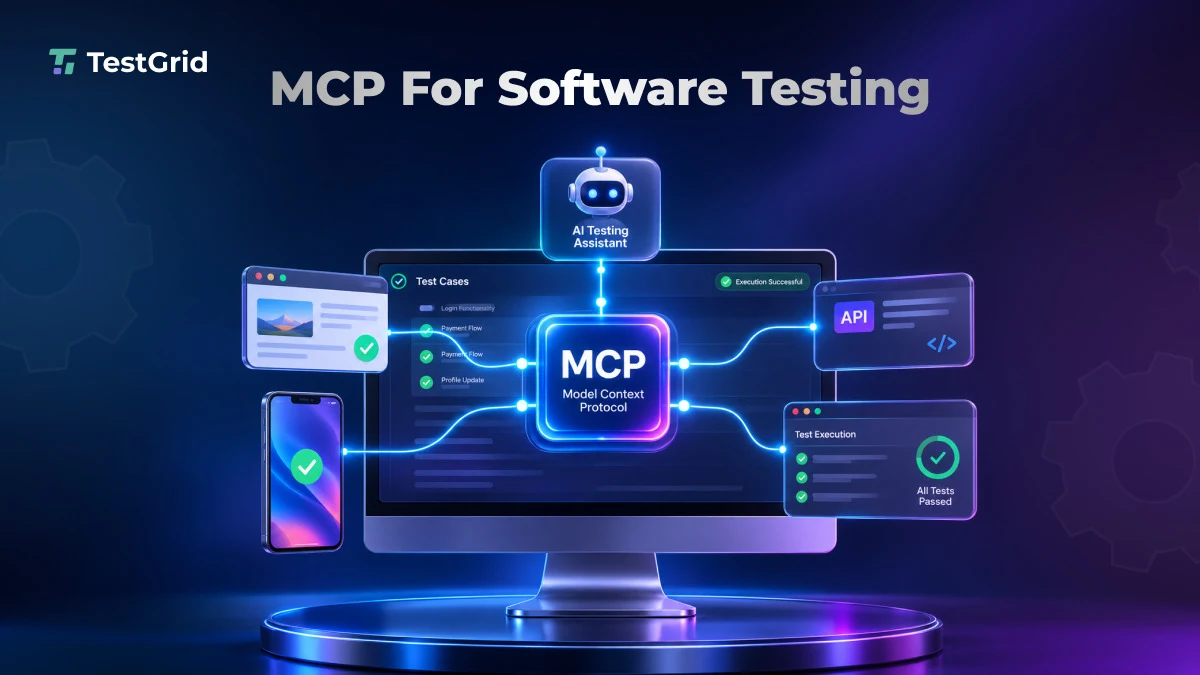
Model Context Protocol (MCP) can help by giving AI applications a standardized way to access capabilities exposed by MCP servers. The AI host or agent can then use those capabilities to coordinate testing activities across connected systems.
In this blog, we’ll learn what an MCP is, how it works, and how you can implement MCP for software testing.
Bring test creation, execution, and maintenance together with CoTester. Request a free trial.
TL;DR
- MCP is an open protocol that enables AI apps or assistants to interact with external tools, data sources, and services
- MCP reduces tool fragmentation by bringing information and operations across different QA systems into a connected workflow
- You can use MCP for software testing tasks like test generation, browser automation, failure analysis, and defect reporting
- Before adopting Model Context Protocol testing, teams should evaluate server compatibility, security, maintenance requirements, and integration complexity
- In the near future, MCP AI testing can change how QA teams work by enabling AI agents to coordinate testing workflows across different stages of the software lifecycle
What Is MCP (Model Context Protocol)?
The MCP is an open protocol that standardizes how AI apps connect with external tools, data sources, and services.
It provides a standardized interface for AI applications to interact with servers that expose tools, resources, and prompts. This reduces the need to build separate AI-client integrations for every system, although the relevant MCP servers or adapters still have to expose those systems.
MCP follows a client-server architecture. There are three critical components:
Host
The host is the main AI app that users interact with. It helps you manage the AI model, coordinate MCP clients, and control how the app accesses connected servers and their capabilities.
Client
The client is a component within the host app that handles MCP communication with a server.
A host typically uses a separate client for each server, while the underlying communication can use local or remote transports and doesn’t require a persistent session under the current MCP specification.
Server
The server exposes tools, resources, and prompts to MCP clients. It can implement those capabilities directly or act as an adapter for external applications, APIs, databases, and other systems.
Also Read: AI Model Testing: How to Build Trust in Intelligent Systems
Why MCP Matters for Software Testing
QA teams generally have to correlate information from different testing tools like test management systems, automation frameworks, bug-tracking platforms, CI/CD pipelines, API testing tools, code repositories, and monitoring systems.
And moving information between these systems may need significant manual effort. Even when individual testing tasks are automated, AI applications may still require separate integrations to access different QA systems unless those systems expose compatible MCP capabilities.
MCP helps you solve this problem.
It gives AI applications a common protocol for accessing capabilities exposed by MCP servers. This can reduce the number of bespoke integrations an AI client needs to understand, while individual systems still require compatible servers or adapters.
Explore: AI Test Case Generation with CoTester
How Does MCP Work in a Software Testing Workflow?
This is how your software testing workflow can look with an MCP:
- Establish connection: The MCP client communicates with an MCP server that exposes the testing tools, resources, or other capabilities available to the host application.
- Discover capabilities: The client can retrieve tools advertised by the server, including their descriptions and input schemas. Current MCP clients can also cache list responses according to server-provided freshness metadata.
- Select the appropriate tool: Based on the user request and the capabilities the host makes available, the model or agent can select an appropriate testing action, subject to the host’s permissions and approval policies.
- Request tool execution: The host handles the model’s tool-call request. Then the MCP client sends the corresponding request to the server. The server calls the connected testing tool or function to perform the action which was requested
- Return the results: The server then sends the output back via the MCP client to the host; your AI model interprets the results and summarizes failures
Example: Using MCP to investigate a failed login test
Suppose you ask an AI assistant: “Run the login test and find out why it fails.”
- You enter the instruction in an MCP-capable host application, such as Claude Desktop, which makes the relevant MCP capabilities available to the model
- The host provides the model with the relevant tool definitions exposed by configured MCP servers, allowing the model or agent to choose an appropriate capability for the task
- It can use a browser automation capability such as Playwright MCP to execute the login flow, interact with the page, and inspect the resulting browser state; Microsoft’s Playwright MCP exposes browser interaction through structured accessibility snapshots
- The testing tool attempts to log in and shows you the execution results
- If the workflow fails, the agent can request additional logs or error information when connected servers expose those capabilities, and the user has permission to access them
- If corresponding MCP servers are connected and authorized, the agent can retrieve relevant code changes, issue records, or other context from repositories and defect-tracking systems
- The AI correlates the information to help you identify potential reasons for the failure
- And lastly, the model summarizes the findings; it can also create a defect ticket through a connected issue tracking tool, which allows your developers to review, prioritize, and resolve the issue
Also Read: AI Testing: What It Is, What It Isn’t, and Why It Matters
Use Cases of MCP for Software Testing
1. AI-assisted test case generation
AI assistants can access your app’s code, requirements, and documentation through connected MCP servers, and then analyze the test context to generate test cases. They can even design scenarios that cover positive, invalid inputs, boundary conditions, and edge cases.
2. Automated browser testing
You can connect an AI app to a browser automation tool you’re using via an MCP server (e.g., Playwright MCP).
The AI model can use the exposed browser tools to navigate pages, interact with UI elements, execute user journeys, and compare observed behavior with defined expectations. This can reduce the manual effort involved in browser-based testing workflows.
3. Cross-system test failure analysis
If a test fails, an AI assistant can retrieve error details, application logs, database information, or recent code changes when those sources are exposed by connected MCP servers and authorized for access.
You can use the AI to correlate this information and recognize potential failure causes. This application of MCP in software testing can reduce manual switching between systems by allowing the AI application to retrieve relevant information through connected MCP servers.
4. Automated defect reporting and test management
AI apps can connect to test management and issue tracking systems with the help of MCP servers to assist you in organizing test cases, gathering execution results, and creating defect reports.
So, for example, after identifying a failed test, the AI app or model can use a Jira integration to create a bug ticket along with relevant failure details.
How You Can Integrate MCP into Your Testing Workflows
1. Identify the testing areas you want AI to automate
List all QA activities where an AI application could assist or orchestrate work through MCP, such as test generation, browser execution, failure investigation, or defect reporting.
Here, you also have to define the specific tools involved to determine which MCP capabilities your workflow requires.
2. Choose an MCP-compatible AI app
Next, select an AI app that supports MCP client connections, such as Claude Desktop, Cursor, or VS Code with GitHub Copilot.
And check its supported MCP features, server compatibility, and authentication options. This allows you to ensure it can connect to your existing testing tools.
3. Select an MCP server
Pick an MCP server that can seamlessly connect your AI app to the testing tools and systems you’re using. Always go for servers that are well-maintained and have proper documentation. Also, ensure the server meets your organization’s security and compatibility requirements.
4. Configure the MCP server and connect with the AI app
Configure the server according to its documentation. Local MCP servers are commonly launched through a configured command, while remote servers can be accessed through supported HTTP endpoints.
5. Set authentication, permissions, and security controls
Then configure the authentication method supported by the server and connected systems. MCP defines OAuth-based authorization for protected remote resources, while individual integrations may use additional credentials for downstream services.
Read More: How to Ensure Trust in AI Testing
6. Verify the MCP connection
After configuring the server, verify that the client can discover and invoke the required tools and read the resources your workflow depends on. You can run a sample tool call to confirm that requests are processed as expected.
7. Run a Pilot
To ensure seamless communication between the AI app, MCP server, and your testing tools, you can start a small pilot on a particular task, like automated test execution or failure analysis.
Monitor the results, evaluate accuracy and reliability, and gather feedback from your QA engineers before you expand MCP integration across your QA workflows.
What QA Teams Should Consider Before Adopting MCP Testing
1. Account for AI hallucinations and incorrect test interpretations
AI apps can generate incorrect test cases, misinterpret execution logs, or give explanations that aren’t supported by actual results.
Therefore, you must validate AI-generated outputs against requirements, predefined test assertions, and execution evidence. Don’t rely just on AI-generated summaries to decide if your test passed or failed.
Also Read: Hallucinations in AI Are a Deployment Problem
2. Evaluate the long-term maintenance requirements
MCP servers and client implementations can evolve alongside protocol updates, SDK releases, and changes made to your testing tools.
You should establish a maintenance plan that helps you track version changes, deprecated features, and compatibility updates. This will enable you to prevent integration failures and keep your QA workflows functional.
3. Monitor MCP server and tool changes
Changes or updates to MCP server versions, tool definitions, input schemas, or supported capabilities can affect your existing integrations.
That’s why you must track server updates and review changes before deployment. At the same time, make sure that your AI app refreshes its available tool list when server definitions change so it doesn’t make decisions based on outdated capabilities.
4. Plan for server unavailability and failure handling
Your MCP server may become unavailable because of network interruptions, timeouts, or unexpected errors. So, to tackle this problem, you need to define how your AI application handles failed tool calls and incomplete operations.
Automatically retry only operations known to be safe or idempotent; mutating or destructive actions should not be blindly repeated because a retry could act twice.
What’s Ahead for MCP in Test Automation
In the future, we can expect test automation to move beyond AI assistants handling individual tasks toward agent-driven workflows that can coordinate multiple testing activities.
However, this transition to MCP test automation will depend on how effectively the AI agents can interact with different testing systems.
MCP can provide a standardized interoperability layer here, allowing compatible AI applications to access testing tools and systems through a common protocol instead of requiring each AI client to understand every integration independently.
AI agents can then leverage these connections to understand requirements context, test intent, execute checks, inspect results, and coordinate actions within a workflow.
Separately, the broader shift toward agent-driven QA is already visible in testing agents such as CoTester, which can generate editable tests from requirements and application context, execute them, and provide debugging and execution evidence.
Your testers have the flexibility to review and refine the generated steps before execution, rather than depending on AI-generated scripts. CoTester also supports test execution across real browsers and devices, captures execution logs and screenshots, and helps you identify failures.
It can also adapt tests as your app changes, log bugs, schedule execution, and enforce guardrails to keep your team in control.
CoTester centralizes test generation, execution, debugging evidence, bug identification, and reporting within TestGrid, while teams can continue using external CI/CD, issue-tracking, and engineering systems where their workflows require them.
Request a free trial to streamline your QA workflows with agentic automation.
Frequently Asked Questions (FAQs)
Can MCP work with existing test automation frameworks?
Yes, MCP can work alongside existing automation frameworks when an MCP server or adapter exposes the required capabilities. Playwright, for example, provides an MCP server for browser automation. Whether an existing Selenium or Playwright suite can be invoked unchanged depends on the specific server implementation; MCP itself doesn’t automatically make existing test suites executable.
What is the difference between an MCP server and an MCP client?
An MCP client is a component within an AI app that establishes and manages communication with an MCP server. The server provides access to specific tools, resources, and prompts. In simple terms, the client requests capabilities, and the server provides them through the MCP protocol.
How is an MCP different from an API?
An API defines application-specific operations and data exchange. MCP complements those APIs by standardizing how AI applications discover and invoke capabilities exposed by MCP servers. An MCP server can wrap an existing API rather than replace it.