CoTester 2.0 is LIVE! Your Always-Available AI Teammate for Testing.
Automated UI testing helps you assess your app’s UI functionality by simulating real user interactions across web, desktop, and mobile apps.
And among the many popular tools in this category, TestComplete is a known name and has long been used by QA teams for its scriptless automation, broad technology support, and enterprise capabilities.
However, frequently changing interfaces, increasing locator maintenance, and more demanding cross-platform validation are prompting teams to consider TestComplete alternatives which better align with their automation strategy, licensing costs, and team dynamics.
In this blog, we’ll cover the top SmartBear TestComplete alternatives, as well as their best use cases, pricing, integrations, pros, and cons.
Automate UI testing across browsers and devices with TestGrid.io. Request a trial.

TL;DR
- TestGrid.io: AI-powered automated UI testing platform for validating web, mobile, and desktop apps
- Tricentis Tosca: Model-based UI automation designed to automate complex user workflows
- Ranorex Studio: Windows-based UI testing solution focused on automating desktop, web, and mobile app interfaces
- Katalon: Unified test automation platform to create and manage UI tests for web, desktop, and mobile apps
- Selenium: An open-source browser automation framework for building and executing automated UI tests for web apps
- Playwright: Open-source end-to-end automation framework built for reliable UI testing across modern web browsers
What Is TestComplete and Why Teams Evaluate Alternatives
TestComplete by SmartBear is a dedicated, enterprise-grade platform built specifically for automated UI testing across desktop, web, and mobile apps. Its AI-powered visual recognition and property-based object recognition help you precisely identify dynamic UI elements.
The platform supports script, scriptless, and record-and-playback methods to create tests. You can record the tests once and then play them back across a wide range of desktop, web, and mobile devices.
Moreover, you get detailed reporting and snapshot notifications after test execution, which allow your team to assess which GUI tests passed or failed, pinpoint problem areas, and share information with other team members for faster resolution.
Why Consider TestComplete Alternatives
Organizations and real users often explore alternatives because:
- Licensing costs become a barrier for smaller teams or when teams want to scale; TestComplete’s pricing can be on the higher side compared to other tools in this space
- Windows-centric support restricts cross-platform teams who work across Linux and macOS; currently, TestComplete only has native support for Windows
- High local resource usage limits execution efficiency
- Additional planning and infrastructure needed for parallel execution slows down release cycles
- AI capability claims do not actually reduce maintenance and manual effort
How We Evaluated the TestComplete Alternatives
Automated UI tests interact with visual elements which frequently change because of UI updates, browser differences, and responsive layouts. These criteria will help you assess the SmartBear TestComplete alternatives’ ability to handle cross-platform execution, reduce maintenance effort, and fit into modern UI automation workflows.
- Cross-platform support: Operating systems, browsers, devices, and app types (web, mobile, desktop)
- AI depth and reliability: Self-healing mechanisms, intelligent locators, automated test generation, and maintenance assistance
- Ease of onboarding: Varied authoring options (no-code, low-code, full-code record-and-play), extensive documentation, tutorials, guides
- Pricing model and accessibility: Licensing approach, availability of free plans or trials, and how accessible the tool is for teams of different sizes (startups, mid-size, enterprises)
- Parallel execution capability: Support for running tests concurrently across browsers, devices, or environments to speed up feedback and reduce overall testing time
- Framework compatibility: Compatibility with automation frameworks such as Selenium, Appium, Cypress, Playwright
TestComplete Alternatives Comparison
The comparison table below highlights the key differences between TestComplete and its alternatives, including platform support, automation capabilities, scalability, pricing, and maintenance.
| Tool | Cross-Platform Support | AI / Self-Healing | Ease of Use | Parallel Execution | Pricing Model | Framework Support |
|---|---|---|---|---|---|---|
| TestGrid.io | Windows, macOS, Linux, Android, iOS | Native AI and self-healing | Easy ( no-code, low-code, pro-code) | Available | Suncription-based | Selenium, Appium, Cypress |
| Tricentis Tosca | Windows, Android, and iOS | AI-assisted testing | Easy (model-based, low-code) | Available | Custom | Selenium, JUnit, NUnit |
| Ranorex Studio | Windows, Android, iOS | AI-powered and native self-healing | Moderate (low-code and scripted) | Available | License-based | Selenium, NUnit |
| Katalon | Windows, macOS, Linux, Android, iOS | Native AI and self-healing | Easy ( no-code, low-code, scripting) | Available | Subscription-based | Selenium, Cucumber, TestNG |
| Selenium | Windows, macOS, Linux | Not available natively | Difficult (code-first framework) | Available | Open-source | Cucumber, Robot Framework, JUnit, TestNG |
| Playwright | Windows, macOS, Linux, Android, iOS | Not available natively | Moderate (developer-friendly but code-first) | Available | Open-source | Pytest, TestNG, NUnit |
Best TestComplete Alternatives in 2026
As testing needs evolve, teams are increasingly seeking tools that offer greater flexibility, scalability, and integration than traditional solutions. In 2026, several powerful alternatives to TestComplete have emerged, helping QA professionals streamline automation, enhance coverage, and accelerate release cycles.
1. TestGrid.io
Best for: QA teams who need AI-driven UI test automation across real devices, browsers, and platforms

Overview
TestGrid.io is an AI-powered, end-to-end software testing platform. It helps you generate UI tests via codeless, record-and-play, and low-code modes. You can also create tests in Selenium, Appium, or Cypress, and run the tests on real iOS and Android devices and browsers including Chrome, Firefox, Edge, and Safari.
You can integrate TestGrid.io with CI/CD tools like Jenkins, CircleCI, GitHub Actions, and Azure DevOps and run your UI tests automatically after every code commit. The platform’s parallel execution feature allows you to run multiple tests simultaneously and reduce execution time.
TestGrid.io also comes with AutoHeal Technology, which helps you repair tests after browser-specific updates that change element locators or attributes. You can deploy it both on-premises and on the cloud.
Key features
- Record interactions and convert them into test scripts that adapt to changes like modified labels or positions
- Compare baseline and updated screenshots and analyze them in detail to fix UI deviations
- Automatically check your UI across devices and browsers and prevent unexpected regressions
- Ensure flawless UI and UX across all screen sizes, resolutions, and operating systems
- Assess your app’s UI in realistic conditions like high user loads and network fluctuations
- Execute tests with every commit and get instant feedback on UI regressions or discrepancies
Supported platforms
- Browsers (Chrome, Safari, Edge, Firefox, Samsung Internet), OS (Android, iOS, Windows), devices (mobile, desktop)
Pricing
- Starting at $199 per seat/month (minimum 4 seats; includes 4 devices/browsers and 5,000 tokens)
Pros
- Supports cross-platform UI testing and offers strong AI and self-healing features for easy maintenance
- Flexible test generation options (low-code, codeless, scripted) and seamless compatibility with automation frameworks like Selenium, Appium, Cypress
Cons
- The initial setup and advanced AI feature exploration may require some effort, but detailed documentation and guides are readily available
Also Read: Cross Platform Testing: Strategies, Tools, and Best Practices
2. Tricentis Tosca
Best for: Enterprises seeking codeless UI test automation across complex web, desktop, and enterprise apps
Overview
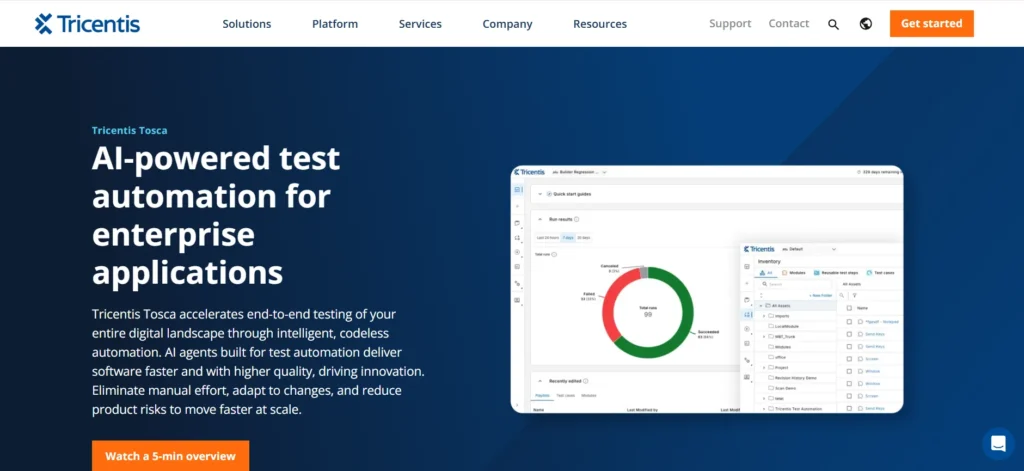
Tricentis Tosca is an enterprise-grade test automation platform. It helps you gain greater control over your test library by summarizing complex tests into simple language. You can build robust UI tests, analyze and control elements in almost any system, from complex cloud apps to simple prototypes, and get actionable execution insights to interpret test results and enable faster troubleshooting.
Key features
- Create your automation already based on a simple mockup or UI description, before any code is written
- Keep up with your app changes and avoid major rework with Vision AI
- Leverage the knowledge of AI networks to automate and get rid of test customizations
- Scan your app’s UI and create business-readable automation models
Supported platforms
- Devices (desktop, mobile), browsers (Google Chrome, Mozilla Firefox, Microsoft Internet Explorer, Microsoft Edge, Safari), OS (Windows, Android, iOS)
Pricing
- Custom
Pros
- Reusable modules reduce your maintenance effort
- Allows you to automate app testing without extensive coding knowledge
Cons
- Some users say the pricing is costlier as compared to other tools
- May involve a high learning curve
3. Ranorex Studio
Best for: Teams who want to automate UI tests on Windows desktop, web, and mobile apps from a single IDE
Overview
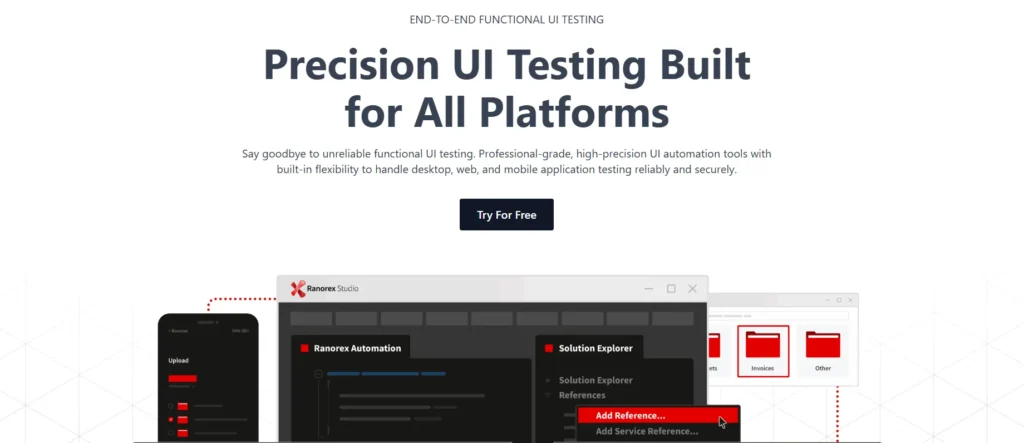
Ranorex Studio is a professional-grade UI test automation tool that helps you handle desktop, web, and mobile app testing securely. The platform allows you to design tests in both full-code and low-code modes. Its ability to centralize object repositories and execute your tests on real devices and cloud-based emulators makes it one of the best alternatives to SmartBear TestComplete for optimizing your quality assurance process.
Key features
- Ensure reliable test execution across dynamic user interfaces with precise element identification through advanced object recognition
- Design better tests from the start so your automation begins on solid ground with the help of DesignWise
- Automate tests for legacy systems, custom user interfaces, and intricate app workflows
- Minimize the need for frequent test script updates after you make UI changes with strong self-healing
Supported platforms
- Browsers (Android Chrome, Chromium, Edge, Firefox, Safari), OS (Android, iOS, Windows), devices (mobile, desktop)
Pricing
- Custom
Pros
- Helps you manage test structure, promotes code reusability, and simplifies maintenance of UI object paths
- Users say that the interface is structured and easy to use
Cons
- Some users report crashes under heavy execution load
- Mobile UI testing may require uninstalling and reinstalling the app before automated execution, which adds overhead to test setup
Also Read: Guide to Visual Testing: Ensure a Pixel-Perfect User Experience
4. Katalon Studio
Best for: Testers looking for low-code UI testing with built-in AI-assisted test creation and maintenance
Overview
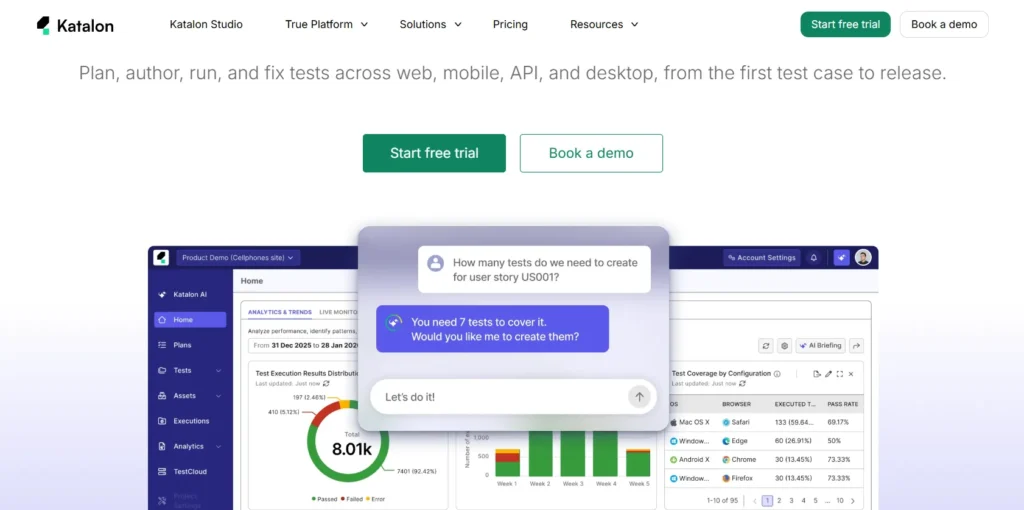
Katalon Studio is an AI-powered test automation platform which performs tests modeled on real user behavior. It supports flexible on-premises execution for CI/CD pipelines as well as parallel and scheduled test execution. You can use the platform’s centralized testing command center for AI-powered optimizations and advanced analytics.
Key features
- Keep your quality engineers productive with fewer false positives with Katalon’s AI, as it knows which visual changes are critical or acceptable
- Deliver a frictionless customer experience and keep users coming back by designing flawless UIs
- Drag-and-drop visual keywords and test assertions into your existing Katalon test scripts for better coverage
- Check if your front-end renders properly on various combinations of browsers, devices, operating systems and viewports
Supported platforms
- Browsers (Chrome, Firefox, Safari, Edge), devices (mobile, desktop), OS (Windows, macOS, Linux)
Pricing
- Starts at $59 per seat per month
Pros
- Users say the platform has an intuitive, easy-to-use interface and offers customizable scripting and detailed reporting
- Automating new scenarios and maintaining existing ones are seamless
Cons
- Some users report missing failed test details, logs, and videos
- The self-healing may sometimes fail to handle elements accurately
Learn More: Top Visual Regression Testing Tools
5. Selenium
Best for: Test engineers who are building customizable, code-based web UI automation

Overview
Selenium is a test automation framework for web browsers that lets you write scripts in multiple languages, including Java, PHP, Python, Ruby, and Perl. This is one of the best free alternatives for TestComplete, which helps you assess browser actions and verify app behavior on Chrome, Firefox, Internet Explorer, and Safari. You can effectively automate complex interactions on web pages with Selenium WebDriver and manage tests across a large number of virtual or physical machines.
Key features
- Locate UI elements using standard locator strategies including ID, name, class name, CSS selector, XPath, link text, and tag name before you perform test actions
- Retrieve the first matching UI element or a collection of matching elements from the DOM using Selenium’s element finder APIs
- Easily automate common user interactions such as clicking elements, entering text, clearing input fields, submitting forms, and selecting dropdown options
- Automatically scroll elements into the viewport before executing interactions when the target element is outside the visible area
Supported platforms
- Browsers (Google Chrome, Mozilla Firefox, Microsoft Edge, Safari), OS (Windows, macOS, Linux), devices (desktop and mobile web browsers)
Pricing
- Free, as it’s an open source tool
Pros
- Has extensive documentation, libraries, and a large community
- Enables teams to build reusable, maintainable automation frameworks
Cons
- Steeper learning curve because users must write and maintain code
- Doesn’t provide built-in reporting or test management
Learn More: Selenium Tutorial: Complete Automation Testing Guide
6. Playwright
Best for: Engineering teams that require reliable modern web UI automation with built-in auto-waiting and resilient locators

Overview
Playwright is an automation library that you can use for end-to-end testing of web apps. This tool enables you to automate interactions with web browsers across multiple platforms, such as Windows, Linux, and macOS, and languages, such as TypeScript, JavaScript, Python, and .NET. It also supports modern rendering engines, including Chromium, WebKit, and Firefox.
Key features
- Find elements with selectors that mirror how users see the page: getByRole, getByLabel, getByPlaceholder, getByTestId
- Automatically wait until elements satisfy actionability requirements before you execute interactions; this helps you reduce flaky UI tests
- Verify that elements are visible, stable, receive pointer events, enabled, and editable before performing actions
- Relocate your elements immediately before every interaction so tests can continue to target the current DOM after UI rerenders
Supported platforms
- Browsers (Chromium, Google Chrome, Microsoft Edge, Firefox, WebKit Safari engine), OS (Windows, macOS, Linux), devices (Desktop browsers, emulated Android phones, emulated iPhones)
Pricing
- Free, as it’s an open-source tool
Pros
- Users mention that the auto-waiting feature and built-in test runner make tests more stable compared to older tools
- The platform automatically captures screenshots and videos when tests fail
Cons
- It doesn’t have native support for iOS devices
- Maintainability can get complicated when the codebase grows
Also Read: How to Get Started with Playwright Testing
Which TestComplete Alternative Should You Choose?
The TestComplete alternative that you finally pick will depend on your team’s automation goals, existing tech stack, and testing requirements.
For teams who are focusing on model-based automation for complex enterprise apps, Tricentis Tosca can be a good fit. Ranorex Studio is suited well for Windows-based desktop testing.
Katalon offers a balanced option for teams who are adopting low-code automation. Selenium and Playwright remain strong choices for development teams who prefer coding and need complete control over their automation stack.
If your team is looking for a unified solution for cross-platform automated UI testing with native AI capabilities, scalable parallel execution, and support for automation frameworks, TestGrid.io is a comprehensive all-in-one option.
Build scalable, low-maintenance UI test automation with TestGrid.io. Request a free trial today.
Frequently Asked Questions
Which TestComplete alternatives support strong cross-platform UI testing?
Among the leading options, TestGrid.io offers robust cross-platform support and enables automated UI testing across Windows, macOS, Linux, Android, iOS, browsers, and real devices from a unified platform. Other top alternatives include Katalon, Playwright, Selenium, Tricentis Tosca, and Ranorex Studio.
Can I migrate my existing TestComplete tests to another automation tool?
Yes. But migration depends on the target tool and your existing test assets. You can reuse test cases, test logic, and workflows. For migrating scripted tests, you may have to refactor or rewrite to match the new tool’s scripting language, framework, and object identification strategy.
How does parallel execution improve automated UI testing?
Parallel execution helps you reduce the overall test execution time, accelerate feedback, and enable earlier issue detection by running multiple UI tests simultaneously across different browsers, devices, or environments. Some of the top alternatives to SmartBear TestComplete that support parallel execution are TestGrid.io, Playwright, and Selenium.
Which of the TestComplete competitors is best for enterprise-level UI testing?
Enterprise UI testing needs capabilities like parallel execution, cross-browser testing, test orchestration, CI/CD integration, and centralized reporting. TestComplete alternatives that offer these include TestGrid.io, Tricentis Tosca, Katalon, and Playwright.