CoTester 2.0 is LIVE! Your Always-Available AI Teammate for Testing.
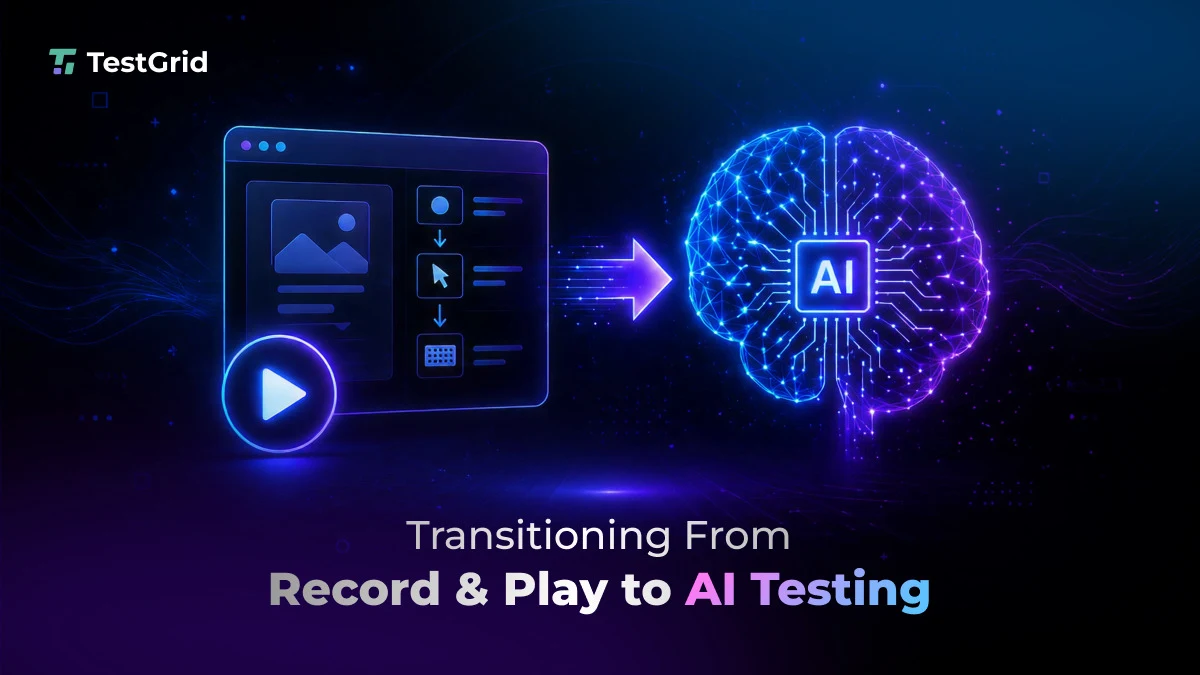
If you manage QA in a modern product team, you might have already seen this. You release an app. The test suite looks reliable for a few weeks. Then, the moment you start pushing updates, the tests unexpectedly fail.
That’s the biggest frustration with record and playback testing. As long as your app is stable, the tests run smoothly. But when workflows change, even if your features are working as expected, tests fail.
The solution? To combine adaptive execution with controlled human oversight and reduce brittle automation. In this blog, we’ll see how AI testing works, what its benefits are, and a quick framework to help you with the move from record and play to AI testing.
Eliminate fragile scripts and build reliable, AI-driven test automation with CoTester. Request a free trial.
TL;DR
- AI-driven testing keeps your automation stable by reducing maintenance and helping you focus on product quality rather than fixing scripts
- Self-healing automation, visual AI, auto-test generation, and intelligent failure analysis are some AI testing features that allow your automation to adapt to app changes
- AI testing helps you minimize manual script updates, detect defects earlier in the cycle, and accelerate releases
- Some of the critical use cases where you can see measurable results of AI testing are login and checkout flows, authentication paths, and frontend regression testing
- To migrate to AI testing, first identify the high-impact workflows, run pilots on one flow, assess outcomes, track metrics, and expand adoption
Why Record-and-Playback Testing Cannot Scale
Record and playback testing works great for apps that change very little. The tool records a path, stores each action, and expects that same path to exist for every future test run.
But apps today are different. Teams regularly redesign interfaces and add features. So if your test scripts depend on a specific selector or element ID, it may break due to these changes. And the failure isn’t because there’s something wrong with your app. It happens because the scripts expected the old version of your app’s interface.
Also Read: The Limits of Record-and-Play Automation in Stateful Applications
How AI-Driven Testing Works Differently
AI testing changes how you handle updates in your product or app. It reduces dependence on brittle selectors and rigid paths by combining locator logic with visual, structural, and contextual understanding during execution.
So, when your interfaces change, the tools can adapt tests and make your automation more stable. Many teams are already increasingly investing in AI testing. The global market size for the same is expected to grow from $1.01 billion in 2025 to $4.64 billion by 2034.
Here are some core capabilities of AI testing.
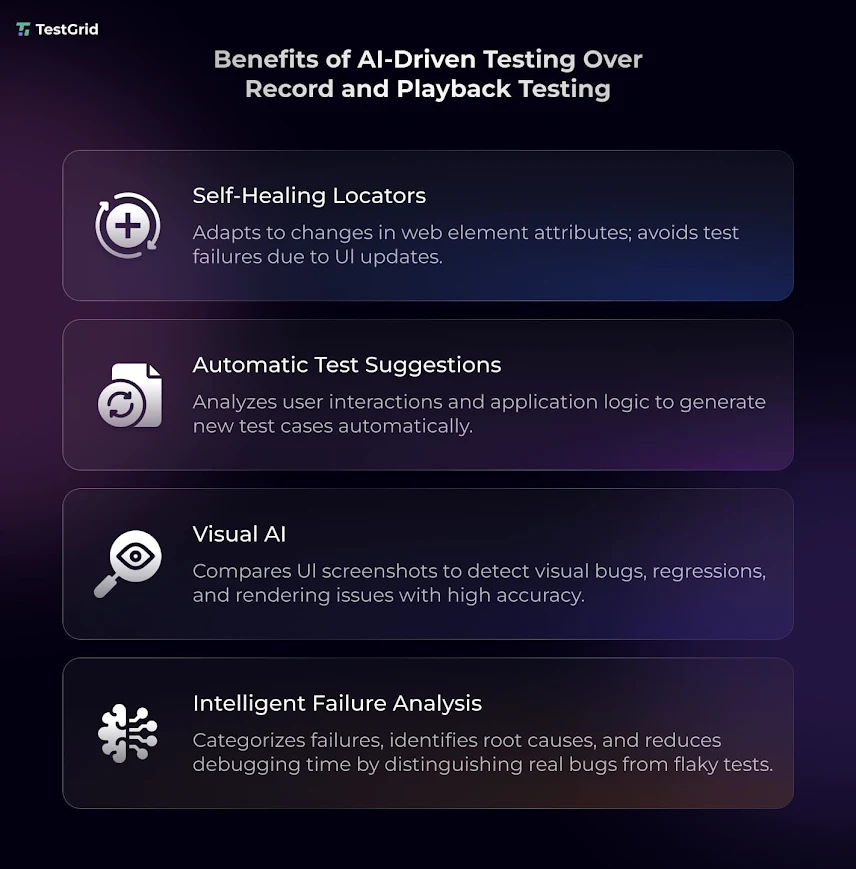
1. Self-healing locators
Usually, in record and play testing, your test might fail if you change a button ID or move a form field to a different part of the page. But AI testing tools can identify the same elements through their labels, structure, or surrounding context, and allow the test to continue without you having to manually repair the script.
Also Read: Self-Healing Test Automation: A Key Enabler for Agile and DevOps Teams
2. Automatic test generation and suggestions
With the help of AI, you don’t have to manually record every workflow. Many modern testing platforms can generate test suggestions based on user behavior, release history, and your app changes. For example, if your payment flow gets frequent updates or high traffic, the testing tool may recommend this as a high-priority test. This helps your team spend less time on creating low-value tests and more on checking and protecting the critical user journeys.
3. Visual AI
AI allows you to enhance visual testing, too. Selector-based automation alone may not be able to catch problems like layout issues, missing components, frontend regressions, and faulty rendering. AI testing platforms leverage computer vision or vision-language models to analyze your app screens visually and contextually and spot these problems across browsers, devices, and releases.
4. Intelligent failure analysis
Traditional automation frameworks can report failures quickly, but identifying whether the issue comes from the product, test logic, or unstable locators still requires significant manual investigation.
AI platforms help reduce that debugging effort by recognizing failure patterns and execution context. They can identify patterns behind your flaky tests or repeated failures and help you understand whether a test failed because of a product issue or unstable automation.
What Does AI Testing Do for Your Business?
We saw the features of AI testing and how they work. But does this actually make any difference for your business? Let’s have a look.
1. Low maintenance
Rather than burning time on fixing or updating scripts after minor or major changes, you can put that effort into improving the quality of your app. Your QA engineers will have more time to work on test coverage, release risk, defect prevention, and exploratory testing.
2. Early defect detection
A layout issue is much easier to fix when you find it during execution instead of the same issue reported by your customers after release. If critical user paths like payment, authentication, and onboarding flows cause errors in production, it not only affects the user experience. It also shoots up the rework and maintenance costs.
If your team can detect these issues before deployment, you can avoid production fixes, customer support escalation, and trust damage.
Learn More: Defect Report in Software Testing: A Guide for Developers and QA
3. Better release speed
When you have strong AI automation in place that produces reliable results, you can minimize repeated manual validation before production. AI tools update tests with ongoing changes, which enables you to only focus on real product issues and speed up your releases without delivery risk.
Critical Use Cases for AI Testing
You understand the actual value of AI-powered testing when you assess how well it handles workflows or the features of your app where failures can negatively affect your revenue, user access, or customer trust.
1. Login and authentication
These flows normally go through frequent changes because product teams update sign-up forms, password recovery steps, multi-factor authentication, or onboarding sequences to serve customers better. AI leverages labels, page structure, and user intent to spot elements when they change and keep your tests stable.
2. Checkout and payment
Stakes are even higher in your checkout and payment flows because errors here can result in pricing mismatches, incorrect calculations, and security risks like data exposure. Fixed scripts can be hard to maintain when you modify promotions, pricing displays, or checkout paths.
AI testing helps you validate these journeys across devices, browsers, and payment methods while reducing failures caused by frequent UI changes in pricing, checkout steps, and payment workflows.
3. Frontend regression testing
Your app might pass the functional tests, but you may still end up shipping inconsistent layouts or misaligned elements that can damage your user experience. These problems happen usually after design updates, responsive layout changes, or frontend releases. AI visual testing allows you to find these issues by comparing screens across releases and flagging the recent changes that can influence usability.
How Can You Make the Shift to AI Testing?
You don’t really need to purchase a new tool or replace your entire testing stack to transition from record and playback testing to AI testing. Most QA teams today already have automation built. What you need is to assess which parts of your test suite create the most maintenance overhead and which ones cover the critical business workflows.
Tests which validate the high-value paths like login, payments, authentication, or customer onboarding, but get frequent interface updates, should be your prime targets for migration.
Your goal shouldn’t be to replace your suite on day one. First, focus on reducing the areas of automation that slow you down.
- Run a pilot on one workflow that you feel needs frequent maintenance, e.g., the checkout flow
- Compare outcomes such as stability, debugging time, and failure accuracy
- Track success with metrics like maintenance hours saved
- After you start seeing measurable results, gradually expand the adoption
If you’re new to AI testing, CoTester helps you get started quickly using your existing, high-maintenance workflows. You can easily link your JIRA change tickets or capture live workflows, review the generated steps, and then execute them across real testing environments. This enables your team to validate critical features and user journeys without requiring a complete overhaul of your existing tools and processes.
Wrapping Up
There’s no doubt that record and play testing has helped many teams reduce repetitive manual checks and scale regression testing. The problem actually appears when your app grows. Recurring UI changes and faster release cycles make it hard for your automation to keep up.
AI testing improves this situation by helping you minimize the repair work. You can easily investigate failures, cut down flaky tests, and get strong visibility into release risks.
Transitioning from record and playback to AI testing isn’t about replacing tools or testers. It’s about making your automation dependable and able to adapt as your app evolves.
Platforms like CoTester combine test generation, adaptive execution, and controlled review to help your team reduce maintenance overhead without losing visibility into how tests are created, approved, and executed.
With CoTester, testing starts from your actual business requirements rather than isolated recorded actions.
You can upload requirement documents, user stories, Jira tickets, URLs, or approved live workflows, and CoTester converts them into structured test cases aligned with real user behavior and business processes.
Before execution, your team can review and refine these steps, add validations, and approve critical checkpoints.
Once approved, AgentRx, CoTester’s auto-healing engine, detects interface changes such as moved fields, updated labels, or layout shifts and adjusts locator resolution during execution to reduce repeated manual script maintenance.
Its multimodal Vision Language Model uses visual, structural, and contextual signals to understand application screens during execution, helping tests stay stable across dynamic enterprise systems like Salesforce, SAP, Workday, and other workflow-heavy platforms where traditional selector-based automation often becomes brittle.
Request a free trial with CoTester today.