CoTester 2.0 is LIVE! Your Always-Available AI Teammate for Testing.
- AI Mobile App Testing Tools Overview
- Why Do You Need AI Tools for Mobile App Testing?
- How We Evaluated These Mobile App Testing Tools
- Top AI-Powered Mobile App Testing Tools At a Glance
- Best AI Tools for Mobile App Testing In 2026
- How to Choose an AI Mobile Testing Tool
- Frequently Asked Questions
- How to use AI in mobile testing?
- Can AI tools test both Android and iOS apps?
- Can AI completely automate mobile app testing?
- What is self-healing in mobile test automation?
- Do AI mobile testing tools support real devices?
- Can AI generate mobile test cases from requirements?
- How does AI improve visual regression testing?
A mobile app is often the product your customers interact with most. So, creating reliable mobile experiences is a business priority. A study shows that 15.4% of users uninstall an app after a single crash, and more than half abandon apps after 2 to 3 crashes.
But testing mobile apps can be tricky because you have to account for fragmented devices, OS variations, dynamic interfaces, and complex behavior.
AI can make this process easier by helping QA teams adapt tests to changing app conditions, investigate failures faster, and uncover scenarios that are tough to anticipate with manually defined test flows.
In this blog, we have listed the top AI tools for mobile app testing, along with their detailed features, use cases, limitations, and pricing.
Deliver flawless mobile app experiences with CoTester. Request a free trial.

AI Mobile App Testing Tools Overview
TL;DR
- CoTester: AI-powered testing tool focused on autonomous test creation, execution, and self-healing automation
- Perfecto: Enterprise mobile testing for validating apps across real and virtual devices with integrated test authoring, execution, and reporting
- Applitools: Visual testing focused on validating mobile UI quality across devices, screen sizes, and dynamic content
- ACCELQ: Unified quality assurance platform that connects mobile automation with web, API, desktop, and backend testing in a single workflow
- Testim: Cloud-based mobile testing designed for native, hybrid, and cross-platform apps, including React Native and Flutter
- mabl: Low-code test automation platform with integrated functional, API, and performance testing for mobile apps
- TestComplete: UI automation for teams that need mobile testing alongside desktop and mobile web apps, with support for secure local environments
- Appium: Extensible mobile automation ecosystem built around drivers, clients, plugins, and tools for different testing needs
- Maestro: Open-source UI automation framework designed around architecture-agnostic mobile testing and human-like device interaction
Why Do You Need AI Tools for Mobile App Testing?
Traditional mobile testing mostly depends on predefined locators, fixed test flows, and manual interpretation of test results. This can significantly increase your testing time and effort because frequent UI and code changes can break locators, forcing your testers to update scripts, rerun tests, and investigate failures.
AI tools for mobile app testing apply technologies such as generative AI, computer vision, agentic AI, LLMs (large language models), NLP (natural language processing), and machine learning to minimize this repetitive QA effort. They can help you:
- Automatically turn test intent, requirements, or user journeys into actionable test flows
- Adjust to changes in UI structure, device conditions, or app behavior
- Analyze screenshots, logs, and execution context to separate app defects from flaky failures
- Generate scenarios around unusual inputs, device states, interruptions, and edge case scenarios
- Use historical results and risk signals to prioritize tests that are more likely to uncover issues
Also Read: AI Mobile Testing: AI-Driven Mobile App QA and Automation
How We Evaluated These Mobile App Testing Tools
We tested the leading AI tools for mobile app testing available in the market and assessed them across different AI capabilities and criteria that are critical for mobile apps. The factors that we considered during our research include:
- Test generation: How effectively the tool utilizes AI to create mobile test cases, flows, or scripts from natural language requirements and prompts
- Device and OS coverage: Support for Android and iOS, including real devices, emulators, simulators, OS versions, and device models
- Test coverage: Enables testing across various scenarios like mobile gestures, OS permissions, device orientations, network conditions, and screen resolutions
- Test maintenance: AI-powered test maintenance capabilities such as self-healing, adaptive locators, and automated updates
- Test analysis and reporting: Test results, device metadata, failures, screenshots, and logs for actionable insights and easier root cause analysis
- Test automation support: Allows testers to create scripts using automation frameworks like Appium, Espresso, and Detox
- Integrations: Plugins or integrations with CI/CD pipelines, test management, defect tracking, development, and other tools for effective mobile app testing
Apart from these areas, we also considered the learning curve associated with each tool. Since AI-powered testing workflows can take some time to learn, we only focused on the tools that have extensive documentation and guides.
Lastly, budget was another important factor we looked at. The list includes paid as well as free open-source tools so that both startups and enterprise teams can find their best fit.
Top AI-Powered Mobile App Testing Tools At a Glance
The comparison below shows how the AI tools for mobile app testing differ in their AI capabilities, automation support, and mobile testing features. You can refer to it to quickly identify which tools align with your test requirements.
| Tool name | AI features | No-code/Low-code support | Integrations | Pricing |
|---|---|---|---|---|
| CoTester | Natural language test generation, self-healing, live debugging | Yes | Azure DevOps, Jenkins, GitHub Actions, Slack, Teams | Starting at $199 per seat per month; free trial available |
| Perfecto | Intelligent test generation, test failure classification | Yes | Jenkins, Azure DevOps, CircleCI, Jira, Slack | Custom |
| Applitools | Visual AI testing for mobile apps, intelligent baseline comparison | Yes | GitLab, Azure DevOps, Bitbucket, GitHub | Custom |
| ACCELQ | Autonomous test execution, AI-generated test data | Yes | Jenkins, GitHub Actions, TeamCity, Bamboo, Azure Pipeline | Custom |
| Testim | AI/ML-powered Smart Locators, AI-assisted code generation | Yes | Jenkins, Azure DevOps, Bamboo, TeamCity, Codeship | Custom |
| mabl | Agentic automation, AI failure analysis | Yes | Jenkins, Jira, Slack, MS Teams | Custom |
| TestComplete | AI-powered visual defect detection, self-healing mobile test automation | Yes | Jira, Azure DevOps, Jenkins, GitHub Actions | Starting at $4318 |
| Appium | Automated test-code generation, AI-agent integration | No built-in no-code/low-code support | XCUITest, Espresso, Flutter | Free |
| Maestro | AI-powered test analysis, natural language UI assertions | No native no-code/low-code support | GitHub Actions, CircleCI, Bitbucket, Slack | Free; paid tier starts from $250 per device per month |
Best AI Tools for Mobile App Testing In 2026
1. CoTester
Best for: QA teams who want agentic AI mobile testing, visual element detection, and self-healing automation
Overview
CoTester by TestGrid is an enterprise-grade AI software testing agent that’s built to assist you in your entire mobile app testing journey. You can create tests easily by uploading your Jira user stories, URLs, or requirements docs, or by simply describing what you want to test in natural language.
This agent seamlessly integrates with CI/CD tools like Jenkins, GitHub Actions, and Azure DevOps, helps you execute your tests across multiple real Android and iOS devices, and also allows you to schedule test runs to match your release cycles.
CoTester captures step-level test execution logs including screenshots, automatically flags bugs during execution, and enables you to debug efficiently. It also pauses at critical checkpoints so your testers can validate its direction before continuing execution. The agent supports private cloud and on-premises device lab deployment options.
Features
- Create robust tests by switching between scriptless, record and play, or code mode
- Edit or tweak your test steps or update workflows using the natural language chat interface or editor
- Automatically detect shifted elements, updated labels, structural changes, and redesigned screens, and update tests with the self-healing engine AgentRx
- Interpret mobile screens through their visual elements, text, and layout by leveraging the VLM (vision language model)
- Connect internal databases and securely parameterize test data, with encryption for secrets
- Directly edit and customize your mobile app test automation scripts inside CoTester’s IDE
Limitations
- Teams new to AI testing might need some time to learn to use CoTester, but extensive documentation and guides are readily available
Pricing
- CoTester Starter Package: Starts at $199 per seat/month (minimum 4 seats; includes 4 devices/browsers and 5,000 tokens)
- CoTester Growth Package: Custom pricing (includes all Starter features + marketplace integrations)
- Enterprise Test Infra (On-Prem / Hosted): Custom pricing (dedicated test lab for segregated enterprise teams)
2. Perfecto
Best for: Enterprise QA teams who want to use AI to handle mobile test interruptions and improve real-device test stability

Overview
Perfecto is one of the best cloud-based mobile app testing AI tools which gives you instant access to iOS and Android devices for automated testing.
Its powerful GenAI helps you create and execute tests in plain language and generate and inject test images for a smooth testing process. This AI testing tool helps you assess the most complex scenarios like geolocation, network virtualization, and biometrics.
Features
- Test your mobile apps on a range of Android and iOS phones, phablets, and tablets
- Automate real user simulation by leveraging any device sensors or settings
- Eliminate pop-ups and locked screens before they interfere with your test with AI-powered self-healing
- Get feedback faster with detailed test reports, heatmaps, a CI dashboard, and root cause analysis
Limitations
- The tool can be expensive for smaller teams with budget constraints
- Some users report object tree issues
Pricing
- Customized pricing available on request
3. Applitools
Best for: Teams who want to detect UI regressions across devices and screen sizes with Visual AI
Overview
Applitools is one of the top next-gen AI tools for mobile app testing which is powered by Visual AI, that lets you accurately test your mobile apps. You can author your tests in plain English, with the help of a test recorder, or by using your favorite automation frameworks. This platform enables you to evaluate your app’s UI for functional, visual, and accessibility errors with just a single command. The platform supports public cloud, dedicated private device cloud, and on-premises deployment.
Features
- Release bug-free user experiences with AI-powered visual regression testing for native mobile apps
- Visual locators and stable infrastructure to reduce flaky test runs and constantly shifting locators
- Run your mobile tests on a wide range of iOS and Android devices, viewports, and screen sizes
- Easily mark areas in your application UI that you want to remove from your testing
Limitations
- A few users mention that managing and updating baselines can be time-consuming
- Initial test configuration for complex responsive layouts can take more time
Pricing
- Starter: Custom
- Public Cloud: Custom
- Dedicated Cloud: Custom
4. ACCELQ
Best for: QA teams and non-coders creating mobile tests with AI-powered, no-code automation
Overview
ACCELQ is a codeless AI mobile test automation platform with which you can verify business processes and cover complex real-world scenarios at scale. You can utilize the platform’s AI and machine learning to adapt to app changes and reduce your maintenance effort. The platform allows you to collaborate on test design, execution, and reporting from a centralized space. It supports public cloud as well as hybrid test infrastructure.
Features
- Design, develop, and execute your mobile test automation with zero setup and no coding
- Leverage mobile, web, API, and backend testing in one unified flow
- Perform cross-device testing in a plug-and-play model in integrated mobile device cloud labs
- Build effective tests with Automation flow recorder, coupled with powerful natural language no-code editor
Limitations
- Developers report occasional performance issues with large datasets
- Some users experience a steep learning curve with advanced features
Pricing
- Automate Web
- Automate Mobile
- Automate API
- Automate Manual
Customized pricing available on request for all plans.
Learn More: AI Mobile Testing: How to Deliver Flawless Apps with Intelligent QA
5. Testim
Best for: Testing teams who want AI-assisted automated mobile test creation and smart locators for resilient automation
Overview
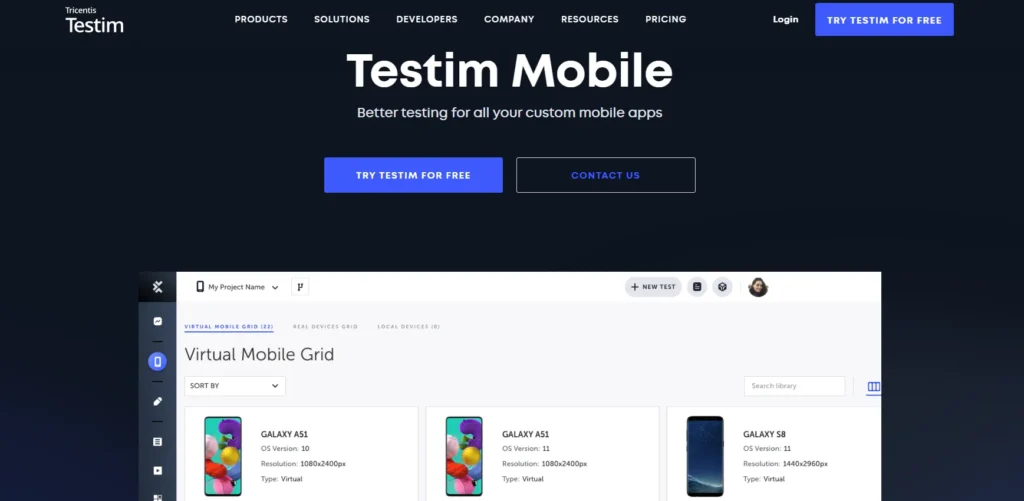
Testim is one of the best AI mobile testing tools for enterprises, enabling your agile team to accelerate their app release process with faster and more accurate test building. With the help of its AI-based recordings, you can quickly author your tests.
Plus, you can improve the stability of your tests through custom AI/ML locators that identify elements, self-heal tests when your apps change, and enable flaky test detection.
Features
- Test mobile apps, including native, hybrid with embedded web views, or built with Flutter or React Native cross-platform frameworks
- Locate app elements other solutions can’t detect, ensuring your tests remain stable with Testim’s proprietary technology
- Access a wide array of virtual iOS simulators and Android emulators
- Control and manage changes and run tests with each release as part of your CI/CD pipeline
Limitations
- Advanced test customization sometimes may require coding knowledge
- Setting up and organizing large test suites might take some time
Pricing
- Testim Salesforce
- Testim Web
- Testim Mobile
Customized pricing available for all pricing plans.
6. mabl
Best for: Engineering teams looking for autonomous mobile testing tools to create, analyze, and maintain test coverage
Overview
mabl is a low-code AI-native testing automation platform that helps your team create tests for mobile apps 10x faster, and speeds up test execution, automates test analysis, and minimizes test maintenance.
You can simply describe your intent or user story for mabl to autonomously plan and create robust tests. This is one of the leading AI mobile testing tools with Appium support.
Features
- Run mobile app tests in parallel across iOS and Android environments in the cloud
- Find elements by how they look on screen, not their underlying code, so tests keep running even when the structure changes with Visual Assist
- Investigate and distinguish real regressions from environmental noise with mabl
- Combine test types, trigger them together, and pass data between executions seamlessly
Limitations
- Few users report less flexibility for highly customized workflows
- Limited customization and AI features available in reporting
Pricing
- Request a quote to get custom pricing
Also Read: How to Build a Mobile App Testing Strategy
7. TestComplete
Best for: Teams that want AI-assisted self-healing and visual testing for Android and iOS apps
Overview
TestComplete is an automated UI testing platform for mobile and web apps. It helps you generate test data using AI, self-heal tests after code changes, validate dynamic content like PDFs and docs with optical character recognition, and detect visual bugs with AI-powered visual testing. Execute keyword tests across multiple browsers, OS, and device combinations.
Features
- Create code or codeless automated mobile tests across multiple Android and iOS devices
- Test background and foreground transitions to verify that apps can preserve the expected state when users leave and return to them
- Improve your testing using integrations with CI/CD tools, issue tracking tools, and test management solutions
- Perform UI tests on real mobile devices locally or in the cloud, and ensure the quality of your mobile app
Limitations
- Editing a script and executing it multiple times may sometimes lead to crashes
- Pricing can be expensive compared to competitors
Pricing
- TestComplete Base: $4318
- TestComplete Pro: $7799
- TestComplete Advanced: Custom
8. Appium
Best for: Developers and SDETs using AI agents for natural-language as well as code-based test generation
Overview
Appium is an open-source mobile automation framework with AI capabilities offered through Appium MCP. It supports AI-assisted test generation from natural-language scenarios, vision-based element finding, and intelligent locator generation.
Appium supports automated testing of native, hybrid, and web apps across Android and iOS, including apps packaged as APK and IPA files.
Features
- Analyze your mobile apps across multiple platforms with cross-platform compatibility testing
- Perform parallel testing to run numerous test scripts simultaneously
- Access extensive documentation and support from a large community of users and contributors
- Create your tests in languages like Java, Python, Ruby, and C#
Limitations
- The initial setup can take some time
- Users report that Appium can execute tests more slowly than native frameworks, particularly for larger regression suites
Pricing
- Free, as it’s an open-source tool
Also Read: Appium Testing Tutorial
9. Maestro
Best for: Teams searching for AI-powered assertions and visual analysis to validate complex UI states and identify issues in mobile app screens
Overview
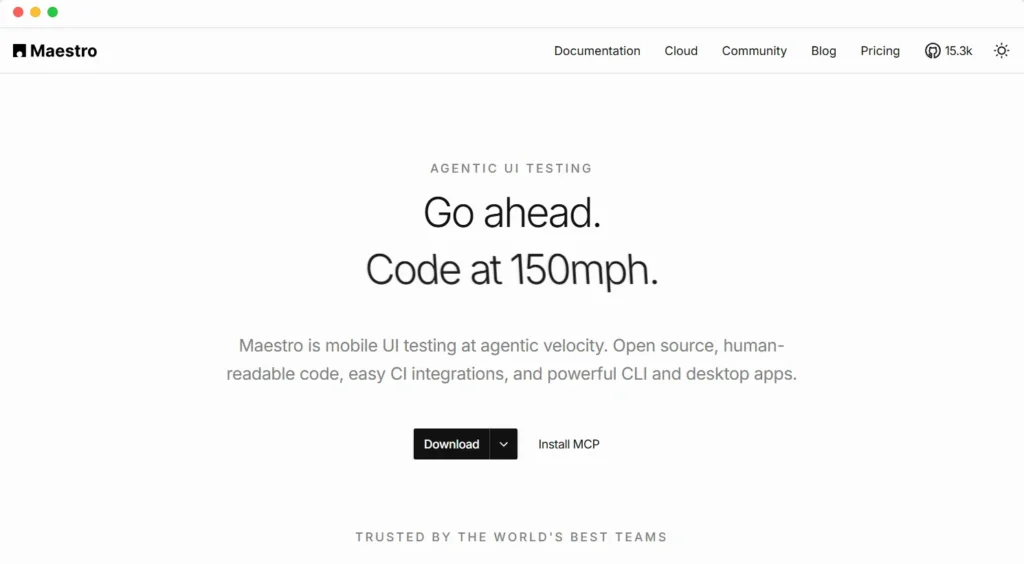
Maestro is a mobile UI testing platform for Android and iOS. Its AI capabilities include AI test case generation for mobile apps, natural-language test development, and agentic testing through Maestro MCP.
This is one of the popular AI tools for mobile app testing that allows AI assistants to inspect devices, run tests, interact with apps, and help improve test coverage.
Features
- Generate deterministic E2E tests that are human-readable YAML files, not black boxes
- Build tests with the help of AI agents and verify E2E coverage locally, ensuring every change is fully tested before you ever open a PR
- Run your entire test suite across simulators and emulators simultaneously to cut CI wait times
- Diagnose and fix bugs efficiently with step-by-step video playback, detailed logs, and flake detection
Limitations
- May lack flexibility when handling complex automation workflows
- Some users report crashes and performance lags
Pricing
- Free: Open-source
- Cloud: $250 per device per month
- Enterprise Cloud: Custom
Also Read: Mobile App Testing Tools & Automation Frameworks
How to Choose an AI Mobile Testing Tool
Now that you have reviewed the top AI tools for mobile app testing, there are a few important points that you need to consider before you finalize your pick.
First, determine your testing goal. Decide the types of tests you need to perform, such as functional, regression, performance, accessibility, and end-to-end testing. Then, understand why you need an AI tool, whether it’s to expand exploratory testing coverage, speed up test authoring, or reduce test failures.
Then, look at your team’s technical expertise, and based on that, select codeless, low-code, or pro-code options. Another critical area is evaluating AI control and transparency. Check if your testers can inspect AI decisions, intervene during execution, and perform human-in-the-loop testing to verify generated tests or recommendations before they affect release decisions.
Lastly, assess the long-term ROI the tool delivers. For that, compare licensing and AI usage costs, and see how these costs change as your app, test suite, and device matrix grow.
Leverage AI-powered testing and evaluate your mobile app across real Android and iOS devices, OS versions, screen sizes, and hardware profiles with CoTester. Request a free trial.
Frequently Asked Questions
How to use AI in mobile testing?
You can utilize AI in mobile testing to build test cases, identify UI elements, detect visual defects, analyze failures, maintain tests as apps change, and improve future test runs with predictive analytics. AI can also help you execute and validate mobile workflows across multiple devices at scale with minimal manual effort.
Can AI tools test both Android and iOS apps?
Yes. Many AI tools for mobile app testing help you test both Android and iOS; however, coverage may vary by platform and tool. You need to check support for native, hybrid, and cross-platform apps, as well as the required OS versions, devices, emulators, and simulators before you choose a testing platform.
Can AI completely automate mobile app testing?
AI-based mobile testing tools can automate repetitive test creation, execution, maintenance, and analysis. But human testers still need to define the test strategy, validate AI-generated tests and results, handle complex scenarios, and establish appropriate governance and oversight.
What is self-healing in mobile test automation?
Self-healing basically leverages AI to detect when mobile UI elements, locators, or app structures change and automatically adjust test steps to keep tests running. This enables you to minimize failures caused by UI changes and reduce your manual test maintenance.
Do AI mobile testing tools support real devices?
Yes. Many AI tools for mobile app testing offer you real Android and iOS devices to assess your apps via their own device clouds or integrations with third-party providers. But before you select AI mobile testing tools with real devices, make sure to check supported device models, OS versions, and whether real-device testing is available for your specific app type.
Can AI generate mobile test cases from requirements?
Yes, there are AI mobile testing tools and mobile testing agents that can automatically generate test cases for your mobile apps directly from natural-language requirements, user stories, documents, or app workflows. AI may also generate test steps, automation scripts, or complete test flows.
How does AI improve visual regression testing?
AI-powered mobile testing can help you enhance visual regression testing by comparing your app screens intelligently and identifying UI differences. Agentic and generative AI for mobile app testing can spot layout shifts, missing or misplaced elements, text changes, and other visual defects that traditional pixel-by-pixel comparisons may flag unnecessarily.