CoTester 2.0 is LIVE! Your Always-Available AI Teammate for Testing.

- What is Generative AI?
- Types of Generative AI Models
- Generative AI Use Cases in Software Testing
- 1. AI‑Driven Test Case Generation from Requirements
- 2. Automation Script Creation from User Stories
- 3. AI‑Powered Synthetic Test Data Creation
- 4. Automated Bug Report Summarization & Reproduction
- 5. AI‑Assisted Exploratory & API Testing
- 6. Self‑Healing Test Automation with AI
- 7. Test Suite Optimization and Regression Prioritization
- 8. Automated QA Reporting & Insights
- Benefits of Generative AI Software Testing
- Implementing Generative AI Across Testing & SDLC
- Popular Generative AI Testing Tools & Platforms
- Challenges and Limitations of Generative AI in Software Testing
- Future Trends in Generative AI for Software Testing
- Put Generative AI Testing Into Practice with CoTester
- Frequently Asked Questions (FAQs)
What’s the biggest barrier to flawless software? It isn’t your tools, your process, or even your team. It’s time.
Time to debug every issue. Time to cover every edge case. Time to make sure nothing breaks when it matters most.
Over 55% of QA professionals cite limited testing time as their top challenge, and as applications grow more complex, manual testing and script-based automation just can’t keep pace.
That’s where Generative AI (GenAI) changes the equation. Nearly 46% of testers already use it for test case creation, and adoption is spreading fast into automation scripts, synthetic data, and self-healing tests.
The shift isn’t limited to testing either. Engineering teams are increasingly relying on AI for code generation, documentation, code reviews, and debugging, quietly reshaping what a single workday in QA and development can accomplish.
In this guide, we’ll break down what Generative AI in software testing actually looks like, how it compares to traditional test automation, and how you can put it to work to design, execute, and maintain tests more efficiently.
TL;DR
- Generative AI in Software Testing reduces manual effort by creating test cases, scripts, and insights directly from requirements.
- It leverages Transformers, Vision AI, and Reinforcement Learning to analyze product behavior and generate meaningful artifacts.
- Teams apply it to test design, automation scripting, failure analysis, and synthetic data generation.
- AI platforms interpret user stories to produce executable tests and debugging insights, including Selenium, Cypress, or Playwright scripts from natural language.
- This expands coverage with functional, negative, and edge‑case scenarios often missed manually.
- Effective QA combines AI generation with human validation for accuracy and alignment.
- Integrated into SDLC and DevOps pipelines, AI supports requirements analysis, regression prioritization, visual validation, and continuous optimization, enabling faster releases and resilient software quality.
What is Generative AI?
Generative AI (GenAI) refers to the use of AI models that can automatically create test cases, scripts, synthetic data, and validation artifacts directly from requirements, user stories, or system behavior. It reduces manual effort, expands coverage, and integrates seamlessly into modern QA workflows such as Agile, DevOps, and CI/CD pipelines
Types of Generative AI Models
Modern Generative AI testing tools typically rely on specialized models, with each of them playing a specific role in automating different parts of the testing workflow:
1. Large Language Models (LLMs) for Test Case Design
LLMs are deep learning models trained on large text and code datasets to perform Natural Language Processing (NLP) tasks.
Tools like ChatGPT, Bard, and Claude can generate test cases, write automation scripts, and draft testing documentation. They can interpret natural language requirements and translate them into actionable testing artifacts.
For example, given a login requirement, an LLM can create multiple test scenarios, including valid login, invalid credentials, session timeout, and edge cases, such as concurrent access. These models can also summarise bug reports and analyse logs.
2. Code Models for Automation Script Creation
Many AI testing tools rely on code-specialized language models trained on large repositories of source code. Examples include CodeBERT, Codex / GPT-based code models, StarCoder, and Code Llama.
These models understand programming syntax and testing frameworks, enabling them to generate or modify automation scripts.
For instance, instead of writing a Selenium or Playwright script manually, you can describe the test flow in natural language for the model to create the corresponding automation code.
These models also assist in identifying potential defects in test logic and suggesting improvements to existing test scripts.
3. Synthetic Data Models for Test Coverage
Generative AI can create synthetic datasets that mimic real production data while avoiding privacy risks. Several model types are used for this purpose, including:
- Generative Adversarial Networks (GANs)
- Variational Autoencoders (VAEs)
- LLM-based structured data generation
These models utilize a “diffusion process” to learn the statistical patterns of real datasets and generate new data samples with similar characteristics. However, generated datasets still require validation to ensure accuracy and compliance with privacy requirements.
4. Vision AI Models for UI & Visual Validation
Vision-based Generative AI models analyze application interfaces visually, similar to how human testers interpret screens. These models detect missing UI elements, layout changes, visual regressions, and interaction flows.
This enables more resilient test automation, especially in applications like Single-Page Applications (SPAs), eCommerce platforms, and SaaS dashboards, where UI structure changes frequently.
Generative AI Use Cases in Software Testing
Let’s discuss all the testing tasks where you can adopt generative models:
1. AI‑Driven Test Case Generation from Requirements
You know the drill: every new feature or update requires dozens, sometimes hundreds, of test cases. Writing them manually is time-consuming and prone to human error. This is especially true for SaaS and mobile app testing, where changes are frequent.
With Generative AI, you can quickly create diverse test cases.
You can provide the model with product requirements, user stories, or acceptance and ask it to generate functional, negative, and edge case scenarios based on those inputs.
For instance, do you have a subscription app whose functionality has changed? No problem. Prompt the model to generate new test cases for scenarios like expired credit cards, simultaneous logins on multiple devices, or network interruptions during payment.
This automation minimizes the risk of overlooked edge cases and, in fact, broadens your test coverage.
In addition, it can propose different scenarios you haven’t even considered for testing software, such as switching between mobile and desktop mid-session or accessing certain features in unexpected orders.
Also Read: AI Test Case Generation (A Complete Guide for QA Teams)
2. Automation Script Creation from User Stories
Building Cypress, Selenium, or Appium boilerplate code takes time and energy. Provide the generative models with a natural language description of the test you want to automate.
For example, you could say, “Write a Selenium script to test a user logging in with both valid and invalid credentials.” Generative AI will then create the initial script that launches the browser, enters credentials, submits the form, and verifies the expected outcome.
It will not be the perfect draft, but it will be a strong start. You can then review the script, update element selectors if necessary, and integrate the code into your automaton repository or CI pipeline. This accelerates automation development and reduces manual scripting effort.
3. AI‑Powered Synthetic Test Data Creation
You still need to build datasets for edge cases or realistic simulations in software testing. For example, if you’re testing a banking app, you need account numbers, transaction IDs, and even customer profiles to check every user story and system log.
Generative AI can produce realistic yet synthetic test data capable of mimicking real-world test scenarios, complete with constraints such as formats, ranges, or distributions.
In another example, when testing a healthcare software solution, you would require thousands of patient records with varying conditions, demographics, and treatments.
Generative AI can take off your hands and give you data that adheres to privacy regulations like HIPAA and GDPR.
The generated datasets can then be loaded into staging environments or testing databases to simulate realistic usage scenarios.
4. Automated Bug Report Summarization & Reproduction
When you deal with multiple error reports, stack traces, and log analyses at scale, bug triaging can overwhelm you.
Thankfully, with Generative AI, you can analyze data and extract summaries of cluster issues. You can ask it to group the bugs based on modules, frequency, or severity levels.
Generative AI can also assist in identifying reproduction steps based on failure patterns. This way, you’ll clearly understand what needs to be prioritized and resolved first.
5. AI‑Assisted Exploratory & API Testing
APIs are a core component of software systems today and are increasingly used in complex, distributed environments. These can be deployed anywhere, whether behind a DMZ or co-located with cloud-native apps and microservices.
Generative AI ensures the API’s integrity, confidentiality, availability, and the data it processes. For instance, you can provide the model with API documentation, endpoint definitions, or OpenAPI/Swagger specifications.
The model can create test requests, payload variations, and response validations. These requests can be executed using API testing tools such as Postman, REST clients, or automated API testing frameworks to validate system behavior.
6. Self‑Healing Test Automation with AI
When UI changes occur, automation scripts often fail because element locators no longer match the updated interface. Generative AI can help identify the new element and propose an updated locator.
You can capture the failed test information, including the original selector and the current DOM structure of the page. Provide this data to the model and ask it to identify the most likely replacement element.
For example, suppose a login button originally used the selector “#login-btn,” but the UI update changed the element to “.auth-login.” You can provide the previous selector and updated DOM snippet and ask the model to identify the element that performs the same function.
The model analyzes attributes such as element text, class names, and hierarchy to suggest a revised selector.
7. Test Suite Optimization and Regression Prioritization
As your test suite grows larger with every test, identifying redundant test cases or those that provide minimal coverage can get tedious.
You can feed Generative AI recent code commits, test execution history, and coverage data to analyze which parts of the application were modified and map those changes to relevant test cases.
For example, if a new feature touches only the app’s payment module, in that case, it will only recommend tests for test that and not focus on other functionalities like user profile management.
With a lean and focused regression suite, you can minimize the time and resources spent while maintaining high-quality results.
8. Automated QA Reporting & Insights
Software testing isn’t complete without communicating results effectively. You may already have many competent Business Intelligence tools and dashboards designed for different audiences and stakeholders.
Generative AI takes this step to the next level.
It can help you transform logs, metrics, and raw data into polished reports, centralizing data visualization in a way that highlights key trends, such as pass/fail rates or performance bottlenecks.
Want Generative AI in software testing to oversimplify the results for you? It can do that, too. It can assist in organizing results by specific software testing components, urgency levels, and the teams responsible for addressing issues.
Benefits of Generative AI Software Testing
Unlike traditional approaches, which involve time-consuming manual tasks, Generative AI in software testing helps you test with a focus on strategic oversight. Here are its benefits:
1. Faster test creation
This one’s obvious – Generative AI accelerates the process of creating test cases and automation scripts from requirements, user stories, and application behavior. This allows you to create and expand test coverage faster, particularly in fast-moving development environments.
2. Improved test coverage
Generative AI improves coverage by generating diverse test scenarios based on requirements, system behavior, and historical test data. It can also generate synthetic data and simulate various user interactions to validate application behavior under different conditions.
3. Lower automation costs
Traditional automation requires significant investment in script development, maintenance, and manual oversight. Generative AI reduces these costs by automating test creation, assisting with script generation, and minimizing maintenance effort.
4. Increased QA productivity
Generative AI in software testing can simulate thousands of users interacting with an app to detect real-time vulnerabilities. This way, it improves the quality of non-functional testing, including load, performance, and security testing.
This level of scalability is hard to achieve manually. Generative AI improves overall QA productivity and enables faster, more reliable release cycles.
5. Heightened focus on security
We are well into the middle of the 2020s, and we’ve seen how security vulnerabilities can derail even the best apps and systems.
Generative AI can aid in identifying potential threats, such as SQL injection, insecure authentication methods, and cross-site scripting (XSS), based on predefined patterns.
For instance, it could identify that unnecessary ports are left open or default configurations are still in use for certain services. It may recommend closing unused ports and replacing default settings with secure custom configurations.
6. Reduced test maintenance effort
Generative AI automates scheduling and resource management and provides accurate timelines for testing. This allows you to allocate the correct number of hours and human power to test different use cases of the software in question.
In addition, generative models make predictive testing possible by analyzing past defect patterns and historical testing data. It can tell you where bugs are most likely to occur in the software.
Implementing Generative AI Across Testing & SDLC
You don’t need to replace your existing testing process to start using this AI technology. Instead, introduce it into specific stages of the workflow where it can minimize manual efforts. Let’s see what that looks like:
1. Identify AI Opportunities in QA
First things first – map your current testing workflow, from requirements to release, and check where repetitive work slows you down. Common examples include:
- Test case design
- Test data preparation
- Failure analysis after test runs
- Automation script maintenance
Once this is in the bag, select one stage where AI can assist without disrupting the entire pipeline. This allows you to evaluate results before expanding usage across other testing activities.
2. Integrate AI into CI/CD Pipelines
Connect AI-assisted tasks to your CI/CD pipeline so they run alongside your existing automation. For instance, AI-generated artifacts such as test cases, scripts, and prioritized regression tests can be produced during the build or testing stages.
These outputs can be reviewed and incorporated into automated testing workflows. Embedding AI in CI/CD ensures that generated tests and insights remain aligned with ongoing code changes and release cycles.
3. Validate AI Outputs Pre‑Deployment
AI-generated artifacts should always be reviewed before being added to production testing workflows. You should verify that generated scripts interact with the correct elements, that test cases reflect real app behavior, and that synthetic datasets follow system validation rules.
4. Human‑in‑the‑Loop QA Controls
Define checkpoints where you can review and approve AI-generated outputs. For example, generated test cases may require your approval before being added to regression suites, and automation updates may require verification before being committed to repositories.
That way, you can maintain control over quality and accuracy in your testing process.
5. Measure AI Impact on QA Efficiency
Track metrics to evaluate whether AI is improving testing workflows. Examples include:
- Time required to create automation scripts
- Defect detection rates during releases
- Frequency of broken test scripts
- Regression test execution time
You can monitor these indicators to help determine where AI delivers measurable value and where adoption should expand.
Popular Generative AI Testing Tools & Platforms
1. CoTester AI
CoTester AI is a software testing agent that learns your product context and adapts to your QA processes. You can upload or link your stories from JIRA, and it will turn your specs into complete test scripts within minutes.
Once your tests are ready, you can run them across real browsers, get live feedback, and debug faster with an AI teammate that’s always available.
At the core of CoTester is a vision-language model that sees and interprets your app screen the way a human tester would.
This helps it make smarter, more reliable decisions in real time. Its self-healing engine, AgentRx, detects even major UI changes, including structural shifts and full redesigns, and updates your test script automatically during execution.
Key features
- Relies on predefined commands even when using natural language; it uses true AI to understand user intent without rigid syntax constraints
- Gives you a thorough description of the test case along with a step-by-step editor that demonstrates the automation workflow on prompting
- Learns your product context when you either upload user stories, requirement docs, and tests, or paste the link to staging/production web pages
- Produces detailed logs, screenshots, and step-by-step results after every test execution
- Stores all uploaded files and generated assets in a searchable repository
- Supports cloud, private cloud, and on-prem deployments
2. Testim

Testim is an automated UI and functional testing platform that helps your agile team accelerate their app release process with faster and more accurate test building.
It offers AI-based recordings as the fastest way to author your tests and capture even complex actions seamlessly. Moreover, the auto-grouping feature allows you to quickly identify similar steps while testing and automatically suggest shared groups as replacements.
3. Functionize

Functionize is an AI test automation platform that helps you test apps, databases, APIs, .pdf files, Excel sheets, and other digital assets. It leverages Machine Learning-based tests that use big data to understand site updates and self-heal to keep pace with the app’s evolution, avoiding constant test maintenance.
4. TestCraft

TestCraft is an open-source AI testing tool. You can create customizable test suites to ensure each app meets the highest quality standards or brainstorm new test ideas to cover every possible scenario.
Utilizing the power of GPT-4, you can create a range of tests across programming languages and automation frameworks on TestCraft.
5. Perfecto
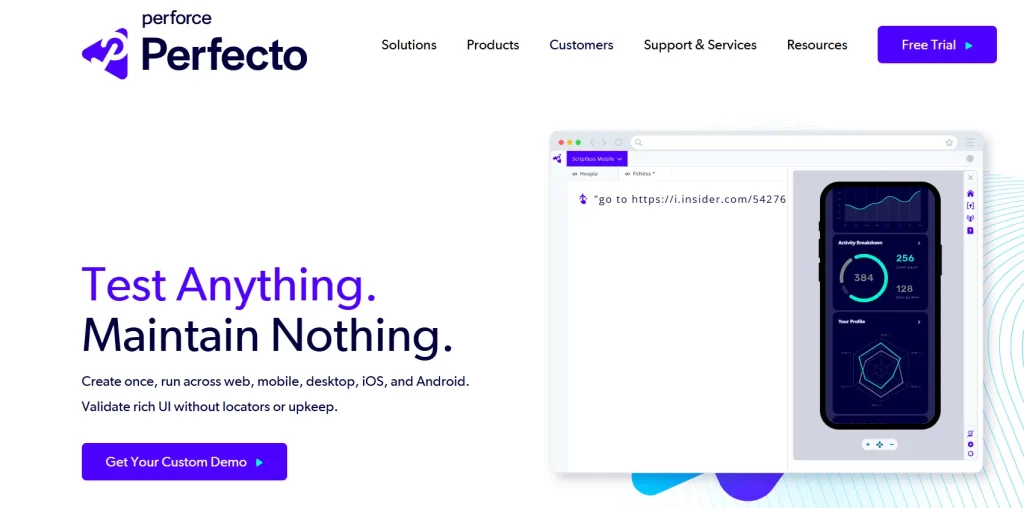
Perfecto is an automated web and mobile testing platform. Its powerful GenAI helps you create and execute tests in plain language and generate and inject test images for a smooth testing process. It also supports even the most complex use cases, including geolocation, network virtualization, biometrics, and more.
Also Read: Top 20 AI Testing Tools for Smarter, Faster QA
Challenges and Limitations of Generative AI in Software Testing
Leveraging this technology for the best results is an ongoing effort. It demands a strong and secure digital core with balanced investments in both technology and people. Let’s take a look at where Generative AI can fall short:
1. Bias in AI Models
The AI models are only as good as the data they’re trained on. If they’re inclined toward specific software types, programming languages, or feature sets, Generative AI may overlook certain bugs or misprioritize test cases.
2. Risks of Over‑Reliance on Automation
Generative AI in test automation is highly effective. You don’t need to write the code or test scripts. It does all the work for you. However, this might lead to a decline in the quality of fundamental programming. Your nuanced judgment is still needed to catch issues with user-facing features or complex edge cases.
3. Privacy & Data Protection Challenges
In some testing scenarios, AI models may encounter sensitive user information and inadvertently use it to refine their models, creating risks of unintended data exposure. Applying such data for software testing without robust safeguards can lead to privacy violations.
You don’t want to breach compliance with regulations like GDPR, CCPA, or HIPAA – they have strict penalties.
4. Limited explainability and debugging oversight
Look, no matter how impressive Generative AI’s results may be, it often operates in a black-box manner. That means it could be difficult to understand why certain bugs are flagged, and others aren’t. This lack of transparency can complicate accountability. If Generative AI in software testing misses a critical bug, who’s to be blamed?
Future Trends in Generative AI for Software Testing
If you’ve read this far, there’s one thing that nicely ties up this topic: what are the shifts that testers and engineers will realistically move toward in the next few years when it comes to Generative AI for software testing? We break it down:
1. Simulation‑Based Testing with AI
Today, you test features. In the future, you can expect to test simulated systems. Generative AI can create large numbers of synthetic users that behave like real people:
- Different device usage patterns
- Unpredictable user journeys
- Unusual interaction patterns
- Varying network conditions
Instead of validating isolated workflows, you’ll run large-scale behavioral simulations to observe how systems respond.
2. Experience‑Level Quality Metrics
Testing environments will begin to blur with production environments – with Generative AI analyzing telemetry, real failure points, performance signals, and user interaction patterns. From these signals, AI systems will generate new test scenarios automatically.
So instead of test suites being static artifacts maintained by QA teams, they evolve continuously based on how the product is actually used.
3. Continuous Validation Using Production Signals
Most testing today validates technical outputs, such as latency, UI states, API responses, and response correctness. Generative AI models will begin scoring things like:
- Conversational naturalness
- Perceived audio quality
- Interaction smoothness
- Visual coherence
Instead of binary pass/fail checks, we can hope to see systems producing experience scores.
Put Generative AI Testing Into Practice with CoTester
See how CoTester helps QA teams generate, validate, and optimize tests faster with Generative AI.
Understanding how this technology works in testing is just the tip of the iceberg. The next challenge is applying these capabilities within your existing QA workflow without adding more complexity or losing control.
That’s where CoTester enters the picture.
It’s an AI testing agent that learns your product context and converts requirements into executable tests. You can upload user stories, requirement documents, or link Jira tickets, and CoTester generates structured test cases and automation scripts aligned with those inputs.
Once tests are ready, you can run them across real browsers and environments and receive detailed logs, screenshots, and step-level execution results. To keep you in control, CoTester validates critical checkpoints with your team so that test runs never drift away from your goals.
You can also rely on it for bug identification and logging, scheduled test execution, and adaptive learning that reduces flakiness over time. The more you use CoTester, the sharper it becomes.
And because it’s built for enterprise use, you get private cloud or on-prem support, secure data handling, full code ownership, and integrations that fit your existing stack. You decide how to deploy, how to run tests, and how to manage your automation logic.
With CoTester, you spend less time rewriting and maintaining brittle tests and more time building and delivering software. Want to see the tool in action? Request a free trial with CoTester today.
Frequently Asked Questions (FAQs)
How reliable is Generative AI in Software Testing?
Generative AI is reliable when paired with human validation. It can generate accurate test cases and scripts, but critical tests should always be reviewed. Reliability improves as the system learns your workflows.
What role does Generative AI play in QA?
It automates the creation, update, and maintenance of test assets. From generating test cases and scripts to adapting tests as applications evolve, it keeps QA aligned with rapid release cycles.
How to Use Generative AI in Software Testing?
Begin with test case design, automation scripting, and synthetic data generation. Expand into bug report summarization, regression prioritization, and visual validation. Platforms like CoTester simplify adoption by integrating with Agile, DevOps, and CI/CD workflows.
What risks come with AI‑generated test cases?
The main risks are incomplete coverage, incorrect assumptions, or outdated logic. These can be reduced by reviewing outputs, using synthetic data, and embedding AI into validation processes.
How do enterprises validate AI‑generated tests?
Enterprises set approval workflows, review generated cases before automation, and monitor execution results. Human‑in‑the‑loop validation ensures tests match business logic and product behavior.
What features matter in a Generative AI testing platform?
A good platform should auto‑generate and update test cases, adapt to UI changes, integrate with CI/CD, and support existing frameworks. It must also provide secure deployment and give teams control over validation. CoTester delivers all of these, combining AI‑driven automation with human‑in‑the‑loop review, making it a reliable choice for modern QA workflows.