 CoTester 2.0 is LIVE! Your Always-Available AI Teammate for Testing.
- Xray Alternatives Overview
- What Is Xray Test Management
- How We Evaluated These Xray Alternatives
- Why Look for an Xray Alternative?
- Xray Alternatives Comparison
- 10 Best Xray Alternatives for Test Management in 2026
- Jira-based Xray alternatives
- Test management platforms
- Open-source Xray alternatives
- How to Choose the Right Xray Alternative Test Management
- Frequently Asked Questions (FAQs)
Xray is a household name in test management, particularly among teams who already have Jira embedded in their development workflows and also want efficient test management, requirements traceability, and defect tracking in one ecosystem.
However, a Jira-centric approach may not suit every team’s testing and infrastructure needs. That’s why, in this blog, we have listed the top Xray alternatives along with their features, ideal use cases, deployment models, pricing, and limitations to help you find the most compatible test management platform for your team.
Bring test management, automation, and real-device execution into one workflow with TestGrid. Request a free trial.

Xray Alternatives Overview
TL;DR
- TestGrid: AI-native Software testing platform combining test management, AI-assisted test creation, automation, and real-device and browser execution
- Zephyr: Jira-native test management for planning, creating, executing, tracking, and reporting tests
- QMetry: Enterprise test management for test authoring, execution, requirements traceability, reporting, and integration with DevOps tools
- TestRail: Test management tool for organizing test cases, plans, runs, results, requirements, and testing reports across projects
- Tricentis qTest: Platform for centralizing test planning, execution, automation results, requirements, and defects across development workflows
- Qase: Modern test management solution for designing, planning, executing, analyzing, and tracing manual and automated tests
- Testmo: Unified test management that brings manual, exploratory, automated, and AI testing together with rich reporting, traceability, and integrations
- PractiTest: Centralized test management platform which allows arranging tests, tracking executions, and managing requirements and defects
- TestLink: Open-source test management and execution system for creating test cases and test plans, executing tests, and tracking results
- Kiwi TCMS: Open-source test management platform for managing and executing manual and automated tests and bug reporting
What Is Xray Test Management
Xray is an AI-powered test management platform that natively supports Jira. It keeps every test up to date in real time, so you can spot coverage gaps early, catch problems fast, and release quality software. You get detailed traceability reports that link every requirement to its tests, runs, and defects.
The platform’s test prioritization helps you rank your test cases by risk, based on test history and defects. Since Xray artifacts are Jira work items, your developers, QA, and other stakeholders can assign, prioritize, comment, transition, filter, and automate QA work within the same Jira workflows.
How We Evaluated These Xray Alternatives
A good Xray alternative should have comprehensive test management features as well as offer easy migration and data portability. Therefore, when evaluating the alternatives, we focused on capabilities that are critical for modern QA teams.
Our first consideration was the test case management capabilities. We assessed whether teams can easily create, organize, reuse, and maintain test cases. We also looked at test planning and execution to see how effectively the tools manage test runs, assignments, and execution tracking.
Requirements and defect traceability were another important area. This included examining each tool’s ability to connect requirements, test cases, results, and defects. And since most development and QA teams today use Jira, we specifically included the Jira Xray alternatives.
Lastly, we analyzed the reporting and analytics options, so your team can seamlessly monitor coverage, progress, and testing status.
Why Look for an Xray Alternative?
Based on the user reviews across multiple platforms, we identified some reasons why teams search for alternatives to Xray test management:
- The platform may feel complex and confusing to new users; users state that there are many concepts to learn, such as Test, Precondition, Test Set, Test Plan, and Execution
- The user interface may at times be slow, particularly if you’re handling large test suites or large Jira projects
- Users mention that ready-made reporting options would make the tool even better; currently it lacks advanced dashboards
- A few users have come across issues with associating a requirement with a test step; failing any individual step might fail all linked requirements
Xray Alternatives Comparison
The below shows how the top Xray alternatives differ in their use cases, integration support, deployment flexibility, and pricing model. Refer to it to identify the tool which align with your test management goals.
| Tool Name | Best For | Jira Integration | Deployment | Pricing Model |
|---|---|---|---|---|
| TestGrid | Teams testing web and mobile apps on real devices | Direct Jira integration | Cloud, on-premises | Subscription-based; free trial available |
| Zephyr | Agile teams managing testing within Jira | Jira-native tool | Natively inside Jira | Quote-based |
| QMetry | Enterprise teams with complex testing needs | Jira-native tool | Cloud, on-premises | Quote-based |
| TestRail | Managing manual and automated QA at scale | Direct Jira integration | Cloud, self-hosted server | Subscription-based |
| Tricentis qTest | Centralized test management and governance | Direct Jira integration | Cloud, on-premises | Quote-based |
| Qase | Requirements-to-test traceability | Direct Jira integration | Cloud | Per user |
| Testmo | Small and growing QA teams | Direct Jira integration | Cloud | Subscription-based |
| PractiTest | Strong traceability and centralized QA intelligence | Direct Jira integration | Cloud | Per user |
| TestLink | Free, self-hosted test management | Direct Jira integration | On-premises | Free (open-source) |
| Kiwi TCMS | Manual regression test management | Built-in Jira integration | Cloud, on-premises | Free (open-source) |
10 Best Xray Alternatives for Test Management in 2026
Jira-based Xray alternatives
These test management tools are built for teams who use Jira as part of their development and testing workflows. They come with capabilities like test case management, test execution, traceability, and reporting.
1. TestGrid Test Management
Best for: Unified test management with AI-assisted test creation and execution across real devices and browsers

TestGrid ONE is an AI-native software testing platform that centralizes test management, AI-assisted test creation, execution, and reporting in one environment. Your team can link Jira directly, run tests across real devices and browsers, and retain execution evidence such as screenshots, logs, and environment data when failures occur.
Other than robust test management features, the platform also offers codeless automation, mobile testing, test data management, functional and non-functional testing, detailed results, and debugging.
So, if you’re seeking a comprehensive testing platform to cover all your QA needs, TestGrid can be worth considering.
Features
- Create and manage structured test cases from user stories and acceptance criteria, then execute and review them across real testing environments
- Manage tests for both manual and automated testing; no need to maintain separate test repositories
- Execute your tests seamlessly on real device and browser environments via automated execution by connecting with CI/CD tools like Jenkins, GitHub Actions, or Azure DevOps
- Get detailed execution results including test status, step-level details, logs, screenshots, and videos
- Deploy TestGrid through on-premises, private dedicated cloud, or hybrid test infrastructure based on your security, control, and infra requirements
Limitations
- The initial setup and getting familiar with the advanced AI features might need some effort. However, detailed guides, documentation, and assistance are always available
Pricing
- CoTester Starter Package: Starts at $199 per seat/month (minimum 4 seats; includes 4 devices/browsers and 5,000 tokens)
- CoTester Growth Package: Custom pricing (includes all Starter features + marketplace integrations)
- Enterprise Test Infra (On-Prem / Hosted): Custom pricing (dedicated test lab for segregated enterprise teams)
2. Zephyr
Best for: Teams who want to manage, execute, automate, and report on testing directly within Jira

Zephyr is a Jira-native test management platform that enables you to coordinate all your test management activities, including test planning, automation, execution, tracking, and reporting.
One of the best parts of this tool is the hierarchical folders that help you access all your test assets from a single repository. Other than this, you get 360-degree traceability, cross-project reports, test automation features, and versioning in a single platform, which makes it one of the best alternatives to Xray.
Features
- Create test cases, link them to user stories and requirements, track defects, and monitor progress, all within your Jira environment
- Design, modify, and execute automated tests faster with AI‑assisted test step suggestions
- Leverage cross-project sharing, reusability features, and unlimited storage
- Seamlessly track requirements across test cases, test cycles, test plans, and execution results
Limitations
- Some users mention that navigating through test cases can be complicated
- The search function and dashboards may lag at times
Migration from Xray
- You can migrate Xray data using REST APIs. Test cases with steps can be exported from Xray and imported using Zephyr’s importer
Pricing
- Zephyr Essential
- Zephyr Standard
- Zephyr Advanced
Customized pricing is available for all plans.
Also explore alternatives to Zephyr
3. QMetry
Best for: Agile and DevOps teams wanting enterprise test management with Jira integration, test reusability, and AI-powered testing
QMetry offers end-to-end test management. It helps you author, manage, and execute test cases with speed and agility. The platform also enables version control, which enables you to create and retain versions of your test assets.
Standout features like easy cloning, auto-fill, and auto-suggest help you improve reusability. QMetry also allows you to import test automation results from Selenium, Cucumber, and TestNG.
Features
- Monitor the evolution of your requirements and test cases through version control
- Eliminate duplicate test assets and increase reusability with QQBot
- Leverage the two distinct execution views; you can even switch between the views according to your preference
- Get personalized dashboards and real-time visibility of quality across all your projects
Limitations
- A few users say that the admin screens are a little tricky to understand
- Maintaining the integrations may require additional training
Migration from Xray
- QMetry offers a plug-and-play utility and suite of professional services through reliable partners so you can easily migrate test assets and data from Xray
Pricing
- Enterprise: Custom
- Enterprise Plus: Custom
Test management platforms
These Xray alternatives give you dedicated environments for managing your testing lifecycle, including test case creation, planning, execution, tracking, and reporting. They are suitable for teams who want to centralize and manage all their test activities in one platform.
4. TestRail
Best for: Teams searching for a centralized, customizable platform to manage test cases, plans, runs, and results
TestRail is an AI-driven test management platform with enterprise-level speed and flexibility. If you’re an enterprise with large-scale testing needs, then this platform allows you to tailor your workflows, methodologies, and compliance needs without any disruption. Other robust capabilities you can leverage include a centralized test repository, reusable test cases, custom fields, test case templates, shared test steps, versioning, and coverage reports.
Features
- Auto-generate tests and BDD scenarios from requirements and user stories, with complete control
- Organize, execute, and track runs and review AI suggestions before execution
- Get advanced traceability linking requirements, test cases, and defects for full compliance
- Customize dashboards and reports for instant visibility into your progress, coverage, and quality metrics
Limitations
- Users mention that as the test library grows, navigating sections, searching, and doing bulk updates can be slower
- Customizing fields and adapting workflows may take a bit of trial and error
Migration from Xray
- You can export manual Xray tests using the Xray Document Generator and TestRail’s provided XLSX template. You can save the resulting XLSX file as CSV and then import the CSV into TestRail with its CSV import wizard
Pricing
- Essentials: $22 per user per month billed annually
- Professional: $39 per user per month billed annually
- Enterprise: $78 per user per month billed annually
5. Tricentis qTest
Best for: Organizations that are looking for scalable test management with AI-driven test traceability and enterprise DevOps integrations
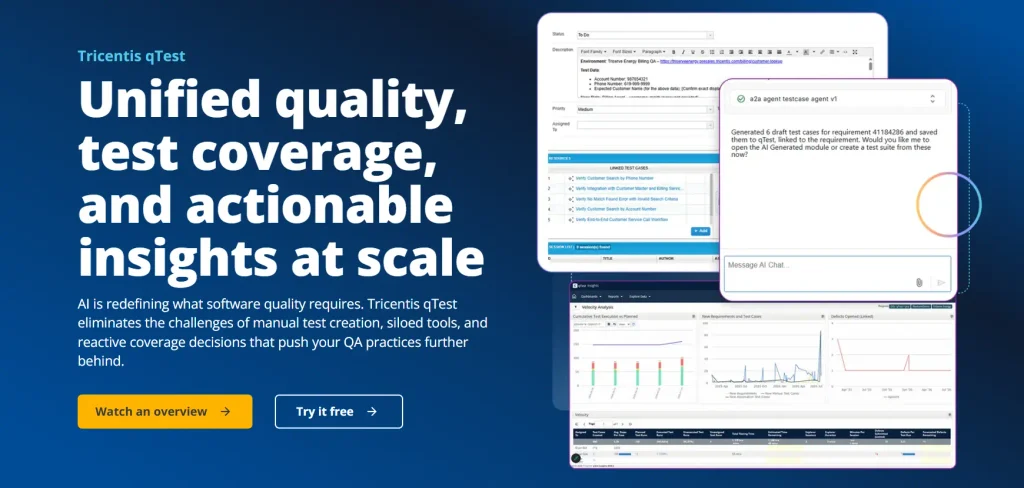
Tricentis qTest is an AI-powered unified test management platform that lets you streamline test planning, execution, and traceability across teams and toolchains. If you’re a team looking for agentic capabilities to optimize your test management, then this platform should be at the top of your list. Its context-aware AI builds relevant test cases and saves your time with agents who automatically reuse test cases, and enables you to achieve 60% less test creation friction.
Features
- Identify existing tests that already cover your requirements, avoid test duplication, and reduce test overhead
- Create test assets from requirements using plain language prompts usable by any team
- Centralize test case management across projects and methodologies; enforce quality standards, including approvals, role-based access, and version control at every stage of software delivery
- Benefit from 60+ built-in widgets, customizable dashboards, and reports to easily monitor defect status, test coverage, and readiness across each project
Limitations
- The interface might feel slow, particularly when you’re working with a large number of test cases or heavy data sets
- Dashboard customization and reporting options are somewhat limited
Migration from Xray
- For migration, Xray and Tricentis must share the same Jira instance. You can start the project, then access Plugins Migration, select Xray, and authenticate using Xray API credentials
Pricing
- Pricing available on request
Also Read: Agentic AI Testing: The Future of Autonomous Software Quality Assurance
6. Qase
Best for: Teams looking to unify manual and automated testing with test execution, traceability, and reporting
Qase is a test management platform that brings you manual testing, test automation, and test results in one shared view. If you want full visibility into your automation progress, flaky tests, and performance across projects in a single place, then Qase can be your ideal choice. In Xray, you usually have to buy a full license. But Qase offers deeply discounted “collaborator seats” for QA stakeholders. Plus, the platform has a modern UI as well as APIs, CLI, SDK, and an MCP server.
Features
- Organize your tests by feature, component, or release
- Link your test cases to user stories and requirements and see coverage for any scope or track impact when requirements change
- Design customizable dashboards with KPIs that matter to your team: coverage, pass rates, failure trends, flakiness, cycle time per project or release
- Look up cases, defects, and runs by specific conditions with Qase Query Language
Limitations
- A few users report that sharing reports with other stakeholders might involve exporting and rework
- The UI can be unintuitive when you’re navigating or filtering large test suites
Migration from Xray
- Start by exporting your tests from Xray as XML. In Qase, open Import Data, choose Xray, and upload the file.
Pricing
- Free: $0
- Teams: $35 per user per month
- Enterprise: Custom
7. Testmo
Best for: Unified test case, test run, exploratory session, and automation management
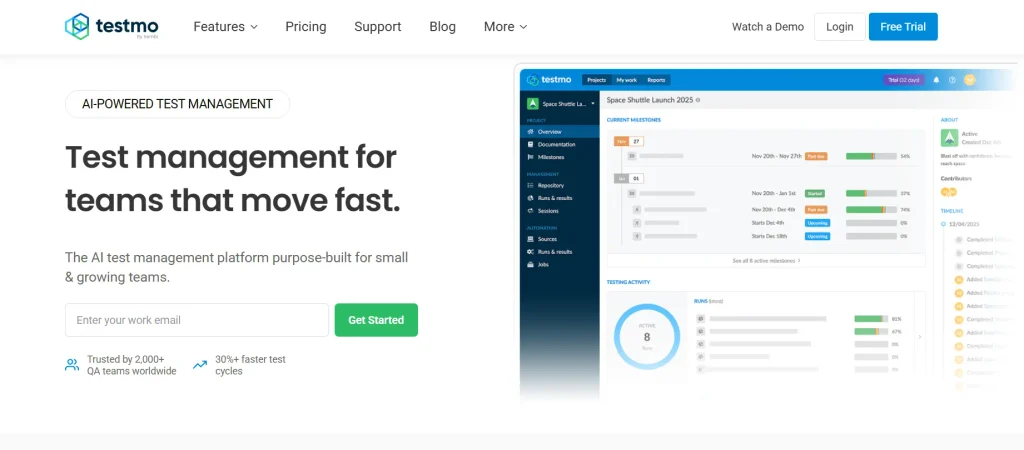
Testmo is an AI test management tool built specifically for small and growing teams. It’s a viable option for teams who have a limited budget but want test case management, test automation, and test reporting, all in one platform. Plus, whether your team uses development tools like Jira, GitHub, and GitLab or anything home-brewed, this tool enables you to stay organized, prioritize critical issues, and release faster.
Features
- Simplify your test management by unifying your manual, automated, and AI testing
- Centralize your existing test cases and use AI to generate new cases based on updated product requirements
- Document notes, screenshots, and bugs from your exploratory or ad hoc test sessions to accelerate feedback
- Get real-time insights into coverage, progress, and risks and identify gaps and trends
Limitations
- The ability to edit test cases can be limited
- A user states that some UI elements have fixed pixel sizes, which might affect user experience on larger monitors
Migration from Xray
- You can export your test cases from Xray into a CSV format. Make sure you include the essential columns like test summary, description, test steps, and custom fields when migrating.
Pricing
- Team: $59 per month (5 users included)
- Business: $249 per month (15 users included)
- Enterprise: $599 per month (25 users included)
8. PractiTest
Best for: Flexible, end-to-end test management with traceability across requirements, tests, and defects
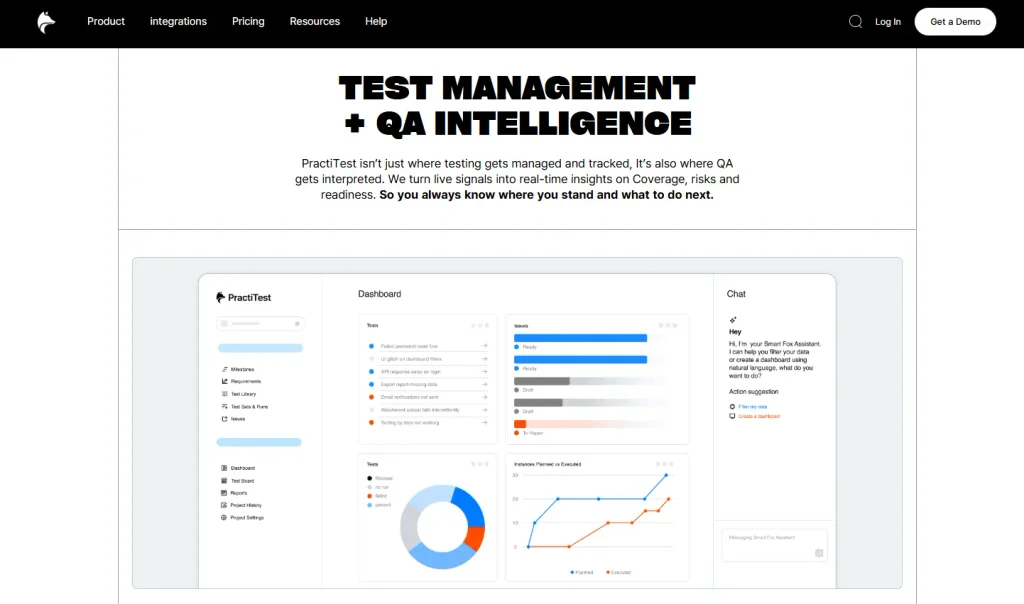
PractiTest is an intelligent test management platform that integrates seamlessly with your test stack ticketing, automation, BDD, CI/CD, and AI tools. Its dynamic data structure keeps everything findable, traceable, and reusable even at a massive scale. If you need a platform to handle much of your QA workload, then PractiTest should be on your radar. SmartFox, a built-in AI assistant, understands your projects and artifacts and works with you across every phase of the QA lifecycle.
Features
- Structure your tests across projects, tag based on multiple attributes, and filter views with just one click
- Get complete traceability across user stories, test cases, and defects
- Monitor execution status, coverage, bugs, and automation progress daily in real time
- Bring manual, exploratory, automated, and BDD tests into unified workflows
Limitations
- The advanced features might have a learning curve at first
- Importing bulk test cases from a file can be challenging
Migration from Xray
- The usual process involves exporting Xray data, mapping it to PractiTest’s fields, importing it into PractiTest, and recreating or verifying traceability
Pricing
- Team Plan: $49 per user per month
- Corporate Plan: Custom
Also Read: Best Test Management Tools in 2026
Open-source Xray alternatives
Open-source alternatives to Xray allow you to manage test cases, test plans, executions, and results for free and without depending on proprietary test management software. You can select these if you want more control over deployment, customization, and the test environment.
9. TestLink
Best for: Teams searching for a free, open-source platform to manage test plans, requirements, and results
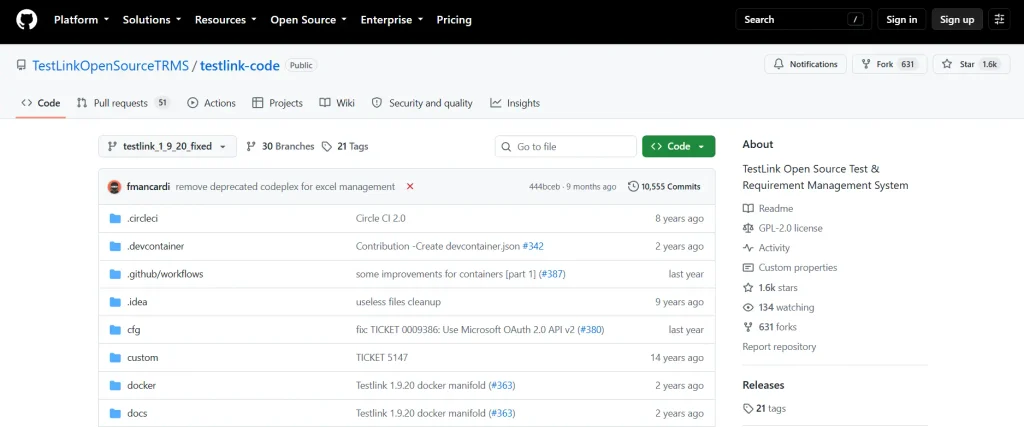
TestLink is one of the open-source Xray alternatives for test management. It enables you to build and manage your test cases and arrange them into test plans. These test plans allow you to execute test cases and track test results dynamically. For teams who prioritize control, TestLink gives you visibility into the test process, versions, results, failures, and reports.
Features
- Categorize test cases into test plans and determine which tests should be executed for a particular version
- Maintain requirements and relate them or your test cases to specific builds
- Assign tests to team members who execute them and record the results
- Generate reports that show your test progress, completed work, and remaining work
Limitations
- Some users say that integration with automation can be hard
- Using the tool may involve more manual work compared to competitors
Migration from Xray
- You can export the relevant Xray data, transform it into a format that’s compatible with TestLink’s import settings. Or, use TestLink’s API and then import the data into TestLink
Pricing
- Free, as it’s an open-source tool
10. Kiwi TCMS
Best for: Centralized test management with efficient test planning, execution, and bug tracking
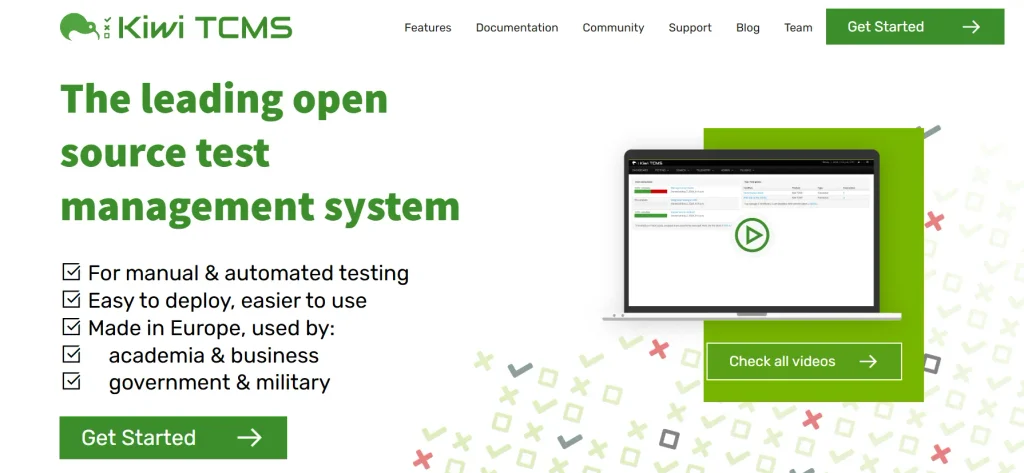
Kiwi TCMS is a test management platform for manual and automated testing. It comes with robust features like attachments, cloning, history, tags, and emails, which make managing your tests across projects convenient. The tool is worth considering for its broad test planning, execution, reporting, and integration capabilities.
Features
- Create test plans and cases, track progress, and assign work across multiple teams
- Gather testing telemetry and get critical information for planning and status reports before release
- Execute tests, mark results, report bugs, and use the dashboard to see test progress
- Connect with popular automation frameworks and plugins like Robot Framework and Django for seamless automation testing
Limitations
- May lack advanced features and automated test management capabilities
- Community edition comes without warranty or technical support
Migration from Xray
- You can extract the data using Xray APIs or CSV exports. Then map it to the Kiwi TCMS database model and import it
Pricing
- Free, as it’s an open-source tool
Learn More: Reviewed 12 Software Testing Tools (Free and Paid)
How to Choose the Right Xray Alternative Test Management
We looked at the top Xray alternatives along with their detailed features. But the platform that’s right for your team depends on a few factors apart from just the test management features. You need to first understand what your team’s technical expertise is and whether they have worked with AI-assisted test management tools.
Next, check security and governance, such as role-based access, permissions, audit trails, and data controls. This is particularly important if you operate in enterprise or regulated environments.
Another important aspect you need to assess before you pick a tool is the pricing. Calculate your budget and see if it aligns with licensing, users, integrations, support, and any additional costs the tool may incur.
And before you finalize your decision, evaluate which deployment model (cloud, self-hosted, on-premises, or Jira-native) fits your infrastructure, security, and operational needs best.
If you’re an enterprise QA team that needs centralized test management, AI-assisted automation, real-device execution, and flexible enterprise deployment, then TestGrid can be a great fit. Request a free trial to experience it hands-on.
Frequently Asked Questions (FAQs)
Which is the best alternative to Xray for test management?
While there’s no single best alternative, if your team prioritizes test management alongside AI-powered automation, automated test generation, manual and automated execution, real-device and browser testing, defect reporting, CI/CD integration, and efficient stakeholder collaboration, then TestGrid can be a strong pick.
What is an ideal Xray alternative for large teams and enterprises?
Xray alternative enterprise test management tools include TestGrid, Zephyr Enterprise, QMetry, and Tricentis qTest. They have advanced capabilities such as centralized test management, scalable automation, integrations, reporting, and flexible deployment for complex QA environments, which are ideal for complex QA environments.
How difficult is it to switch from Xray to another test management tool?
The process of switching from Xray to any other test management platform can be straightforward or complex, depending on the volume and structure of your test data. You might encounter problems like exporting Xray data, mapping fields and workflows, migrating history, and recreating integrations. You can overcome these by mapping fields beforehand, recreating custom fields, and piloting the migration before full rollout.
Can Xray alternatives integrate with CI/CD pipelines?
Yes. Platforms like TestGrid, Zephyr, QMetry, Tricentis qTest, and Qase can seamlessly integrate with CI/CD pipelines and help you automate test execution, capture automation results, and incorporate testing into your software delivery workflows.


