CoTester 2.0 is LIVE! Your Always-Available AI Teammate for Testing.

- TL;DR
- Why QA Teams Are Switching to AI Testing Tools
- AI-Native Testing Maturity Model: Navigating the Evolution of QA
- Best AI Testing Tools of 2026
- Autonomous AI testing agents
- Codeless Test Automation Tools
- AI Test Case Generation Software
- Cloud Testing Infrastructure Platforms
- Enterprise Test Management Platforms
- AI Test Intelligence and Analytics Solutions
- Model-Based testing
- AI-Powered API testing
- Open-Source AI testing tools
- Mobile AI testing
- How to Choose the Best AI Test Automation Tool for Your Needs
- Benefits and Challenges Solved by AI Automation Testing Tools
- Final Words
- Frequently Asked Questions (FAQs)
- 1. What are AI testing tools, and how do they work?
- 2. What types of testing can AI tools automate?
- 3. Which is the best AI testing tool for automation testing?
- 4. How does AI test automation handle test maintenance?
- 5. Do I need programming skills to use AI testing tools?
- 6. What makes AI automation testing tools different from traditional testing tools?
- 7. Can AI testing tools integrate with CI/CD pipelines?
- 8. What features should I look for in an AI testing tool?
- 9. What is self-healing test automation, and which tools support it?
- 10. Can AI testing tools generate test cases automatically from user stories?
- 11. How do AI testing tools improve test coverage and detect edge cases?
With product release cycles becoming faster than ever, developers need newer and more innovative ways to test their applications for performance and reliability.
You see, QA teams often face flaky tests that fail unpredictably.
Test suites demand a high manual maintenance effort.
There’s mounting pressure to keep up with complex, constantly changing codebases.
There’s no doubt Artificial Intelligence (AI) has emerged as the go-to option for creating and running tests, detecting bugs that manual checks might miss, and streamlining developer workflows, especially in the 2020s as DevOps speeds up and apps grow more sophisticated.
No matter what industry you work in, advanced AI testing tools can help you meet the expectations of a fast-paced market without compromising product quality or user experience.
In this blog post, we round up the best AI testing tools to ramp up your software delivery management.
Let’s get started.
TL;DR
AI testing tools are software testing platforms that use machine learning, generative AI, and autonomous agents to automate test automation, test maintenance, bug detection, visual testing, API testing, and QA workflows. These tools help engineering and QA teams improve software quality, increase testing speed, reduce flaky tests, and scale continuous testing in CI/CD pipelines.
- Autonomous AI testing agents: CoTester, testRigor
- Codeless test automation: Mabl, Testsigma, AccelQ, Avo Automation
- AI test case generation: Testim.io, Functionize, TestCraft
- Cloud testing platforms: TestGrid, Sauce Labs, Perfecto
- Enterprise test management: aqua ALM, Zephyr, Xray
- AI test analytics: SeaLights, ProdPerfect, Testers.ai
- Model-based testing: Eggplant Test, Tricentis Tosca
- AI-powered API testing: Postman AI, Worksoft Certify, ReadyAPI
- Open-source AI testing: Playwright Test Agents, QA Wolf
- Mobile AI testing: Kobiton, TestComplete, BrowserStack App Automate
Why QA Teams Are Switching to AI Testing Tools
For many QA teams, traditional testing can feel like a constant uphill climb. For example, you’ll agree that regression suites can grow larger and more expensive to run, while frequent UI changes can break scripts, resulting in hours of maintenance.
On top of that, flaky tests undermine the efficiency of CI/CD pipelines by creating false alarms and bottlenecks. AI testing tools address these pain points head-on.
By learning from past results and current code changes, they minimize flakiness, improve test predictions, and tighten regression coverage. Self-healing scripts adjust automatically when UI changes, saving hours of rework. Visual testing catches subtle UI issues that brittle scripts miss.
AI-Native Testing Maturity Model: Navigating the Evolution of QA
AI adoption in software testing isn’t a one-time transformation. Most organizations gradually evolve from using AI to simplify repetitive testing tasks to building fully autonomous quality engineering workflows.
As your testing maturity grows, AI moves from being a supporting assistant to becoming an active participant in quality assurance, optimization, and decision-making.
Stage 1: AI-augmented automation
At this stage, you use AI to improve the efficiency and stability of existing automation workflows rather than replacing them entirely. AI helps reduce maintenance overhead, improve execution reliability, and accelerate repetitive QA activities.
Self-healing selectors automatically adapt to UI changes when elements move, are renamed, or are restructured, reducing broken tests and manual maintenance work.
Intelligent test data generation helps you create realistic datasets faster while minimizing repetitive manual input creation. Predictive analytics also identifies flaky tests, unstable execution patterns, and high-risk workflows before they disrupt release cycles.
Stage 2: AI-driven test generation and optimization
As your testing workflows mature, AI starts taking a more active role in generating and optimizing test coverage. Instead of manually building every test case, you can use AI to accelerate creation, prioritization, and execution planning.
Natural-language prompts can now be converted into executable test cases, allowing both technical and non-technical teams to contribute to automation workflows.
AI also prioritizes test cases based on code changes, production impact, historical failures, and user behavior data. Smart test suite optimization further reduces execution time by identifying redundant tests, improving coverage efficiency, and focusing resources on high-risk areas.
Stage 3: Agentic and autonomous QA
In advanced QA environments, AI evolves beyond assistance and begins acting autonomously across testing workflows. Instead of waiting for human instructions at every stage, intelligent agents continuously analyze applications, execute tests, identify failures, and recommend corrective actions.
Autonomous test agents can generate, execute, repair, and adapt tests as applications evolve. Continuous learning systems improve testing accuracy over time by analyzing historical execution data, UI changes, user flows, and defect patterns.
AI-driven root cause analysis helps isolate failures faster while recommending remediation steps for developers and QA teams. At this stage, quality assurance becomes proactive rather than reactive, helping you identify risks, bottlenecks, and release issues before they impact end users.
| Fun Fact: The global market for AI testing tools is estimated at $686.7 million in 2025, expected to grow to $3.8 billion by 2035 at a CAGR of 18.7%. – Future Market Insights Inc. |
Best AI Testing Tools of 2026
The demand for faster, higher-quality releases is driving teams toward more effective testing approaches.
In 2026, leading QA teams are turning to advanced AI testing tools, ranging from AI-based test automation tools to AI-driven software testing tools, to eliminate flaky tests, reduce maintenance, and keep pace with rapidly evolving codebases.
Here’s our roundup of the leading AI tools for testing to streamline your automation efforts.
| Tool name | Key feature | Best for | Supported platforms | Pricing |
|---|---|---|---|---|
| CoTester | Autonomous AI agents with AgentRx self-healing and live debugging | Autonomous AI-driven test creation, execution, and self-healing across enterprise testing workflows | Web, mobile, cloud, on-premise | Starts at $199/seat/month |
| testRigor | Generative AI test authoring using plain-English, no-code test cases | No-code AI test automation for teams writing tests in plain English across web, mobile, and API | Web, mobile, API, desktop | Custom pricing |
| mabl | Low-code AI automation with self-healing and NLP authoring | Low-code AI-powered testing for fast-moving web, mobile, and API teams | Web, mobile, API | Custom pricing |
| Testsigma | Plain-English AI test authoring with unified automation | Unified AI-driven test automation across web, mobile, API, and enterprise applications | Web, mobile, API, ERP | Custom pricing |
| ACCELQ | AI-driven codeless test automation with continuous testing orchestration | Enterprise-grade codeless automation for web, API, mobile, and packaged applications | Web, API, mobile, Salesforce, SAP | Custom pricing |
| Avo Automation | AI and RPA-based cross-platform automation for enterprise applications | Enterprise process and application testing combining RPA and AI-driven automation | Web, desktop, SAP, enterprise applications | Custom pricing |
| Testim.io | Low-code AI test creation with JavaScript extensibility | AI-assisted test creation with flexible low-code and JavaScript-based customization | Web, Salesforce, mobile | Custom pricing |
| Functionize | GenAI-powered self-healing test automation on cloud infrastructure | GenAI-powered large-scale test automation with self-healing and cloud execution | Web, API, databases, PDFs | Custom pricing |
| TestCraft | GPT-powered codeless automation | GPT-powered codeless test generation for teams with limited automation expertise | Cross-framework support | Free |
| TestGrid (Dedicated Cloud Infrastructure) | Secure on-premise enterprise testing infrastructure | Secure enterprise-grade on-premise testing infrastructure with real-device coverage and compliance controls | Web, mobile, browsers, enterprise environments | Custom pricing |
| Sauce Labs | Cross-browser and mobile cloud testing infrastructure | Large-scale cross-browser and mobile testing with cloud-based infrastructure | Web, Android, iOS | Starts at $49/month |
| Perfecto | GenAI-assisted mobile and web testing with analytics | Enterprise mobile and web testing with AI-assisted automation and advanced analytics | Android, iOS, web browsers | Starts at $83/month |
| aqua ALM | AI-assisted QA and project management workflows | Centralized QA management with AI-assisted planning, execution, and collaboration workflows | Web, enterprise QA workflows | Custom pricing |
| Zephyr | AI-assisted Jira-native test management | Jira-native test management for agile teams managing manual and automated testing together | Jira environments | Custom pricing |
| Xray | Jira-native test management with BDD support | End-to-end Jira-based test management with strong traceability and BDD support | Jira environments | Custom pricing |
| SeaLights | AI-powered quality intelligence and test impact analysis | AI-powered quality intelligence and test impact analysis for CI/CD optimization | CI/CD pipelines, enterprise apps | Custom pricing |
| ProdPerfect | ML-generated tests based on real user traffic | Automatically generating and maintaining tests using real user behavior data | Web applications | Custom pricing |
| Testers.ai | Autonomous testing with benchmarking and performance analysis | Autonomous web app testing with built-in benchmarking and performance analysis | Web applications | Starts at $1000/app/month |
| Keysight Eggplant Test | AI-powered model-based testing with computer vision | Model-based AI testing that validates applications through real-user interactions | Desktop, web, mobile, enterprise systems | Custom pricing |
| Tricentis Tosca | Vision AI and Copilot-powered model-based automation | Enterprise test automation for complex business applications using Vision AI and model-based testing | Enterprise apps, desktop, web, SAP | Custom pricing |
| Postman AI | AI-assisted API testing and workflow automation | AI-assisted API testing, debugging, and workflow automation using natural language | APIs, LLM workflows | Free and paid plans |
| Worksoft Certify | Codeless automation for enterprise packaged applications | Enterprise process testing for SAP and packaged business applications without scripting | SAP, enterprise applications | Custom pricing |
| ReadyAPI | Functional, security, load, and virtualization API testing | Enterprise API testing across functional, security, performance, and virtualization workflows | REST, SOAP, Kafka, JDBC, JMS | Starts at $6,599/year |
| Playwright Test Agents | AI-powered Playwright planning, generation, and healing agents | AI-assisted Playwright automation with natural-language scaffolding and self-healing workflows | Web applications | Free |
| QA Wolf | Human-assisted Playwright automation at scale | Fully managed Playwright-based end-to-end testing with human-backed maintenance | Web, mobile | Free / custom enterprise |
| Kobiton | AI-assisted mobile automation with script generation | AI-powered script generation that automatically converts manual test sessions into reusable automation scripts | Android, iOS, iPadOS | Starts at $83/month |
| TestComplete | AI-powered UI automation with visual recognition | AI-powered UI automation across desktop, web, and mobile applications with scriptless and scripted testing | Desktop, web, mobile | Starts at $3,875 |
| BrowserStack App Automate | Real-device mobile automation at massive scale | Enterprise-scale mobile app automation testing on real devices with advanced device feature validation | Android and iOS | Starts at $249/month |
Autonomous AI testing agents
Autonomous AI testing agents go beyond traditional automation by acting as intelligent testing agents that can generate, execute, adapt, and maintain tests with minimal human intervention. These tools continuously learn from application changes, user flows, and execution history to improve testing stability, reduce maintenance overhead, and accelerate release cycles.
1. CoTester AI Software Testing Agent
Best for: Autonomous AI-driven test creation, execution, and self-healing across enterprise testing workflows
CoTester by TestGrid is an enterprise-grade AI agent for software testing. It learns your product context, adapts to your workflow, and handles testing just like an experienced human software tester.
Think of it as an AI-powered assistant for software testing that intelligently generates and runs test cases with your approval, then adapts them as your app evolves to keep automation stable and resilient.
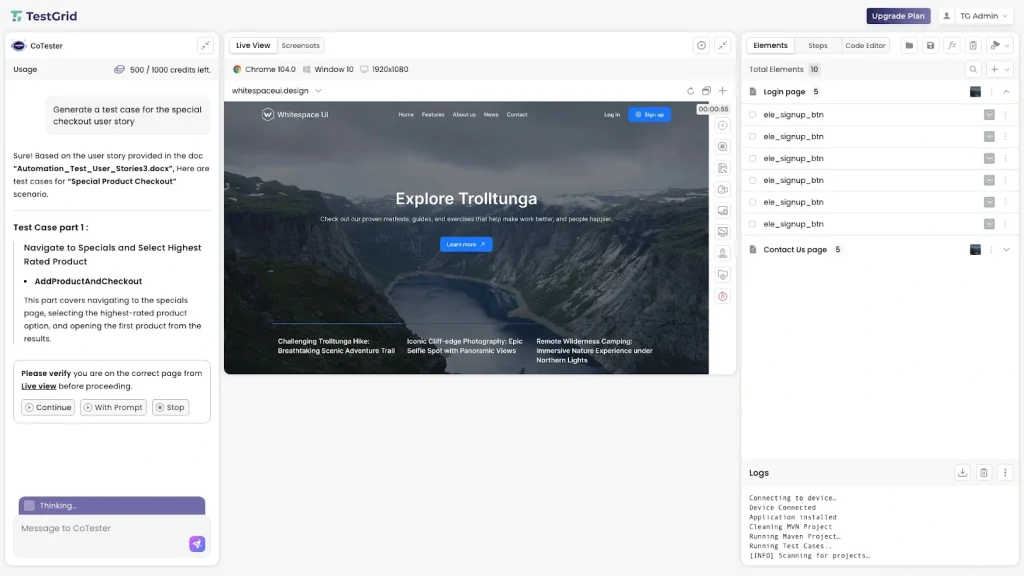
CoTester instantly creates full test cases from JIRA stories or live application URLs, self-heals scripts mid-execution with AgentRx, and runs tests across real browsers with live debugging and execution logs.
Key features
- Relies on predefined commands even when using natural language; it uses true AI to understand user intent without rigid syntax constraints
- Learn your product context when you either upload user stories, requirement docs, and tests or paste the link to staging/production web pages
- Gives you a thorough description of the test case along with a step-by-step editor that demonstrates the automation workflow on prompting
- Detects even major UI changes, including structural shifts and full redesigns, with its auto-heal engine, AgentRx
- Produces detailed logs, screenshots, and step-by-step results after every test execution
- Stores all uploaded files and generated assets in a searchable repository
- Supports cloud, private cloud, and on-prem deployments
Pros
- Users of all skill levels (non-coders, semi-technical, pro coders) can use CoTester
- Works at scale in industries where compliance, traceability, and precision matter (BFSI, healthcare, telecom, and so on)
- Incorporates guardrails and pauses at critical checkpoints to validate alignment with your team
- No vendor lock-in
Cons
- Some features (like extended mobile support or deeper integrations) are currently in development
Pricing
- CoTester Starter Package: Starts at $199 per seat/month (minimum 4 seats; includes 4 devices/browsers and 5,000 tokens)
- CoTester Growth Package: Custom pricing (includes all Starter features + marketplace integrations)
Why CoTester 2.0 Stands Out
- Low-code: You can create and manage test cases with user-friendly Selenium steps or record-and-play
- Security by design: Connect internal databases and securely parameterize test data, with encryption for secrets
- AI-assisted debugging: You can pinpoint breakpoints, adapt auto-healing scripts, and resolve issues faster with CoTester by TestGrid
Rating
- G2: 4.7/5
2. testRigor
Best for: Plain-English test automation that reduces maintenance effort for web and mobile apps
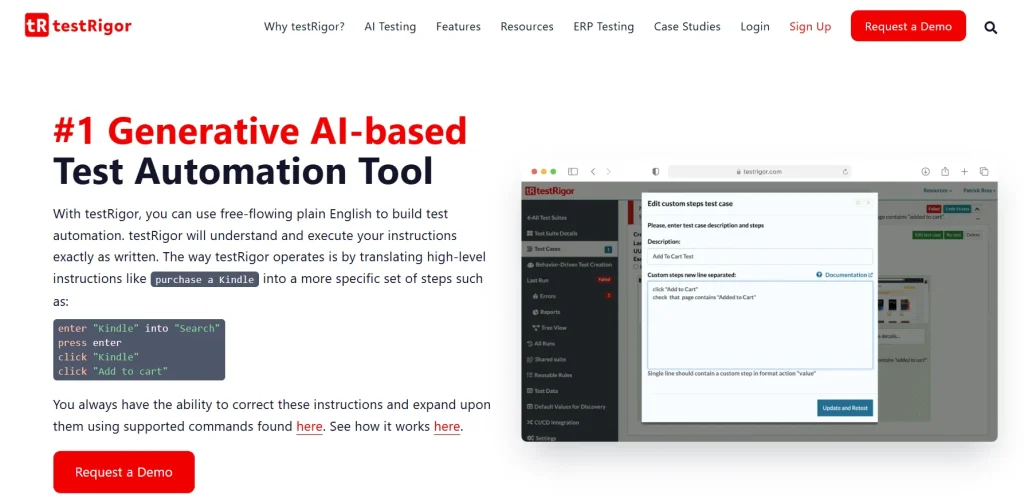
testRigor is an AI-powered test automation platform that helps you test mobile applications across iOS and Android environments. Supporting both native and hybrid apps, it uses Generative AI to create and execute tests using plain English instructions.
Instead of relying on fragile element locators, testRigor identifies UI elements the same way users see them on the screen. This makes your automation workflows easier to create, maintain, and scale as applications evolve.
Key features
- Supports 3,000+ browser and device combinations across multiple operating systems
- Runs tests simultaneously across multiple devices with parallel execution
- Identifies elements visually instead of depending on traditional locators
- Reduces maintenance overhead with self-healing automation capabilities
Pros
- Offers responsive 24/7 customer support and detailed documentation
- Integrates with tools like Jira and TestRail for streamlined workflows
Cons
- Some users report occasional crashes or unexpected test failures
- Mobile testing environments can sometimes take longer to initialize
Pricing
- Public Open Source: Free
- Private Complete: 2-week trial
- Enterprise: Contact for custom pricing
Rating
- G2: 4.7/5
Codeless Test Automation Tools
Codeless automation platforms help teams create and manage automated tests without relying heavily on programming expertise.
By using visual workflows, natural-language prompts, drag-and-drop builders, and AI-assisted generation, these tools make automation more accessible to non-technical contributors while reducing scripting complexity.
3. Mabl
Best for: Low-code AI-powered testing for fast-moving web, mobile, and API teams

Mabl offers a unified, cloud-based approach to software quality across platforms. It provides seamless support for web and mobile testing and API testing, with the option to import tests from Postman or create your own low-code end-to-end API tests.
As a leading AI-native automation platform, Mabl has been recognized by Gartner and has won the AI Breakthrough Award five times. With a host of industry-leading clients, it has helped brands achieve up to 10X faster test runs and an 85% reduction in test maintenance.
Key features
- Uses natural language to generate JavaScript snippets to handle complex testing scenarios
- Proactively identifies potential flakiness, requesting context to improve test stability
- Enables cloud-powered parallel testing to save time and avoid device overload
- Maximizes developer productivity with powerful CLI and local test execution
Pros
- Strong support for API test imports simplifies migration from existing setups
- Parallel testing at scale significantly shortens release cycles for large teams
Cons
- Some advanced features may require developer-level familiarity
- Test reports can feel complex for non-technical stakeholders
Pricing: Custom pricing is available upon request.
Rating
- G2: 4.4/5
4. Testsigma
Best for: Unified AI-driven test automation across web, mobile, API, and enterprise applications

Testsigma’s unified platform makes automated testing easier than ever. It allows your QA team to automate tests in plain English or GenAI.
You can automate your tests across browsers without writing extra scripts, add visual checks with a single click, enable test maintenance reduction with self-healing tests, and much more.
Plus, in-depth regression testing gives maximum test coverage visualization and can even combine functional/UI and API tests.
Key features
- Instantly generates automated test cases from multiple inputs, including user stories, Figma designs, screenshots, and test management systems
- Curates API test cases from JSON inputs by understanding the API structure and covering critical scenarios
- Enables low-code test automation by leveraging Salesforce metadata and APIs for easier test creation
- Sends test notifications directly to multiple communication tools like Teams, Slack, and GChat
Pros
- Supports unified automation across web, mobile, API, and ERP in one consolidated platform
- AI-driven features like self-healing scripts and dynamic locators reduce maintenance
Cons
- Some users mention limitations in reporting features and integrations
- While highly capable, the interface and feature set may feel layered
Pricing
- Pro (For fast-growing teams)
- Enterprise (For high-scale teams)
- Custom pricing is available upon request for both plans.
Rating
- G2: 4.4/5
5. AccelQ
Best for: Enterprise-grade codeless automation for complex business workflows and cross-platform testing

AccelQ focuses on automation for business processes. Its no-code testing capabilities help you cover complex real-world scenarios intuitively and scale. It also supports your manual testing endeavors with traceability, tracking, and integrations.
Key features
- Automates all aspects of the quality lifecycle from test design all the way to test planning and execution
- Enables in-sprint automation with industry-first virtualized abstraction for functional testing
- Seamlessly integrates into your ecosystem of tools like Jira, TFS, Jenkins, and Bamboo
- Ensures a design-first approach with inbuilt modularity; no need for custom frameworks
Pros
- Unified automation across web, mobile, desktop, API, backend, and even mainframe
- Developers report occasional performance issues with large datasets
Cons
- Some users experience a steep learning curve with advanced features
- Developers report occasional performance issues with large datasets
Pricing
- Automate Web
- Automate Mobile
- Automate API
- Automate Manual
- Custom pricing is available upon request for all plans.
Rating
- G2: 4.8/5
6. Avo Automation
Best for: End-to-end low-code automation with AI-assisted impact analysis for enterprise systems

Avo Automation is a low-code AI-powered platform that powers effortless end-to-end testing for your CI/CD capabilities.
With Avo Genius, for instance, you can autonomously create tests with a smart scheduler, integrate with all ALM tools, and use pre-built automation for environments like Oracle and SAP.
The Design Studio gives you a bird’s-eye view of your whole testing hierarchy, helping you plan and allocate resources better. Plus, you get access to advanced impact analytics and object identifiers that can self-heal, thus keeping pace with your app as it evolves.
Key features
- Captures all elements on the go while you navigate through your applications with the AI-powered Smart Recorder
- Maintains test cases with Avo Impact Analysis, whether major platform upgrades or minor product releases
- Handles the challenges of delayed or incomplete UI with In-Sprint Automation
- Identifies the code changes accurately and tests just those with Upgrade Analyzer
Pros
- Supports testing across web, mobile, mainframe, ERP, and desktop
- Helps accelerate regression testing with parallel execution and in-sprint automation
Cons
- Some users report that customer support response times can lag during peak periods
- Advanced workflows and features might require a learning period to master
Pricing
- Starter
- Enterprise
- Custom pricing is available upon request for both plans.
Rating
- G2: 4.6/5
AI Test Case Generation Software
Creating and maintaining test cases manually can slow down even the most efficient QA teams. AI test case generation tools reduce that burden by automatically creating, updating, and optimizing tests using natural language prompts, user behavior, or application context.
These platforms are especially useful for teams looking to accelerate automation while minimizing repetitive maintenance work.
7. Testim.io
Best for: AI-assisted test creation with flexible low-code and JavaScript-based customization

This AI-powered tool helps your agile team accelerate their app release process with faster and more accurate test building. Testim.io offers AI-based recordings as the fastest way to author your tests and capture even complex actions seamlessly.
Moreover, the auto-grouping feature allows you to quickly identify similar steps while testing and automatically suggest shared groups as replacements.
You get nearly unlimited customization options, with the option to insert JavaScript wherever needed to perform server-side or front-end actions.
Key features
- Allows dedicated AI testing for businesses powered by Salesforce
- Enables everyone to participate in testing through low-code, NLP-based test authoring
- Comes with Proprietary Smart Locators to automatically lock in elements without human intervention
- Gives access to iOS and Android devices in real usage situations with Tricentis Device Cloud
Pros
- Its strong collaboration features are a boon for cross-functional teams
- Reliable vendor support and active product development roadmap
Cons
- Heavier reliance on JavaScript for flexibility may not suit teams preferring no-code tools
- Pricing transparency is limited since most plans require custom quotes
Pricing
- Testim Web
- Testim Salesforce
- Testim Mobile
- Testim Copilot
- Custom pricing is available upon request for all plans.
Rating
- G2: 4.5/5
8. Functionize
Best for: GenAI-powered large-scale test automation with self-healing and cloud execution

Functionize offers a collection of GenAI testing tools to help you test even the most complex apps. As an all-in-one testing platform, it leverages Machine Learning-based tests that use big data to understand site updates and self-heal to keep pace with the app’s evolution, avoiding constant test maintenance.
With Functionize, you can test apps, databases, APIs, .pdf files, Excel sheets, and other digital assets. A cloud infrastructure specially built for AI-powered test automation makes scaling up easy.
Key features
- Highlights bespoke metrics to give you a deep understanding of your UI performance
- Always keeps track of test self-healing with before-and-after visuals
- Tests third-party app content with an intuitive API Explorer
- Smart-schedules app tests to prevent overlapping or conflicting times with other commitments or events
Pros
- Cloud-native infrastructure enables rapid scaling without heavy local resource usage
- Self-healing combined with visual tracking helps teams avoid silent failures
Cons
- Tests may consume more resources and time when dealing with very large datasets
- Some teams report a steeper learning curve for non-technical testers
Pricing
- Configure your plan to your needs and receive custom pricing accordingly.
Rating
- G2: 4.6/5
9. TestCraft
Best for: GPT-powered codeless test generation for teams with limited automation expertise

TestCraft is an open-source AI-powered tool that offers a comprehensive range of codeless tests to help even your non-technical team members create and run tests.
Leveraging the power of GPT-4, you can create a range of tests across programming languages and automation frameworks on TestCraft.
In addition, the platform’s AI helps you brainstorm new test ideas to cover every possible scenario. You can also create customizable test suites to ensure each app meets the highest quality standards.
Key features
- Generates automated tests for major automation frameworks and programming languages using AI
- Transforms test ideas into automated tests, streamlining your workflow for maximum efficiency
- Identifies potential accessibility issues and provides actionable suggestions to make your project more inclusive
- Produces innovative test ideas, helping you avoid bottlenecks in the ideation phase and ensuring full-scale test coverage
Pros
- AI-assisted ideation expands coverage by uncovering test cases that teams may overlook
- Codeless workflows empower non-technical contributors to add value quickly
Cons
- Test stability may vary since open-source updates aren’t always rigorously QA’d
- Advanced customizations could require more manual intervention
Pricing
- Free
Rating
- G2: 4.2/5
Cloud Testing Infrastructure Platforms
Modern applications need to perform consistently across countless browsers, devices, and operating environments.
Cloud testing infrastructure platforms help teams scale testing without maintaining expensive in-house labs, while also supporting real-device access, enterprise compliance, and high-volume parallel execution.
10. TestGrid (Dedicated Cloud Infrastructure)
Best for: Secure enterprise-grade on-premises testing infrastructure with real-device coverage and compliance controls

TestGrid’s on-premises cloud infrastructure helps enterprises build and manage a secure in-house testing environment for web and mobile applications.
Designed for organizations with strict compliance, privacy, and performance requirements, it enables your teams to run both manual and automated tests across real devices, browsers, and operating systems without exposing sensitive data outside your network.
From cross-browser validation and geolocation testing to enterprise-grade mobile device management, TestGrid gives you complete control over your testing infrastructure while replicating real-world user environments at scale.
Key features
- Provides access to 1,000+ real devices, browsers, and operating system combinations inside your own infrastructure
- Supports cross-browser testing across Chrome, Safari, Firefox, Edge, Opera, and Samsung Internet
- Enables testing on both the latest and legacy Apple and Android devices, including iPhones, iPads, Samsung Galaxy, Google Pixel, and OnePlus models
- Simplifies device lifecycle management by allowing teams to add, replace, or retire devices without disrupting testing workflows
- Includes enterprise-grade mobile device management (MDM) for centralized provisioning, monitoring, policy enforcement, and scheduled updates
- Helps perform tests inside enterprise VPNs while helping organizations align with compliance frameworks like GDPR, HIPAA, PCI-DSS, ISO 27001, and SOC 2
- Automates MFA, Face ID, Touch ID, and biometric authentication workflows across browsers and devices
Pros
- Keeps sensitive testing data entirely within enterprise-controlled infrastructure
- Offers broad real-device coverage across browsers, operating systems, and mobile hardware
- Comes with TestOS for codeless, scripted, and manual testing, along with unified test management and consolidated reporting
Cons
- Initial setup and deployment may be time-intensive for large organizations
Pricing
- Enterprise Test Infra (On-Prem / Hosted): Custom pricing (dedicated test lab for segregated enterprise teams)
Rating
- G2: 4.7/5
11. Sauce Labs
Best for: Large-scale cross-browser and mobile testing with cloud-based infrastructure

Sauce Labs is your one-stop shop for web and mobile testing. It offers wide-ranging low-code testing capabilities aimed at QA team members with little to no technical background.
The secure, all-in-one platform enables streamlined Android and iOS app distribution and management, as well as easy cross-browser testing. It also offers support for multiple test automation frameworks, such as Appium, Espresso, Selenium, and Cypress.
Key features
- Leverages AI-based test automation tools to author, automate, and execute test suites with minimal coding required
- Provides real-time visibility to prioritize and address high-impact issues
- Enables easy and secure access through single sign-on
- Integrates seamlessly with CI pipelines
Pros
- Strong security features (like SSO and secure app distribution) make it enterprise-ready
- Extensive device/browser coverage ensures realistic testing environments
Cons
- Pricing escalates quickly for teams that need real-device coverage at scale
- Some users report a steeper setup time compared to more focused solutions
Pricing
- Live testing: $49 per month
- Virtual cloud: $199 per month
- Real device cloud: $249 per month
- Enterprise plans: Contact for custom pricing
Rating
- G2: 4.3/5
12. Perfecto
Best for: Enterprise mobile and web testing with AI-assisted automation and advanced analytics

Perfecto is a highly regarded enterprise test automation platform for mobile applications. Its powerful GenAI helps you create and execute tests in plain language and generate and inject test images for a smooth testing process.
The AI testing tool supports even the most complex use cases, including geolocation, network virtualization, biometrics, and more. Its enterprise-grade cloud lets you perform virtual and real device testing with unprecedented continuous testing capabilities.
Key features
- Automatically detects and addresses test blockers like pop-ups and identifies objects on the page despite layout changes for reliable testing
- Provides rich visualizations with heatmaps and analytics that highlight and prioritize the most critical issues
- Quickly pinpoints and resolves root causes of failures, minimizing time spent on error analysis
- Automatically detects test blocking caused by pop-ups to ensure uninterrupted testing
Pros
- AI-enabled, scriptless test creation adapts seamlessly to UI changes
- Brings realistic cross-browser and real-device testing across environments
Cons
- The platform’s complexity can be overwhelming for smaller teams
- Enterprise-grade features may require costly add-ons or private cloud setups
Pricing
- Starter: Free Trial
- Basic: $83 per month (For teams getting started)
- Pro: $125 per month (For growing businesses)
- Enterprise: Contact for custom pricing (For large organizations)
Rating
- G2: 4.4/5
Also Read: Best AI Tools for Mobile App Testing in 2026
Enterprise Test Management Platforms
As testing operations grow, managing requirements, executions, defects, traceability, and reporting across teams becomes increasingly complex. Enterprise test management platforms centralize these workflows, helping QA, development, and business teams collaborate more effectively throughout the software delivery lifecycle.
13. aqua ALM
Best for: Centralized QA management with AI-assisted planning, execution, and collaboration workflows

aqua ALM’s powerful platform lets you manage and run manual and automated tests from a single dedicated QA management tool. Its AI model understands the context and semantics of your testing needs and can help you generate test requirements from speech.
You can combine multiple AI tools for automated testing and check your past test runs for improvements. And with its project management capabilities, your QA team can always stay on top of test planning and prioritization.
Key features
- Enables controlled project collaboration between internal users, partners, and customers with pre-configured views, rule-based workflows, and granular permissions
- Implements rule-based workflows and pre-configured views for streamlined project management
- Provides a Chrome extension to record quickly and track defects
- Simplifies Agile management with easy-to-use Scrum boards
Pros
- Offers deep integrations with Jira, Selenium, Jenkins, REST API, and more
- Has a user-friendly interface with robust reporting and visual dashboards
Cons
- Customization options are relatively limited
- The tool is resource-intensive for heavy workflows
Pricing
- aqua Cloud
- aqua Enterprise Cloud
- Custom pricing is available upon request for both plans.
Rating
- G2: No presence
14. Zephyr
Best for: Jira-native test management for agile teams managing manual and automated testing together

Zephyr is a Jira-native test management platform that helps you create, organize, automate, and execute tests directly within Jira. Built for agile and DevOps teams, it streamlines the entire testing lifecycle by combining AI-assisted test creation with centralized test management and real-time visibility into quality metrics.
Key features
- Generates AI-assisted test step suggestions and automated validations to accelerate test creation
- Allows you to record and replay test executions for faster test case development
- Organizes all test assets in a centralized repository with hierarchical folder structures
- Integrates with automation frameworks like Cucumber, TestNG, and Robot Framework
Pros
- Native Jira integration makes it convenient for agile teams already working inside the Atlassian ecosystem
- Centralized test repositories improve organization and traceability across projects
Cons
- Initial setup and configuration can become complex for large implementations
- Some advanced features may require additional onboarding time
Pricing: Custom pricing available upon request from the sales team
Rating
- G2: 4.1/5
15. Xray
Best for: End-to-end Jira-based test management with strong traceability and BDD support
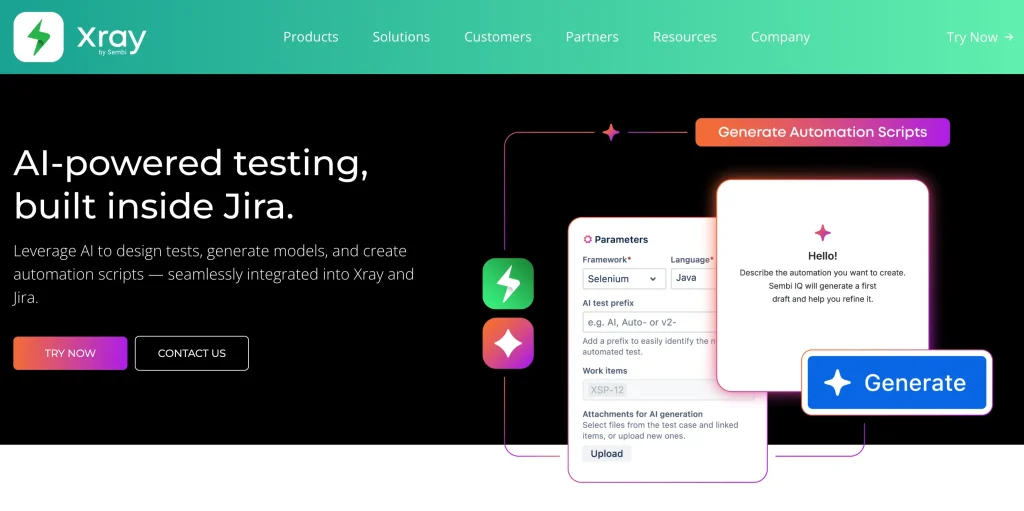
Xray is a Jira-native test management platform that helps you manage manual and automated testing directly within Jira.
Instead of forcing QA teams to work in disconnected environments, Xray integrates testing into your existing development workflows so you can plan, execute, and track quality initiatives without leaving Jira.
The platform supports test cases as Jira issues and lets you structure your QA workflows using dedicated issue types like Test, Test Plan, Test Set, and Test Execution.
Key features
- Publishes automated test execution results back into Jira through REST APIs with real-time traceability
- Enables Behavior-Driven Development (BDD) workflows with native Gherkin syntax support
- Links test cases with requirements, defects, user stories, and other Jira issues for complete traceability
- Provides interactive dashboards, traceability matrices, and requirement coverage reports for better visibility
Pros
- Native Jira integration minimizes workflow disruption and reduces context switching
- Strong traceability features improve visibility between requirements, defects, and test execution
Cons
- Performance may slow down as test repositories and Jira storage volumes grow
- Teams must rely on Jira modules or external tools for broader requirements management
Pricing: Depends on the number of users, deployment type (Cloud or Data Center), and billing cycle (annual or monthly).
Rating
- G2: 4.3/5
AI Test Intelligence and Analytics Solutions
Running more tests doesn’t always guarantee better software quality. AI-powered testing intelligence platforms help teams prioritize what actually matters by analyzing risk, code coverage, production usage, and release impact to improve testing efficiency and reduce unnecessary execution cycles.
16. SeaLights
Best for: AI-powered quality intelligence and test impact analysis for CI/CD optimization

SeaLights is an extensive software quality intelligence platform that provides thorough visibility into the quality risks across your delivery pipeline.
By applying AI and ML, SeaLights provides the visibility and metrics you need to deliver software rapidly without compromising quality.
Moreover, you can implement a smarter testing practice by choosing and running only the most relevant tests for each build. This will give you a faster feedback loop and reduce testing cycle time by up to 80%.
Key features
- Identifies code coverage across E2E, Regression, Integration, CI, and Manual tests, ensuring no untested code changes reach production
- Tracks quality metrics across every build, sprint, and release for proof of testing and quality control
- Auto-selects and executes only critical tests related to code changes with test impact analytics
- Configures smart promotion or release gates with change-based quality gates
Pros
- Dashboards offer visibility into coverage, quality gates, and release risks
- Comes with seamless integration with CI/CD systems and comprehensive telemetry
Cons
- Integration, configuration, and ongoing calibration of TIA require significant setup
- May not be ideal for smaller teams or lean QA setups
Pricing: Custom pricing is available upon request.
Rating
- G2: 4.2/5
17. ProdPerfect
Best for: Automatically generating and maintaining tests using real user behavior data

Imagine having a testing tool that genuinely understands your user journeys without any upfront manual effort. ProdPerfect dives into your live traffic data, automatically building and maintaining browser-level application tests.
Instead of guessing which paths your users take most often, it identifies real-world workflows and replicates them in test environments.
But it doesn’t stop at mere simulation—its continuous testing engine means your suite adapts as user behavior changes, giving you high-fidelity insights with minimal manual intervention.
Key features
- Continuously detects and discovers user journeys through anonymous click data
- Runs on demand to ensure updates don’t disrupt your users’ golden path experience
- Updates and builds a long-term testing system as new features are released, supporting ongoing QA efforts
- Specifies testing patterns for a test environment and stabilizes the scripts
Pros
- Generates and maintains browser-level E2E tests using real user journey data
- Helps reduce waste through ML-driven test creation
Cons
- Lack of any public tiers makes budget planning difficult
- Reliance on behavioral data may miss edge cases not represented by traffic patterns
Pricing: Custom pricing is available upon request.
Rating
- G2: 4.6/5
18. Testers.ai (Formerly Checkie.ai)
Best for: Autonomous web app testing with built-in benchmarking and performance analysis

Testers.ai covers all your autonomous testing needs for web apps, from functionality and performance to API and accessibility. You can simulate user interactions, generate user feedback, conduct competitive benchmarking, and test for privacy and security. You can also access a comprehensive performance analysis to identify even the smallest bugs.
Key features
- Provides fully autonomous test coverage for web apps
- Ensures accessibility across all major browsers and operating systems
- Delivers test flow results for each case run, including a range of performance and device metrics
- Offers a user-friendly design requiring minimal effort to create and run tests
Pros
- Built-in benchmarking provides competitive insights, not just pass/fail results
- Detailed flow-level performance metrics help pinpoint subtle inefficiencies
Cons
- Pricing tiers are relatively high compared to other tools with broader ecosystems
- On-premises option requires a significant enterprise-level investment
Pricing
- Basic pricing starts at $1000 per app per month, with flexible plans available as per requirements.
Rating
- G2: No presence
Model-Based testing
Model-based testing platforms simulate real-world user behavior and application flows instead of relying entirely on scripted automation. These tools are especially valuable for enterprise systems, complex workflows, and applications where maintaining traditional scripted tests becomes difficult at scale.
19. Keysight Eggplant Test
Best for: Model-based AI testing that validates applications through real-user interactions

The Keysight Eggplant Test software uses a model-based digital twin-testing approach to maximize coverage, speed up software delivery cycles, and boost AI-powered quality assurance processes.
Its AI-powered automation interacts with your app like a real user, giving you smart, actionable feedback without needing access to your source code. You can also execute tests to predict run-time behavior under various conditions, enhancing your app’s reliability and usability.
Key features
- Uses smart computer vision with optical character and image recognition to interact with the app as a real user would
- Provides CI/CD integration adapters for platforms like GitHub, Bamboo, Jenkins, and more
- Enables AI-powered exploratory testing to deliver actionable insights
- Offers models for scriptless testing to reduce maintenance costs
Pros
- Digital twin approach provides broad, realistic coverage beyond traditional scripted tests
- Exploratory testing with AI uncovers hidden usability issues and performance bottlenecks
Cons
- Model-based testing may feel complex for teams unfamiliar with abstract modeling
- It can require a higher upfront effort to build accurate models of complex systems
Pricing
- Custom pricing is available upon request for all plans.
Rating
- G2: 4.2/5
20. Tricentis Tosca
Best for: Enterprise test automation for complex business applications using Vision AI and model-based testing

This inclusive testing tool features the Tosca Copilot, a GenAI-powered automation assistant that uses a chat interface to help you find, study, and optimize test assets.
As a context-aware tool, Tricentis Tosca helps you gain unprecedented control of your test library by summarizing complex tests into simple language, enhancing your team’s productivity.
It offers solutions for all digital projects, from modernizing business applications to transitioning to the cloud.
Key features
- Optimizes your test suite by identifying unused test cases, unlinked assets, and duplicates using Tosca Query Language
- Uses Vision AI to “see” like a human, enabling test automation for previously hard-to-automate apps, such as those on remote desktops
- Delivers actionable execution insights by quickly interpreting test results, enabling faster troubleshooting and shorter release cycles
- Supports DevOps, Agile, and waterfall workflows
Pros
- Vision AI enables automation of edge cases that traditional tools often miss
- Copilot’s natural language support lowers the barrier for non-technical users to contribute
Cons
- Initial licensing and implementation can be resource-intensive
- Some advanced functions require specialized training
Pricing
- Custom pricing is available upon request for all plans.
Rating
- G2: 4.3/5
AI-Powered API testing
As APIs become the backbone of modern applications, testing them efficiently is more important than ever. AI-powered API testing tools help teams generate tests, validate workflows, debug failures, and automate complex API interactions using intelligent automation and natural-language assistance.
21. Postman AI
Best for: AI-assisted API testing, debugging, and workflow automation using natural language
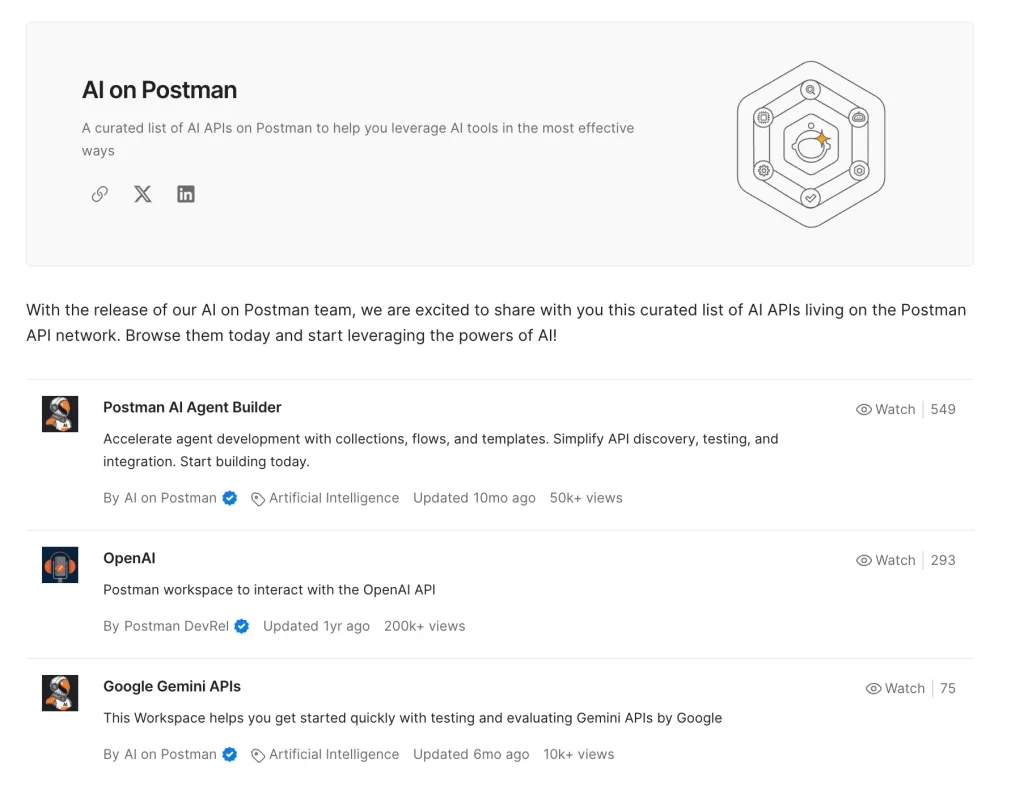
Postman AI is a suite of AI-powered capabilities built into the Postman API platform to help you design, test, debug, and automate API workflows using natural language.
It introduces agentic workflows that can interpret prompts, diagnose request failures, generate tests, and suggest fixes directly within your API development environment.
The platform also supports AI model evaluation and workflow automation, allowing teams to experiment with large language models, compare outputs, and streamline API testing and documentation from a single workspace.
Key features
- Uses Agent Mode to interpret natural language prompts and convert them into actionable API workflows
- Diagnoses failing API requests and recommends fixes by analyzing connected repositories and Postman assets
- Automatically generates load, contract, unit, integration, and end-to-end tests for API collections
- Integrates with leading LLM providers like OpenAI, Anthropic, and Google for comparative testing workflows
Pros
- Built-in collaboration and API tooling reduce context switching between platforms
- Extensive feature set supports modern API-first development workflows
Cons
- Premium AI capabilities may become expensive for smaller teams
- Heavy reliance on AI-generated workflows may reduce understanding of core API concepts for newer developers
Pricing
- Free: $0 (50 AI credits)
- Solo: $12 per month per user (400 AI monthly credits)
- Team: $23 per month per user (400 AI monthly credits)
- Enterprise: $59 per month per user (800 AI monthly credits)
Rating
- G2: 4.6/5
22. Worksoft Certify
Best for: Enterprise process testing for SAP and packaged business applications without scripting

This codeless platform offers top-notch continuous automated testing for your enterprise packaged applications. Your IT team and non-technical contributors can work in parallel to test your processes in real-world scenarios.
Moreover, the test automation framework in Worksoft Certify enables dynamic adaptation to change by using smart object definitions that don’t require you to keep evolving individual test scripts.
Key features
- Comes with an out-of-the-box interface to help test APIs and leverage virtual services without rebuilding tests
- Shares reusable automation assets to help you build and share automation across projects
- Mitigates risk with impact analysis and scope testing to meet your testing needs
- Integrates with HP ALM, IBM RQM, SAP Solution Manager, JIRA, and ServiceNow
Pros
- Has a strong enterprise coverage—end-to-end automation of complex business processes
- Designed for enterprise-scale deployments
Cons
- Struggles with capturing changes in web elements and object identification
- It lacks flexibility, and the test management UI can feel unintuitive or dated
Pricing
- Custom pricing is available upon request.
Rating
- G2: 4.4/5
23. ReadyAPI
Best for: Enterprise API testing across functional, security, performance, and virtualization workflows
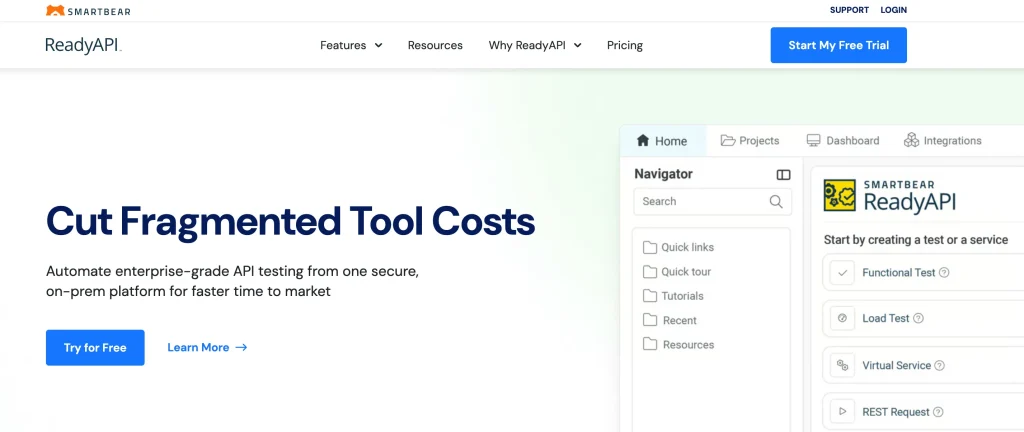
ReadyAPI is an enterprise-grade API testing platform built to help development and QA teams create, manage, and automate API testing workflows from a unified environment.
Designed for large-scale API quality initiatives, it supports functional, security, performance, and virtualization testing across REST, SOAP, Kafka, JDBC, JMS, and other protocols.
The platform combines low-code testing, intelligent assertions, CI/CD integrations, and scalable test execution capabilities to help teams accelerate releases while maintaining API reliability, performance, and security across complex environments.
Key features
- Validates REST, SOAP, Kafka, JDBC, JMS, and asynchronous APIs using a low-code testing environment
- Uses Smart Assertion logic to automatically generate validation rules and improve test coverage
- Captures live API traffic to instantly create reusable test cases, virtual services, and API definitions
- Provides centralized dashboards with real-time reporting, trend analysis, and exportable test reports
Pros
- Allows teams to customize workflows using Groovy scripting, Java plugins, and reusable project assets
- Service virtualization helps eliminate testing bottlenecks caused by unavailable dependencies
Cons
- Resource-heavy projects can impact performance on lower-end systems
- Licensing structure across modules may feel complex initially
Pricing
- API Test Module: Starts at $6,599/license annually
- API Performance Module: Starts at $16,055/license annually
- API Virtualization Module: Starts at $7,159/license annually
- Add-on virtualization capabilities available starting at $3,709
Rating
- G2: 4.4/5
Open-Source AI testing tools
Open-source AI testing tools give development and QA teams more flexibility and control over their automation workflows. These platforms combine community-driven ecosystems with AI-assisted capabilities like natural-language generation, self-healing automation, and intelligent test orchestration.
24. Playwright Test Agents
Best for: AI-assisted Playwright automation with natural-language scaffolding and self-healing workflows
Playwright Test Agents are AI-powered testing agents built into Playwright that help you generate, execute, and repair automated tests using an agentic workflow.
The platform includes dedicated planner, generator, and healer agents that work together to create test plans, generate Playwright scripts, and automatically fix failing tests when UI changes occur.
Instead of manually building every workflow from scratch, you can use natural language prompts and human-readable specifications to accelerate test creation and reduce repetitive maintenance work across modern web applications.
Key features
- Converts natural language prompts and Markdown plans into executable Playwright tests
- Automatically repairs failing tests by identifying updated selectors, waits, and UI flows
- Verifies selectors and assertions live while generating test scripts
- Integrates with AI coding environments like VS Code, Claude Code, and OpenCode
Pros
- Helps accelerate onboarding for beginners learning Playwright workflows and APIs
- Agents can identify edge cases and user flow gaps that teams may otherwise overlook
Cons
- AI agents can struggle with highly dynamic Single Page Applications (SPAs) and complex UI state changes
- Manually written Playwright tests may still offer more predictable and stable results in complex projects
Pricing
- Free
Rating
- G2: 4.6/5
25. QA Wolf
Best for: Fully managed Playwright-based end-to-end testing with human-backed maintenance

QA Wolf is an open-source software testing solution that helps agile teams achieve 80% end-to-end test coverage within four months. Built for speed and scalability, it takes care of both the infrastructure and the actual writing of your tests.
QA Wolf’s “human-in-the-loop” model means AI doesn’t just generate and validate tests in isolation but works with expert engineers, so you’re not left with unsupervised test automation that fails when it’s needed most.
Key features
- Uses Playwright code for the web and Appium for mobile
- Enables parallelization of test runs, whether you’re scaling from 100 to 1,000 tests
- Automates hundreds (sometimes thousands) of tests, ready to run in the QA Wolf cloud on every deployment
- Tests third-party integrations, APIs, extensions, email and SMS deliverability, and audio and video accuracy
Pros
- Supports unlimited parallel test runs on their infrastructure at no extra cost
- There’s seamless CI/CD and integrations, plus active maintenance and 24/7 support
Cons
- Limited browser compatibility (mainly Chromium-based) may be an issue
- The packaged-for-you model offers less control
Pricing
- Free
Rating
- G2: 4.8/5
Mobile AI testing
Mobile testing comes with unique challenges, including fragmented devices, operating systems, network conditions, and hardware behaviors. AI-powered mobile testing tools help teams validate real-world app experiences faster through intelligent automation, real-device testing, and scalable mobile infrastructure.
26. Kobiton
Best for: AI-powered script generation that automatically converts manual test sessions into reusable automation scripts

Kobiton is a mobile application testing platform that helps you perform manual, automated, and AI-assisted testing across Android and iOS devices.
Built for mobile-first teams, it combines real-device testing, scriptless automation, visual validation, and performance monitoring into a unified cloud-based environment.
The platform also uses AI-powered script generation to convert manual test sessions into reusable automation scripts, helping teams accelerate mobile testing workflows while reducing repetitive effort.
Key features
- Provides access to hundreds of real Android and iOS devices through a cloud-based device lab
- Detects mobile performance anomalies such as CPU spikes, battery drain, crashes, and latency issues
- Validates app behavior across different screen resolutions, brightness levels, and device configurations
- Tests real-world mobile experiences, including battery usage, push notifications, gestures, and interruptions
Pros
- AI-assisted script generation reduces time spent creating repetitive mobile tests
- Real-device cloud testing improves accuracy compared to emulator-only testing
Cons
- Advanced automation workflows may require onboarding for new teams
- Large-scale mobile test suites may require careful device management
Pricing
- Startup: Starting at $83 per month
- Accelerate: Starting at $399 per month
- Scale: Annual Only
- Enterprise: Contact for custom pricing
Rating
- G2: 4.3/5
27. TestComplete
Best for: Enterprise-grade automated UI testing tool best known for its AI-powered object recognition

TestComplete makes it easy to automate functional UI tests for any application. Whether you opt for real or virtual device testing, keyword tests across multiple browsers, OS, and device combinations help you identify and fix bugs.
The property-based and AI-powered visual recognition helps you identify dynamic UI elements, saving you time and helping you manage objects in a single repository. Ultimately, you get a top-notch UI that looks and functions exactly as you want.
Key features
- Supports 2050+ browser and platform configurations
- Has a single interface that delivers real-time insights into tests
- Can handle complex scenarios with simple point-and-click actions
- Integrates with a wide range of tools to give you a unified testing lifecycle
Pros
- Supports a wide array of platforms with both keyword-driven and scripted testing
- Offers robust integrations with CI/CD tools and defect tracking systems
Cons
- Licensing can be complex and pricey
- Users report inconsistent stability: errors, crashes, and occasional reliability issues
Pricing
- TestComplete Base: $2,168
- TestComplete Pro: $4,799
- TestComplete Advanced: Custom pricing
In addition, you can opt for the free 14-day trial plan; Windows OS is required.
28. BrowserStack App Automate
Best for: Real-device mobile testing for validating complex device-specific workflows
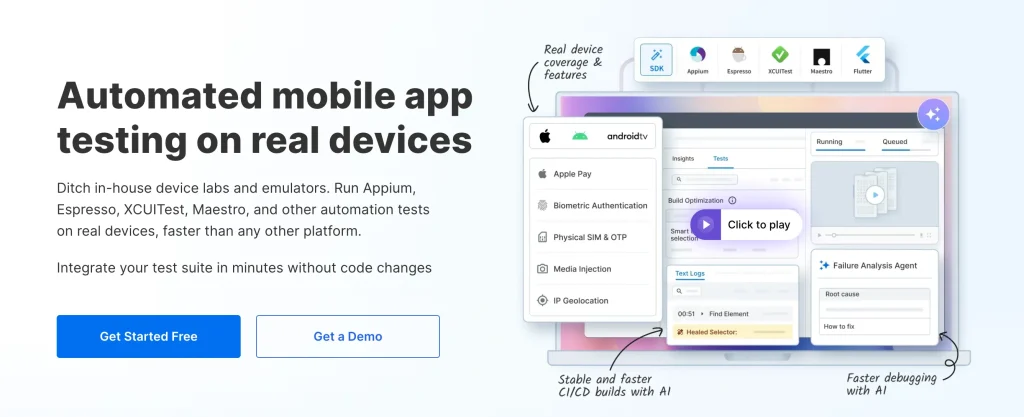
BrowserStack App Automate is a real-device mobile app testing platform that helps you automate Android and iOS testing without maintaining physical device labs. It enables you to execute automated mobile tests across thousands of real devices while validating real-world app behavior, performance, and device-specific functionality at scale.
Key features
- Captures runtime metrics like CPU usage, memory consumption, and battery drain during test execution
- Runs automated mobile tests on 30,000+ real Android and iOS devices
- Supports Appium, Espresso, XCUITest, Maestro, Flutter, and other automation frameworks
- Tests advanced device workflows, including Apple Pay, biometric authentication, SIM-based OTP flows, and media injection
Pros
- Gives teams early access to newly launched devices and OS versions
- Speeds up regression cycles through parallel execution and automated pipeline optimization
Cons
- Enterprise-focused capabilities may be excessive for smaller QA teams
- Managing very large automation suites may require careful infrastructure planning
Pricing
- Device Cloud: $249 per month
- Device Cloud Pro: $299 per month
Rating
- G2: 4.4/5
How to Choose the Best AI Test Automation Tool for Your Needs
There are many AI test automation tools available today, but not every solution delivers the same level of reliability or efficiency. When evaluating artificial intelligence testing platforms, it’s important to focus on key capabilities that ensure smarter test creation, faster execution, and easier maintenance. Here are some essential features to consider when choosing the right AI-driven QA automation tool for your needs:
1. Scalability: As your application evolves, you want your tests to grow with it. No matter how much code you generate, your AI testing tool should excel at running tests in parallel in multiple production environments without a drop in performance. This flexibility also means you won’t need to switch tools as your project grows, saving time and resources.
2. Accessibility: Your tool should integrate accessibility into your functional and UI testing and evaluate key accessibility aspects such as color contrast, screen reader compatibility, and keyboard navigation. Integrating these checks early ensures compliance with accessibility standards and a smoother user experience for all.
3. Comprehensive coverage: Your testing tool should be able to test your application across a wide range of browsers, devices, and OS combinations to cover as many real-life scenarios as possible.
In addition, it should support testing in different regions to ensure that localized versions of your app function seamlessly. The broader the coverage, the fewer edge cases you’ll miss, leading to a more robust and reliable app.
4. Integration with CI/CD: One of AI’s biggest advantages is its ability to learn on its own—we’re witnessing this with ChatGPT. Therefore, invest in an AI testing tool that can integrate with your CI/CD pipelines to automatically generate and adapt test cases based on previous execution results.
Many tools leverage Machine Learning (ML) to detect new patterns, regressions, and edge cases. It should adapt to new patterns and emerging bugs, ensuring that the more tests it runs, the smarter and more accurate it becomes.
This capability also reduces the maintenance overhead of your test suite.
5. Accuracy of AI suggestions: AI testing tools are only as useful as the accuracy of their recommendations. Look for a platform that clearly explains why a certain test case, fix, or optimization is suggested.
High-quality tools rely on well-trained models and real execution data to minimize false positives and irrelevant test cases. The more accurate the AI suggestions, the less time your team wastes validating or discarding flawed results.
6. Ease of use for non-programmers: Accelerate testing by allowing even non-technical team members without coding skills to create, run, and maintain tests. This will help widen the pool of testers and boost overall efficiency. In the long run, low-code/no-code options can drastically reduce manual testing time and free up your developers for more complex tasks.
Benefits and Challenges Solved by AI Automation Testing Tools
Did you know 40% of QA teams report using ChatGPT as an AI tool in their testing process, while 10% use Claude and 6% use Gemini? The adoption is there, but what are its advantages? Let’s take a look in this section:
1. Automate complex tasks: AI testing tools can automate complex processes that go beyond the capabilities of traditional automation. They can dynamically create and adjust tests based on real-time data, without requiring scripts to be written for specific scenarios. This minimizes the burden of complex test case maintenance and ensures tests remain relevant as apps evolve.
2. Boost test coverage: AI test automation tools automatically identify and generate test cases for edge cases and potential failure points that might get missed in manual testing. They can identify trends in bug reports, system behavior, and performance data, enabling you to proactively reduce false positives and address actual issues.
3. Create self-healing test scripts: In traditional automation, even the smallest changes in the user interface or code structure can break test scripts, which, in turn, demand time-consuming maintenance. AI testing tools offer self-healing capabilities. That means the scripts can automatically adjust to changes in the app, supporting large-scale regression testing without slowing release cycles.
Final Words
AI testing is a requirement for most software delivery processes and is no longer an option in fast-paced QA teams. You must invest in the most seamless testing option possible that increases release confidence and scales well, right when you need it to.
Therefore, look at the diversity of AI software testing tools we’ve discussed here! Evaluate your options, talk to other customers, take advantage of the free trial wherever you can, and make an informed decision.
And if you don’t want to waste any time, get going with an enterprise-grade tool that delivers. Explore CoTester or book a demo.
Your developers and QA teams will thank you.
Good luck!
Frequently Asked Questions (FAQs)
1. What are AI testing tools, and how do they work?
AI testing tools use machine learning and automation to generate test cases, detect bugs, and self-heal scripts. Unlike traditional automation, they adapt to app changes, reducing flakiness and manual updates.
2. What types of testing can AI tools automate?
AI automation testing covers unit, regression, UI/functional, performance, and API testing. It also supports intelligent test case generation, prioritization, and defect prediction, helping teams improve speed and accuracy.
3. Which is the best AI testing tool for automation testing?
The best tool depends on your needs. CoTester 2.0 by TestGrid stands out for enterprise-grade adaptability, context-aware test creation, and a powerful self-healing engine, with secure deployment options across cloud and on-prem.
4. How does AI test automation handle test maintenance?
AI-powered self-healing automation detects UI changes and updates locators dynamically, minimizing failures and reducing manual script maintenance.
5. Do I need programming skills to use AI testing tools?
No, most AI testing tools are codeless or low-code. They offer drag-and-drop workflows and natural language prompts. Programming knowledge helps with advanced customization but isn’t mandatory.
6. What makes AI automation testing tools different from traditional testing tools?
AI testing tools adapt automatically to code and UI changes, generate test cases from user behavior, and provide predictive insights that traditional tools lack.
7. Can AI testing tools integrate with CI/CD pipelines?
Yes, modern AI testing tools integrate seamlessly with Jenkins, GitHub Actions, GitLab CI/CD, and Azure DevOps. Tools like CoTester 2.0 also allow custom hooks and pipeline alignment.
8. What features should I look for in an AI testing tool?
Key features include self-healing automation, automated test generation, UI validation, intelligent bug detection, predictive analytics, CI/CD integration, and parallel execution.
9. What is self-healing test automation, and which tools support it?
Self-healing automation updates locators dynamically when apps change. Tools like CoTester, Functionize, mabl, and Testsigma support this capability.
10. Can AI testing tools generate test cases automatically from user stories?
Yes, AI testing tools analyze user stories and requirements to create structured test cases, which can then be executed across environments.
11. How do AI testing tools improve test coverage and detect edge cases?
AI tools process large datasets of user behavior and defects to identify risk patterns and generate scenarios that cover edge cases humans might miss.