
Runtime Arguments
Overview
Runtime arguments let you supply values for runtime variables at the moment a test runs, so you can change a value between executions without editing the test case or test data.
For example, a test case may contain a runtime variable named phoneNumber. Instead of hardcoding a phone number in the test case, you can provide the required phone number through runtime arguments when starting the execution.
When to Use Runtime Arguments
Use runtime arguments when you need to:
- Provide different values for different test executions.
- Avoid hardcoding values in test cases.
- Pass execution-specific data to runtime variables.
- Reuse the same test case with different input values.
- Provide environment- or user-specific values at execution time.
How Runtime Arguments Work
Setting up and using a runtime argument takes four steps.
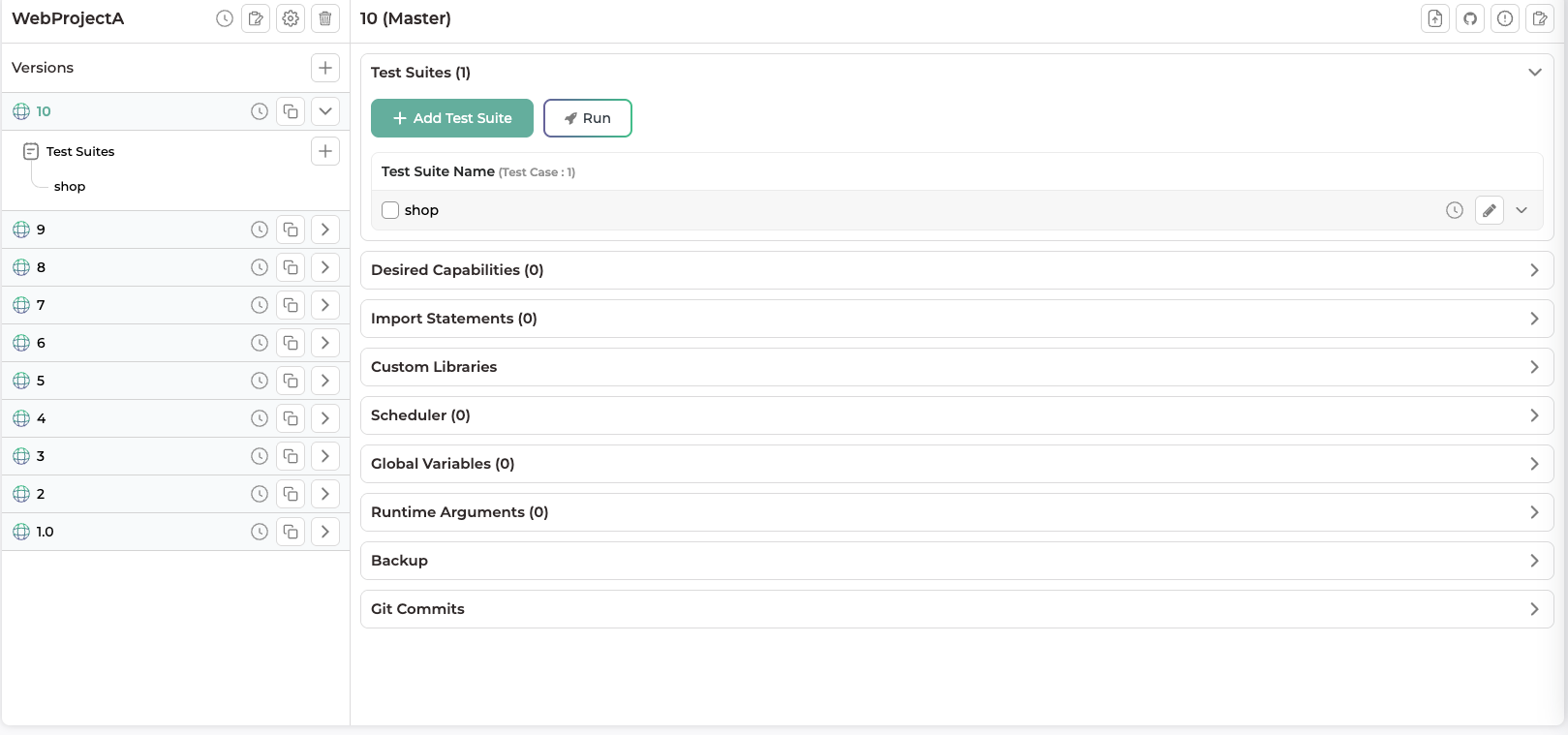
Step 1: Open the Version
- Go to the Scriptless project.
- Click the version in which you want to create a runtime variable.
- Navigate to the Runtime Arguments section.
Runtime variables created at the version level can be used by test cases within the same version.
Step 2: Add a Runtime Variable
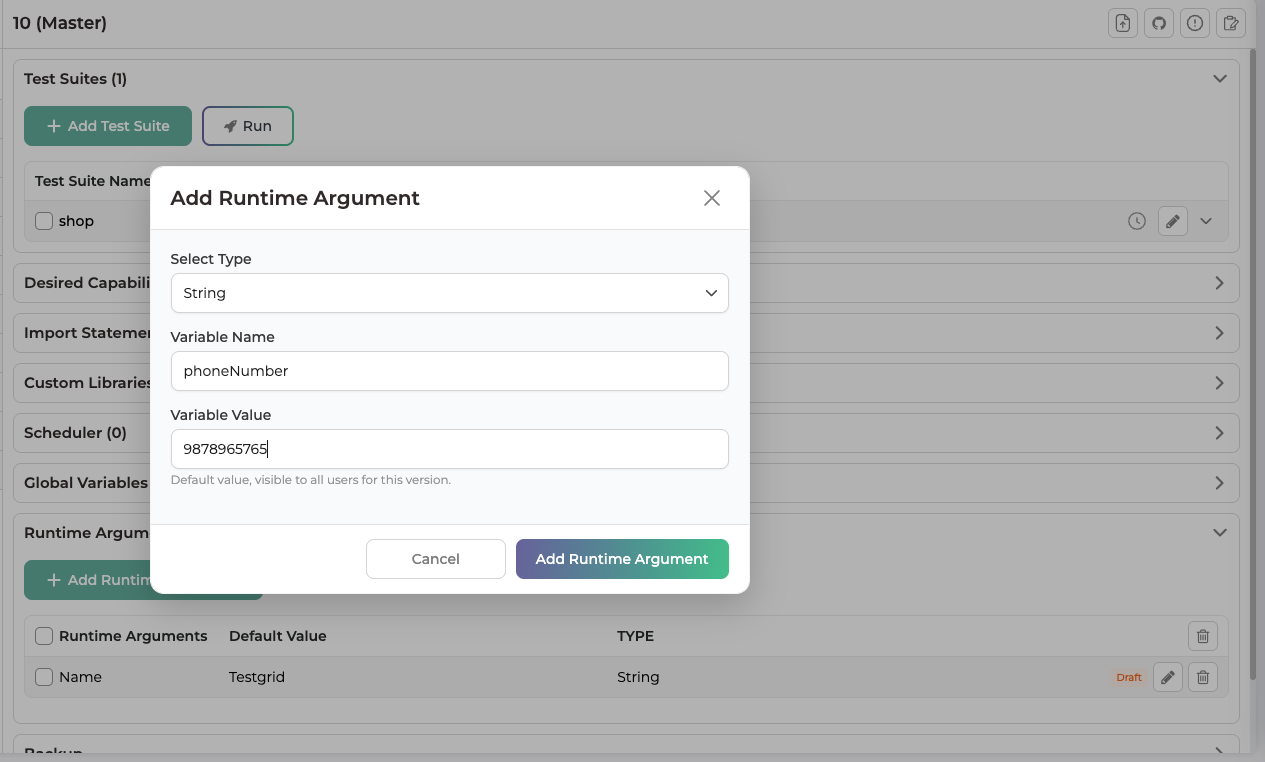
- In the Runtime Arguments section, click Add Runtime Argument.
- In the Add Runtime Argument pop-up, provide the following:
- Select Type: the type of runtime variable.
- Variable Name: the name of the runtime variable.
- Variable Value: the value used when none is provided at execution.
- Click Add Runtime Argument.
The runtime variable is created and is available for use within the same version.
Step 3: Use the Runtime Variable in a Test Case
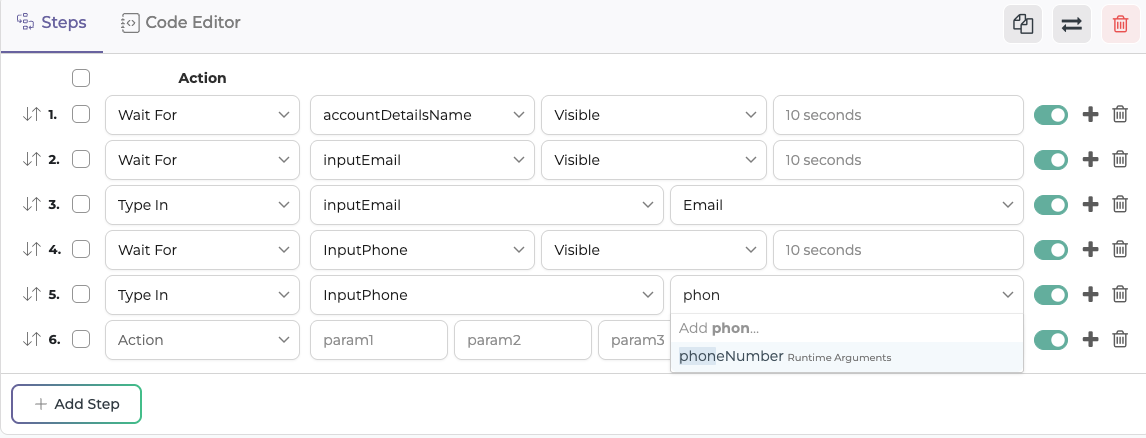
Once created, you can use the runtime variable in any test case under the same version.
Step 4: Provide a Value During Test Execution
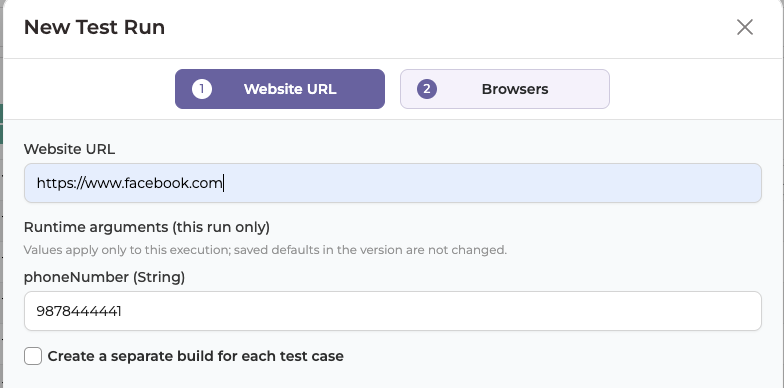
When you select the test case and click Run, TestGrid shows a pop-up asking for values for the runtime variables used in that test case. The pop-up displays the default value you configured.
You can either keep the default value or change it before starting the execution. The value you provide is used for that execution only. If you don’t provide or change a value, TestGrid uses the configured default.
Using Runtime Arguments Through the API
You can also provide runtime variable values when you trigger a test execution through the TestGrid API. Pass each value as a parameter named with the required arg_ prefix, followed by the exact name of the runtime variable created in TestGrid:
arg_<runtime_variable_name>
Example
If the runtime variable in TestGrid is named phoneNumber, pass its value with the parameter arg_phoneNumber:
arg_phoneNumber = “567787876”
The runtime variable phoneNumber then receives the value 567787876.
Default value behaviour
If a runtime variable has a default value and the API request does not provide a value for that runtime variable, the default value will be used during execution.
Important
The arg_ prefix is required. The name after it must exactly match the name of the runtime variable configured in TestGrid.
Benefits
Runtime arguments let you change runtime variable values without modifying the underlying test case.
- Reusability: use the same test case with different values.
- Flexibility: provide different values for each execution.
- Maintainability: avoid editing test cases when input values change.
- API support: provide runtime variable values dynamically through API execution.
- Default value support: use a predefined value when no execution-time value is provided.